Here the UNO supplies 5v to the (regulated 50mA) NEO6M and 3v to the RTC. The 5v UNO has no trouble responding to 3v signals from the Neo & RTC without level shifters. White wires to D11/D12 are GPS Rx&Tx via SoftwareSerial. The tantalum caps just stabilize the supply voltages which tend to be noisy on breadboards.
So far in 2024 we’ve released DIY calibration procedures for light, pressure & NTC temperature sensors that can be done without expensive reference equipment. Important techniques; but with long environmental time-series the 500 pound gorilla in the room is actually time itself. Precise timekeeping is something of a back-burner issue in the hobbyist world because so few are trying to combine data from multi-sensor arrays. And syncing to an NTP server is easy when you are already using wireless coms – provided that’s ‘good enough’ for your application. However for people who want high accuracy, using NTP is like setting your watch by constantly asking a friend what time it is.
An extension antenna is required or the GPS will never get a signal indoors. With that mounted in a skylight window theFIRST fixtook over 30 minutes to acquire. Subsequent fixes took two minutes or less. It will be interesting to see how this $15 combination performs when we service loggers at heavily forested field sites.
Reconstructing a sequence of events in a dynamic earth system is challenging when timestamps are generated by independent and unsynchronized clocks. But our loggers get deployed by the dozen in underwater caves, and even when you are above ground wireless isn’t really a long term option on a single Cr2032. For stand-alone operation we rely on the DS3231 RTC as they usually drift about 30 seconds per year – but there are always a few outliers in each batch that exceed the datasheet spec of about 5 seconds per month (±2ppm) for the -SN and 13 sec/m (±5ppm) for -M (MEMS) chips. These outliers are hard to spot with our usual ‘by hand’ time-setting process over the serial monitor. You can get a set of loggers within 80 milliseconds of each other with that method, but that difference is still annoyingly visible when the LEDs pip. That set me hunting for a better solution.
Paul Stofregens TimeSerial is often suggested but TimeLib.h didn’t play well with the RTC functions already in our code base. Even after sorting that out, and installing Processing to run SyncArduinoClock, I was still initiating the process. So TimeSerial didn’t get me any closer to the perfectly synchronized LEDs I was after.
This NEO-6M module doesn’t have a PPS header, but the indicator LED is driven by the time-pulse to indicate sync status. This provides one pulse per second, synced at the rising edge, for 100msec. Soldering a jumper to the limit resistor lets you to bring that signal over to the UNO with a male Dupont header pin.
SergeBre’s SynchroTime seemed like an all-in-one solution. But even after a decade working with the Arduino IDE, I still made every newbie mistake possible trying to compile that C code for windows. There are simply too many possible editor/ compiler/ plugin combinations to sift through without a lot of mistaken installations, removals & re-installs. I wasted a couple of days before realizing that code was packaged for the QT environment, and when I saw the additional cost I finally had enough. In the end, it took me less time to build my own GPS time-sync code than I spent trying to compile SynchroTime. That’s an important lesson in the difference between something that’s technically open source and a useable solution. Of course I can’t write that without wondering how many feel the same way about this project.
Ds3231 Datasheet pg7: In the ideal case there is no better option than leaving the offset at zero. However, many chips in circulation don’t match this spec: especially the -M chips which can require offsets of (-)40 or more to match a GPS pulse at room temperature. Most of the M’s run slow, needing AGEreg adjustments from (-)20 to (-)30, while most SN’s are slightly fast requiring single digit positive AGEreg values.
Despite those setbacks, I couldn’t give up this quest knowing that HeyPete had achieved a drift of only 26 seconds with DS3231 offline for 3 years. The key to that spectacular result was tuning the Aging Offset Register before the run. Positive values in this register add capacitance to an array, slowing the oscillator frequency while negative values remove capacitance and increase the main oscillator frequency. The change is different at different temperatures but at 25°C, one LSB adjusts by approximately 0.1ppm(SN) or 0.12ppm(M). The exact sensitivity is also affected by voltage and age so it can only be determined for a given chip empirically. The datasheets also warn not to run noisy PCB traces under the RTC that might induce capacitive/coupling effects on the crystal but many modules on the market ignore this. My ‘rule of thumb’ when servicing loggers in the field is that changing the aging register by ±3 will correct approximately 1 second of clock drift per month when I don’t have access to the resources described in this post. Of course that requires you to have good field notes so you can be sure when the logger’s clock was last set.
In April 2023, ShermanPproposed a method to do this using successive approximations via the Arduino system clock. After considering, and then rejecting, NTP & WWVB, he settled on GPS as the best source and then posted a ready-to-run solution on his GitHub repo: https://github.com/gbhug5a/DS3231-Aging-GPS
Before proceeding further, read the PDF to understand how his code works. The key idea is that “In calibrating the optimum Aging setting, you should duplicate as nearly as possible the power supply voltage the RTC will experience in its application.” although I suspect this is less critical for the crystal based -SN chips than for the MEMS oscillators. Unfortunately battery voltages change significantly with temp. so matching the rail implies you are also doing this RTC adjustment at temps near your expected deployment ranges – which may not be possible. The Cr2032s that power our loggers spend most of their operating life at 3.05v, and the power indicator LED on raw RTC modules pulls enough current that it drops the UNO’s 3.3 volt line down to about 3v. Finished loggers draw only 1-2μA while sleeping so for those I have to add a Schottky 1N5817 inline to drop that supply down to 3.05v during the test.
The rig can be used to test single RTC modules… [this photo shows the GPS PPS connected to D3]
or finished loggers – provided – you put the ProMini to sleep, or load it with blink so it ignores the I2C traffic sent from the UNO. So we can do these tests & adjustments to loggers at any time after they have gone into service.
Sherman’s code uses the Interrupt Capture Unit so the PPS signal from the GPS must be connected to D8. I put a male Dupont pin on the end of the PPS tapso the UNO connection can be moved easily as the other code in this post requires that connected to D3. When testing the RTC inside assembled loggers, I have to use an alligator clip ( in green above ) for the alarm line which already has a soldered wire connection – so a female Dupont will not fit over that header pin.
It usually takes 20-30 minutes for the adjustment on a -SN chip to reach a stable value, or settle into a pattern toggling the last bit up and down:
Each cycle of Sherman’s code shown above takes five minutes. The test tends to work better when the RTC time is close to actual GPS time, however the test changes the RTC time during the cal process. So you will need re-sync your RTC time to the GPS after the Age offset determination is run. In our version, I’ve added RTC temperature and tweaked the formatting so that it’s easier to graph the output from longer tests. But these are trivial changes.
On this (typical) -M RTC, it took an hour before the 5-minute cycles settled to a stable offset. Later runs of this unit with calcSlope() showed slightly better behavior with a value of -17 but this test might have settled there if I’d left it running longer. You don’t want the RTC doing too many TCXO corrections during the test.
Unfortunately the DS3231 has no non volatile memory which means all registers will reset whenever the chip loses power. So I write the optimum offset from this test on the modules battery holder with a white paint marker during the component triage I do before building new loggers. Most of the time I get similar results when running this test on a completed build that I got from the RTC module by itself before the logger was assembled. However for about 1/3 of the RTCs, forcing the chip to run in low-power mode from Vbat slows the main oscillator speed up to 2ppm – so the only safe approach is to retest the age register test after logger assembly. The BBSQW battery power alarm enable (bit 6 of the 0x0E register) must be set when running the RTC on Vbat.
Many have speculated that there are ‘fake’ DS3231 chips in circulation, but with so many showing scratches & scuff marks I suspect the bad chips are actually the result of rough handling during rework/recycling. And with a chip that’s been in production this long, some are bound to be decades old.
SN chips settle to a stable offset value quickly: usually within 2-3 cycles but it can take an hour or more before the -M chips give you a stable age offset. About one in 40 of the RTC modules does not settle to a consistent number no matter how long you leave it and I toss those as defective. Occasionally this is because even with the Age register pushed all the way to a max value (±127) the RTC still can not match the GPS pulse. Some of the non-calibratable units have a non functional register – you can write a value to the register and read it back but that has no effect on the output. I suspect that many of these failures are due impact damage after the chip has been dropped. I also reject any RTC where the temperature register is off by more than 3°C because they won’t be able to do the TCXO corrections. The aging register and the temperature adjustments get combined at the load capacitor bank to tweak the main oscillator, so aging register changes won’t get applied until the next (64 sec) temperature correction unless you also trigger a manual conversion. Just by chance, about one in 25 of the -SN chips keeps almost perfect time compared to the GPS with the register left at the zero default. For now I’m keeping those aside as secondary reference units.
Units per Bin VS Aging offset to match GPS pulse: 140(M) & 85(SN) RTC modules. These were selected at random from multiple eBay vendors, and tested as unmodified modules powered through Vcc at 3.05v. Six of the SN’s had zero offset and I divided those equally into the ±5 bins. Interestingly, while the SN’s are much better behaved as a group, that chip type also had the most extreme outliers with about ten either DOA/unstable or requiring extreme adjustment. I suspect damage to the crystal tuning fork explains this observation as there was only one DOA in the batch of M chips.
To leave room for a decent range of TCXO correction, and with ±2ppm short-term wander (on the Mems chips) the aging register should only be used to compensate for about 6-7 ppm of baseline offset. I try not to use a module where the aging register correction to match the GPS is more than ±50.
Step 2: Synchronize RTC time with a Neo6M GPS
Most clock projects use NTP, but there are a few that go that extra mile and synchronize to GPS. One that caught my attention was: Super-Accurate GPS-Corrected RTC Clock – without Internet NTP He avoided the serial bus latency of those pokey 9600 baud coms by preloading variables with GPS time+1secondand then waiting for the next GPS pulsebefore setting the RTC registers. With this concept in hand, and TinyGPS++ to parse the NMEA strings, it didn’t take long to whip up my own version for our loggers. It’s worth noting that several forums mentioned NMEA messages can exceed the 64byte buffer in SoftwareSerial so I increased this to 128 bytes by editing the file at: C:\Program Files (x86) \Arduino \hardware \arduino \avr \libraries \SoftwareSerial \src
Another hidden gotcha is that GPS time can be out by 2 or 3 seconds until it receivesa ‘leap seconds’ update which is sent with the Almanac every 12.5 minutes. So wait until the sync LED has been blinking for 15 minutes before setting your clock time as I don’t (yet) have an error catch for this. Our RTC time-sync code displays how much adjustment was done to the RTC time and checks the latency between the GPS pulse and the new RTC time immediately after the sync. That difference is often less than 30 microseconds, but it increases from there if you leave the system running:
Note: If you just ran the aging register test in Step1 you will need to move the PPS signal jumper from D8 to D3 before runningRTC2_SyncDS3231Time2GPS The RTC alarm output stays on D2. Occasionally the process spans a transition, so if you see the RTC seconds at anything other than GPSsec+1, de-power the rtc and run it again. The RTCs internal countdown only restarts if the seconds register gets changed, so multiple runs will not reduce the lag once the time has been synced. For some reason I haven’t identified yet, the 1Hz output from -M chips often ends about 1 millisecond before the GPS pulse, producing a negative lag value after sync (because the first ‘partial’ interval is too short?)
You still have to edit the code by hand for your specific local-time adjustment but everything is well commented. Most scientists run their loggers on UTC which matches GPS default time so that local time tweak can be commented out.
The external antenna connection was pretty flakey until I secured it with hot glue.
One small issue with having to run these test utilities with the RTC at 3.05v is that you’ll need to change the battery before deploying the logger. To preserve the clock time, connect the logger to a UART so the RTC is powered continuously during any battery swaps. After the time-sync & new battery, the normal procedure is to load a logger with its deployment code which has a start menu option to set the RTCs aging offset. This gets saved into the 1k EEprom on 328p processor and once set, the base-code automatically reloads that value from the EE into the RTC’s aging register at each runtime startup. After that’s done the logger is ready to deploy – so Step 3 below is only for those who want to explore the DS3231 RTCs drift behavior in more detail.
Step 3: Testing and Verifying Clock Drift
Now that we have the aging offset, and the RTC is synced to GPS time, how do we verify what we’ve done?
HeyPete ran multi-unit drift tests on the same breadboard with all of the RTCs responding to a single I2C master. I’m tempted to try this approach to drift testing of the other sensors like the BMP280, or the BH1750 although I might need to add a TCA9548 I2C multiplexer.
One method is simply to run the clocks until the drift can be easily measured – but that can take several months. You can get immediate results by enabling the 32kHz output on a DS3231-SN and comparing that to a high accuracy source with an oscilloscope. Ideally, you calibrate to a traceable standard which is at least one decimal place better than your device resolution. Kerry Wong did this with an HP 5350B Microwave Counter and HeyPete uses a Trimble ThunderBolt Timing GPS. There are a few retired engineers out there with universal counters on the bench and for truly dedicated ‘time-nuts‘ only an atomic clock will do. But even then the times from several must be averaged to arrive at a published value, and whenever you achieve better numbers by averaging multiple measurements you obscure potential issues with jitter.
Even if we had that equipment budget, our loggers supply the DS3231 from Vbat to save runtime power which disables the 32kHz. And -M chips don’t support that temp. compensated output no matter how they are powered. So is there any validation test that can be done without expensive kit or the 32khz line?
Actually there is – thanks to the Needle Nose Pliers blog in Tokyo. He developed a method that uses least squares over one minute of aggregated readings to resolve rates of change below 0.02μs/second despite the fact that an UNO sysclock only ticks at 4μs. I wrapped his calcSlope() function with modifications needed for the UNO/NEO6 test rig used here and added an input to change the Aging register before each run. To run the drift checking code from our Github, connect the GPS PPS to D3, and RTC SQW to D2:
Note: drift in ms will increase over time and the ppm values typically vary by ±0.02 (or more for -M chips). 9.999 indicates that the code is still collecting the initial 60 readings required for slope calculation. It usually takes another minute after that for the ppm readings to settle. The 1-second cycle-count lets you know the test duration if you leave a long test running in the background.Once the initial 60 readings are gathered, the ppm drift calculation can be done. In real world terms, ±2ppm is about 175msec of drift per dayand you can see that happening in real time with this output. In the test shown above I was deliberately using an offset far from the one suggested by the Step1 test to see how much that increased the drift rate.
That serial output can then be copied into a spreadsheet to compare the effect that different aging offsets have on the RTC. Here are the results from two five-hour tests of a DS3231-M; first with the the Age register set at zero and then with it set to -17. The clock time was sync’d to GPS time before each test to make the graphs easier to compare with the x axis is seconds: (click to enlarge)
RTC temp. during test —> Msec offset from GPS —> Drift Error PPM
RTC temp during this test: 22°C
Drift: 35msec slow after 5 hours
Average error: +2ppm (with ±2ppm jitter)
At the Age=0 default, this RTC’s 1Hz output was 35 milliseconds behind the GPS pulse after five hours, which would be roughly equivalent to 100 seconds of drift per year. The average error hovered around +2 ppm. This is well within spec for a -M chip as ±5ppm implies up to 155 seconds of drift per year.
Then the Aging register was set to -17 (as determined by the test from Step1) and the drift examination was done again. That same RTC module was now only 0.5 milliseconds behind the GPS pulse after five hours, with the slope-derived error averaging close to zero ppm:
Higher 23°C temps on 2nd test
Less than 1ms of drift in 5h
Average error: close to 0ppm (but jitter is the same ±2ppm)
So with the correct aging offset this -M chip could be expected drift less than a second per year. Of course this only applies near our Step1 testing temperature, but in general: If you found the best aging offset correction, the msec difference between a 1Hz alarm from the RTC and the GPS pulse should change very little over a short test.
Its worth noting there is ±2ppm of jitter in the calculation with that -M chip (above) that is not present for -SN chips. The -SN shown below had a straight linear drift of 20 milliseconds slow over five hours when its Aging register was left at the zero default (that’s about 35 seconds/year or 1ppm), but the same RTC had near zero milliseconds of drift over five hours when the aging offset was set to -21:
RTC temp rise during this test
Msec drift approaching zero after 5h, with TCXO adjustment.
Error ppm ~0, with very little jitter on this -SN chip
Error(ppm) vs Runtime(sec): This drift verification on a DS3231-M was done with an age offset of -33 from the Step1 test. The B term in the Excel linear trendline fit is less than the 0.12ppm/bit register adjustment, confirming that -33 is optimal for this chip. The absolute timing change over this 2.5h test was less than 1/2msec faster than the GPS pulse.
Even with temperature rising 3°C during the test, that -SN stays within a tighter tolerance than the -M. This difference in short-term variability explains why the offset determination settles so quickly with a -SN, but can wander around for some time with a -M. The code used here in Step3 is like a slow verbose version of what’s being done in step1 that shows all the intermediate readings. If you put a linear trendline on the graph of the error PPM from running this test with the offset left at the zero default, you can estimate how much age register adjustment it would take to shift those readings until the average is near zero. The aging offset suggested by the test in Step1 should be close to the result of dividing the ‘b’ term from the y=mx+b trendline fit equation by 0.1ppm(SN) or 0.12ppm(M), and changing the sign.
On his blog, NNP also demonstrated how the two chip variants have different responses to temperature changes:
Temp(°C) vs Time(sec): The RTC modules were exposed to this overall pattern although the final tests were run faster (blue = program, orange = PID actual)
Drift Error (ppm) vs Time (sec): The spikes are due to the fact that the TCXO corrections only occur every 64 seconds on the -N variant, but after that the chip quickly returns to its ±2ppm spec.
While still within the rated ±5ppm the -M shows greater variability. With the -M chips doing corrections every 10 seconds I’m surprised the overall TCXO response takes a longer.
This confirms what I already suspected from our data: the -SN chips are a much better choice for outdoor environments where temperatures vary over that entire 50°C range. Although the temperature coefficient of the MEMS oscillator is not specified in the datasheet, loggers built with -M chips are probably still fine for stable thermal environments and with a tuned Aging register I’d expect them to drift less than ten seconds per year indoors. There are other insights if you dig into NNP’s blog. For example, drift is also affected by the physical orientation of the chip with respect to gravity. I had no idea it was a problem for all quartz resonators unless the crystal is cut into a special shape to avoid it. This highlights the fact that with so many different factors affecting the RTC, the Aging offset adjustment will never be perfect; you are simply aiming to reduce the ‘average’ drift. These tests are also affected somewhat by the stability of the oscillator on the UNO so we have a chicken & egg thing there.
I will be doing more tests to see what other insights it can give into our ProMini / DS3231 combination. With the ability to synchronize clocks so precisely (in Step 2) you can see the outliers in a group in as little as 24 hourssimply by watching the LED blinks. I already do multiple rapid burn-in tests with new loggers as part of pre-deployment testing, so visually checking synchronization during those runs is low-effort way to verify the RTC. One thing I’ve long suspected, but have never seen any actual proof of, is that the process of updating registers and generating alarms also affects the clock time. Perhaps handling the I2C transaction blocks the update of some internal counter? I could test this by setting one logger in a ‘well matched’ group to wake every second, while the others blink at five seconds, and see how many days it takes for the fast blinker to shift out of alignment.
It would be interesting to get a couple of the newer DS3232 / DS3234 chips, and test how much they drift with their TXCO pushed out to 512 seconds for 1µA current, instead of the 64 second default that pushes the DS3231’s up to about 3µA average standby current.
Last Word
With these three tools to wrangle our time series we could see drift as low as five seconds per year from an SN in a stable environment, so our little 328p loggers can finally go toe-to-toe with all those smugly networked ESP32s. I will eventually combine these into a general RTC testing utility, but there are plenty of use cases for each as an isolated step – especially if you were tweaking the code for use with different RTC chips. Likewise, with the Neo being a 3v device I could add a few header pins to our loggers for the serial coms and run everything with the logger alone.
But I’m somewhat sentimental about the original UNOs, so it’s nice to dust them off once and a while. Another factor is that if you run two separate instances of the IDE you can choose a different com ports for each instance. So you can simultaneously have that UNO/GPS combination connected, and a ProMini logger connected via its own UART module. As long as you align the code open in each instance with the appropriate port, you can run those RTC tests on the UNO in the background while you work in the other instance of the IDE. This will be very handy when servicing loggers in the field. I will secure those field calibration rigs with hot glue and make them more compact with a ‘sit-on-top’ protoshield.
The quid pro quo when adjusting the Aging register is that the reduced drift within the tuning temperature range comes at the cost of increasing non-linearity at more extreme temperatures. But the underwater/cave sites we deploy into are quite stable compared to surface conditions, so it’s probably worth the trade. Physical aging rates are not necessarily constant or linear, so I expect that that register will need some yearly adjustment. Of course, if a logger has been in service that long I can just check how many seconds it has drifted and then tweak the AGEreg the old fashioned way: changing the register by ±3 corrects approximately 1 second of clock drift per month. The first complete generation of fully sync’d & calibrated RTCs will get deployed this fall, so it will be a while before I can check how aging is changed by exposure to temperature variations. I’ll be happy if I can get -M’s below 1 second of drift per month in real world conditions. I would hope to see the aging stabilize after the first year of operation in a manner similar to sensor aging.
At the very least, we’ve greatly enhanced our ability to remove any real duffers from those cheap eBay parts. I’m still wondering what new sensor possibilities better time discipline might enable but I can already see some interesting labs for the next cohort of e360 students. One of the more challenging things to demonstrate within the constraints of a classroom is the relationship between datasheet error specifications and sensor drift. I’ll set aside a few of the worst -M modules for those teaching loggers so the results are more dramatic.
Just adding a reminder here: the DS3231 doesn’t have a built-in mechanism to disable alarms after they’ve been set. You can clear the alarm flag to release SQW after it fires, but the alarm will still be armed and will fire again at the next time match – no matter how you set the alarm ‘enable/disable’ bits. The ONLY way to disable alarms on the DS3231 is to load those registers with an ‘invalid’ h/m/s combination that the actual time can never reach (eg: one with minutes/seconds set to 62 or, date set to Feb 31st). You can also set the EOSC bit of the control register to logic 1 which stops the oscillator when the DS3231 is on VBAT – but you will then be unable to check the clock drift at the next download. Halting the internal oscillator is the only way to stop the temperature conversions.
From the data sheets you can see that the -M uses half as much power (about 26 milliAmpSeconds/day) as the -SN chip does (45 mAs/d) to do its TXCO corrections however our standard Promini/DS3231-SN module combination usually sleeps around 890nA while the same logger built with a DS3231-M will sleep closer to 1680nA (when a temp compensation reading is not occurring). A sleeping 328p based ProMini draws ~150nA (reg removed & BOD off) and the 4K AT24c32 EEproms on the modules draw less than 50nA when not being accessed. So the -M chips that I’ve looked at seem to have more than 2x the ~700nA Ibat timekeeping draw of -SN chips. So they end up about the same in terms of total power consumed although the SN’s are still preferred because of their better drift/TXCO behavior overall.
And lately I’ve been seeing a fault in these RTC modules that only shows up when you start to check the sleep current accurately: SN’s that do their TXCO corrections more frequently than the expected 64 seconds: often around 20-30 seconds. Other behaviors like temperature & time keeping seems fine. Measuring the current with a scope or CurrentRanger also makes it easy to spot when -M chips were deliberately relabeled as SN’s, because you see the temp correction spike every 10 seconds on the -M’s.
A 3d printed stack of radiation shields goes around the 30mL centrifuge tube housing our 2-module logger. A universal ball joint by DiZopfe was adapted for the leveling mechanism which is critical for the calibration.
Space nerds have an old saying that ‘LEO is half way to the moon…‘ and Arduino hobbyists tend to feel the same way about getting sensor readings displayed on a live IoT dashboard. But that ignores the real work it takes to generate data that’s actually useable. To paraphrase Heinlein: ‘Calibrationis half waytoanywhere…’ Now that our 2-Part logger is both easy for students to build and robust enough for field use, we can focus on developing sensor calibration methods that are achievable by teachers and researchers in low-resource settings.
Light sensors seem straight forward, with numerous how-to guides at Hackaday, Adafruit, Sparkfun, etc. In reality, light sensors are some of the trickiest ones to actually deploy – which is why so few low-end climate stations include them. This post describes a method for calibrating a Bh1750 lux sensor to estimate Photosynthetically Active Radiation (PAR). Not everyone can afford a LI-COR 190 or Apogee SQ quantum sensor to use as a benchmark, so here we will use a clear-sky model calculation for the cross-calibration despite the dynamic filtering effects of the atmosphere on natural sunlight. Using a diffuser to restore cosign behavior means we can’t calculate PPFD directly from Lux without some y=mx+b coefficients.
Peak solar irradiance received on any given day varies by latitude and season, as does the overall pattern. Light emitted from the sun has a stable distribution of frequencies, however the spectrum at the earth’s surface varies across the day, with more short wavelengths (blue) around mid day and enriched in longer wavelengths (red) at sunrise & sunset when the rays travel further through the atmosphere. We will avoid this source of error by calibrating with data from the hours around solar noon as determined by the NOAA Solar Calculator. Even with high quality sensors, morning and evening data can be compromised by other factors like condensation which changes the refractive index of lenses and diffusers.
Light Sensor Issue #2: Sensitivity Bands
Average plant response to light as Relative Photosynthetic Efficiency (%) vs Wavelength (nm) compared to Bh1750 Response Ratio vs Wavelength
Lux sensors have a maximum sensitivity near 550nm, mimicking the response of photo-receptors in the human eye. Plants are similarly limited to frequencies that can be absorbed by the various chlorophylls. These two bands have a high degree of overlap so we can avoid the Badder UV/IR-Cut cut filters (420–685nm bandpass) or stack of Roscolux filters that would be needed with photodiodes that respond to a wider range of incoming radiation. The cross-calibration still requires the relative ratio of frequencies within the targeted region to remain stable, so a PAR conversion derived under full sunlight may not be valid under a canopy of tree leaves or for the discontinuous spectra of ‘blurple’ grow-lights.
Light Sensor Issue #3: Dynamic Range
I tested two inexpensive Bh1750 sensor modules, and the diffuser dome that comes with the red ‘Light Ball’ version turned out to be the deciding factor. When powered from a 3v coin cell, these sensors add 8µA to the loggers sleep current if you leave the 622 reg in place and <1µA if you remove it.
Full summer sunlight can exceed 120,000 Lux and there aren’t many sensors in the Arduino ecosystem that handle that entire range. The BH1750 can with registers set to it’s least sensitive configuration. Our logger code already does this because QUALITY_LOW & MTREG_LOW(31) integration take only 16-24 milliseconds, rather than the 120-180ms of power needed for high resolution readings. The data sheet implies that the sensor will flatline before 100,000 lux, but at its lowest sensitivity it delivers reasonable data above 120k, though linearity may be suspect as flux approaches sensor saturation. The sensor also has a maximum operating temperature of 85°C which can be exceeded if your housing suffers too much heat gain. Alternative sensors like the MAX44009, TSL2591 and SI1145 have a similar thermal limits. Like most light sensors, the Bh1750 increases its output readings by a few percent as the sensor warms.
Commercial vs DIY diffusers. Bullseye level indicators are epoxied to the top shield with white JB Marine Weld. The larger 43mm diameter bubble (right) was far more effective than the smaller 15mm (left).
DIY builders often add diffusers made from translucent #7328 Acrylite or PTFEsheets to reduce sunlight intensity into a given sensors range. I tried printing domes with clear PETG and hand sanding them with fine grit to increase the diffusive power. While these did reduce light levels by more than 50%, my DIY diffuser didn’t quite match the smooth overall response seen with the diffusers that came with the round PCB modules. This may have been due to a slight misalignment between the sensor and the focal point of the low-poly dome I could make in Tinkercad. The white dome that comes with the red Bh1750 module reduced peak light levels in full sunlight from the 110k Lux reported by a ‘naked’ sensor to about 40k Lux. Each sensor varied somewhat in its response but I didn’t do any batch testing to quantify this as I was calibrating each sensor directly to the reference model. I initially tried clear JB weld as a sealant but this caused problems: sometimes contracting enough peel parts away from the PCB and yellowing significantly after a couple of weeks of full sun exposure. In later builds I used only a thin coating of silicone conformal, relying on an epoxy seal around the base of the diffuser to provide most of the waterproofing.
Light Sensor Issue #4: Angular Response
Bh1750 Directional Characteristics [Figs 4&5] from the datasheet. Sensor response is different on the two axes so orientation must be labeled on the outside during assembly. The left graph is closer to Lambertian so thesensor gets deployed with its connection pads oriented North – South relative to the suns east-west motion. Based on these curves alone we would expect a ‘naked’ BH sensor to under-report relative to the Lambertian ideal. That is indeed what I observed in our early sensor comparison tests, leading to our selection of round red PCB modules for the calibration because the included diffuser dome compensated nicely.
Lambert’s cosine law describes the relationship between the angle of incidence and the level of illuminance on a flat matte surface as being proportional to the cosine of the zenith angle (as the suns changes position throughout the day). At an incident angle of 60°, the number of photons hitting a sensor surface is half what it would be if the same light source was positioned directly above the sensor. This effect is mathematically predictable, but imperfections, diffraction, and surface reflection means that sensor response tends to diverge from ideal as the angle increases. So manufacturers surround their sensors with raised diffuser edges and recesses on the top surface which change light collection at low sun angles to restore a perfect cosign response. In general, diffusers make the compass orientation of the sensor less likely to interfere with calibration but leveling the sensor is still absolutely required.
Light Sensor Issue #5: Temporal Resolution
Unlike most environmental parameters, light levels can change instantaneously. Most commercial sensors aggregate 1 or 2 second readings into 5 to 15 minute averages. This makes it much easier to estimate energy output from solar panels, or calculate the Daily Light Integral for a crop because both of those use cases are more concerned with area under the curve rather than individual sensor readings. However, in our case of calibrating a sensor against an irradiance model, we must use instantaneous readings so we can exclude data from periods where the variability is high. Averaging would smooth over short term interference from clouds, birds, or overhead wires, potentially leading to bad data in the calibration. We read the BH1750 once per minute at its fastest/lowest resolution.
A Radiation Shield
My original concept was to epoxy the light sensor directly onto the cap and slide separate radiation shields over the housing tube with a friction fit – but that approach suffered excessive heat gain. It took several design iterations to discover that plastics are often transparent to IR – so most of the 3D printed weather station shields you find in maker space won’t work very well. While PLA does block/reflect the visible spectrum, it then re-emits a portion of any absorbed energy as IR which passes right through – turning the central housing tube into a tiny greenhouse. You need to add layers of metal foil to reflect that IR and there must be an air gapbetween the materials or the heat still crosses by conduction. The process of moving those surfaces away from the logger also meant placing the sensor onto a small raised ‘stage’ that could pass through the upper shield. This allows easier replacement after the sensors expire, or the use of an entirely different sensor without changing the rest of the design. I still don’t know the operating life of these sensors at full sunlight exposure levels.
2″ Aluminum HVAC tape is applied to the IR shield layer. (click to enlarge these photos)
The IR shield slides to about 8mm below the top shield which has holes along the rim to vent heated air.
The sensor stage slides on the vertical rails and passes through the upper shield.
The loggers green cap then pushes the sensor stage into place with a snug click-fit. Foil is wrapped around the logger housing tube.
Three smaller gill shields slide onto the rails, with plenty of aligned holes for vertical airflow through to the top shield.
Here are temperature records of two side-by-side loggers with identical 3D-printed shields except that one has the three metal foil layers added and one does not:
Temp (°C) vs Time: Comparison of heat gain with, and without metal foil layers. Measured with the NTC sensor inside the logger housing at the center of the stack. The night time data shows a 0.25°C offset between the two sensors, indicating that they were not normalized before this run.
Interestingly, the 3°C delta seen in my foil vs no foil tests matched the discrepancies identified by Terando et.al in their 2017 paper examining ad hoc Stevensonshields in ecological studies. Air gaps are required for IR reflecting layers to do their job, so most of the foil backed roofing shingles on the market are ineffective because of direct surface contact. Both aluminum and stainless steel foils are common, but aluminum has a lower emissivity than stainless steel, meaning it should reflect more and emit less IR. There are also radiant barrier coating sprays used in industrial settings. High-end weather stations use fan ventilation or helical shields, but those designs may be a bit too complicated for DIY. And even 3D prints from tough materials like PETG or ASA would benefit from coating with something like Krylon UV protectant to extend their lifespan. I’ve also been thinking about adding someinfrared cooling paint on the top surface of our weather stations. The challenge with anything that emits in the atmospheres transparency window between wave lengths of 8 and 13 microns is that you get significant accumulation of debris on surfaces in as little as one month of actual deployment: especially in the spring/fall when the surfaces get covered with morning dew which then captures any windborne dust.
I’m still tweaking the shield design as more test data comes in, and hope to compare it to a fan aspirated model soon. Radiation shields are only needed if you want to capture accurate temperatures with the light readings on the same logger. The Bh1750 calibration alone could be done without shields, but mounting the sensor on some kind of flat surface makes it easier to add the required leveling bubble beside the sensor. The tradeoff for preventing solar heat gain is that shields introduce lag in the temperature response.
Pole Mount & Leveling Mechanism
As this is the first of our ‘garden series’ that will be built around the 2-part logger, I created a complete mounting system from a combination of 3D printed parts and PVC pipes. This adjustable leveling mechanism was modified from the Open Source Universal Ball Joint posted on Thingiverse by Arthur ZOPFE.
This socket slides over the end of a 1/2″ PVC pipe. A zip tie through the drilled cross-hole secures the pieces together.
A self standing 30mL centrifuge tube slides snugly into this fitting, again with holes for zip ties.
A large diameter twist ring makes it easy to adjust the sensor assembly while watching the bulls-eye level on the top shield.
This ball & socket approach works well for leveling, but to make the adjustments easier (ie. with less compressive force) I will add an O-ring to the bottom cup for some friction and give.
This ground spike has a foot plate to assist insertion and is asymmetric to provide more contact with the bed. It just barely fits on my Ender3 when printed diagonally. I created this model from scratch in Tinkercad, but the offset idea is not mine. Unfortunately, I saw the original so long ago I don’t know who to credit for it. The pole insert and holes are six-sided because internal 45° slopes can be printed without any supports, and you can simply bridge the internal 1cm top span.
A length of standard 1/2 inch PVC pipe is used for the riser between the spike and the leveling mechanism. Ideal height for temperature sensors is approximately five feet above the ground, usually in a shaded location facing away from the sun.
The Apogee Clear Sky Calculator
With this model we could even attempt a calibration against the shortwave spectrum for a DIY pyranometer, but it’s a much bigger stretch to say the 550nm peak of BH sensitivity is a good proxy for the whole 300 -1300nm band of frequencies.
The Apogee Clear Sky Calculator helps operators of their many light sensor products check if those need to be sent in for re-calibration. When used near solar noon on clear unpolluted days the accuracy is estimated to be ±4 %. We can cross-calibrate the readings from our humble Bh1750 to that model provided we use data from a cloudless day. I’m not sure what the temporal resolution of the ClearSky model is (?) The U.S. Climate Reference Network generally uses two-second readings averaged into five minute values so it is likely that the ClearkSky model has a similar resolution. This model has the best accuracy within one hour of solar noon but we will push that out a few hours so we have enough data for the regression.
We could have used the Bird Clear Sky Model from NREL, with validation against real world data from one of the localSURFRAD stations at NOAA. That data is for full-spectrum pyranometers measuring in W/m2, but you can estimate the PAR as photosynthetic photon flux density (PPFD) from total shortwave radiation using a conversion factor into µmol s-1 m-2. Many solar PV companies provide online calculators for power density that could also be used for this kind of DIY sensor calibration.
Our Deployment Location
Most who live in urban areas are familiar with noise pollution, however it is also hard to find undisturbed light environments. My best option for those critical hours around solar noon was my neighbours backyard garden:
The two sensors here are aligned on the east-west axis so they can be compared.
This location was relatively free of power lines and tree tops, but reflections from that white door caused a slight positive offset in the afternoon. Fences prevented the capture of morning and evening data which would have been interesting. But sunrise to sunset data is not required for our calibration.
The Calibration
After several weeks of logger operation we finally managed to capture data from a beautiful cloud-free day:
2024-07-27:Lux from a diffused ‘Light Ball’ Bh1750 sensor (Orange, left axis @1min) VS ClearSky Model PPFD (Purple/right Axis @ 5min). You can see some stair-stepping in the model data, indicating that it’s temporal resolution might be only 10-15 minutes.
We logged raw single-shot Lux readings at one minute intervals and because there is no averaging applied you can clearly see where overhead lines or birds created occasional short-duration shading. These outliers were excluded before generating the trendline shown below. The PAR values from the model were calculated using the ‘Auto fill’ option for humidity and temperature. On this day solar noon was at 12:57
Linear y=mx+b fit between ClearSkyCalculator PPFD (yAxis) vs Diffused BH1750 Lux (xAxis) using 5 minute data points on 2024-07-27 between 10:00 and 16:00 [bracketing solar noon by three hours]. Two shadow outliers at 10:05 and10:15am were excluded from the dataset.
Aerosols and variations in local temp/humidity produced some scatter but this is a good result for calibration with natural light. The result might be improved by co-deploying a humidity sensor, but it’s not clear to me if humidity at ground level is what the model actually uses for its calculation. Some scatter is also being created by the temporal resolution of the model. Using one type of sensor as a proxy for another limits the scope of the device and we probably approached an accuracy of ±15% at best with this conversion. It’s worth remembering that most commercial light sensors are only calibrated to ±5%.
Discussion
The biggest challenge at our mid-west location was that we had to run the loggers for several weeks before capturing the blue-sky day shown above. Typical time series from that Bh1750 sensor (under a light-reducing diffuser dome) looks like this:
Lux vs Time: 1 minute data captured with our 2-Part logger reading a red ‘light-ball’ Bh1750 module. This unit had an extra 64k EEprom added to store the large amount of data that was generated.
Clouds often cause light levels to exceed that seen on clear days. This makes sense if you imagine a situation where there are no clouds directly over-head, but radiation reflected from the sides of clouds is reaching the sensor from multiple directions. The fact that clouds at different atmospheric levels have different effects is one of the things that makes climate models so complicated.
The Clear-Sky Calculator lets you generate data for any date/time, so it would be possible to do this calibration by aggregating cloudless periods from multiple days:
Detail of data from 7/15 and 7/12: what you are looking for is the smooth curve that indicates there were no high level clouds causing subtle variations in light level.
Inexpensive (~$60USD) PAR meters have started appearing on Amazon recently. I’m more than a little dubious about the term ‘quantum’ in the marketing (?) as they are probably just a photodiode and some filters
Someone in Nevada would have no trouble gathering this kind of calibration data, but it might not be possible for people living in Washington. A low-cost alternative to using a clear-sky model for the calibration could be to compare the Bh1750 to one of the many smartphone grow light meter apps, with a clip-on diffuser & cosine corrector. Every phone has a different sensor so programs like Photone or PPFDapp usually have their own calibration procedures. While developing this exercise I also found a ‘for parts’ Seaward Solar Survey 100 on eBay for $20, and all it needed to bring it back to life was a good cleaning inside. I also found an old Li-1400 loggerwith a 190 pyranometer for only $120 and was pleasantly surprised when Apogee’s calculator showed it was still within 5%. As mentioned, you’d need to convert total radiation from those last two into PAR or you could do the calibration to total shortwave. Hardware references that lack logging capability require more effort to gather calibration points, but they save you from having to wait for agreeable weather.
Other projects have built similar sensors and with calibration Lux sensors are comparable to commercial PAR sensors if the spectral environment is consistent. Multi-channel sensors with overlapping frequencies do a better job in situations with discontinuous light sources like those used for indoor growing or for measuring the extinction of PAR frequencies under water. In those cases a TCS3471 (3-channel), AS7341(10-channel), or AS7265 (18-channel) sensor could be used, and finer frequency division can enable calculation of interesting ratios like NDVI or SPAD. Beyond that point you’re entering the realm of diffraction grating spectrometers which allow a more nuanced approach to the spectral function which differs from standard PAR.
And if building your own datalogger is too challenging, you could reproduce the exercise described in this post with a bluetooth UNI-T or a UT381 Digital Luminometer which has some logging capability. But you will need to add extra diffusers to bring full sunlight down below its 20,000 Lux limit.
Once your project starts to grow it’s common to have multiple different sensors, from different vendors, measuring the same environmental parameter. Ideally, those sensors would produce the same readings but in practice there are significant offsets. Datasheets for the MS5837-02BA and MS5803-14BA that we will compare in this post claim an accuracy of (±0.5mbar) and (±2ºC) for the 2-bar while the 14-bar sensors are only rated to (±20mbar) and (±2ºC). Sensors from Measurement Specialties are directly code compatible so the units here were read with the same Over Sampling settings.
Barometric pressure from a set of nine MS58xx pressure sensors running on a bookshelf as part of normal burn-in testing. The main cluster has a spread of about 10millibar, with one dramatic outlier >20 mbar from the group. These offsets are much wider than the datasheet spec for those 2-bars sensors.
But this is only a starting point: manufacturers have very specific rules about things like the temperature ramps during reflow and it’s unlikely that cheap sensor modules get handled that carefully. Housing installation adds both physical stress and thermal mass which will induce shifts; as can the quality of your supply voltage. Signal conditioning and oversampling options usually improve accuracy, but there are notable exceptions like the BMP/E 280 which suffers from self-heating if you run it at the startup defaults.
As described in our post on waterproofing electronics, we often mount pressure sensors under mineral oil with a nitrile finger cot membrane leading to thermal lag.
Sensors like NTC thermistors are relatively easy to calibrate using physical constants. But finding that kind of high quality benchmark for barometric sensors is challenging if you don’t live near a government-run climate station. So we typicallyuse a normalization processto bring a set of different sensors into close agreement with each other. This is a standard procedure for field scientists, but information on the procedures is hard to find because the word ‘normalization’ means different things in various industry settings. In Arduino maker forums it usually describes scaling the axes from a single accelerometer with (sensor – sensor.min )/( sensor.max – sensor.min ) rather than standardizing a group of different sensors.
When calibrating to a good reference you generally assume that all the error is in your cheap DIY sensor and then do a linear regression by calculating a best fit line with the trusted data on they Y axis of a scatter plot. However, even in the absence of a established benchmark you can use the same procedure with a ‘synthetic’ reference created by drawing an average from your group of sensors:
Note: Sensor #41 was the dramatic outlier more than 20millibar from the group (indicating a potential hardware fault) so this data is not include in the initial group average.
With that average you calculate y = Mx + B correction constantsusing Excel’s slope & intercept functions. Using these formulas lets you copy/paste equations from one data column to the next which dramatically speeds up the process when you are working through several sensors at a time. It also recalculates those constants dynamically when you add or delete information:
The next step is to calculate the difference (residuals) between the raw sensor data and the average: before and after these Y=Mx+B corrections have been applied to the original pressure readings. These differences between the group average and an individual sensor should be dramatically reduced by the Mx+b adjustments:
After you copy/paste these calculations to each sensor, create x/y scatter plots of the residuals so you can examine them side-by-side:
Now we can deal with the most important part of the entire process: Normalization with bad input data will produce even more misleading results. While the errors shown above are centered around zero, the patterns in these graphs indicate that we are not finished. In the ideal case, residuals should usually be soft fuzzy distributions with no observable patterns. But here we have a zigzag that is showing up for most of the sensors. This is an indication that one (or more) of the sensors included in the average has some kind of problem. Scrolling further along the columns identifies the offending sensors with nasty looking residual plots after the corrections have been applied:
Sensor #41 (far right) was already rejected from the general average because of its enormous offset, but the high amplitude jagged residual plots indicate that the data from sensors #45 and #42 are also suspect. If we eliminate those two from the reference average the zigzag pattern disappears from the rest of the sensors in the set:
There’s more we could learn from the residual distributions, but here we’ve simply used them to prune our reference data, preventing bad sensor input from harming the the average we use for our normalization.
And what do the sensor plots look like after the magic sauce is applied?
The same set of barometric pressure sensors, before and after normalization corrections. (minus #41 which could not be corrected)
It’s important to note that there is no guarantee that fitting your sensors to an average will do anything to improve accuracy. However, sensors purchased from different vendors, at different times, tend to have randomly distributed offsets. In that case normalization improves both precision and accuracy, but the only way to know if that has happened is to validate against some external reference like the weather station at your local airport. There are several good long term aggregators that harvest METAR data from these stations like this one at Iowa State, or you can get the most recent week of data by searching for your local airport code at weather.gov
METAR is a format for weather reporting that is predominately used for pilots and meteorologists and they report pressure adjusted to ‘Mean Sea Level’. So you will have to adjust your data to MSL (or reverse the correction on the airport data) before you can compare it to the pressure reported by your local sensors. For this you will also need to know the exact altitude of your sensors when the data was gathered to remove the height offset between your location and the airport stations.
Technically speaking, you could calibrate your pressure sensors directly to those official sources. However there are a lot of Beginner, Intermediate and Advanced details to take care of. Even then you still have to be close enough to know both locations are in the same weather system.
Here I’m just going to use the relatively crude adjustment equation: Station Pressure = SLP – (elevation/9.2) and millibar = inchHg x 33.8639 to see if we are in the ballpark.
Barometric data from the local airport (16 miles away) overlayed on our normalized pressure sensors. It’s worth noting that the airport data is at a strange odd-minute intervals, with frequent dropouts which would complicate a calibration to that reference.
Like most pressure sensors an MS58xx also records temperature because it needs that for internal calculation. So we can repeat the entire process with the temperature readings from this sensor set:
Temperatures °C from a set of MS58xx Pressure sensors: before & after group normalization. Unlike pressure, this entire band was within the ±2ºC specified in the datasheet.
These sensors were sitting pretty far back on a bookshelf that was partly enclosed, so some of them were quite sheltered while others were exposed to direct airflow. So I’m not bothered by the spikes or the corresponding blips in those residual plots. I’m confident that if I had run this test inside a thermally controlled environment (ie: a styrofoam cooler with a small hole in the top) the temperature residuals would have been well behaved.
One of the loggers in this set had a calibrated NTC thermistor onboard. While this sensor had significant lag because it was located inside the housing, we can still use it to check if the normalized temperatures benefit from the same random distribution of errors that were corrected so nicely by the pressure normalization:
Once again, we have good alignment between a trusted reference (in red) and our normalized sensors.
Comments:
Normalization is a relatively low effort way to improve sets of sensors – and it’s vital if you are monitoring systems that are driven primarily by gradients rather than absolute values. This method generalizes to many other types of sensors although a simple y=Mx +B approach usually does not handle exponential sensors very well. As with calibration, the data set used for normalization should span the range of values you expect to gather with the sensors later on.
The method described here only corrects differences in Offset [with the B value] & Gain/Sensitivity [the M value] – more complex methods are needed to correct non-linearity problems. To have enough statistical power for accuracy improvement you want a batch of ten or more sensors and it’s a good idea to exclude data from the first 24 hours of operation so brand new sensors have time to settle. Offsets are influenced by several factors and some sensors need to ‘warm up’ before they can be read. The code driving your sensors during normalization should be identical to the code used to collect data in the field.
All sensor parameters drift so, just like calibration, normalization constants have a shelf life. This is usually about one year, but can be less than that if your sensors are deployed in harsh environments. Fortunately this kind of normalization is easy to redo in the field, and it’s a good way to spot sensors that need replacing. You could also consider airport/NOAA stations as stable references for drift determination.
How do you deal with I2C bus resistance/capacitance issues with so many sensors connected?
I have to add a special mention here of the heroic effort by liutyi comparing different temp. & humidity sensors. While his goal was not normalization, the graphs clearly demonstrate how important that would be if you were comparing a group of sensors. Humidity sensors have always been a thorn in our side – both for lack of inter-unit consistency and because of their short lifespan in the field relative to other types of sensors. The more expensive Sensirons tend to last longer – especially if they are inside one of those protective shells made from sintered metal beads. KanderSmith also did an extensive comparison of humidity sensors with more detailed analysis of things like sensor response time.
This post describes a thermistor calibration achievable by people who don’t have access to lab equipment with an accuracy better than ±0.15°C. This method is particularly suitable for the 10k NTC on our 2-module data logger handling them in a way that is easy to standardize for batch processing (ie: at the classroom scale). We use brackets to keep the loggers completely submerged because the thermal conductivity of the water around the housing is required or the two sensors would diverge. The target range of 0° to 40°C used here covers moderate environments including the underwater and underground locations we typically deploy into. This method is unique in that we use a freezing process rather than melting ice for the 0°C data point.
Use stainless steel washers in your hold-downs to avoid contamination of the distilled water and provide nucleation points to limit super-cooling. Before creating this bracket we simply used zip-ties to hold the washer weights.
Reading a thermistor with digital pins uses less power, and gives you the resistance of the NTC directly from the ratio of two Interrupt Capture Unit times. Resolution is not set by the bit depth of your ADC, but by the size of the reservoir capacitor: a small ceramic 0.1µF [104] delivers about 0.01°C with jitter in the main system clock imposing a second ‘hard limit’ on resolution at nearly the same point. Larger reservoir capacitors increase resolution and reduce noise but also take more time and power. The calibration procedure described in this post will work no matter what method you use to read your NTC thermistor.
The I2C reference sensor is connected temporarily during the calibration via Dupont headers. Always give your reference sensors serial numbers so that you can normalize them before doing the thermistor calibrations.
Off-the-shelf sensors can be used as ‘good enough’ reference thermometers provided you keep in mind that most accuracy specifications follow a U-shaped curve around a sweet spot that’s been chosen for a particular application. The Si7051 used here has been optimized for the medical market, so it has ±0.1° accuracy from 35.8 to 41° Celsius, but that falls to ±0.13° at room temperatures and only ±0.25° at the ice point. If you use some other reference sensor (like the MAX30205 or the TSYS01) make sure it’s datasheet specifies how the accuracy changes over the temperature range you are targeting with the calibration. We are patiently waiting for the TMP119 modules to become available with a typical accuracy of ±0.03°C from 0°C to 45°C (although if you dig in to the datasheet they later spec a max of ±0.08°C). Whatever module you use it’s a good idea to remove I2C pull up resistors and any onboard LED as these can dissipate sufficient power in the vicinity of the sensor to cause deviations. One shot modes avoid the sensor self-heating issues you often see in continuous operation modes, and increasing the number of conversions being averaged per shot can help the accuracy of your reference.
The shortened Steinhart–Hart equation used here is not considered sufficiently accurate for bench-top instruments which often use a four or five term polynomial. However in ‘The Guide on Secondary Thermometry‘ by White et. al. (2014) the three-term equation is expected to produced interpolation errors of about 0.0025°C over a range from 0 to 50°C, and that is acceptable for most monitoring. To calculate the three equation constants you need to collect three temperature & resistance data pairs which can be entered into the online calculator at SRS or processed with a spreadsheet.
While these technical sources of error limit the accuracy you can achieve with this method, issues like thermal lag in the physical system and your overall technique are more important. In general, you want each step of the calibration process to occur as slowly as possible. If the data from a run doesn’t look the way you were expecting – then do the procedure over again until those curves are well behaved and smooth. Make sure the loggers stay dry during the calibration – switching to spare dry housing tubes between the baths: Moisture is the greatest cause of failure in sensors and humidity/water always lowers the resistance of thermistors. If in doubt, let everything dry out for 24 hours before re-doing a calibration. Start your calibrations with a new coincell, as the voltage will droop significantly in the freezer.
Data Point #1: The freezing point of distilled water
The most common method of obtaining a 0°C reference is to place the sensor into an insulated bucket of stirred ice slurry that plateaus as the ice melts. This is fine for waterproof sensors on the end of a cable but it is not easily done with sensors mounted directly on a PCB. So we immerse the loggers in collapsible 1200ml silicone food containers filled with distilled water. This is placed inside of a well insulated lunch box and the combined assembly is left in the freezer overnight, reading every 30 seconds.
Weighted holders keep each logger completely immersed. Soft-walled silicone containers expand to accommodate any volume change as the water freezes. This prevents the centrifuge tube housings from being subjected to pressure as the ice forms. Position the loggers so that they are NOT in direct contact with the sides or the lid of the silicone container.
The outer box provides insulation to slow down the freezing process. After testing several brands it was found that the Land’s End EZ wipe (9″x8″x4″) and Pottery Barn Kids Mackenzie Classic lunch boxes provided the best thermal insulation because they have no seams on the solid molded foam interior which also doesn’t absorb water spilled while moving the containers around.
For the purpose of this calibration (at ambient pressure) we can treat the freezing point of pure water as a physical constant. So no reference sensor is needed on the logger while you collect the 0°C data. Leave the lunch box in the freezer just long enough for a rind of ice to form around the outer edgeswhile the main volume of water surrounding the loggers remains liquid. I left the set in this photo a bit too long as that outer ice rind is much thicker than it needed to be for the data collection. Do not let the water freeze completelysolid (!) as this will subject the loggers to stress that may crack the tubes and let water in to ruin your loggers.
The larger bubbles in this photo were not present during the freeze, but were created by moving the container around afterward for the photo.
The trick is recognizing which data represents the true freezing point of water. Distilled water super-cools by several degrees, and then rises to 0°C for a brief period after ice nucleation because the phase change releases 80 calories per gram while the specific heat capacity of water is only one calorie, per degree, per gram. So freezing at the outer edges warms the rest of the liquid – but this process is inherently self-limiting which gives you a plateau at exactly 0°C after the rise:
NTC (ohms) gathered during the freeze/thaw process graphed with the y axis is inverted because of the negative coefficient. The warm temperature data has been removed from the graphs above to display only the relevant cold-temperature data. Only the 10-20 minutes of data immediately after the rise from a super cooled state is relevant to the calibration. Cooling the insulated chamber from its room temperature starting point to the supercooling spike shown above took 7-8 hours.
Depending on the strength of your freezer, and the quality of the outer insulating container, the ice-point may only last a few minutes before temperatures start to fall again. An average of the NTC readings from that SHORT plateau immediately after the supercooling ends is your 0°C calibration point. This is usually around 33000 ohms for a 10k 3950 thermistor. Only the data immediately after super cooling ends is relevant and the box can be removed from the freezer any time after that event. I left the example shown abovein the freezer too long but you have a reasonable window of time to avoid this. Once the freeze process initiates, it usually takes about 8 hours for the entire volume to freeze solid – after which you can see the compressor cycling as the now solid block cools below 0°C. You want to pull the sensors out of the freezer long before that solid stair-step phase (at 8:00 above)if possible.
If the supercooling spike is not obvious in your data then change your physical configuration to slow the cooling process until it appears. You want the inner surface of your silicone container to have smooth edges, as sharp corners may nucleate the ice at 0°C, preventing the supercooling spike from happening. Use as much distilled water as the container will safely hold -the loggers should be surrounded by water on all sides. It’s easier to do this whole process in a small domestic refrigerator rather than a powerful lab freezer because the process takes longer, and the water bath will spend more time at that ice point plateau.
In this image a freezer compressor cycle happened during post supercooling rise making it hard to see where the plateau occurred. This run was re-done to get better data.
Most refrigerators cycle based on how often the door is opened and those cycles can overprint your data making it hard to interpret. If you put a room-temperature box of water in the freezer between 6-7pm, it usually reaches the supercooling point around 2am, reducing the chances that someone will open the refrigerator/freezer door at the critical time. Even then, unexpected thermal excursions may happen if the freezer goes into a defrost cycle or an automatic ice-maker kicks in during the run. The time to reach that supercooling event can be reduced by pre-cooling the distilled water to ~5°C in the refrigerator before the freezer run. If any of the points on your curves are ambiguous, then do that run again, making sure the water is completely ice free at the start. Be prepared to do the overall procedure a few times to learn know how long your particular water bath / insulated container / freezer combination takes for the process.
As a technical aside, the energy released (or absorbed) during the phase change of water is so much larger than its typical thermal content that water based heat pumps can multiply their output significantly by making slushies.
Normalize your reference sensors to each other before you start using them to generate the warm/hot point data for your calibration. This catches any defective reference sensors or ones that have aged out of spec over time.
Data Point #2: Near 40°C
We have used the boiling point of water for calibration in the past, but the centrifuge tube housings would soften considerably at those temperatures. Ideally you want to bracket your data with equally spaced calibration points and 100°C is too far from the environmental conditions we are targeting. Heated water baths can be found on eBay for about $50, but my initial tests with a Fisher Scientific IsoTemp revealed thermal cycling that was far too aggressive to use for calibration – even with an added circulation pump and many layers of extra insulation. So we created an inexpensive DIY version made with an Arctic Zone Zipperless Coldloc hard-shell lunch box and a 4×6 inch reptile heating mat (8-10 watts). Unlike the ice point which must be done with distilled water, ordinary tap water can be used to collect the two warm temperature data pairs.
These hard-sided Arctic Zone lunch boxes can often be obtained for a few dollars at local charity shops or on eBay.
Place the 8-watt heating pad under the hard shell of the lunch box. At 100% power this tiny heater takes ~24 hours to bring the bath up to ~38°C. The bath temp is relatively stable since the heater does not cycle, but it does experience a slow drift based on losses to the environment. These heating pads sell for less than $15 on Amazon.
To record the temperature inside each logger, a Si7051 breakout module (from Closed Cube) is attached to the logger. A hold down of some kind must keep the logger completely submerged for the duration of the calibration. If a logger floats to the surface then air within the housing can thermally stratify and the two sensors will diverge. That data is not usable for calibration so the run must be done again with that logger.
The reference sensor needs to be as close to the NTC sensor as possible within the housing – preferably with the chip directly over top and facing the NTC thermistor.
Data Point #3: Room Temperature
The loggers stay in the heated bath for a minimum of 4 hours, but preferably 8 -12 hours. The idea is you want the whole assembly to have enough time to equilibrate. Then they are transferred to an unheated water-filled container (in this case a second Arctic Zone lunch box) where they run at ambient temperatures for another 8 -12 hours. This provides the final reference data pair:
Si7051 temperature readings inside a logger at a 30 second sampling interval. The logger was transferred between the two baths at 8am. Both baths are affected by the temperature changes in the external environment.
Detail: Warm temp. NTC ohms (y-axis inverted)
Detail: Room temp. NTC ohms (y-axis inverted)
As the environment around the box changes, losses through the insulation create gentle crests or troughs where the lag difference between the sensors will change sign. So averaging several readings across those inflection pointscancels out any lag error between the reference sensor and the NTC. Take care that you average exactly the same set of readings from both the Si7051 and from the NTC. At this point you should have three Temperature / Resistance data pairs that can be entered into the SRS online calculator to calculate the equation constants ->
I generally use six digits from the reference pairs, which is two more than I’d trust in the temperature output later. I also record the Beta constants for live OLED screen output because that low accuracy calculation takes less time on limited processors like the 328p.
The final step is to use those constants to calculate the temperature from the NTC data with: Temperature °C = 1/(A+(B*LN(ohms))+(C*(LN(ohms))^3))-273.15
Then graph the calculated temperatures from the NTC calibration readings over top of the reference sensor temperatures. Provided the loggers were completely immersed in the water bath, flatter areas of the two temperature curves should overlapone another precisely. However, the two plots will diverge when the temperature is changing rapidly because the NTC exhibits more thermal lag than the Si7051. This is because the NTC is located near the thermal mass of the ProMini circuit board.
Si reference & NTC calculated temperatures: If your calibration has gone well, the curves should be nearly identical as shown above. With exceptions only in areas where the temperature was changing rapidly and the two sensors got out of sync because of different thermal lags.
Note that any of the data pairs can be collected in separate runs. In fact, you could recapture any individual data pair and recalculate the equation constants with two older ones any time you suspect a run did not go smoothly. Add the constants to all of the data column headers, and record them in a google doc with the three reference pairs and the date of the calibration.
Validation
You should always do a final test to validate your calibrations, because even when the data is good it’s easy to make a typo mistake somewhere in the process. Here, a set of nine calibrated NTC loggers are run together for a few days in a gently circulatingwater bath at ambient temperature –>
(Click to enlarge)
Two from this set are a bit high and could be recalibrated, but all of the NTC temperature readings now fall well within the ±0.1°C expected from the Si7051 reference sensors we were using. This is a decent result from a method you can do without laboratory grade equipment, and the sensors could be brought even closer together by using this validation data to normalize the set.
Comments
The method described above uses equipment small enough to be portable, allowing easy classroom setup / takedown. More importantly this also enablesthe re-calibration of loggers in the field if you have access to a freezer. This makes it possible to re-run the calibrations and then apply compensation techniques to correct for sensor drift. Validating calibration before and after each deployment is particularly important with DIY equipment to address questions about data quality at publication time. Glass encapsulated NTC thermistors drift up to 0.02 °C per year near room temperatures, while epoxy coated sensors can drift up to 10x that. Our post deployment recalibrations usually see the ice point resistance of NTCs drifting by less than 100 ohms per year.
At the ice-point, our resolution is ~0.0025°C but our time-based readings vary by ±0.0075°C. This is due to timing jitter in the ProMini oscillator and in the interrupt handling by a 328p. So with a [104] reservoir capacitor in the timing circuit, our precision at 0°C is 0.015°C.
Having a physical constant in the calibration data is important because most of the affordable reference sensors in the Arduino landscape were designed for applications like healthcare, hvac, etc. So they are usually designed minimize error in warmer target ranges, while getting progressively worse as you approach 0°C. But accuracy at those lower temperatures is important for environmental monitoring in temperate climates. The method described in this post could also be used to calibrate commercial temperature sensors if they are waterproof.
Calibrating the onboard thermistor a good idea even if you plan to add a dedicated temperature sensor because you always have to do validation testing on a newly built logger – so you might as well do something productive with that burn-in time. I generally record as much data as possible during the calibration to fill the memory and flag potentially bad areas in the EEprom. (Note: Our code on GitHub allows only 1,2,4,8, or 16 bytes per record to align with page boundaries) . And always look at the battery record during the calibration as it’s often your first clue that a DIY logger might not be performing as expected. It’s also worth mentioning that if you also save the RTC temperatures as you gather the NTC calibration data, this procedure gives you enough information to calibrate that register as well. The resolution is only 0.25°C, but it does give you a way to check if your ‘good’ temperature sensors are drifting because the DS3231 tends to be quite stable.
While the timing jitter does not change, non-linearity of the NTC resistance reduces the resolution to 0.005°C. Precision at 35°C also suffers, falling to 0.02°C. Using a 10x larger [105] reservoir cap would get us back to resolution we had at 0°C, as would oversampling which actually requires this kind of noise for the method to work. Either of those changes would draw proportionally more power from the coincell for each read so its a tradeoff that might not be worth making when you also consider sensor lag.
For any sensor calibration the reference points should span the range you hope to collect later in the field. To extend this procedure for colder climates you could replace the ice point with the freezing point of Galinstan (-20°C) although a domestic freezer will struggle to reach that. If you need a high point above 40°C, you can use a stronger heat source. Using two of those 8 watt pads in one hard sided lunch box requires some non-optimal bending at the sides, but it does boost the bath temp to about 50°C. 3D printed PLA hold-downs will start to soften at higher temps so you may need to alter the design to prevent the loggers from popping out during the run.
With practice, you should be able to capture all three water baths in a single continuous series. Leaving 12 hours for the hot and warm baths increases the chances of seeing a nice gentle crest to average across. Our Si reference sensors are usually off by about 0.25°C at the ice point.
If your NTC data is so noisy you can’t see where to draw an average, check the stability of your regulator because any noise on the rail will affect the Schmitt trigger thresholds used by our ICU/timer method. This isn’t an issue running from a battery, but even bench supplies can give you noise related grief if you’ve ended up with some kind of ground loop. You could also try oversampling, or a leaky integrator to smooth the data – but be careful to apply those techniques to both the reference and the NTC in exactly the same way because they introduce significant lag. Temperature maximums are underestimated and temperature minimums are overestimated by any factor that introduces lag into the system. In general, you want to do as little processing to raw sensor readings as possible at capture time because code-based techniques usually require some prior knowledge of the data range & variation before they can be used safely. Also note that our digital pin ICU based method for reading resistors does not work well with temperature compensated system oscillators because that compensation circuitry could kick in between the reference resistor and NTC readings.
And finally, the procedure described here is not ‘normalization’, which people sometimes confuse with calibration. In fact, it’s a good idea to huddle-test your sensors in a circulating water bath after calibration to bring a set closer together even though that may not improve accuracy. If you don’t have a circulating bath, you can create a test chamber by wrapping what you do have with foil-layer food delivery bubble bags. Creating post-calibration y=Mx+B correction constants is especially useful for sensors deployed along a transect, or when monitoring systems that are driven by relative deltas rather than by absolute temperatures. Other types of sensors like pressure or humidity have so much variation from the factory that they almost always need to be normalized before deployment – even on commercial loggers. Even if you don’t don’t carry through to a full normalization the water bath huddle-test will catch errors you may have made during your calibration. With all the averaging, copying, etc. during this multi step procedure, it’s easy to make a typo/mistake somewhere along the way and you really don’t want to discover those after a deployment.
2023 is the ten-year anniversary of the Cave Pearl Project, with hundreds of loggers built from various parts in the Arduino ecosystem and deployed for Dr. Beddows research. During that time her EARTH 360 – Instrumentation course evolved from using commercial equipment to having students assemble a logging platform for labs on environmental sensing. The experience of those many first-time builders has been essential to refining our educational logger design to achieve maximum utility from a minimum number of components. So, in recognition of their ongoing and spirited enthusiasm, we call this new model the e360.
A standard 50mL centrifuge tube forms the housing, which is waterproof to about 8 meters depth. For better moisture resistance use tubes with an O-ring integrated into the cap (made of silicone or ethylene propylene) which gets compressed when the threads are tightened.
One of the things that distinguishes this project from others in the open science hardware movement is that instead of constantly adding features like IOT connectivity, we have been iterating towards simplicity. Cheap, flexible, stand-alone loggers enable many teaching and research opportunities that expensive complicated tools can not.
This fully functional data logger is essentially just two modules connected by four I2C bus wires and an alarm line. We usually add an LDR, NTC thermistor, and RGB LED, but those are optional.
A mounting bracket that accommodates both 30ml (self standing Caplug) and 50ml (Thermo NUNC) centrifuge tubes. The logger snaps into place but Zipties can also be threaded through the central support to wrap around the tube. This prints without any generated supports and the printable STL can also be downloaded (with the rails) from the projects Github repository for this logger .
Many parallel trends have advanced the open-source hardware movement over the last decade, including progress towards inexpensive and (mostly) reliable 3D printing. In keeping with the project’s ethos of accessibility, we use an Ender 3 for the rails and you can download that printable stl file directly from Tinkercad. Tinkercad is such a beginner-friendly tool that students are asked to create their own logger mounting brackets from scratch as as an exercise in the Lux/LDR calibration lab. This directly parallels our increasing use of 3D prints for installation brackets & sensor housings on the research side of the project.
There are a few trade-offs to be aware of with this minimalist 2-module design: Supporting only Analog & I2C sensors makes the course more manageable but loosing the DS18b20, which has served us so well over the years, does bring a tear to the eye. Removing the SD card used on previous EDU models means that memory becomes the primary constraint on run-time (but that can be expanded easily). The RTC’s one second alarm means this logger is not really suitable for high frequency sampling and UV exposure makes the 50ml centrifuge tubes brittle after 3-4 months in full sun. Coin cells can only power sensors that draw less than 1-2mA and voltage droop limits operation to environments that don’t much below -10°C, although it’s easy enough to run the logger on two lithium AAA‘s in series and we’ve run those down to -20°C.
The basic logger kit costs about $10 depending on where you get the DS3231 RTC & 3.3v/8MHz ProMini modules. Pre-assembly of the UART cable, NTC cluster & LED can be done to shorten lab time. CP2102 6pin UARTs are cheap, and have good driver support, but you have to make that Dupont crossover cable because the pins don’t align with the ProMini headers.
Sensor modules for lab activities: TTP233 touch, BMP280 pressure, BH1750 lux, AM312 PIR, 1k &10k pots and a sheet of metal foil for the capacitive sensing lab. Other useful additions are a Piezo Buzzer, a 0.49″ OLED and 32k AT24c256 EEproms. The screen is $4, but the other parts should should cost about $1 each.
You can find all the parts shown here on eBay and Amazon – except for the rail which needs to be printed but these days it’s relatively easy to send 3D models out to an printing service if someone at your school doesn’t already have a printer. Expect 15% of the parts from cheap suppliers like eBay or Amazon to be high drain, or simply DOA. Weorder three complete lab kits per student to cover defects, infant mortality, and replacement of parts damaged during the course. This is usually their first time soldering and some things will inevitably get trashed in the learning process – but that’s OK at this price point. We also order each part from three different vendors, in case one of them is selling rejects from a bad production run. The extra parts allow students to build a second or third logger later in the course – which is often needed for their final projects.
I’ve used short jumpers here to make the connections clear, but it’s better use longer wires from a 30cm, F-F Dupont ribbon to make these cables. Onlythe 3.3v line from the Cp2102 gets connected to the logger.
Cp2102 UART
ProMini
DTR
->
DTR
RXD
->
TXO
TXD
->
RXI
GND
->
GND
3V3
->
VCC
Macintosh USBc to USBa adapters are smart devices with chips that will shut-down if you unplug from the computer with a battery powered logger is still connected. The coin cell back-feeds enough voltage to put the dongle into an error state. Always disconnect the UART to logger connection FIRST instead of simply pulling the whole string of still-connected devices out of the computer. New Macs often require genuine Apple brand USBc-a adapters for any UART driver install to succeed.
After installing OS drivers for your UART, you need to select the IDE menu options: [1] TOOLS > Board: Arduino Pro or Pro Mini [2] TOOLS > Processor: ATmega328 (3.3v, 8mhz) [3] TOOLS > Port: Match the COM# or /dev that appears when you connect the UART
On this UART the 5v connection had to be cut with a knife before soldering the 3.3v pads together to set the output voltage.
For many years we used FT232s, but the current windows drivers will block operation if you get one of the many counterfeit chips on the market. If you do end up with one of those fakes only OLD drivers from 2015 / 2016 will get that UART working with the IDE. To avoid that whole mess, we now use Cp2102’s or Ch340’s. Some UARTs require you to cut or bridge solder pads on the back side to set the 3.3v that an 8MHz ProMini runs on. Many I2C sensor modules on the market also require this lower voltage. Avoid Pro Mini’s with the much smaller 328P-MU variant processors. They may be compatible inside the chip but the smaller solder pad separation makes the overall logger noticeably more susceptible to moisture related problems later.
Assembling the logger:
This e360 model is based on the 2-Module logger we released in 2022, with changes to the LED & NTC connections to facilitate various lab activities in the course. That post has many technical details about the logger that have been omitted here for brevity, so it’s a good idea to read through that extensive background materialwhen you have time.
Prepare the RTC module:
Clipping the Vcc supply leg (2nd leg in from the corner) reduces DS3231 from its typical 89µA to only 3.5µA and disables the 32k output.
Disconnect the power indicator LED by removing its limit resistor.
Remove the 200Ω charging resistor, and bridge the Vcc to the battery power line at the black end of diode.
Cutting the VCC input leg forces the clock to run on VBAT which reduces the DS3231 chip constant current to less than 1µA, but that can spike as high as 550µA when the TCXO temperature reading occurs (every 64 seconds). The temp. conversions and the DS3231 battery standby current averages out to about ~3µA so the RTC is responsible for most of the power used by this logger over time. If the time reads 2165/165/165 instead of the normal startup default of 2000/01/01 then the registers are bad and the RTC will not function. Bridging Vcc to Vbat means a 3.3V UART will drive some harmless reverse current through older coin cells while connected. DS3231-SN RTCs drift up to 61 seconds/year while -M chips drift up to 153 sec/year. If the RTCs temperature readings are off by more than the ±3°C spec. then the clocks will drift more than that. I usually give the RTC modules a coating of conformal (or clear nail polish) before using them in a logger.
As shown on the schematic, you can build the minimum configuration of this logger with only five jumper wires on a breadboard. You can then use this to test the RTC modules (with the logger base-code) before hard-soldering them into a logger unit.
Modify & Test the Pro Mini:
A Pro Mini style board continues as the heart of the logger, because they are still the cheapest low-power option for projects that don’t require heavy calculations.
Carefully clip the 2-leg side of the regulator with sharp side-snips and wobble it back and forth till it breaks the 3 legs on the other side.
Remove the limit resistor for the power indicator LED with a hot soldering iron tip.
Clip away the reset switch. This logger can only be started with serial commands via a UART connection.
Add 90° UART header pins and vertical pins on D2 to D5. Also add at least one analog input (here shown on A3). Students make fewer soldering errors when there are different headers on the two sides of the board for orientation.
Bend these pins inward at 45° and tin A3, D2 & D3 for wire attachments later. We use D4 & D5 for a capacitive sensor lab with Paul Stoffregen’s library.
Do not progresswith the builduntilyou have confirmed the ProMini has a working bootloader by loading the blink sketch onto it from the IDE.
Add the NTC/LDR Sensors & LED indictor
These components are optional if you are only using I2C sensor modules, but they provide options for pulse width modulation and sensor calibration activities.
Join a 10k 3950 NTC thermistor, a 5528 LDR, a 330Ω resistor and a 0.1µF [104] ceramic capacitor. Then heat shrink the common soldered connection.
Thread these through D6=LDR, D7=NTC, D8=330Ω, and the cap connects to ground at the end of the Pro Mini module. Note that the D6/D7 connections could be any resistive sensors up to a maximum value of 65k ohms.
Solder the sensor cluster from the bottom side of the Pro Mini board and clip the tails flush with the board. Clean excess flux with alcohol & a cotton swab.
The way we read resistive sensors using digital pins is described in this post from 2019 although to leave more digital pins open for lab activities we use the 30k internal pullup resistor on D8 as the reference that the NTC and LDR get compared to. We have another post describing how to calibrate those NTC thermistors in a classroom setting. Noise/Variation in the NTC temperature readings is ±0.015°C, so the line on a graph of rapid 1second readings is about 0.03°C thick. The base-code uses 16bit integer variables, and a typical 10k NTC exceeds that 65535 ohm limit at about -12°C. Range switching with two NTCs could be done if the max / min resistance values of one thermistor can’t deliver the span you need or you could edit the code to use 32bit ints.
Add a 1/8 watt 1kΩ limit resistor to the ground leg of a 5mm common cathodeRGB led. Extend the red channel leg with ~5 cm of flexible 26 AWG wire.
Insert Blue=D10, Green = D11, GND = D12. Solder these from the under side of the Pro Mini and clip the excess length flush to the board.
Bring the red channel wire over and solder it through D9. Note that if the RGB is not added, the default red LED on D13 can still be used as an indicator.
You can test which leg of an LED is which color with a cr2032 coin cell using the negative side of the battery on the ground leg. The LED color channels are soldered to ProMini pins R9-B10-G11 and a 1k limit resistor is added to the D12 GND connection to allow multi-color output via the PWM that those pins support. Note that the little red LED on the ProMini at pin D13 is still available to use as an indicator if you do not add the RGB led.
Join the Two Modules via the I2C Bus:
Use legs of a scrap resistor to add jumpers to the I2C bus connections on A4 (SDA) and A5 (SCL). Trim any long tails from these wires left poking out from the top side of the ProMini.
Cover the wires with small diameter heat-shrink and bend them so theycross over each other. The most common build error is forgetting the to cross these wires.
Use another scrap resistor to extend the Vcc and GND lines vertically from the tails of the UART headers. This is the most challenging solder joint of the whole build.
Add a strip of double-sided foam tape across the chips on the RTC module and remove the protective backing.
Carefully thread the I2C jumpers though the RTC module.
Press the two modules together and check that the two boards are aligned.
Check that the two I2C jumpers are not accidentally contacting the header pins below, then solder all four wires into place on the RTC module.
Bend the GND wire to the outer edge of the module, and trim the excess from the SDA and SCL jumpers. Adding a capacitor to the power wires helps the coin cell handle brief loads:
Optional: Solder a 440µF [477A] to 1000µF [ 108J ] 10volt tantalum capacitor to the VCC and GND wires. Clip away the excess wire.
Tin the four I2C headers on the RTC module and the SQW alarm output pin.
Join the RTC’s SQW alarm output to header pin D2 with a short flexible jumper wire. At this point the logger core is complete and could operate as a stand-alone unit.
Bend the four I2C header pins up to 45 degrees. You can clip away the 35k header as it is not used.
As soon as you have the two modules together: connect the logger to a UART and run an I2C bus scanning program to make sure you have joined them properly. This should report the DS3231 at address 0x68, and the 4K EEprom at 0x57.
Add Rails & Breadboard Jumpers:
Clip the bottom posts away from two 25 tie-point mini breadboards.
Insert the breadboards in the rails. Depending on the tolerance of your 3D print, this may require pliers and/or a deburring tool to make the hole larger.
Mount the breadboards so they project about 2mm above the upper surface of the rails. The breadboards can be secured quickly with a drop of cyanoacrylate glue sprinkled with a little baking soda to act as an accelerant. This can also be used to repair broken rails or lock down loose wires.
Carefully place a small bead of CA glue along the edge where the mini breadboard meets the UNDER SIDE of the logger rail.
Sprinkle a tiny amount of baking soda onto the clear super glue. This will act as a catalyst that rapidly sets the glue so that it is safe to touch while you continue the logger assembly.
After waiting a couple of seconds blow away the excess baking soda. Repeat this procedure again on opposite edges of both breadboards to secure them to the printed rail.
The 3D printed rails have a pocket cutout for the logger stack. The RTC module board should sit flush with the upper surface of the rail. Hot glue can be applied from the underside through the holes near the corners to hold the logger to the rails…
or very thin zip ties or twisted wire can hold the logger stack in place. I often use the legs of a scrap resistor as the twist-tie because that can be ‘locked’ in place with solder. (see 1:06 in the build video)
Check that the RTC pcb is flush in the pocket at opposite diagonal corners.
Cut two 14 cm lengths of 22AWG solid core wire. Insert stripped ends into the breadboards as shown, then route though the holes in the rail.
Secure the wires from the underside with a zip tie. Note: the ‘extra’ holes in the rail are used to secure small desiccant packs during deployment.
Route the solid core wires along the side of the breadboard and back out through the two inner holes near the logger stack.
The green wire should exit on the analog side of the Pro Mini and the blue wire should be on the digital side.
Route and trim the green wire to length for the A3 header.
Strip, tin and solder the wire to the A3 pin.
Repeat the process for the blue wire, connecting it to D3.
Extend the four I2C headers on the RTC module with 3cm solid core jumpers. Here, white is SDAta and yellow is SCLock.
Bend the jumpers into the breadboard contacts. Bmp280 and Bh1750 sensor modules usually require this crossover configuration.
A video covering the whole assembly process:
NOTE: For people with previous building experience we’ve also posted a 4 minute Rapid Review.
The base code requires the RocketScream LowPower.h library to put the logger to sleep between readings and this can be installed via the library manager in the IDE. In addition to the included NTC / LDR combination, the code has support for the BMP/E280, BH1750(lux), and PIR sensors although you will need to install libraries (via the IDEs library manager) for some of them. Sensors are added by uncommenting define statements at the beginning of the code. Each sensor enabled after the single-byte LowBat & RTCtemp defaults contributes two additional bytes per sampling event because every sensors output gets loaded into a 16-bit integer variable.
The basic sensors cover light, temperature, pressure and humidity – so you could teach an introductory enviro-sci course by enabling or disabling those sensors before each lab. Note: while the BME280 is quite good for indoor measurements where very high RH% occurs rarely; SHT30 or AM2315C sensors encapsulated in water resistant PTFE shells are better choices for long term weather stations.
Bmp280 outputs can be saved individually. Total bytes per sampling record must be 1, 2, 4, 8 or 16 ONLY. You may need to add or remove RTC temp or Current Battery to make the byte total correct for a new sensor. Note that the supported sensors will change over time as our course evolves.
But limiting this tool to only the pre-configured sensors would completely miss the point of an open source data logger project. So we’ve tried to make the process of modifying the base-code to support different sensors as straight forward as possible. Edits are required only in the places indicated by call-out numbers on the following flow diagrams. These sections are highlighted with comments labeled: STEP1, STEP2, STEP3, etc. so you can locate them with the find function in the IDE.
The navigation point comments are also surrounded by rows of PLUS symbols: //++++++++++++++++++++++++++++ // STEP1: #include libraries & Declare Variables HERE //++++++++++++++++++++++++++++
In Setup()
Note: The startup options shown here may change as new code gets released.
A UART connection is required to access the start-up menu through the serial monitor window in the IDE. This menu times-out after 8 minutes but the sequence can be re-entered at any timeby closing and re-opening the serial monitor. This restarts the Pro Mini via a pulse sent from the UARTs DTR (data terminal ready) pin. The start-up menu should look similar to the screen shot below, although the menu options may change as new code updates get released:
Only the first six optionsappear until you enter ’99’ to expand the menu. If you see random characters in the serial window, set the baud to 500,000 (with the pulldown menu on the lower right corner of the window) and the menu should display properly after you re-open the window. If you Ctrl-A & Ctrl-C to copy logger data from the serial monitor when the window has garbled characters, no information will copy out. On a new logger info fields may display as a rows of question marks until you enter some text via the menu but the Site info & Cal. Constant fields will remain hidden until they are used. RTCage can be left at the -1 default but see below to adjust VREF.
The first menu option asks if you want to download data from the logger after which you can copy/paste everything from the serial window into a spreadsheet. Then, below the data tab in Excel, select Text to Columns to divide the data into separate columns at the comma separators. Or you can paste into a text editor and save a .csv file for import to other programs. While this transfer is a bit clunky, everyone already has the required cable and retrieval is driven by the logger itself. We still use the legacy 1.8.x version of the IDE, but you could also do this download with a generic serial terminal app. You can download the data without battery power once the logger is connected to a UART. However, you should only set the RTC after installing a battery, or the time will reset to 2000/01/01 00:00 when the UART is disconnected. No information is lost from the EEprom when you remove and replace a dead coin cell.
A Unix timestamp for each sensor reading is reconstructed during data retrieval by adding successive second-offsets to the first record time saved during startup. You should download old data from a previous run before changing the sampling interval because the interval stored in memory is used for the calculation that reconstructs each records timestamp. This technique saves a significant amount of our limited memory and = (Unixtime/86400) + DATE(1970,1,1)converts those Unix timestamps into Excel’s date-time format. Valid sampling intervals must divide evenly into 60 and be less than 60. Short second-intervals are supported for rapid testing & debugging, but you must first enter 0 for the minutes before the seconds entry is requested. The unit will keep using the previous sampling interval until a new one is set. It helps to have a utility like Eleven Clock running so that you have HH:MM:SS displayed on your computer screen when setting the loggers clock.
The easiest way to measure the supplied voltage while the logger is connected to USB/UART power is at the metal springs in the Dupont cable.
Vref compensates for variations in the reference voltage inside the 328p processor. Adjusting the 1126400 default value up or down by 400 raises/lowers the reported voltage by 1 millivolt. Adjust this by checking the voltage supplied by your UART with a multimeter while running the logger with #define logCurrentBattery enabled and serial output Toggled ON at a 1 second interval. Note the difference between the millivolts you actually measured and the battery voltage reported on the serial monitor and then multiply that by 400 to get the adjustment you need to make. Restart and save this new number with the [ ] Set VREF menu option and repeat this procedure until the battery reading on screen matches what you are measuring with the DVM. This adjustment only needs to be done once as the number you enter is stored in the 328p EEprom for future use. Note that most loggers run fine with the default 1126400 vref although some units will shutdown early because they are under-reading. It’s rare to get two constants the same in a classroom of loggers so you can use student initials + vref as unique identifiers for each logger. If you do get a couple the same you can change the last two digits to make unique serial numbers without affecting the readings. Note that the 1-byte compressed battery readings have a resolution limit of ±16 millivolts.
After setting the time, the sampling interval, and other operating parameters, choosing [ ] START logging will require the user to enter an additional ‘start’ command. Only when that second ‘start’ confirmation is received does old data get erased by setting every memory location in the EEprom. Maximum value trapping is required on the sensor variables because multiple 0xFF readbacks serve as the End-Of-File indication during download. LEDs then ‘flicker’ rapidly to indicate a synchronization delay while the logger waits to reach the first aligned sampling time so the code can progress from Setup() into the Main Loop().
In the main LOOP()
If all you do is enable sensors via defines at the start of the program you won’t have to deal with the code that stores the data. However to add a new sensor you will need to make changes to the I2C transaction that transfers those sensor readings into the EEprom (and to the sendData2Serial function that reads them back later). This involves dividing your sensor variables into 8-bit pieces and adding those bytes to the wire transfer buffer. This can be done with bit-math operations for long integers or via the lowByte & highByte macros for 16-bit integers. The general pattern when sending bytes to an I2C EEprom is:
Wire.beginTransmission(EEpromAddressonI2Cbus); // first byte in I2C buffer Wire.write(highByte(memoryAddress)); // it takes two bytes to specify the Wire.write(lowByte(memoryAddress)); // memory location inside the EEprom
loByte = lowByte(SensorReadingIntergerVariable); Wire.write(loByte); // adds 1st byte of sensor data to wire buffer hiByte = highByte(SensorReadingIntegerVariable); Wire.write(hiByte); // adds 2nd byte of sensor data to the buffer
— add more Wire.write statements here as needed for your sensors —
The saved bytes must total of 1, 2, 4, 8 or 16 in each I2C transaction. Powers of Twobyte incrementsare required because the # of bytes saved per sampling event must divide evenly into the physical page limit inside each EEprom, which is also a power of two in size. The code will display a warning on screen of bytesPerRecord is not a power of two.
Wire.endTransmission(); // bytes accumulated in the buffer are sent now
The key insight here is that the wire library is only loading the bytes into a memory buffer until it receives the Wire.endTransmission() command. So it does not matter how much time you spend adding (sensor variable) bytes to the transaction so long as you don’t start another I2C transaction while this one is in progress. Once that buffered data has been physically sent over the wires, the EEprom enters a self-timed writing sequence and the logger reads the rail voltage immediately after the write process begins. The only way to accurately gauge the state of a lithium battery is to check it while it is under this load.
NOTE: The data download function called in setup retrieves those separate bytes from the EEprom and concatenates them back into the original integer sensor readings for output on the serial monitor. So the sequence of operations in the sendData2Serial functionmust exactly match the order used in the main loop to load sensor bytes into the EEprom.
Adding Sensors to the Logger:
By default, the logger records the RTC temperature (#define logRTC_Temperature) at 0.25°C resolution and the battery voltage under load (#define logLowestBattery). These readings are compressed to only one byte each by scaling after subtracting a fixed ‘offset’ value. This allows about 2000 readings to be stored on the 4k (4096byte) EEprom which provides 20 days of operation at a 15-minute sampling interval.
A typical RTC temperature record from a logger installed into a cave early in the project. The datasheet spec is ±3° accuracy, but most are within ±0.5° near 25°C. If you do a simple y=Mx+B calibration against a trusted reference sensor, the RTC temperatures are very stable over time. The RTC updates it’s temperature register every 64 seconds so there is no benefit from reading it more frequently than once per minute.
That 4k fills more quickly if your sensors generate multiple 2-byte integers but larger 32k (AT24c256) EEproms can easily be added for longer running time. These can be found on eBay for ~$1 each and they work with the same code after you adjust the define statements for EEpromI2Caddr & EEbytesOfStorage at the start of the program.
This Bmp280 pressure sensor matches the connection pattern on this 32k EEprom module. So the two boards can be soldered onto the same set of double-length header pins.
Vertical stacking allows several I2C modules to fit inside the 50mL body tube. Any I2C sensor breakouts could be combined this way provided they have different bus addresses.
The pullup resistors on the sensor modules can usually be left in place as the logger will operate fine with a combined parallel resistance as low as 2.2k ohms. No matter what sensor you enable, always check that the total of all bytes stored per pass through the main loop is1,2,4,8 or 16or you will get a repeating data error when the bytes transmitted over the I2C bus cross a physical page boundary inside the EEprom. This leads to a wrap-around which over-writes data at the beginning of the memory block. Also note that with larger EEproms you may need to slow the serial communications down to only 250k BAUD to prevent the occasional character glitch that you sometimes see with long downloads at 500k.
Perhaps the most important thing to keep in mind is that breadboards connect to the module header pins via tiny little springs which are easily jiggled loose if you bump the logger. Small beads of hot glue can be used to lock sensor modules & wires into place on the breadboard area. ALSO add another drop can help secure the Cr2032 battery in place for outdoor deployments. Some sensors can handle a momentary disconnection but most I2C sensors require full re-initialization or they will not deliver any more data after a hard knock jiggles the battery contact spring. So handle the logger gently while it’s running – no tossing them in a backpack full of books! Many students make additional no-breadboard loggers with fully soldered connections to the sensor modules if their final projects require rough handling. It’s also a good idea to put 1 gram (or 2 half-gram) silica gell desiccant packswith color indicator beads inside the body tube for outdoor deployments. A change in the indicator bead color is the only way to know if moisture is somehow seeping in, potentially causing runtime problems or early shutdown.
The base code also includes the DIGITAL method we developed to read the NTC/LDR sensors. On this new build we used the internal pullup resistor on D8 as a reference to free up another digital pin. The blue jumper wire on D3 (the 2nd external interrupt) can wake the logger with high / low signals. This enables event timing and animal tracking. Pet behavior is a popular theme for final student projects.
The TTP233 can detect a press through 1-2mm of flat plastic but it does not read well through the curved surface of the tube. In open air it triggers when your finger is still 1cm away but the sensitivity can be reduced by adding a trimming capacitor.
The AM312 draws <15µA and has a detection range of ~5m through the centrifuge tube. This sensor has a relatively long 2-4 second reset time and will stay high continuously if it gets re-triggered in that time. Our codebase supports counting PIR detections OR using the PIR to wake the logger for other sensor readings instead of the standard RTC alarm.
These 0.49″ micro OLEDs sleep at 6µA and usually draw less than a milliamp displaying text at 50% contrast. However, like all OLEDs they send wicked charge-pump spikes onto the supply rails. A 220 or 440µF tantalum right next to them on the breadboard will suppress that noise. Sleep the ProMini while the pixels are turned on to lower the total current load on the battery.
These displays run about two weeks on a coin cell if you only turn them on briefly at 15 minute intervals, depending on contrast, pixel coverage, and display time. It might also be possible to completely depower them when not in use with a mosfet like the TN0702N3.
These OLEDs are driven by a 1306 so you can use standard libraries like GriemansSSD1306Ascii which can be installed via the library manager. However, the mini screens only display a weirdly located sub-sample of the controllers 1k memory – so you have to offset the X/Y origin points on your print statements accordingly.
While I2C sensors are fun, we should also mention the classics. It is often more memorable for students to see or hear a sensors output, and the serial plotter is especially useful for lessons about how noisy their laptop power supply is…
If you twist the legs 90°, a standard potentiometer fits perfectly into the 25 tie-point breadboard for ADC control of PWM rainbows on the RGB LED.
Light-theremin tones map onto the squawky little Piezo speaker and alligator clips make it easy to try a variety of metal objects in the Capacitive Sensing lab.
If you run a lab tethered to the UART for power, then your only limitation is the 30-50 milliamps that those chips normally provide. This is usually enough for environmental sensors although some GPS modules will exceed that capacity. If a high-drain GPS module or a infrared CO2 sensor is required then use those you will need one of the previous AA powered loggers from the project.
When running the logger in stand alone mode your sensors have to operate within the current limitations of the CR2032 coin cell. This means sensors should take readings below 2mA and support low-power sleep modes below 20µA (ideally < 2µA). Order 3.3v sensor modules without any regulators – otherwise the 662k LDO on most eBay sensor modules will increase logger sleep current by ~8µA due to back-feed leakage through the reg. Sensors without regulators usually have -3.3v specified in the name, so a GY-BME280-3.3v humidity sensor has no regulator, but most other BME280 modules will have regulators.
Enabling the #define PIRtriggersReadings changes logger operation to a variable duty cycle that only wakes to read when the motion sensor is triggered. So correlational experiments on pet behavior at night, or HVAC recovery time after door traffic become possible. Combining multiple sensors expands the range of final student projects.
The best sensor libraries to choose should support three things: 1) one-shot readings that put the sensor into a low power sleep mode immediately after the readings 2) give you the ability to sleep the ProMini processor WHILE the sensor is generating those readings and 3) use integer mathematics for speed and a lower memory footprint. Many sensors can read at different resolutions using a technique called oversampling but creating high resolution (or low noise) readings with this method takes exponentially more power. So you want your library to let you set the sensor registers to capture only the resolution you need for your application. The library should also have some way set the I2C address to match your particular sensor module as most sensors support different addresses depending on which pin is pulled up. Always have a generic I2C bus scanning utility handy to check that the sensor is showing up on the bus at the expected address after you plug it into the breadboard (and restart the logger).
Logger Operation:
The ProMini/RTC stack usually draws peak currents near 3.3mA although this can be increased by sensors and OLEDs. The logger typically sleeps between 2 – 10µA with a sensor module attached. Four 3.5mA*50millisecond (CPU time) sensor readings per hour gives a maximum battery lifespan of about one year. So the run time is usually more limited by memory than the 100mAh available from a Cr2032. The tantalum rail-buffering capacitor only extends operating life about 20% under normal conditions, but it becomes more important with poor quality coin cells or in colder environments where the battery chemistry slows:
A BMP280 sampling event with NO rail buffering capacitor draws a NEW coin cell voltage down about 50mv during the logging events…
…while the voltage on an OLD coin cell falls by almost 200 millivolts during that same event on the same logger – (again with NO rail buffer cap)
Adding a 1000µF [108j] tantalum rail buffer to that same OLD battery supports the coin cell, so the logging event now drops the voltage less than 20mV.
The logger sleeps permanently when the battery reading falls below the value defined for systemShutdownVoltage which we usually set at 2850mv because many 328p chips trigger their internal brown-out detector at 2.77v. And the $1 I2C EEprom modules you get from eBay often have an operational limit at 2.7v. If you see noisy voltage curves there’s a good chance poor battery contact is adding resistance: secure the coincell with a drop of hot glue before deployment.
High & Low battery readings (in mv) from an e360 logging Pressure & Temp from a BMP280 @30min intervals to a 32k I2C EEprom (full in 84 days). This unit slept at 3.2µA and had a 1000uF tantalum rail capacitor. This kept battery droop below 50mv during the data save, stabilizing above 3000mv.
Same configuration & new Cr2032 at start, only this logger had NO rail capacitor and slept at only 2µA. Despite burning less power during sleep, the coin cell voltage droop during data saves was ~100mv, so the battery plateau is closer to the low battery shutdown at 2800mv.
A typical student logger should draw between 2 – 10µA when sleeping between sensor readings, and if they are consistently several times that, an accidentally overheated rail capacitor is often the cause. After replacing that tantalum cap, try to leave the logger powered for 3 to 5 minutes so that the capacitor has time to fully saturate or the observed sleep current could read artificially high. Loggers built with ‘-M’ RTC chips sleep about 1µA higher than loggers built with ‘-SN’ chips:
Measuring tiny sleep currents in the µA range can not be done easily with cheap multimeters because they burden to whole circuit with so much extra resistance. So you need a special tool like the uCurrent GOLD multimeter adapter (~$75) or the Current Ranger (shown above) from LowPowerLab (~$150 w screen & battery). The only ‘commercial’ device for measuring tiny currents that’s remotely affordable is the AltoNovus NanoRanger but you can also do the job with an oscilloscope if you have that skillset. Note that to do this test you still have to start the logger via the serial menu with the UART connected, then disconnect the UART being careful not to giggle the battery spring connections. Finally switch the range down sequentially from mA to µA or nA.
If a logger seems to have sleep current in the 600-700µA range, that’s often due to the RTC alarm being on (active low) which causes a constant drain through the 4k7 pullup resistor on SQW until that alarm gets turned off. Also check that the ADC is properly disabled during sleep, as that will draw ~200µA if it’s somehow left on. Occasionally you run into a ProMini clone with fake Atmel 328P chips that won’t go below ~100µA no matter what you do. Buteven with a high 100µA sleep current logger, a new Cr2032 should run the logger for about a month measuring something like temperature, and 10 days with a high power demand sensor like the BME280. This is usually enough run time for data acquisition within a course schedule even if the problem never gets resolved. A few student loggers will still end up with hidden solder bridges that require a full rebuild. This can be emotionally traumatic until they realise how much easier the process is the second time round. Once you’ve made a few, a full logger can usually be assembled in less than 1.5 hours and it’s faster if you make them in batches so that you have multiple units for testing at the same time.
Weak battery springs, or sloppy plastic molding on the RTC module can make a logger vulnerable to bumps that disconnect power (causing the logger to shut down). Most of the time the battery can be secured reasonably well by simply by laying a line of hot glue along the top edge opposite the positive contact spring. This is easily removed after the deployment:
Occasionally you get an RTC module with a battery holder loose enough that the coin cell can actually rock from side to side, pivoting on the negative contact spring. This more extreme loose battery case requires two drops of glue under the coincell:
Place a small drop of hot glue on both sides of the battery holder taking care not to get any on the metal contacts. While the glue is still hot, GENTLY press in a new coin cell in until the side clip engages.
Don’t press the battery too hard – the glue should remain thick enough to brace both sides of the battery. The photo above shows the intended shape after battery removal: The glue is perfectly conformed to the edges of the cell and is nowhere near the metal contacts.
The battery will be significantly more difficult to remove at the end of a deployment, as compared to the glue line on top. So this more robust 2-drop approach is usually reserved for critical/rough deployments.
Sleep current is more of a diagnostic tool than a requirement: you can usually run a course without measuring these currents by simply running the loggers for a week between labs while recording the battery voltage. If that graph falls slowly to a plateau near 3.05v and then stays there for a long time – your logger is probably sleeping at the expected 3-5µA. However, if you can measure the sleep you add exercises to estimate logger run time with online battery life calculators like the one from Oregon Embedded. Order a box of 200 cheap coin cell batteries before running a course, because if a student accidentally leaves a logger running blink it will drain a battery flat in a couple of hours. This will happen regularly.
Running the labs:
The basic two module combination in this logger can log temperature via the RTC. This 0.25°C resolution record enables many interesting temperature-related experiments, for example:
Log the temperature inside your refrigerator for 24 hours to establish a baseline
Defrost your freezer and/or clean the coils at the back of the machine
Log the temperature again for 24 hours after the change
Calculate the electric power saved by comparing the compressor run time (ie: while the temperature is falling) before & after the change
Note that the housing, the air inside it, and the thermal inertia of the module stack, result in ~5 to 10 minutes lag behind temperature changes outside the logger.
The small form factor of the e360 enables other benchtop exercises like this Mason jar experiment. The loggers are sealed in a cold jar taken directly from the freezer with a BMP280 sampling pressure & temp. every 15 seconds. The jars are then placed in front of a fan which brings them to room temp in ~45 minutes. For a comparison dataset, this experiment can also be done in reverse – sealing the loggers in room temperature jars which are then cooled down in a freezer; although that process takes longer.
Through no fault of their own, students usually have no idea what messy real-world data looks like, and many have not used spreadsheets before. So you will need to provide both good and bad example templates for everything, but that’s easy enough if you ran the experiment a dozen times yourself at the debugging stage.
Even then students will find creative ways to generate strange results: by using a cactus for the evapotranspiration experiment or attempting the light sensor calibration in a room that never rises beyond 100 Lux. Deployment protocols (Sensor Placement, etc.) are an important part of any environmental monitoring course, and ‘unusable data’ ( though the logger was working ) is the most common project failure. It is critical that students download and send graphs of the data they’ve captured frequently for feedback before their project is due. Without that deliverable, they will wait until the hour before a major assignment is due before discovering that their first (and sometimes only) data capturing run didn’t work. This data visualization is required for ‘pre-processing’ steps like the synchronization of different time series and for the identification of measurements from periods where the device was somehow compromised. Your grading rubric has to be focused on effort and understanding rather than numerical results, because the learning goals can still be achieved if they realize where things went wrong.
The temperature readings have serious lag issues while the pressure readings do not. A good lesson in thinking critically about the physical aspects of a system before trusting a sensor. With the built-in 4096 byte EEprom, saving all three 2-byte Bmp280 outputs (temp, pressure & altitude) plus two more bytes for RTCtemp & battery, gives you room for 512 of those 8-byte records. If you sample every fifteen seconds, the logger will run for two hours before the RTC’s 4k memory is full. The test shown above was done with a ‘naked’ logger, but when the loggers are used with inside the centrifuge body tube the enclosed temperature sensors have about 15 minutes of thermal lag behind changes in air temperature outside the tube.
Try to get your students into the habit of doing a ‘fast burn’ checkwhenever the logger is about to be deployed: Set the logger to a 1-second interval and then run it tethered to the Uart for 20-30 seconds (with serial on) . Then restart the serial monitor window to download those records to look at the data. This little test catches 90% of the code errors before deployment.
Important things to know:
Time: You need to start ordering parts at least three months before your class. If a part cost $1 or less, then order 3-4x as many of them as you think you need. Technical labs take a week to write, and another week for debugging. Expect to spend at least an hour testing components before each lab. The actual amount of prep also depends on the capabilities of your student cohort, and years of remote classes during COVID lowered that bar a lot. Have several spare ‘known good’ loggers (that you built) on hand to loan outso temporary hardware issues don’t prevent students from progressing through the lab sequence while they trouble-shoot their build. Using different colored breadboards on those loaners makes them easy to identify later. Measuring logger sleep current with a DSO 138 scope or a Current Ranger will spot most hardware related problems early, but students don’t usually get enough runtime in a single course to escape the bathtub curve of new part failures.
Yes, some of that student soldering will be pretty grim. But my first kick at the can all those years ago wasn’t much better and they improve rapidly with practice. As long as the intended electrical contact is made without sideways bridges, the logger will still operate.
Money: Navigating your schools purchasing system is probably an exercise in skill, luck and patience at the best of times. Think you can push through dozens of orders for cheap electronic modules from eBay or Amazon? Fuhgeddaboudit! We have covered more than half of the material costs out of pocket since the beginning of this adventure, and you’ll hear that same story from STEM instructors everywhere. If you can convince your school to get a class set of soldering irons, Panavise Jr. 201s, multimeters, and perhaps a 3D printer with some workshopsupplies, then you are doing great. Just be ready for the fact that all 3D printers require maintenance, and the reason we still use crappy Ender3V2’s is that there’s no part on them that can’t be replaced for less than $20. We bought nice multi-meters at the beginning of this adventure but they all got broken, or grew legs, long before we got enough course runs with them. We now use cheap DT830’s and design the labs around it’s burden-voltage limitations. Small tools like 30-20AWG wire-strippers and side-snips should be considered consumables as few of them survive to see a second class. Cheap soldering irons can now be found for ~$5 (which is less than tip replacement on a Hakko!) and no matter which irons you get the students will run the tips dry frequently. The up side of designing a course around the minimum functional tools is that you can just give an entire set to any students who want to continue on their own after the course. That pays dividends later that are worth far more than a given years budget.
An inexpensive BMP280 can be used as a temperature reference for the thermistor calibration lab. At a 1 minute interval the logger will run for 16 hours before the 4K EEprom is full. The logger should remain in each of the three water baths for 8 hours to stabilize. To hold the 50mL e360 down in the water baths attach six M10 x 30mmOD x 2mm stainless steel washers (~80 grams of metal).
With insulated lunch box containers, the 0°C distilled water bath develops a nice rind of ice after being left in the freezer over night. No reference sensor is needed for the ice point because that is a physical constant.
All that probably sounds a bit grim, but the last thing we want is for instructors to bite off more than they can chew. Every stage in a new course project will take 2-3x longer than you initially think! So it’s a good idea to noodle with these loggers for a few months before you are ready to integrate them into your courses. Not because any of it is particularly difficult, but because it will take some time before you realize the many different ways this versatile tool can be used. Never try to teach a technical lab that you haven’t successfully done yourself several times.
A good general approach to testing any DIY build is to check them on a doubling schedule: start with tethered tests reporting via the serial monitor, then initial stand-alone tests at 1,2,4 & 8 hours till you reach a successful overnight run. Follow this by downloads after 1,2 ,4 & 8 days. On the research side of the project, we do short sample-interval runs to full memory shutdown several times, over a couple of weeks of testing, before loggers are considered ready to deploy in the real world. Even then we deploy 2-3 loggers for each type of measurement to provide further guarantee of capturing the data. In addition to assuring data integrity, smooth battery burn-down curves during these tests are an excellent predictor of logger reliability, but to use that information you need to be running several identical machines at the same time and start them all with the same fresh batteries so you can compare the graphs to each other. A summer climate station project with five to ten units running in your home or back yard is a great way to start and, if you do invest that time, it really is worth it.
Common coding errors like variable overflows usually generaterepeating patterns of errors in the data. Random logger quits are usually hardware connection or bus-timing related and the best way to spot the problematic code is to run with “Made it to Point A/B/C/etc” comments printed to the serial monitor during the test runs. In battery operated stand-alone mode you can use different indicator LED colors for the different sections of your code. Then when the processor locks up you can just look at the LED and know approximately where the problem occurred.
Last Word:
The build lab at thebeginning of the course – with everybody still smiling because they still have no idea what they are in for. The course is offered to earth & environmental science students. Reviewing Arduino based publications shows that hydrologists & biologists are by far the largest users of Open Science Hardware in actual research – not engineers! Traditional data sources rarely provide sufficient spatiotemporal resolution to characterize the relationship between habitats and organisms.
Why did we spend ten years developing a DIY logger when the market is already heaving with IOT sensors transmitting to AI back-end servers? Because the only ‘learning system’ that matters to a field researcher is the one between your ears. Educational products using pre-written software are usually polished plug-and-play devices, but the last thing you want in higher education is something that black-boxes data acquisition to the point that learners become mere users. While companies boast that students can take readings without hassle and pay attention only to the essential concepts of an experiment that has never been how things work in the real world. Trouble shooting by process-of-elimination, combined with modest repair skills often makes the difference between a fieldwork disaster and resounding success. So sanitized equipment that generates uncritically trusted numbers isn’t compatible with problem-based learning. Another contrast is the sense of ownership & accomplishment that becomes clear when you realize how many students gave their loggers names and displayed them proudly in their dorm after the course. That’s not something you can buy off a shelf.
And: We made a Classroom Starter Kit part list back in 2016 when we were still teaching with UNOs and a post of Ideas for your Arduino STEM Curriculum. Those posts are nowterribly out of date, but probably still worth a read to give you a sense of things you might want to think about when getting a new course off the ground. Those old lists also predate our adoption of 3D printing, so I will try post updated versions soon. The bottom line is that if you are going to own a 3D printer you should expect to have to completely tear down the print head and rebuild it once or twice per year. While they are the bottom of the market in terms of noise & speed, every possible repair for old Enders is cheap and relatively easy with all the how-to videos on YouTube. Those videos are your manual because Creality broke the cost barrier to mass market adoption by shipping products that were only 90% finished, with bad documentation, and then simply waiting for the open source hardware community to come up with the needed bug-fixes and performance improvements. X/Y models are more robust than bed-slingers, but our Ender 3v2’s have been reliable workhorses provided you stick to PLA filament. If you want a fast turn-key solution then your best option is one of the Bambu Labs printers like the A1 because they are essentially plug&play appliances. But if you enjoy tinkering as a way of learning, that’s Ender’s bread & butter. A bed level touch sensor is -by far- the best way to get that critical ‘first layer’ of your print to stick to the build plate and the E3V2 upgraded with a CRtouch & flashed to MriscoC is an OK beginners rig. Our local computer stores always seem to brand new 3v2’s for about $100 as a new customer deal but these days I buy cheap ‘for parts’ Ender5 S1’s from eBay for about that price and fix them up because 120mm/s is about the minimum speed I have the patience for. Now that multi-color machines are popular, what used to be high-end single-color machines are being discounted heavily so even brand new E5S1’s are selling for about $200 in 2025 if you look around. Having two printers means a jam doesn’t bring production to halt just before fieldwork, and by the time you get three printers the speed issues disappear and you can dedicate machines to different filaments. Keep in mind that no matter how fast your printer is capable of moving the print head, materials like TPU and PETG will still force you to print at much slower rates if you want clean prints with tight tolerances. To reduce noise, I usually put the printer onto a grey 16x16inch cement paver with some foam or squash ball feet under it.
Printer jams like this are inevitable. But if you don’t manage to fix it, a pre-assembled replacement hot end for an Ender3v2 is only $10. I find that it’s better to have multiple slower printers than one high-end machine because then a single jam or failure doesn’t take out all of your production capacity just before a fieldwork trip. Functional prints rarely have to be pretty – so you can speed up production with lower quality settings.
Avoid shiny or multi-color silk filaments for functional prints as they are generally more brittle and crack easily. Prints also get more brittle as they absorb humidity from the air. If that happens, cyanoacrylate glue + baking soda can be used for quick field repairs. It’s worth the extra buck or two to get filaments labeled as PLA pro as they usually have better durability in trade for slightly higher printing temperature (as long as the company was not lying about their formulation). I use a food dehydrator I bought used from a local charity shop to dry out my PLA or PETG filaments if they have been open for more than a couple of weeks. Really hygroscopic filaments (like PVA, TPU or Nylon) have to be dried overnightbefore every single print. Most machines work fine with the defaults, but you can get great prints out of any printer provided the bed is leveled, the e-steps & flow are calibrated, and the slicer settings are tuned for the filament you are using. If you are using Cura there is a plugin called AutoTowers Generator that makes specialtestprints. You print a set of those (for temperature, flow rate and then retraction) and set your slicer settings to match the place on the tower where the print looks best. You may have to do this for each brand of filament as they can have quite different properties. I rarely use filaments that cost more than $15/kg roll because functional prints don’t have to be that pretty and you will be tweaking each design at least 10 times before you iterate that new idea to perfection. I stock up on basic black/white/grey on Amazon sale days for only $10/roll. Once you get the hang of it, most designs can use 45° angles and sequential bridging to print without any supports. Conformal coating or a layer of clear nail polish prevents marker ink from bleeding into the print layers when you number your deployment stations.
Our Lux-to-PAR calibration post is a good example of the physical problems that have to be solved before you can collect good data: A printed shield was necessary for to keep the temp sensors cool under direct sun and a ball joint was required for leveling. A ground spike was needed for the mounting. I have started bumping up against the limits of what you can do in Tinkercad with some of our more complex designs, but OnShape is there waiting in the wings when I’m ready.
As a researcher, becoming functional with Tinkercad and 3D printing is a better investment of your time than learning how to design custom PCBs because it solves a much larger number of physical issues in experiments and deployment conditions. That said, it’s not usually worth your time to design things from scratch if you can buy them off the shelf. So people get into 3D printing because what they need does not exist or is outrageously expensive for what it does. All FDM prints are porous to some extent because air bubbles get trapped between the lines when they are laid down – so they are not waterproof like injection molded parts unless you add extra treatment steps. UV-resistant clear coating sprays are a good idea for outdoor deployment. I don’t have much use for multi-color printing, but when they advance to supporting multiple materials I will be interested because being able to print at TPU gasket inside a PETG housing in one shot would be quite useful. Anything you print in PLA will slowly creep and bend out of shape under full summer sun – even faster if the filament is not white..
If you are just getting started and looking for something to learn the ropes you can find useful add-ons to your printer on thingyverse or, you could try organizing your workspace with the Gridfinity system from Zack Freedman. You will also find lots of handy printable tools out there for your lab bench searching with the meta-engines like Yeggi or STLfinder. A final word of warning: this hobby always starts with one printer… then two… then… don’t tell your partner how much it cost.
Addendum 2026: Adding a note here that after years of successfully using the Silabs CP2102 on all three platforms we have started to see more issues installing the UART drivers on the Apple Macs. While the SiLabs VCP installer for Macs is universal, supporting both intel and M-series processors, the newer versions of that OS hide the pop-up buttons that you must press to [ALLOW] the driver installation to proceed. Depending on your OS version, this may appear in the Privacy & Security control panel, or you may have to go to: System settings > General> Login Items and then open: Extensions > Driver Extensions to see the [ALLOW] button during the instal. If you don’t press those hidden buttons the installer just hangs with no progress on screen. Another problem that we’ve only seen on macs is strange asymmetrical delays where uploads are working fine ,and any data from the logger downloads to the computer OK, but only single digits can be sent quickly from the send line at the top of the serial window to the logger. If longer text strings are entered the serial monitor freezes for a couple of minutes. If you just sit there waiting it does -eventually- get sent. I’m convinced theres yet another popup window that the system is hiding somewhere, and things can’t proceed until that times out.
A typical climate station from our project with other sensors protected from the direct sun under the bricks. Those loggers get checked carefully because scorpions are particularly fond of these brick stacks.
Most experiments require weather information to put environmental trends into context. So even though the majority of our sensor network is under ground, or under water, each study area includes a climate station on the surface. Our field sites are rarely close enough to government stations for their data to reflect local conditions because the official stations are spatially biased toward population centers and coastlines. As a result, we operate about ten weather stations and of the sensors they contain, tipping bucket rain gauges (TRGs) can be challenging to maintain at stations that only get serviced once or twice a year.
Where to spend your money
A fieldwork photo from early in the project when we were trying many different rain gauge designs. The aluminum funnels at the back are field repairs after the originals became brittle & cracked. Over time, this happens to all of our plastic funnel gauges. It’s worth noting that those aluminum funnels also corrode with organic acids from debris, but that takes 3-4 years instead of just months.
EVERYTHING exposed to full sunlight must be made of metal if you want it to last more than a year. I know there are plenty of tempting rain gauge designs at Thingiverse, but we’ve yet to see even hardened3Dprints stand up to tropical conditions. This is also true for Stevenson screens, where I’d recommend a stack of metal bowls on stainless threaded rods (like that used by the Freestation project) over most of the pre-made ones on the market. Local varmints love using climate stations as chew toys.
A typical station ready to deploy: Left: Hobo/Onset RG2 and right is the older 6″ Texas Electronics gauge it was based on. The separate loggers recording each TRG also record pressure & temp. The central logger records RH%, but RH sensors are so prone to failure that we no longer combine them with anything else. During installation, washers can be added for leveling where the gauges are bolted to the brick.
If you need one, then you actually need two. So long as you follow that first rule, it’s better to install two medium quality gauges rather than a single new one that eats your budget. When you’re replacing four to six gauges per year, lighter six inch diameter units are much easier to transport your the luggage. Be sure to have a receipt ready for import duty and even if you only paid $100 for that used gauge on eBay you can should expect an additional $100 getting it into another country. (and significantlymore for some shiny new gauge that doesn’t have any scratches or dents on it yet) Another reason to double up is that you can pack them into different suitcases. When the airline loses a bag – which happens more often than you’d expect – you still have at least one to deploy. Finally, if you install dual TRG’s from the start of your project, you then have the option of temporarily re-allocating to singles if a tropical hurricane destroys half your stations.
A low budget hack that you can maintain is better than an expensive commercial solution that you can’t. Avoid any system with special unobtainium batteries or connectors that you can’t buy/repair at your fieldwork destination. That sweet looking ultrasonic combo you were drooling over at AGU was probably engineered for the US agricultural market, and may not work at all in Costa Rica. If you do start testing acoustic or optical rain sensors, then have a second low tech backup on the station beside it. Most methods have some sort of ‘blind spot’ where they generate inaccurate data and the only way to spot that is to have data from a different device to compare. Reed switches also have the advantage that they require no power to operate.
A new gauge with a funnel full of standing water after only six months.
The debris snorkel plugged because it was designed for fine mid-west field dust, rather than the soggy leaf debris blowing around in a tropical storm. Pine needles cause similar headaches for researchers in northern climates.
Watch out for siphon mechanisms at the bottom of funnels designed to improve accuracy.
Anything that makes the flow path more convoluted will rapidly clog – so I cut them out.
Location, Location, Location
Installation guidelines for weather stations usually make assumptions that only apply only in wealthy first world countries. This is hardly surprising given that even mid-range kit will set you back $1,000 and pro-level equipment can top $10,000 when you include the wireless transmitters & tripod mounting system. But our research almost never happens under such genteel conditions, so here’s my take on some of those serving suggestions:
This station has never been disturbed.
A brick stack used to raise the funnels above the roof edge walls. These are bound with construction adhesive and industrial zip ties. Rooftop stations are still affected by high winds and falling branches, but just as often the disturbance is from maintenance people working on the water tanks, etc.
Place the weather station in an open area, free from obstructions such as trees or buildings, to ensure proper air flow and accurate wind measurements. So what do you do if those open areas only exist at all because someone cut down trees to build? And anemometer measurements are only possible if your kit can stand being hit by several tropical storms per year. Not to mention the amount of unwanted attention they draw. Wind data is one of the few things we rely on government & airport stations for.
Choose a location with a stable and reliable power supply, or consider alternative power sources such as solar panels or batteries. The expectation of reliable electricity / internet / cell phone reception is as humorous to a field scientist as the expectation of getting a hot shower every day. For more giggles, why not pop over to the next geo-sci conference in your area and ask them how long their solar powered station in Michigan ran before it was riddled with buckshot. Batteries are your only option, and the system should be able to run at least twice as long as your expected servicing schedule because things never go according to plan.
Locate the weather station in an area that is easily accessible for maintenance and repairs. Even in areas that regularly get pummeled by hurricanes, vandalism/theft is our biggest cause of data loss. Any equipment within reach of passers-by will be broken or missing within a couple of months – especially if it looks like a scientific instrument. So it’s worth a good hike through dense jungle to protect your data, even if that makes the station harder to access.
Choose a location away from any artificial sources of heat, such as buildings or parking lots. Rooftops are the only locations where we’ve managed to maintain long term stations because they are persistent, hidden from view, and the surrounding trees have been cleared. And in an urban environment…isn’t that, you know, the environment? Yes the thermal data is off because those rooftops go well over 45°C, but temperature is the easiest data to get from tiny little loggers that are more easily hidden at ground level.
Consult with local authorities and meteorological agencies to ensure that the location meets any necessary standards or regulations. A solid long-term relationship with the land owner, and your other local collaborators is vital for any research project, but don’t expect local authorities to make time for a friendly chat about your climate station. NGO’s are usually run by volunteers on shoe-string budgets so they’ll be grateful for any hard data you can provide. However, those same groups are often a thorn in the paw of the previously mentioned authorities. Threading that needle is even more complicated when some NGO’s are simply development blockers for large landowners waiting for property values to rise high enough for their own development project to become profitable. In addition to significant amounts of paperwork, public lands suffer from the problem that legislation & staff at the state/territory level can change dramatically between election cycles, sometimes to the point of banningresearch until the political wind starts blowing in a different direction.
Maintenance
The best maintenance advice is to have separate loggers dedicated to each sensor rather than accumulating your data on one ‘point of failure’ machine, especially when DIY loggers cost less than the sensors. We try to bring enough replacement parts that any site visit can turn into a full station rebuild if needed.
After six years in service I’m surprised this rooftop unit hasn’t been zapped by lightning.
Even with zip-tie bird spikes this gauge still accumulates significant poop each year. This passes through the main filter screen which stops only sticks, seeds & leaves. Chicken wire is another common solution to the bird roosting problem that’s easy to obtain locally.
Funnel & screen after the annual cleaning. This stainless steel kitchen sink strainer works far better than the commercial solutions we’ve tried because it has a large surface area with a section in the middle that rises above most of the debris. It is installed at a slight angle and held in place by wads of plumbers epoxy putty. This has become a standard addition to ALL of our rain gauges even if they already have coarse screens.
You’d think name brand gauge makers (here a Teledyne ISCO) would use stainless steel parts – and you’d be wrong. Sand & coat those internal screw terminals with grease, conformal, or nail polish. This also applies to pipe clamp screws which will rust within one year even if the band itself is stainless.
Like bird spikes and debris snorkels, there are several commercialsolutions for calibrating your gauge but you can also find 3d printable models for constant flow Mariotte bottle rigs in the open source literature. In a pinch your can do a field check simply by poking a tiny pin-hole in a plastic milk jug or coke bottle filled with 1 litre of water from a graduated cylinder. Placing this on the funnel of a rain gauge gives a slow drip that generally takes about 30 minutes to feed through. The slower you run that annual test the better, and ideally you want an average from 3-5 runs. Of the many gauges we’ve picked up over the years, I have yet to find even new ones that aren’t under-reporting by 5-10% and it’s not unusual for an old gauge to under-report by 20-25%, relative to its original rating. Leveling your installation is always critical, but this can be difficult with pole mounted gauges. In those cases you must do your calibration after the gauge is affixed. I rarely move the adjustment stops on a gauge that’s been in place for a couple of years even if the count is off, because that’s less of a problem to deal with than accidentally shearing those old bolts with a wrench.
Here a leaf-cutter ant colony has completely encapsulated the loggers in one of our climate stations. Temperatures showed this process took only a few days and the humidity sensors were no longer producing valid data. We were lucky it wasn’t fire ants…
The Data
Rain gauges have large nonlinear underestimation errors that usually decrease with gauge resolution and increase with rainfall rate – especially the kind of quick cloud-burst events you see in the tropics. Working back from the maximum ranges, you’ll note that few manufacturers spec accuracy above two tips per second. So that’s a reasonable ‘rule of thumb’ limit for small gauges with plastic tippers that will plateau long before larger gauges with heavier metal tipping mechanisms. Gauge size is always a tradeoff between undercounting foggy drizzles at the low end (where smaller tippers are better) or undercounting high volume events (where larger gauges generally perform better). Even if you hit the sweet spot for your local climate, storms can be so variable that a perfectly sized & maintained gauge still won’t give you data with less than 15% error for reasons that have little to do with the gauge itself.
This adds 5-10 ms hardware de-bounce to the reed switch. Most gauges have switch closure times between 100 to 125ms with 1-2ms of bounce either side. After the FALLING trigger, sleep for ~120msec before re-enabling the interrupt. You can eliminate the 5k pull using the 25k internal pullup on D3, but your rise time increases from 10ms to 25ms and the resulting divider only drops to 15% of Vcc rather than zero.
All that’s to say your analysis should never depend on rainfall the way you might rely on temperature or barometric data. More records, from more locations, always gives you a better understanding of site conditions than ‘accurate’ data from a single location. Of course, that gives you the “man with two watches” problem when one of the gauges is in the process of failing. The most difficult situation to parse is where something slowly plugs one of the funnels but both gauges are still delivering plausible data. A signature of this kind of fail is that one gauge of a pair starts delivering consistent tip rates per hour during events while the other gauge shows larger variation. An alarm bell should go off in your head whenever you see flattened areas on a graph of environmental data:
Wasps & termites are particularly fond of rain gauges because they naturally seek shelter underneath them – where the drain holes are.
Daily Rainfall (mm) record from the gold funnel TRG at the top of this post showing before (green) & after (red) the storm that clogged the filter. Failure is indicated by prolonged curving descents followed by a long tail of low counts as the trapped water slowly seeps through the blockage. Normal rainfall data looks spikey because it can vary dramatically in as little as 15 minutes with long strings of zeros after each rain event.
Did I mention snakes? Yep, they love our climate stations. My guess is they go in after residual water left in the tipper mechanism.
These problems are much easier to sort out if both of the gauges at a given station are calibrated to the same amount of rainfall per tip (usually 0.01inches or 0.2mm) and disappear entirely if you have three records to compare.
While I’ve been critical of the cheap plastic tippers you find in home weather station kits they still have a place for budget EDU labs, and I’ve more than a few in my back garden feeding data into prototypes for code development. A new crop of metal & plastic hybrid gauges have started appearing on Amazon/eBay for about $150. The build quality seems a bit dubious, but we are going to give them a try this year anyway to see if they can serve as backups to the backups. As they say in the army: “Quantity has a quality all it’s own”. I wonder if any citizen science projects out there could adopt that motto?
Addendum: 2023-04-17
As luck would have it, that cheep Chinese gauge arrived from Amazon the day after I made this post. I wasn’t expecting much from a $150 rain gauge, but this one turned out be such an odd duck that I’ll include it here as a warning to others. On the right you see a photo from the listing, which made me think both the body and the funnel were made from brushed metal. What actually arrived made it clear the whole listing was carefully crafted to hide some pretty serious designs flaws.
Another dented delivery though, to be fair, the metal is tissue paper thin. At least this one didn’t get stolen from the front porch. Aluminum spray paint was used to disguise the crappy plastic funnel in the listing photos.
You could snap any part of this mechanism with finger pressure. And I wouldn’t take bets on how waterproof that junction box is either. There were no photos of this mechanism in the listing, which should have stopped me right there.
The thing that makes this such a good example of bad engineering is that they first optimized production cost with cheap brittle plastic that will likely fail with a year. As a result, the tipper ended up so light that they had to add a second funnel & tipping mechanism to deal with the momentum of drops falling from the main funnel. That upper mechanism is so small it’s guaranteed to plug up with the slightest amount of debris – causing the unit to stop working even before the plastic starts to crack. If they had simply added that extra material to a larger, heavier bottom tipper the upper mechanism wouldn’t have been necessary.
What the heck?
What takes this from merely bad to actually funny was the inclusion of an “Intelligent rainfall monitoring system for data upload via Ethernet, GPRS and RS485”. I presume that was intended to connect with ‘industry standard’ meteorological stations but who’d tack a cheap sensor like this onto one of those $1000+ loggers? Even stranger to me is the idea you’d waste that much power on a simple reed switch. Fortunately there is a terminal block where you can bypass that all that baggage, though that’s also fragile to the point of single-use.
In the current political environment, the last thing I’d do is put something like this on my ethernet.
Bottom line is that you are better off buying a used unit from a quality manufacturer than you are getting a new one from a company that doesn’t have a clue what they are doing. For comparison, here’s how the mechanisms inside decent gauges look:
While the tipper inside a Texas/Onset gauge is made of plastic it is extremely tough. The needle point pivots are hardened and we’ve yet to see one fail. The magnets however do rust, but like the reed switch they are easily replaced with a bit of CA glue and baking soda. Magnets have fallen from tippers on gauges from several different companies because differential expansion in tropical heat cracks the epoxy.
This High Sierra was built like a Russian tank and you see similarly rugged components inside older gauges from brands like Vaisala. After retiring the other components of gauge, we repurpose these virtually indestructible innards for drip monitoring in caves. You can 3d print a new base, or mould feet from nylon bolts and plumbers putty.
This ‘two-part’ logger fits nicely inside a falcon tube which can be deployed to 10m water depth. With a bit of practice, complete logger assembly can be done in about 30-60 minutes depending on additions. The 4K EEprom on the RTC board will hold 4096 1-byte RTC temperature readings (~ 40 days worth @ 15 min. intervals) and that’s easily extended with I2C memory chips or modules.
The ‘solderless’ EDU build we released in 2020 provides remarkable flexibility for courses in environmental monitoring. However an instructor still needs to invest about five days ordering parts, testing components, and preparing kits for course being run remotely. (Although only 1/2 that is needed for in-person courses where the students pin & test the parts themselves.) While that’s not unusual for university lab subjects it’s a stretch for other instructors. And thanks to COVID shortages, modules that were only a buck at the beginning of the project might now set you back $5 each. So with all that in mind, we’ve continued development of a ‘lite’ version of our logger with the lowest possible prep. That new baby is now ready for release with data download & control done through the serial monitor window.
Instead of connecting the red channel of the 5mm LEDI use the onboard D13 LED for red. Other libraries and programs often require that LED.
With just three core components our only option was to remove the SD card. Groundwork for this change has been in place for a long time in our research loggers, with sensor readings first getting buffered to the 4k to reduce the number of high-drain SD saves. Getting rid of those power hungry cards opened up the possibility of running the entire unit from the coin cell on the RTC module. But a power budget that small adds some complexity to the base code which must minimize CPU run-time and limit peak current.
Internal Resistance with 6.8mA Pulse Discharge, from the Energiser Cr2032 datasheet. (Note: The 8mhz ProMini only draws about 3.3mA when its running)
Most garden-variety chips have a lower operating limit of 2.7v – so a 3v Cr2032 can only fall about 300mv under load before triggering the brown out detection (BOD) circuit. Voltage droop changes over time because the internal resistance of a coin cell is only 10 ohms when new, but increases to 100 ohms by end of life. According to Maxell’s 1Meg-ohm (3.3µA continuous) discharge test, coin cells should stay at their voltage plateau until they deliver about 140mAh. In our testing, 200uF battery buffering capacitors can extend runtime up to 30% but this varied with the quality of the battery. Of course, if you can reach a year without the rail buffer, then you’ve probably filled the memory. So rail caps may only be necessary with high-drain sensors or in low temperature deployments where the battery chemistry slows. It’s not unusual to see a 50mv delta at the battery terminals for every 15°C change in ambient so a standard coin cell will not power the logger very long at temperatures very far below freezing.
However, theres only so much you can predict about system behavior in the real world – especially with stuff constructed from cheap modules carrying half a dozen unspecified components. So let’s just build one and see how it goes.
Clipping the main VCC leg (the 2nd leg in from that corner) forces the DS3231 to run from the backup power input on the other side of the chip.
Disconnect the modules indicator LED by removing its limit resistor with a hot soldering iron tip.
Remove the 200ohm charging resistor & bridge VCC to the coin cell backup power at the black ring end of diode.
Running from Vbat depowers most of the logic inside the DS3231 and disables the 32kHz output (I usually cut away that header). According to the -M and -SN datasheets, but both RTC chips draw the same averageof 3.0µA timekeeping battery current to keep only the oscillator, temperature compensation & comparator working. The default 4k EEprom draws between 20-40nA when not being accessed. Bridging VCC directly to Vbat also means a 3.3v UART will push some sub-milliamp reverse currents through an older coin cell. Despite dire manufacturer warnings that reverse currents beyond 1µA will heat manganese-dioxide/lithium cells until they explode, I’ve yet to have a single problem (or even any detectable warming) with loggers connected for many days during code development. Drift on these RTCs is usually a loss of ~3-5 seconds per month, but you can reduce this considerably by calibrating the DS3231 Aging Offset Register with a GPS module. The only annoying issue with these RTC’s is that, once enabled, the alarms continue to be generated forever unless you set an ‘unreachable’ next alarm time, or shut down the main oscillator completely.
3 mods to the RTC module It’s a good idea to test of those RTC modules (with the logger base-code) before assembling your logger. After successful testing, I add conformal to the RTC & let dry before joining the two modules.
OPTIONAL: Add another EEprom to the RTC module
With a practiced hand you can add more EEprom memory right onto the RTC module. 64k is the sweet spot for single sensors generating 2-byte integers because they can store ~340 days of data at a 15min. interval. Each additional EEprom adds 0.2 to 0.4µA to the loggers overall sleep current. 64K’s are about $1 up to 256K chips selling for about $3.50 at Digikey. AT-series EEproms larger than 64k, show up on the I2C bus as multiple 64k chips.
For an AT24c512 you only need connect the four pins shown because the chip internally grounds any pin left floating. The rtc module pulls all connected address pins high (setting the lower 4k to 0x57) but an upper 64k EEprom with the connections above would go to 0x50.
Stacked EEproms in a 0x57 & 0x51 configuration. If this soldering is a bit too advanced see the ‘adding sensors’ section for a way to increase storage space with modules. Of course you can stack on those boards as well!
PREPARE the Pro Mini:
Carefully clip away the regulator from the 2-leg side to prevent 80µA of back-leakage thru the regulator under battery power.
Clip away the reset switch. This logger can only be started with serial commands via a UART connection.
Remove the limit resistor for the power indicator LED with a hot soldering iron tip. This is near the regulator area.
An Arduino Pro Mini continues at the heart of our loggers because it is still the easiest low-power option for projects that aren’t computationally demanding. 328p’s normally sleep well below 1µA with the BOD turned off but 17µA with BOD left on. It’s worth noting that component level testing of the tiny sleep current on an isolated ProMini board requires stable battery power, as UART supplied voltages are too noisy for sensitive devices like a Current Ranger. You will occasionally get clones withfake Atmel chipsthat won’t go below ~100µA sleepno matter what you do.
At 8Mhz the ‘official’ lowest safe voltage for the 328p is 2.7v and the BOD cutoff circuit is always on while the processor is running. So you want to stop logging if the rail starts falling below ~2850mv. Keep in mind that there is wide range of actual brownout thresholds, from a minimum of 2.5v to a max. of 2.9v. So if you get a logger that consistently quits while the battery voltage is still high, you might want to check that units actual BOD trigger point with a bench power supply.
Attach UART header pins and trim three of the tails flush to avoid accidental contact later.Do not progress with the build until you have confirmed the ProMini has a working bootloader by loading the blink sketch from the IDE.
OPTIONAL: Add a Thermistor, LDR & Indicator LED
One of my favorite sensor combinations for this logger is an NTC thermistor & CDS cell which adds nothing to the sleep current. Range switching with two or more NTCs could also be done if the max / min resistance values of one thermistor can’t maintain your resolution requirements. We explained how to read resistive sensors using digital pins in 2019; so here I will simply show the connections. Add these passives to the Pro Mini BEFORE joining it to the RTC module, taking care not to hold the iron so long that you cook the components. Each [104] 0.1uF of capacitance you use in this circuit gives you about 3000 raw clock counts for the 10k reference resistor.
D6=10kΩ 1% metfilm reference resistor , D7=10k 3950 NTC, D8=300Ω (any type), D9=LDR (5528). Note that the LDR is optional, and could be replaced with any other type of resistive sensor up to ~65kΩ. A typical 10kNTC reaches that limit near -10°C and the LDR usually reaches that at night.
The code puts all lines that are not being read into input mode to isolate them from the circuit when reading each individual channel. With these sensors I usually jumper D2->SQW with a longer piece of flexible wire to avoid covering the D13 LED.
A 104 ceramic cap to GND completes the ICU timing circuit. With a 0.1uF as the charge reservoir, each resistor reading takes ~1-2msec in sleep mode IDLE. With this small capacitor, timing jitter produces a band of readings about 0.02°C wide on the output plots if temp. readings are repeated rapidly.
We created a how-to guide on calibrating thermistors which makes use of an online calculator to determine the equationcoefficients. You should never expect the NTC you have in your hands to match the values provided by its manufacturer, but even if it did our method leverages the behavior of the ProMini itself as part of the measuring system. So there is no point buying expensive interchangeable thermistors – the cheapest penny-parts will do just fine. I add a thermistor to all my loggers (even if they will eventually drive I2C sensors) because a good way to test new loggers is to read the NTC at a short one-second interval until the EEprom has been completely filled a few times. After that burn-in you can be sure the core of the logger is reliable before adding other sensors.
[OPTIONAL]Common cathode RGB w red leg cut on A0=GND, A1=Green, A2=Blue. The colors are lit via internal pullups to keep below 50µA. Leaving the RED LED on D13in place is useful to let you know when the bootloader has been triggered and that gets used by default if no other LED is enabled at the start of the logger code. The 1k D13 limit resistor must be left in place to use the onboard LED.
Join the Two Modules:
Resistor legs wrapped in heat shrink extend the A4/A5 I2C bus. These two wires must cross over each other to align with connections on the RTC.
Extend the VCC & GND headers with resistor legs.
Add a strip of double-sided foam tape across the chips on the RTC module and remove the protective backing.
Carefully thread the four I2C jumpers through the RTC modules pass-through port. Press the two boards together onto the double sided tape and solder the four connections.
OPTIONAL: use the VCC & GND wire tails to add an SMD tantalum rail buffering capacitor and trim away any excess wire. Anything from 220 to 1000µF will reduce battery voltage droop as the coin cell ages. 10V 470uF caps provide a good overall balance between buffering ability and leakage currents in the 50nA range. After checking polarity, flip the SMD solder pads to the upper surface for easier soldering. Rail buffering caps can extend runtime by 20-30%, depending on the quality of your coin cell, but they are not necessary for short-term logger operation.
Trim away the (non-functional) 32kHz pin and tin to the SQW header pin. Solder a resistor leg (or a short length of 26AWG wire) to interrupt input D2 on the Pro Mini.Add heat shrink to the D2 jumper & solder it to the SQW alarm header pin.
The minimum 2-module stack usually draws about 1µA constant sleep current, but with it’s TXCO corrections the RTC alone brings the average to at least 3µA. Cheap modules often have leftover flux which can cause current leaks. It’s worth the time scrub these boards with alcohol before assembly. I found no significant difference in sleep current between setting unused pins to INPUT_PULLUP or to OUTPUT_LOW.
The basic two-module combination usually sleeps around 1-2µA continuous. Most of that is the RTC’s timekeeping current as a 328p based ProMini only draws ~150nA in power-down (with regulator removed & BOD off) and the 4k eeprom should be less than 50nA in standby. If we assume four readings per hour at 5mA for 30msec, the battery life calculator at Oregon Embedded estimates a 220mAh battery will last more than 10 years…which is ridiculous. We know from the datasheet that the typical Ibat timekeeping current for the DS3231 is `700nA (dsheet pg7 with EN32KHZ=0 @3v) but TXCO temperature conversions bring the RTC average up to 3µA – which can’t be seen on this direct measurement. And there’s the battery self discharge of 1-3% per year. Perhaps most important there’s the complex relationship between pulsed loads and CR2032 internal resistance, which means we’ll be lucky to get half the rated capacity before hitting the typical 328p brown-out at 2.77v. A more realistic estimate would start with the assumption that the battery only delivers about 110mAh with our logger consuming whatever we measure + 3µA (RTC datasheet) + 0.3µA (coincell self-discharge). For conservative lifespan estimation we can round that all up to about 5µA continuous, with four 5mA*10millisecond sensor readings per hour, and we still getan estimated lifespan of about two years. So the most significant limitation on this logger is usually the EEprom memory. It’s worth noting that newer DS3232 variants of the RTC lets you push the TXCO corrections out to 512 seconds. This lowers the average RTC standby to about 1µA -if- you are willing to spend $10 for the RTC chip alone on DigiKey.
Build video: ( 3 minute rapid review)
Note: the order of operations in the video is slightly different from the photos.
In 2023 the logger base code was updated to match the newer the e360 model, being essentially identical except for the changes required for the alternate NTC and LED connections. The code requires the LowPower.h library for AVR to put the logger to sleep between readings and this can be installed via the library manager.
One important difference between a coin cell powered logger and our older AA powered models is that the battery has a high probability of being depleted to the point of a BOD restart loop. (which causes rapid flashing of the D13 LED) So we use a multi-step serial exchange in Setup() to prevent data already present in the EEprom from being overwritten by an accidental restart.
Setup()
Purple callouts on the following flow diagrams indicate the places that would need to be altered to add a new sensor to the base code. If all you do is enable sensors via defines at the start of the program you won’t have to deal with the code that stores the data. However to add a new sensor you will need to make changes to the I2C transaction that transfers those sensor readings into the EEprom ( with matching changes to the sendData2Serial function that reads them back out later).
Note: The options on the startup menu will change over time as new code updates are released.
A UART connection is required at start-up so those menu-driven responses can occur through the serial monitor in the IDE. These have 8minute timeouts to avoid running the CPU too long during unintentional restarts. The menu sequence can be re-entered at any time simply by closing & re-opening the serial monitor window: This restarts the Pro Mini via a pulse sent from the UARTs DTR (data terminal ready) pin.
Only the first six options appear until you enter ’99’ to expand the menu. If you see random characters in the serial window, set the baud to 500,000 (with the pulldown menu on the lower right corner of the window) and the menu should display properly after you re-open the window. If you Ctrl-A & Ctrl-C to copy logger data from the serial monitor when the window has garbled characters, no information will copy out. On a new logger info fields may display as a rows of question marks until you enter some text via the menu but the Site info & Cal. Constant fields will remain hidden until they are used. RTCage can be left at a 0 default but see below to adjust VREF. This menu will change over time as new features are added.
The first menu option asks if you want to download the contents of the logger memory to the serial monitor window. This can take up to 2 minutes with 256k EEproms at 500000 baud, which is the fastest rate an 8MHz ProMini can reliably sustain. Then copy/paste everything from the IDE window into an Excel sheet. Then below the data tab, select Text to Columns to separate the data fields at the embedded commas. Or you can paste into a text editor and save as a .csv file for import to other programs. While that process is clunky because the IDE’s serial interface doesn’t export, everyone already has the required cable and data retrieval is driven by the logger itself. And yes, the exchange could also be done with other serial terminal apps like PuTTY with logging turned on, CoolTerm, or Termite with the ‘logfile’ filter. You can also redirect Windows COM port output to a file, although it seems limited to only 19k baud. These options may be required on builds with large memory expansions as the IDE serial monitor starts to forget the initial data in it’s buffer after displaying about 100,000 lines. I have successfully used Termite at 1,000K baud downloading an 8mhz logger, but when the amount of data gets large the ProMini starts limiting you to an effective 500K baud. Functions like itoa() before serial.print() or using Rob Tillaart’s splitDigits4 & splitDigits10 with serial.write() speeds things up considerably. In summary, 250k BAUD is stable, 500k is usually fine with occasional serial dropouts in a very long download, while 1,000k Baud exhibits frequent flaky behaviors with the IDE’s serial monitor. Those character dropouts don’t happen using Coolterm or PuTTY.
Vref compensates for variations in the reference voltage inside the 328p processor. Adjusting the 1126400 (default) value up or down by 400 raises/lowers the reported voltage by 1 millivolt. Adjust this by checking the voltage supplied by your UART with a multimeter while running the logger with #define logCurrentBattery enabled and serial output ON. Note the difference between the millivolts you actually measured and the current voltage reported on screen, and then multiply that difference by 400 to get the adjustment you need to make to vref for accurate battery readings. After you [7] Change Vref and enter the adjusted number it will be used from that point onward. Stop adjusting when you get within ±20mv.
After the start menu sequence the first sampling time is written to the internal EEprom so the timestamps for sensor readings can be reconstructed during data retrieval later by adding offsets added to the starting time. This technique saves a significant amount of our limited EEprom memory and all it takes is =(Unixtime/86400) + DATE(1970,1,1) to convert those Unix timestamps into human readable ones in Excel. It is important that you download the old data before changing the sampling interval via the startup menu option because the interval stored in EEprom is also used to reconstruct the timestamps. Valid sampling intervals must divide evenly into 60 and second-intervals can be set for rapid testing if you first enter 0 for the minutes.
No data is lost from the EEprom when you replace a dead coin cell and you can do the entire data retrieval process on UART with no battery in the logger. But the clock time should only be reset after installing a new battery or it will not be retained. If the time in the serial menu reads 2165/165/165 165:165:85 instead of 2000/01/01 after a power loss then there’s a good chance the RTC’s memory registers have been corrupted & the RTC module needs to be replaced. I’ve managed to do this to a few units by accidentally shorting the voltage to zero when the logger was running from a capacitor instead of a battery.
After setting the clock time and deployment parameters like the sampling interval, the logger will request the user to manually type a ‘start’ command before beginning a run. Only when that second ‘start’ confirmation is receivedare the EEproms erased by pre-loading every location with ‘Zeros’ which also serve as End-Of-File markers during download. The selected LED will then ‘flicker’ rapidly to indicate that the logger is ‘waiting’ until the current time aligns with the first sampling alarm before beginning the run.
Main LOOP()
EEprom writes usually draw about the same 3mA current the ProMini draws during CPU up time. ‘Lowest’ battery voltage is checked immediately after the data transfer because an unloaded Cr2032 will always read nominal – even when it’s nearly dead. Timing of events at that point is critical because EEproms freeze if the rail voltage fluctuates too much while they are actively writing – so don’t change those LowPower.idle sections of the code! Also don’t run OLED screens during sensor readings or EEsaves because they are noisy as heck. Logger shutdown gets triggered at the end of the main loop if the EEprom save brings the rail voltage below the 2850mv systemShutdownVoltage or if the memory is full.
Adding I2C Sensors to the logger:
The minimum configuration for this logger can log the 0.25°C temperature record from the DS3231, index-encoded to one byte per reading. Approximately 4000 of these readings can be stored in the 4k EEprom on the RTC module. This works out to a little more than 40 days at a 15 minute sampling interval.
We made extensive use of RTC temperature records in our cave drip loggers at the beginning of the project. The accuracy spec is only ±3°C, but most were within ±1 of actual @ 25°C and you can calibrate them against more accurate sensors. The RTC only updates its temperature registers every 64 seconds and any temperature sensors inside the body tube will have about 15 minutes of thermal lag relative to outside air.
The 4K AT24c32 on the RTC module fills rapidly with sensors that generate 2 or 4 byte integers. An easy solution is to combine your sensor module with 32k (AT24c256), or 64k (AT24c512) chips so the sensors bring the extra storage space they will need. These EEprom modules can usually be found on eBay for ~$1 each and after you update the EEpromI2Caddr & EEbytesOfStorage defines at the start of the program, all AT series chips will work with the same code as the default 4k.
The headers on this common BMP280 module align with the 32k headers in a ‘back-to-back’ configuration. The tails on the YL-90 breakout extend far enough to connect the two boards. Note this sensor module has no regulator which is preferred for low power operation.
Pin alignment between the YL-90 and this BH1750 module is slightly more complicated as you can’t cover the light sensor.
Clip away the plastic spacers around the header pins. Then wiggle the BH1750 over the headers on the 32k module. Solder the points where the pins pass through the 1750 board. Note: I2C pullups on the sensor boards can usually be left in place on this low voltage system.
I2C pin order on the RTC doesn’t align with the BH1750 module. So you need to make the required cross-overs with a 4 wire F-F Dupont. Soldering those connections is more robust but do that after calibrating the thermistor.
In addition to the NTC / LDR combination, support for both of the sensors shown above is included in the code on Github although you will need to install hp_BH1750 and BMP280_DEV with the library manager to use them. Sensors are enabled by uncommenting the relevant defines at the start of the program.No matter what combination of sensors you enable, thetotal bytes per recordmust be1,2,4,8 or 16. Otherwise you will get a repeating error at download because trying to save data beyond a hardware page-boundary inside the EEprom over-writes previously saved data at the start of that same page/block.
I2C devices are usually rated to sink about 1mA which on a 3v system would require 3300 ohm pullups. This means you can leave the 10k’s on those sensor modules to bring combined bus pullup ( incl. 4k7 on the RTC & 35k pullup on the ProMini pins) to 2930 ohms, which is close to the 3.3k ideal. The open-drain implementation of I2C means that adding more capacitance to the bus will round off the rising edges of your clock and data lines, which might require you to run the bus more slowly with multiple sensors or with longer wires to your sensors. In those cases you can drop the total bus pullup to 2k2 to offset the capacitance.
The 662k LDO regulator on most eBay sensor modules increase the loggers sleep current by 6-8µA due to back leakage. For long deployments this can be removed & then bridging the in->out pads should bring your sleep back to ~1-2µA. That regulator is below spec any time your supply falls below ~3.4v which is > than the initial over-voltage on a Cr2032.
You must use low power sensors with a supply range from 3.6v to our 2.7v BOD cutoff. A good sensor to pair with this logger should sleep around 1µA and take readings below 1mA. You are more likely to find these no-reg sensor modules with low power operation at Sparkfun or on Tindie, than you are on eBay/Amazon. A coin cell simply doesn’t have enough power to supply a high drain CO2 sensor or GPS unless you take heroic measures. Sometimes you can pin-power sensors that lack low current sleep modes although if you do that be sure to check if that creates current leaks in other places such as pullup resistors or the I2C bus may go into an illegal state (idle is supposed to leave SCL & SDA lines high) requiring a power reset of all the sensors on the bus. Choose sensor libraries which allow non-blocking reads so you can sleep the ProMini while the sensor is gathering data and replace any delay() statements in those libraries with 15msec powerdown mode sleeps.
30ml self-standing Caplugs from Evergreen Labware are a good housing option because they have a brace in the cap that just fits four 22gauge silicone jacket wires. The ‘non-sterile’ versions with separate caps are much cheaper to buy than the sterile ones. The outer groove in the lid provides more surface area for JB-weld epoxy, giving you an inexpensive way to encapsulate external sensors. 1oz / 25ml is enough to cover about five sensors. Then clear JB weld can be used as a top-coat to protect optical sensors.
Drill the central channel to pass the I2C wires through the cap. Roughen the upper surfaces with sandpaper to give it some tooth for the epoxy.
Conformal coat the board before the epoxy. Work the epoxy over the sensor board carefully with a toothpick and wipe away the excess with a cotton swab.
We’ve done pressure tests to 45psi and these tubes can be deployed to ~20m depth, although we don’t yet have any data yet on how long they will endure at that pressure. These housing tubes should be replaced every three months if they are exposed to sunlight because UV makes the plastic brittle. Adding a very small amount of silicone grease to only the upper edge of the tube before closing improves the seal with the lid but don’t add too much or the threads will slip. Holes drilled through the bottom stand enable zip-ties to secure the logger. In our cross calibration of a Bh1750 Lux sensor to measure PAR (Photosynthetically Active Radiation) , we wrapped the body tubes with 2″ aluminum foil tape to reduce heat gain inside the body tubes.
We have produced small printable rails for the 30ml tubes often used with this two module logger. So here is a link to that shared model on Tinkercad. That internal rail & an external mounting bracket is posted at Github. The easiest way to secure the logger to these rails is with a drop of hot glue from the underside but I usually twist and solder the legs of a scrap resistor as the tie as I have lots of these lying around:
Insert a scrap resistor into the mounting holes and twist the legs together.
Solder the twisted legs and trim. Angle the joint inwards to avoid scratching the tube.
Angle the I2C headers slightly toward the point of the tube to leave more room for Dupont connectors during the NTC calibration.
There’s room for two or three 0.5gram silica gel desiccant packs in the lid area. Because the ProMini remains exposed, I don’t usually add conformal to the ProMini until the logger has passed all of its pre-deployment run tests. After that I add a generous layer of conformal to everything but the battery contacts and the header pins. Clear nail polish also works for this.
For deeper aquatic deployments, you could use a stronger PET preform for the enclosure. These have very thick walls because they are the blanks that are thermally blow-molded to create soda bottles. You will need to find ones larger than the standard 2L bottle preforms which have an internal diameter of only 21mm. This is just a bit too tight for the RTC module. The 30ml centrifuge tubes shown above have an internal diameter of 26-27mm.
Testing Your New Logger
Make at least two machines at a time. I usually build in batches of six, and for every dozen at least one usually ends up with some kind of issue like an RTC temp. register outside the ±3°C spec, or a ProMini with one of those fake 328p processors that draws too much sleep current. Having more than one logger makes it easy to identify when you’ve got an a hardware problem rather than an error in your code. Even then, no unit is worth more than an hour of troubleshooting when you can build another one in less time. Seriously! The part cost on these things is well below $10, which is often less than you’d pay just to replace the battery on other loggers. This also applies to maintenance: just run till it fails and then replace it. In our experience, most inexpensive sensors have a reliable lifespan of less than two years in the field.
A good general approach to testing any DIY build is to check them with a doubling schedule: Start with rapid UART tethered tests via the serial monitor at second intervals, then initial stand-alone tests for 1,2,4 & 8 hours till you run overnight, followed by downloads after 1day, 2days, 4days, 8days, etc. For those initial burn-in tests, set the interval short enough that the entire memory gets filled. Valid sampling intervals must divide evenly into 60 and second-intervals can be set for rapid testing if you first enter 0 for the minutes.
Weak battery springs, or sloppy plastic molding on the RTC module can make a logger vulnerable to bumps that disconnect power (causing the logger to shut down). Most of the time the battery can be secured reasonably well by simply by laying a line of hot glue along the top edge opposite the positive contact spring. This is easily removed after the deployment:
Occasionally you get an RTC module with a battery holder loose enough that the coin cell can actually rock from side to side, pivoting on the negative contact spring. This more extreme loose battery case requires two drops of glue under the coincell:
Place a small drop of hot glue on both sides of the battery holder taking care not to get any on the metal contacts. While the glue is still hot, GENTLY press in a new coin cell in until the side clip engages.
Don’t press the battery too hard – the glue should remain thick enough to brace both sides of the battery. The photo above shows the intended shape after battery removal: The glue is perfectly conformed to the edges of the cell and is nowhere near the metal contacts.
The battery will be significantly more difficult to remove at the end of a deployment, as compared to the glue line on top. So this more robust 2-drop approach is usually reserved for critical/rough deployments.
The shape of the battery burn-down curve during your pre-deployment testing is and excellent predictor of reliability! But to use that information you need to be running several identical machines at the same time, and start those runs with fresh batteries. I use the cheapest batteries I can get for these tests, knowing the better quality batteries I use on deployment will last much longer.
Remember that eBay/Ali/Amazon sensor modules are cheap for a reason and it’s not unusual to see 20% of them rejected for strange behavior or infant mortality. So huddle test each batch to normalize them. Relative accuracy spec for the BMP280 is supposed to be ±0.12 millibar, but when I run a batch of them side-by-side I usually see ±4 millibar between the records. Cheap BMEs sometimes refuse to operate with it’s individual RT/T/Pr sensors set at different oversampling levels, and at the highest resolution (16x oversampling) that sensor may draw more than your power budget can sustain over a long deployment. Real-world installation inevitably exposes the logger to condensing conditions. Sensors with a metal covers (like the BMP/E series) will experience internal condensation at the dew point. Moisture creep is the largest cause of data loss on the project after theft/vandalism. So cleaning leftover flux from all parts with cotton swabs + 90% isopropyl alcohol before & after assembly is always worth your time. So is conformal coating and you can use clear nail polish for that if silicone coatings are hard to find.
And all the other quid-pro-quos about vendors apply: Split your part orders over multiple suppliers with different quantities, ordered on different days, so you can isolate the source of a bad shipment and/or identify suppliers that are OK. Don’t be surprised if that batch of sensor boards you ordered transmogrifies into a random delivery of baby shoes. Amazon is often cheaper than eBay and AliExpress is 1/4 the price of both. Trusted suppliers increase part costs by an order of magnitude but that may still be worth it if you don’t have time for enough test runs to eliminate the duds.
Power Optimization on this Data Logger:
A (relatively high) average sleep current of ~5µA*86400 sec/day would use ~432 milliAmpseconds/day from a Cr2032 that can provide roughly 360,000 mAs of power [100mAh] on its main voltage plateau . Any power saving strategy must be weighed against this daily amount to determine if the complexity it adds to your code will deliver a proportional increase in operating time. I rarely see a sensor sample reading use more than 1 milliamp-second of power – even with relatively high drain sensors like the BME280. So most of the power used by this logger is due to the DS3231 RTC’s 3µA timekeeping current which can not be changed but battery voltage droop during peak current events is usually what triggers the low voltage shutdown and that is affected by code execution.
8MHz ProMini boards draw about 3.5mA when running at 3v. Slow functions like digitalWrite() and pinMode() are replaced with much faster port commands wherever power and/or timing are critical. Pin states, peripheral shutdowns (power_all_disable(); saves ~0.3mA) and short sleeps are used throughout for battery voltage recovery. Waking the 328p from those powerdown sleeps takes 16,000 clock cycles (~2milliseconds @8MHz +60µS if BOD_OFF) and but the ProMini only draws ~300µA while waiting for the oscillator to stabilize. These wakeups only use about 1mAs/day.
The original code released in 2022 used CLKPR to bring the ProMini down to 1MHz (lowering runtime current from 3.5mA to ~1.3 mA) however testing later revealed that the total energy cost per logging event actually increased slightly when the system clock was divided. In addition, I came across several EEproms that would freeze if I lowered the system clock to 1MHz during save. So I have removed the CLKPR calls to make the codebase more portable. I also found that the startup-time also gets multiplied by the CLKPR divider. This might be the only documentation of this on the web, so I’m leaving this information here – even though CLKPR is no longer relevant to the logger:
( Note: For the following images a Current Ranger was used to convert µA to mV during a reading of the RTC’s temperature register at 1MHz. So 1mV on these oscilloscope screen shots = 1µA is being drawn from the Cr2032 )
Here CLKPR restores the CPU to 8MHz just before entering powerdown sleep, and then slows the processor to 1MHz after waking. The extra height of that first spike is due to the pullup resistor on SQW. Cutting the trace to that resistor and using an internal pull-up reduces wake current by 750µA.
Here the 328p was left CLKPR’d down to 1MHz when it entered powerdown sleep(s). Waking the processor now takes 16 milliseconds – wasting a significant amount of power through the 4k7 pullup on SQW while the RTC alarm is still asserted.
Using the 328s internal oscillator to save power is a non-starter because it’s 10% error borks your UART to the point it can’t upload code. Our ICU based timing method also needs the stability of the external oscillator.
That bridge between the coin cell and VCC means UART connection time probably is shortening battery lifespan a bit. Panasonic specifies: “the total charging amount of the battery during it’s usage period must be kept within 3% of the nominal capacity of the battery”, so it’s a good idea to remove the coin cell if you are spending an extended time on serial. But given our tight operational margin we can’t afford to lose 200mv over a Schottky protection diode. A typical solution would address this by ORing the two supplies with an ideal diode circuit but that’s not a option here as ideals usually waste some 10-20 µA. On a practical level it’s easier to just topop in a fresh battery before every long deployment.
EEprom & sensor additions usually push directly measured continuous sleep currents to 2µA (so ~5 µA average when you add the RTC temp conversions)but that still gives a >1 year estimates on 110mAh. With all due respect to Ganssle et al, the debate about whether buffering caps should be used to extend operating time is something of a McGuffin because leakage is far less important when you only have enough memory space for one year of sensor readings. Even a whopper 6.3v 1000µF tantalum only increases sleep current by ~1µA. That’s 1µA*24h*365days or about 10 mAh/year in trade for keeping the system well above the 2.8v cutoff. That means we don’t need to lower the BOD with fuse settings & custom bootloaders. When you only service your loggers once a year, any tweaks that require you to remember ‘special procedures’ in the field are things you’ll probably regret.
Capacitor leakage scales linearly so usethe Falstad simulator to see what size of rail buffer you actually need. Capacitors rated 10x higher than the applied voltage reduce leakage currents by a factor of 50. So your buffering caps should be rated to 30v if you can find them. The 220µF/25v 227E caps I testedonly add ~15nAto the loggers sleep current and these can be obtained for <50¢ each. (& 440uF 10v caps leak around 25nA) High voltage ratings get you close to the leakage values you’d see with more expensive Polypropylene, Polystyrene or Teflon film caps and moves away from any de-rating issues. The one proviso is that as the buffering cap gets larger you will need to add more ‘recovery time’ in the code before the rail voltage is restored after each code execution block. Sleeping for 30msec after every I2C transaction is a safe starting point, but you’ll need a scope to really tune those sleeps for large sensor loads like you see with a BME280 at 16x oversampling. If moisture condenses inside the housing on deployment, and the logger mysteriously increases from 1-2 µA sleep current to something higher then replacing the tantalum rail buffering cap is one of my first diagnostic steps.
In the next three images, a Current Ranger converts every 1µA drawn by the logger to 1mV for display on the ‘scope. The last two spikes are transfers of 16-bytes into the 4K EEprom on the RTC module while the CPU takes ADC readings of the rail voltage. Note that our current code saves readings as a single event at the end of each pass through the main loop, but I forced multiplelargesaves for this test to show the effect of repeated pulse-loads:
A triple event with a temperature sensor reading followed the transfer of two array buffers to EEprom. Battery current with no rail buffering cap. [Vertical scale: 500µA /division, Horizontal: 25ms/div]
Here a 220µF tantalum capacitor was used to reduce the peak battery currents from 2.5mA to 1.5mA for that same event.
Here a 1000µF tantalum [108J] capacitor reduces the peak battery current to 1mA. The 30msec sleep recovery times used here are not quite long enough for the larger capacitor.
Voltage across a coin cell that’s been running for two months with NO buffering capacitor. The trace shows the 2.5mA loads causing a 60mv drop; implying the cell has ~24 ohms internal resistance. [Vertical Scale: 20mv/div, Horizontal: 25ms/div]
The minimal RTC-only sensor configuration reached a very brief battery current peak of ~2.7mA with no buffering cap, 1.5mA with 220µF and less than 1mA with 1000µF. The amount of voltage drop these currents create depend on the coin cells internal resistance but a typical unbuffered unit usually sees 15-30mV drops when the battery is new and this grows to ~200mV on old coin cells. The actual voltage dropalso depends on time, with subsequent current spikes having more effect than the first as the internal reserve gets depleted. The following images display the voltage droop on a very old coin cell pulled from a logger that’s been in service since 2016 (@3µA average RTC backup)
This very old coin cell experiences a large 250mv droop with no capacitor buffer. Note how the initial short spike at wakeup does not last long enough to cause the expected drop. [Vertical: 50mv/div, Horizontal: 25ms/div]
Adding a 220µF/25v tantalum capacitor cuts that in half but triples the recovery time. CR2032‘s plateau near 3.0v for most of their operating life, so the drop starts from there. [Vertical: 50mv/div, Horizontal: now 50ms/div]
A 1000µF/6.3v tantalum added to that same machine limits droop to only 60mv. Recharging the capacitor after the save now approaches 200 milliseconds. [Vertical : 50mv/div, Horizontal: 50ms/div]
According to Nordic Semi: “A short pulse of peak current, say 7mA for 2 milliseconds followed by an idle period of 25ms is well within the limit of a Cr2032 battery to get the best possible use of its capacity.” After many tests like those above, our optimal ‘peak shaving’ solution is to run the processor at 8MHz, breaking up the execution time with multiple 15-30 millisecond POWER_DOWN sleeps before the CR2032 voltage has time to fall very far. (especially necessary if you start doing a lot of long integer or float calculations) This has the benefit that successive sensor readings start from similar initial voltages but those extra sleeps can easily stretch the duration of a logging event out toward 300 milliseconds – putting limits on the loggers maximum sampling rate:
Current drawn in short bursts of 8MHz operation during sensor readings. The final EEprom save peaks at ~2.75mA draw (in this old example with CLKPR 1MHz CPU which we no longer do) [CH2: H.scale: 25msec/div, V.scale 500µA/div converted via Current Ranger]
Voltage droop on that same ‘old’ CR2032 used above reached a maximum of 175mv with NO buffering capacitor across the rail. This battery has about 64 ohms of internal resistance. [CH2: V.scale 25mv/div, H.scale 25ms]
Adding a 220µF tantalum capacitor to the rail holds that old battery to only 50mv droop. The 25v tantalum cap adds only 0.1µA leakage to the overall sleep current. [CH2: V.scale 25mv/div, H.scale 25ms]
EEprom save events are typically around 3.5 mA for 6ms. Without a rail buffer a new coincell will fall about 100mv. With a 200µF rail buffering cap supplying the initial demand the peak current drawn from the coin cell is less than 1.5mA – which limits the overall voltage droop to less than 50mv. Even with very old batteries a typical EEsave event doesn’t usually drop the rail more than 150mv with a rail buffer cap, however the recovery time growssignificantly with battery age –from less than 25 msec when new to more than 150 milliseconds for a full recovery. So old battery logging events look more like ‘blocks’ on the oscilloscope trace rather than the series of short spikes shown above.
This ‘solder-free’ AT24c256 DIP-8 carrier moduleis bulky but it lets you easily set multiple I2C address. Here I’ve removed the redundant power led & pullup resistors. Heliosoph posted a way to combine multiple EEproms into a single linear address range
Even with fierce memory limitations we only use the 328’s internal 1k EEprom for startup index values and text strings that get written while still tethered to the UART for power. EEprom.put starts blocking the CPU from the second 3.3msec / byte, and internal EEprom writing adds an additional 8mAto the ProMini’s normal 3mA draw. This exceeds the recommended 10mA max for a garden variety Cr2032. Multi-byte page writes aren’t possible so data saved into the 328p costs far more power than the same amount saved to an external EEprom. However it is worth noting that reading from the internal EEprom takes the same four clock ticks as an external with no power penalty, while PROGMEM takes three and RAM takes two clock cycles. So it doesn’t matter to your runtime power budget where you put constants or even large lookup tables.
A simple optimization we haven’t done with the code posted on GitHub is to buffer data into arrays first, and then send that accumulated data with larger wire library buffers. All AT-series EEproms can handle the 4k’s 32-byte page-write but the default wire library limits you to sending only 30 bytes per exchange because you lose two bytes for the register location. So to store sensor readings in 32-byte buffer arrays and transfer those you need to increase the wire library buffers to 34 bytes. This has to be done by manually editing the library files:
In wire.h (@ \Arduino\hardware\arduino\avr\libraries\Wire\src) #define BUFFER_LENGTH 34 AND in twi.h (@ \Arduino\hardware\arduino\avr\libraries\Wire\src\utility) #define TWI_BUFFER_LENGTH 34
That twi buffer gets replicated in three places so the wire library would then require proportionally more variable memory at compile time . With larger EEproms you could raise those buffers to 66 bytes for 64 data-byte transfers. It’s also worth mentioning that there are alternate I2C libraries out there (like the one from DSS) that don’t suffer from the default wire library limitations. AT series EEproms always erase & rewrite an entire page block no matter how many bytes are sent, so increasing the number of bytes sent per save event reduces wear and can save significant amounts of power. In my tests, newer larger EEproms tend to use about the same power as smaller older EEproms for identical save events because even though they are re-writing larger blocks, they do these internal operations much faster. So a ‘typical’ EEprom write event uses somewhere between 0.30 to 0.5 millamp-seconds of power no matter how many bytes you are saving. If your daily sleep-current burn is about 300milliampseconds, then it takes a few hundred of those EEprom save events to use the same amount of power. Increasing the transfer payload (with temporary accumulation arrays) from the I2C default of 16 bytes to 64 bytes cuts EEsave power use by 75%. That can extend the loggers operating life with short sampling intervals of 1-5 minutes, or where your sensors generate many bytes per record. Despite several technical references saying otherwise, I saw no significant difference in save duration or power (on the oscilloscope) with EEprom locations prewritten to all zeros or 0xFF before the data save events. One thing that does make an enormous difference is transferring blocks that exactly match the EEproms hardware page size – if you get the alignment perfect then EEproms can write the new information without all the preload & insertion operations you see when saving smaller amounts of data. This cuts both the time and the power for EEprom saving by 50% if you have enough memory for all the pre-buffering that requires.
Because of the code complexity we have not implemented array buffering in the current code-build so that the codebase is understandable for beginners. Every pass through the main loop saves data to the external EEprom and these loggers still have an excellent operating lifespan without it. For many EEprom types, when doing a partial write of fewer bytes than the hardware page size, the data in the rest of the page is refreshed along with the new data being written. This will force the entire page to endure a write cycle, so each memory location in the EEprom may actually get re-written [EEprom hardware page size / Bytes per Save ] times, which for the 4k would typically be 32/4 = 8 times per run. EEproms have a ‘soft’ wear limit of about 1,000,000 write cycles, so even in that worst-case scenario the logger could fill that chip 125,000 times before wearing the EEprom out. But buffering can make the eeprom last longer, or extend operating life in ways other than the battery power that’s saved.
FRAM takes about 1/50th as much power to write data compared to standard EEproms but those expensive chips often sleep around 30µA so they aren’t a great option for low-power systems like this logger unless you pin-power the chips so you can disconnect them during sleep. FRAM can endure more than 10 billion, 50 nano-second, write cycles, making it better suited for applications where rapid burst-sampling is required. The I2C bus is not really fast enough take advantage of FRAMs performance, but with the SD card removed from the logger the four SPI bus connections are now available. Once your code is optimized, the majority of the loggers runtime power is consumed by the 328p burning 3.5mA while it waits around for the relatively slow I2C bus transactions – even with the bus running at 400khz.
Here wires extend connections for the thermistor & LED to locations on the surface of the housing.
No matter what optimizations you make, battery life in the real world can also be shortened by thermal cycling, corrosion from moisture ingress, being chewed on by an angry dog, etc. And you still want the occasional high drain event to knock the passivation layer off the battery.
An important topic for a later post is data compression. Squashing low-rez readings into only one byte (like we do in the base code with the RTC temperature & battery voltage) is easy; especially if you subtract a fixed offset from the data first. But doing that trick with high range thermistor or lux readings is more of a challenge. Do you use ‘Frame of Reference’ deltas, or XOR’d mini-floats? We can’t afford much power for heavy calculations on a 328p so I’m still looking for an elegant solution.
Some Run Test Results
Since we covered adding BM & BH sensors, here’s a couple of burn-down curves for the two configurations described above. Both were saving 4 bytes of data per record every 30 minutes giving a runtime storage capacity of about 150 days. In this test, Battery was logged each time 16-byte buffer-arrays were written to a 32k EEprom. Both loggers have a measured sleep current of ~1.5µA and they were downloaded periodically. Although the curve spikes up after each download, these are runs used the same coin cell battery throughout:
Cr2032 voltage after 11 months @30min sampling interval: BMP280 sensor reading Temp. & Pr. stored in 32k eeprom with NO 220µF rail buffering capacitor. This test run is complete. At x16 oversampling the BMP uses considerably more power than the BH1750.
Coin cell after more than 12 months @30min sampling interval: BH1750 sensor & 32k ‘red board’ EEprom (Sony brand battery: again, with no rail buffer cap). Both of these records show only the lowest battery reading in a given day.
I ran these tests without a rail buffering cap, to see the ‘worst case’ lifespan. A pulse loaded Cr2032 has an internal resistance of ~20-30Ω for about 100 mAh of its operational life, so our 3.5mA EEprom writing event should only drop the rail 100mv with no rail buffer cap. But once the cell IR approaches 40Ω we will see drops reaching 200mv for those events. The CR2032’s shown above have plateaued near their nominal 3.0v, so we will see the rail droop to ~2800mv when the batteries age past the plateau. Again, our tests show that with a 220 µF rail capacitor those drops would be reduced to less than 50mv and with 1000µF the battery droop is virtually eliminated.
Note that the UART download process briefly restores the voltage because the 3.3v UART adapter drives a small reverse current through the cell. I think this removes some of the internal passivation layer, but that voltage restoration is short lived. On future tests I will enable both logCurrentBattery (after wake) and logLowestBattery (during EEwrite) to see if the delta between them matches the drops I see with a scope.
And here we compare our typical logging events to the current draw during a DS3231-SN RTC’s internal temperature conversion (with a 220µF/25v cap buffering the rail). The datasheet spec for the DS3231 temp conversion is 125-200ms at up to 600µA, but the units I tested draw half that at 3.3v. On all three of these images the horizontal division is 50 milliseconds, and vertical is 200µA via translation with a current ranger:
Typical sampling event peaks at 450µA with a 220µF rail buffer cap. This logger slept for 15msec battery recoveryafter every sensor reading or I2C exchange.
Every 64 seconds a DS3231 (-N or -SN) temperature conversion draws between 200 to 300µA for ~150ms. There is no way to change the timing of the RTC conversions.
Occasionally the RTC temp conversion starts in the middle of a logging event, adding that current the peaks.
The datasheet spec for the DS3232-SN temp conversion is 125-200ms at up to 600µA, but the units I tested draw half that at 3.3v. The rail cap can’t protect the coin cell from the SN’s long duration load so temp conversions overlapping the EEprom save may be the trigger for most low voltage shutdowns during deployment. The best we can do to avoid these collisions is to check the DS3231 Status Register (0Fh) BSY bit2 and delay the save till the register clears. But even with that check, sooner or later, a temperature conversion will start in the middle of an EEprom save event. These ‘collisions’ may be more frequent with the -M variants of the chip which do temperature conversions every 10 seconds when powered by Vbat, although they only take 10msec for the conversion instead of 150msec for the -SN. Seeing those conversions on an oscilloscope is one way to verify which kind of RTC you’ve got with so many -SN modules out there today being relabelled -M chips:
DS3231-M Temp. conversion: At 3v, this unit drew 230µA for 10milliseconds, but this occurs every 10 seconds. (1mV on scope = 1µA via Current Ranger)
DS3231-SN Temperature Conversion: At 3v, This chip drew 280µA for 130 milliseconds, every 64 seconds. (1mV=1µA via C.R.)
Given that the average timekeeping current is the same for both chips, we try to use ±2ppm SN’s for longer deployments instead of the ±5ppm M’s. In real world terms ±1ppm is equivalent to about 2.6 seconds of drift per month, and that’s what we see on most -SN RTCs. I’ve also seen occasional comments in the forums of some DS3231M oscillators stopping spontaneously during field deployment. Note that on several of the RTC modules the SQW alarms continue to be asserted even after you disable them in the control register (by setting the alarm interrupt enable A1IE and A2IE bits to zero) and this draws 6-700uA continuously through the pullup on the module.The only way to be absolutely sure the RTC alarm will not fire after a logger shut-down is to turn off the RTC’s main oscillator. We do this in the codes shutdown function, because you can just reset the time via the start menu before the next run. When you remove the coincell, DS3231 register contents are lost – usually becoming zeros when power is restored although the datasheet says they are ‘undefined’ at powerup. The RTC oscillator is initially off until the first I2C access.
If your code hangs during execution, the processor will draw 3.5mA continuously until the battery drains and the logger goes into a BOD restart loop with the D13 red led flashing quickly. The logger will stay in that BOD loop from 4-12 hours until the battery falls below 2.7v without recovering. This has happened many times in development with no damage to the logger or to any data in the EEprom.
Most of the units I’ve tested trigger their BOD just below 2.77 volts. And 10 to 20 millivolts before the BOD triggers the internal voltage ref goes a bit wonky, reporting higher voltages than actual if you are using the 1.1vref trick to read the rail. The spring contact in the RTC module can be weak. That can trigger random shutdowns from large voltage drops so I usually slide a piece of heat-shrink behind it to strengthen contact with the flat surface of the coin cell. The rail capacitor protects the unit from most impacts which might briefly disconnect the spring contact under the coin cell. However hard knocks are a such common problem during fieldwork that we use a drop of hot glue to lock the RTC coin-cell in place before deployment. Normal operation will see 40-50mv drops during EEprom saves up to with 200µF rail buffers. If those events look unusually large or rail voltage recovery starts stretching to 100’s of milliseconds on the scope you probably have poor battery contact. Even with good contact, long duration loads can deplete the rail buffering cap so a 200µF reaches the same v-drop as a ‘naked’ battery after ~8-10msec, and 1000µF after ~15-20msec. In all cases, your first suspect when you see weird behavior is that the coin cell needs to be replaced.
Another thing to watch out for is that with sleep currents in the 1-2µA range, it takes a minute to run down even the little 4.7µF cap on the ProMini boards. If you have a larger capacitor buffering the rail the logger can run for more than 10 minutes after the battery is removed.
More Cr2023 Battery Testing
16x accelerated battery tests averaged about 1250 hours run time before hitting the BOD.
Ran a series of Cr2032 battery tests with these little loggers and was pleasantly surprised to find that even with the default BOD limiting us to the upper plateau of those lithium cells; we can still expect about two years of run time from most name brand batteries with a 200-400uF rail cap. Also keep in mind that all the units in the battery test had BOD’s below 2.8v – about 1 in 50 of the ProMini’s will have a high BOD at the maximum 2.9v value in the datasheet. It’s worth doing a burn test with the crappy HuaDao batteries to spot these high cutoff units more quickly so you can exclude them from deployment. We increased the sleep current for the accelerated test by leaving the LEDs on during sleep, but with a series of different resistors on the digital pins, this logger might be the cheapest way to simulate complex duty cycles for other devices.
Addendum: 2026-02
Recently retrieved a set of loggers (from a cave in the US) and the 14-month Cr2032 burn down curves from that set revealed an interesting fact about logger power consumption:
This logger was constructed with a DS3231-SN rtc & slept at 1014nA between temperature corrections.
This logger was constructed with a DS3231-M rtc which resulted in a higher 2360nA sleep current.
The points on the graphs above include both loaded and unloaded rail voltage readings. While the delta between the high & low reads is slightly larger for the -M logger with the higher baseload current, the overall run time between the two is quite similar because of the larger amount of power that the DS3231-SN uses during its 200msec temperature corrections. I would have incorrectly assumed the higher drain logger to have a significantly shorter runtime based on the constant sleep current baseline alone.
Addendum: Build video (w EEprom Upgrade)
We finally released a full build tutorial on YouTube – including how to upgrade the default 4k EEprom with two stacked 64k chips:
Released the classroom version of this 2-module logger, with substantial code simplifications that make it easier to add new sensors and 2Module code build has been updated to match. This new variant has two breadboards supported on 3D printed rails so that sensor connections can quickly be changed from one lab activity to the next. The default code reads temperature via the RTC, and NTC thermistor, Light via an LDR and the Bh1750, and Pressure via a Bmp280. It also has support for a PIR sensor, and a mini-OLED display screen.
6pin Cp2102 UARTS are cheap, with good driver support, but you have to make your own crossover cable.
Macintosh users have been running into a very specific problem with this logger: their USB-c to USB-a adapter cables are smart devices with chips inside that will auto shut-down if you unplug them from the computer while they are connected to a battery powered logger. The VCC & GND header pins on the logger feed enough power/voltage back through the wires to make the chip in the dongle go into some kind of error state – after which it does not re-establish connection to the Mac properly until the adapter is completely de-powered. So you must unplug your loggers at the UART module to logger connection FIRSTinstead of simply pulling the whole string of still-attached devices out of the USBc port.
Last Word:
“If you need one, then you need two. And if you need two, you better have three.” The benefit of loggers this easy to produce is that you can dedicate one to each sensor, since the sensors often cost more than the rest of the unit combined. Then you can deploy duplicates to capture long time-series. This gives you redundancy in case of failure and makes it easier to spot when sensors start to drift. Deploying at least two loggers to every site also lets you use a trick from the old days when even the expensive commercial loggers didn’t have enough memory to capture an annual cycle: Set each logger to sample at twice the interval you actually want, and then stagger the readings (or set one of the logger clocks late by 1/2 of that interval). This way both loggers operate long enough to capture the entire dataset, and you can weave the readings from the two machines back together to get the higher sampling interval you originally wanted but did not have enough memory for. If one of the loggers fails you still get the complete season, but at the longer interval.
RH% gain (Y axis) over time (X axis) in submerged 30mL housings: The upper purple lines were controls with no desiccant added to the logger, the orange curve had 0.5 gram packet and the lowest blue curve had two 0.5 gram packets of small desiccant beads. So 1 to 1.5 grams are adequate for a typical one-year deployments with about 1 to 1.5% rise in RH% per month due to the vapour permeability of the centrifuge tubes. This test was done at typical room temps, but the rate increase bump near the end of the test was due to an 8°C rise – so the diffusion rate is temp dependant. BME280 sensors were used.
Dedicated loggers also provide the non-obvious benefit of reducing the potential for interference between sensors. Cross-talk is particularly common with water quality sensors because the water itself can form a circuit between them. It is nearly impossible to predict this kind of problem if all you did was benchtop calibration of the isolated sensors before your deployment. And even if your base code is robust, and you don’t have any weird ground-loops, it’s not unusual for sensor libraries to conflict with each other in a multi-sensor build.
Hopefully this new member of the Cave Pearl logger family goes some way toward explaining why we haven’t moved to a custom PCB: Using off-the-shelf modules that have global availability is critical to helping other researchers build on our work. And when you can build a logger in about 30 minutes, from the cheapest parts on eBay that still runs for a year on a coin cell – why bother? Bespoke PCBs are just another barrier to local fabrication, with potential for lengthy delays at customs to increase what may already be unpredictable shipping and import costs.
We’ve been having fun embedding these ‘ProMini-llennium Falcons’ into rain gauges and other equipment that predate the digital era. There’s a ton of old field kit like that collecting dust in the corner these days that’s still functional, but lacks any logging capability. Much of that older equipment was retired simply because the manufacturer stopped updating the software/drivers. While IOT visualization apps are all the rage in hobbyist electronics, they may end up creating similar dependencies that open source projects aiming for longevity should avoid. Not to mention the fact that those wireless packet transfers require a power budget orders of magnitude larger than the rest of the logger, while relying on back-end infrastructure that doesn’t exist in the parts of the world where more environmental monitoring is desperately needed.
We’ve been using a reverse bias discharge technique to turn the indicator LEDs on our loggers into light (& temperature) sensors for several years. The starter code on GitHub demonstrates the basic method but as the efficiency of garden variety RGBs continues to improve, I’ve noticed that the new ‘super-bright’s also seem to photo-discharge more rapidly than older LEDs. Sometimes the red channel discharges so quickly that we hit the limit of that simple loop-counting method with our 8Mhz processors.
Normally when I want more precise timing, I use the Input Capture Unit (ICU) which takes a snapshot of the timer1 register the moment an event occurs. This is now our preferred way to read thermistors, but that means on most of our deployed loggers the ICU on D8 is already spoken for. And a multi-color LED offers interesting ratio-metric possibilities if you measure each channel separately. That prompted me to look into PIN CHANGE interrupts, and I’m happy to report that, with a few tweaks to suspend other interrupt sources, Pin Change & Timer1 can approach the limits of your system clock. So results are on par with the ICU, but Pin Change extends that ability to every I/O line. With slow sensors, where the counts are high, I usually put the system into sleep mode IDLE to save battery power while counting, but that adds another 6-8 clock cycles of jitter. Sleep modes like power_down are not used because the ~16,000 clock cycles that the processor waits for oscilator stabilization after deep sleeps makes accurate timing impossible.
If you are new to interrupts then Nick Gammons interrupt page is definitely the place to start. (seriously, read that first, then come back & continue here…) The thing that makes working with interrupts complicated is that microcontrollers are cobbled together from pre-existing chips, and then wires are routed inside the package to connect the various ‘functional parts’ to each other and to leads outside the black epoxy brick. Each ‘internal peripheral’ uses a memory register to control whether it is connected (1) or not (0) and several sub-systems are usually connected to the same physical wires. Each of those ‘control bits’ have names which are completely unrelated to the pin labels you see on the Arduino. So you end up with a confusing situation where a given I/O line is referenced with ‘named bits’ in the GPIO register, and other ‘named bits’ in the interrupt peripheral register, and yet more ‘named bits’ in the ADC register, etc. Pin Maps try to make it clear what’s connected where but even with those in hand it always takes a couple of hours of noodling to get the details right. I’m not going to delve into that or this post would scroll on forever, but there are good refs out there to Googlize.
Fast Reading of LED light sensors:
#include <avr/power.h> #defineRED_PIN 4 // my typical indicator LED connections #defineGREEN_PIN 6 #defineBLUE_PIN 7 #defineLED_GROUND_PIN 5 //common cathode on D5 volatile unsigned long timer1overflowCount;
// Reading the red channel as a stand alone function:
uint32_t readRedPinDischarge_Timer1() {
// discharge ALL channels by lighting them briefly before the reading digitalWrite(LED_GROUND_PIN,LOW);pinMode(LED_GROUND_PIN,OUTPUT); pinMode(BLUE_PIN,INPUT_PULLUP);pinMode(GREEN_PIN,INPUT_PULLUP); pinMode(RED_PIN,INPUT_PULLUP);
//execution time here also serves as the LED discharge time bytegndPin =(1 << LED_GROUND_PIN); bytekeep_ADCSRA=ADCSRA;ADCSRA=0;bytekeep_SPCR=SPCR; power_all_disable();// stops All TIMERS, save power and reduce spurious interrupts bitSet(ACSR,ACD); // disables the analog comparator
digitalWrite(BLUE_PIN, LOW);digitalWrite(GREEN_PIN, LOW); digitalWrite(RED_PIN, LOW); //end of the LED discharge stage
//reverse prolarity to charge the red channels internal capacitance: pinMode(RED_PIN, OUTPUT);pinMode(LED_GROUND_PIN, INPUT_PULLUP); _delay_us(24);//alternative to delayMicroseconds() that does not need timer0
noInterrupts(); // enable pin change interrupts on the D5 ground line bitSet(PCMSK2,PCINT21); // set Pin Change Mask Register to respond only to D5 bitSet(PCIFR,PCIF2); // clears any outstanding Pin Change interrupts (from PortD) bitSet(PCICR,PCIE2); // enable PinChange interrupts for portD ( D0 to D7 )
set_sleep_mode (SLEEP_MODE_IDLE); // this mode leaves Timer1 running timer1overflowCount = 0; // zero our T1 overflow counter
// reset & start timer1 TCCR1A = 0; // Compare mode bits & wave generation bits set to zero (default) TCCR1B = 0;// Stop timer1 by setting Clock input Select bits to zero (default) TCNT1 = 0; // reset the Timer1 ‘count register’ to zero bitSet(TIMSK1,TOIE1); // enable Timer1 overflow Interrupt so we can count them bitSet(TCCR1B,CS10);// starts timer1 prescaler counting @ 8mHz (on 3v ProMini) interrupts();
PIND = gndPin;// faster equivalent of digitalWrite(LED_GROUND_PIN,LOW);
do{ sleep_cpu(); }while ( PIND & gndPin ); //evaluates true as long as gndPin is HIGH
TCCR1B = 0; // STOPs timer1 (this redundant – but just making sure) bitClear(TIMSK1,TOIE1);// T1 Overflow Interrupt also disabled sleep_disable();
bitClear (PCIFR, PCIE2);// now disable the pin change interrupts (D0 to D7) bitClear (PCMSK2,PCINT21);// reset the PC Mask Register so we no longer listen to D5 bitSet (PCIFR, PCIF2);// clear any outstanding pin change interrupt flags
pinMode(RED_PIN,INPUT); pinMode(LED_GROUND_PIN,OUTPUT); // normal ‘ground’ pin function for indicator LED return ((timer1overflowCount << 16) + TCNT1); //returning this as uint32_t, so max allowed is 4,294,967,295 }
// and the required ISR’s ISR (TIMER1_OVF_vect) { timer1overflowCount++; if(timer1overflowCount>10000){ // this low light limiter must be <65534 DDRD |= (_BV(LED_GROUND_PIN)); // sets our gnd/D5 pin to output (is already LOW) // Bringing D5 low breaks out of the main do-while loop TCCR1B = 0; // STOPs timer1 //CS12-CS11-CS10 = 0-0-0 = clock source is removed } }
ISR (PCINT2_vect) { // pin change interrupt vector (for D0 to D7) TCCR1B = 0; // STOPs timer1 DDRD |= (_BV(LED_GROUND_PIN)); // forces GND pin low to break out of the sleep loop }
Key details:
A 1k resistor was present on the LED’s common GND line for all these tests, but the limit resistor has no effect on the photo discharge time.
The code above tweaks our standard discharge method (on GitHub)with port commands & PIND when things need to happen as fast as possible, but also uses slower digitalWrite/pinMode commands in places where you want to spend more time ( in the pre-read channel discharge steps ). The power register lowers current draw during SLEEP_MODE_IDLE, but power_all_disable(); also shuts down Timer0, so those pesky 1msec overflows don’t disturb the count. Waking from SLEEP_IDLE adds a constant offset of about 8 clock cycles , but it reduces the jitter you’d normally see with the CPU running. One or two clock cycles of jitter is normally unavoidable with a running processor because you can’t respond to an interrupt flag in the middle of an instruction. Interrupts are also blocked when you are processing some otherinterrupt, so if the AVR is dealing with a timer0 overflow – the LED triggered pin change would have to wait in line.
This Timer1 method increases resolution by an order of magnitude (so you can measure higher light levels) but that lead me to the realization timing jitter is not the major source of error in this system. Before light even reaches the diode it is redirected by the LED’s reflective cavity and the encapsulating lens. Sampling time is also a factor during calibration because light levels can change instantaneously, so any temporal offsets between your reference and your LED reading will also add noise.
Does light sensing with LEDs really work?
One way to demonstrate the limits of a garden variety RGB is to cross-calibrate against the kind of LUX sensors already in common use. Most LED manufacturers don’t worry much about standardizing these ‘penny parts’, so {insert here} all the standard quid pro quos about the limitations of empirically derived constants. I covered frequency shift in the index-sensor post, and there’s an obvious mismatch between the wide spectral range of a BH1750 (Lux sensor) and the sensitivity band of our LED’s red channel:
Most of us don’t have a benchtop source to play with so I’m going try this using sunlight. The variability of natural light is challenging, and the only thing that lets me use that LED band as a proxy for LUX is that intensity from 400-700nm is relatively consistent at the earths surface.
The most difficult lighting conditions to work with are partially cloudy days with many transitions from shadow to full sun. Because the reference and LED sensors are in different physical locations within the housing shadows that cross the loggeras the sun moves across the sky will darken one of the two sensors before the other if they are not aligned on the same north-to-south axis before your tests.
Skylight also undergoes a substantial redistribution of frequencies at sunrise/sunset and that may produce a separation between the response of the ‘yellow-green’ sensitive red LED channel, and the wider sensitivity range of the BH1750.
The biggest challenge for a cross calibration is that LEDs don’t match the ‘Lambertian’ response of our reference. A bare silicon cell has a near perfect cosine response(as do all diffuse planar surfaces) producing a perfectly spherical pattern on polar intensity diagrams. The BH1750 comes very close to that, but LED’s have a range of different patterns because of their optics:
Directional Characteristics of the BH1750 from the BH1750 datasheet (Fig.5 Pg 3) This plot is in the style of the right hand side of the Broadcom diagram which shows both polar and linear equivalents.
Relative luminous intensity versus angular displacement. from: Broadcom Datasheet (Fig.10) for HLMP-Pxxx Series Subminiature LED Lamps
But those challenges are good things: most tutorial videos on youTube use ‘perfect datasets’ to illustrate concepts. Data from real-world sensors is never that clean, in fact the biggest challenge for educators is finding systems that are ‘constrained enough’ that the experiment will work, but ‘messy enough’ that students develop some data-wrangling chops. Many beginners are unaware of the danger of trusting R-squared values without understanding the physical & temporal limitations of the system: (you may want to expand this video to full screen for better viewing)
A note about the graphs shown below: I’m lucky to get one clear day per week my location, and the search for ‘the best’ LED light sensor will continue through the summer. I will update these plots with ‘cleaner’ runs as more data becomes available.
The metal reflecting cup around the diode is an unavoidable source of error in this system:
Reflectors cause convergence leading to complex dispersion angle plots (blue) when compared to a Lambertian cosign response (purple)
The curve will also be affected by the shape and volume of the encapsulation. Some LED suppliers provide photometric files in addition to FWHM plots for their LEDs. Of course at the hobbyists level just finding datasheets is challenging so it’s usually easier to just take some photos of the LED against a dark grey card.
IESviewerfeatures a rendering tool that can be used to show the spread & intensity of light emitted using photometric files from the manufacturer.
I could not find any information for the cheap eBay parts I’m using, so I decided to start with a 5050 LED with very little lens material over the LED:
Both sensors are suspended on the inside of the logger housing with transparent Gorilla-brand mounting tape. Orange lines highlight areas where my deployment location suffers from unavoidable interference with the calibration, The light is reduced by passing through both the HDPE of housing lid & a glass window.
The 5050 response crosses the Lambertian curve several times but the pattern still broadly follows the reflector cup diagram: the LED response shows a noon-time ‘deficit’ relative to the brighter ‘shoulders’ at midmorning & midafternoon.
The logger was suspended in a south facing skylight window during these tests. Window frame shadow crossing events produce error spikes in opposite directions at ~6:30 am & pm, while wind-driven tree leaf shadows can produce errors in both directions from about 3:00 to 6:65 pm depending on whether the BH1750 or the LED is temporarily shaded. This was the least compromised location I could find in my urban environment.
Now lets look at a clear 5mm RGB led:
After omitting the shadow-cross events (orange circles), the 5mm clear LED has large % errors due to strong focusing of the lens when the sun is directly above the emitter. This LED would make a terrible ambient light sensor, but the curves are so well defined that with a little work it could be used to determine the angle of the sun as it progresses across the sky without any moving parts.
This non-diffused pattern is predicted by Figure 10 in the Broadcom datasheet, with the tight dispersion angle of lens producing a strong central ‘hot spot’. The overall pattern is inverted relative to the 5050 (which is primarily just the metal reflector cup) although the effect of the lens is much stronger. Adding small glass particles to the epoxy will diffuse the light, reducing the ‘focusing power’ of that lens:
5mm diffused round RGB vs BH1750 lux. Outside areas with external interference the %RE is ±12%
The diffused 5mm response could be seen as an ‘intermediate mix’ of the 5050 & CLEAR led response curves. We can modify the response by sanding the top of the LED flat:
5mm diffused LED with lens sanded off. Morning was overcast on this day till about 10am, with full sun after that. This eliminated the expected 7AM ‘shadow crossing’ error, however the change in lighting conditions also upset the symmetry of the overall response in terms of the trendline fit.
Removing the lens returns to a pattern similar to the 5050 – dominated by the effect of the metal reflector. So the key to making this calibration work will be finding a combination of lens & diffuser that brings the LED response closer to the BH1750:
10mm diffused LED vs BH1750 lux. The overall shape & %error range is similar to the 5mm diffused but the slopes are reduced because the lens is less aggressive & the diffusing epoxy is thicker.10mm diffused LED covered with 2 thin sheets of PTFE over dome. The two layers of plumbers tape are applied perpendicular to each other and held in place with clear heat shrink.
PTFE tape is such a good diffusing material that it has disrupted the smooth refraction surface of the lens – essentially returning us to the 5050 pattern we saw with the physical removal of the lens from the 5mm led.
10 mm diffused LED with top sanded flat & two crossing layers of PTFE tape to provide a ‘diffusely reflecting’ surface -> one of the requirements for Lambert’s cosine law
Finally we have a combination where the errors no longer show a clearly defined structure, with noise randomly distributed around zero. We still have ±10% cloud-noise but that is related to the time delta between the reference readings and the LED reading – so data from the LED alone will be cleaner. This two step modification will turn a garden variety LED into a reasonable ambient light sensor and the PTFE tape is thin enough that the LED is still useable as a status indicator.
Why is the LED a power law sensor?
Power laws are common in nature, arising when a relationship is controlled by surface area to volume ratios. As near as I understand it; when absorbed photons generate electron-hole pairs in the diode, only those pairs generated in the depletion region, or very close to it, have a chance to contribute to the discharge current, because there is an electric field present to separate the two charge carriers. In a reverse biased p-n junction, the thickness of this depletion region is proportional to the square root of the bias voltage. So the volume of diode material that can ‘catch photons’ is proportional to the voltage we initially placed across the diode – but this voltage falls as each captured photon reduces the capacitive charge stored at ‘surfaces’ of the diode. So the active volume gets smaller but the surface area is left relatively unchanged. I’m sure the low level details are more complicated than that, and power law patterns arise in so many different systems that it might be something entirely different (?)
A capacitive touch switch works through the lid of the housing. This lets you do things like check the battery status without disturbing your experiment on long runs.
I highlighted these cheap OLED screens as a useful addition in the 2020 build tutorial, but given that a typical deployment leaves the logger for long periods of time where nobody will see it, some have been asking if it’s worth sand-bagging the unit with a 20mA drain on every reading cycle. (ie: larger than the rest of the logger combined) So the today I want to explore another addition to the EDU build that makes screens viable without hurting the power budget. In sleep mode these screens only draw about ~20 μA. (even if you leave it’s redundant regulator in place) So the key is only triggering the pixels when there’s someone around to actually see it.
For text output l like the SSD1306Ascii library which is available through the library manager. Grieman’s libraries are some of the best on offer whenever you need low power operation and a small memory footprint. With that installed you can drive the SSD1306 with a basic set of commands:
// Compiler instructions at the start of your program: #include <SSD1306Ascii.h>// includes the main library itself #include <SSD1306AsciiWire.h>// use I2C peripheral inside the Arduino (optional) SSD1306AsciiWire oled;// create a library object called ‘oled’ #defineoled_I2C_Address0x3C// 0x3C or 0x3D depending on manufacturer // basic screen initialization in Setup{} -this MUST be after wire.begin starts the I2C bus oled.begin(&Adafruit128x64,oled_I2C_Address); oled.setFont(System5x7);// fonts specified in setup are included with the compile
// sending information the screen at end of the main Loop after the SD save
// you can also package these up into a stand-alone function (see below) oled.clear(); // erases anything displayed on the screen oled.setCursor(0,2); // (0-127pixel columns,0-7text rows) oled.set1X(); // set single-row font height for labels oled.print(F(“B280 T”)); // standard .print syntax supported oled.setCursor(46,2); // move cursor to column 46, but remain in same row oled.set2X(); // set double-row font height for readability oled.print(bmp280_temp,2); // a float variable, limited to two decimal places oled.set1X(); oled.print(F(“o”)); // a lower case ‘o’ for the degree symbol oled.set2X(); oled.print(F(“C”)); // … etc ... add more here until the display is ‘full’
// display pixels can be enabled at ANY time later . . . oled.ssd1306WriteCmd(SSD1306_DISPLAYON); // turn on the screen pixels delay(10000); // enough time to read the information oled.ssd1306WriteCmd(SSD1306_DISPLAYOFF); // turn OFF the screen pixels
I’m only including the print statements for one line of the the display shown here -> (click to enlarge) but hopefully you see the pattern well enough to lather-rinse-repeat. The pixels do not need to be ‘turned on’ while you load the screen memory, and that data is persistent as long as the screen has power. So if you wanted to tackle more advanced graphic output, you could build plots ‘one line at a time’ in the eeprom without needing a 127 field array to buffer that data.
The TTP223 Touch Switch:
Here I disabled the LED by removing the limit resistor, set the mode to momentary low, and trimmed the header pins so the upper surface is flat. The unmarked solder pads on the upper right are were you would add trimming caps to reduce sensitivity. These switches self calibrate for 0.5 sec at startup, so they need a bit of ‘settling time’ at power-on.
These small capacitive switches can be had for less than ~20¢ each on eBay. The power LED wastes about 8mA, so that needs to be disabled for logger applications. Then you set the operating modes by bridging the A / B solder pads. These switches are so sensitive that moving a finger within 2cm of the surface will trigger them. In applications where the sensor is exposed you probably need to add a 10-20 pF ‘trimming cap’ to prevent self triggering. Noise on your rail can also set them off, and you don’t want loose wires inside the housing near that sensing pad. TTP223 chips do not go rail to rail, but they still work ok driving MOSFETS.
A small square of double sided tape holds the T233 inside the student build just above the batteries. (The outer most rows of the breadboards are power rails)
In our case the sensor will be under 1.5mm of HDPE and another millimeter of double sided foam tape. So the default sensitivity level is almost perfect for sensing through the lid of the housing. With the LED disabled the TTP223 module pulls about 5μA when NOT being triggered, and 100μA when actively signaling the logger. Here I’ve connected the switch using 10cm pre-made jumpers but you want to be careful that you don’t put the switch in a position on the lid where it might cast a shadow over any light sensors as the sun moves through the sky. With our most recent student logger, you also need to shift the indicator led over to R4-GND5-Gr6-Bl7 so that the switch output (orange wire) can be fed into the hardware interrupt on D3. This chip produces ‘clean’ transitions so you don’t need to worry about de-bouncing. These switches seem to work fine without pullup, but I’ve been enabling the internal pull on D3 anyway.
Sensors such as rain gauges generate on/off interrupt signals at any time due to environmental conditions. But no matter how many times that happens, only the RTC’s sampling interval alarm should control the ‘regular’ read cycles in the main loop. To handle multiple interrupt sources we ‘trap’ the processor in a Do-While loop that checks flag variables (set in the associated ISR functions) to see where the wake-up signal originated.
In the code below; if the RTC flag variable is false when the processor reaches the while(flag status check) at the end of the loop, then the program gets sent back to the initial do{ statement. This code assumes you have already programmed the screens memory with data to display:
// when you are about to put the logger to sleep (after setting the RTC alarm)
pinMode( 0, INPUT_PULLUP ); // I always use pin D2 for the RTC alarm signal
rtc_d2_INT0_Flag = false; // D2 interrupt flag – this can only be set true in the ISR
pinMode ( 1 , INPUT_PULLUP ); // Cap. switch output is connected to D3
d3_INT1_Flag = false; // setting false here prevents any display until TTP223 is pressed
EIFR=EIFR;// clears old ‘EMI noise triggers’ on BOTH hardware interrupt lines
do { // The ‘nesting order’ here is critical:
attachInterrupt(1,switchPressed_ISR, FALLING); attachInterrupt(0, rtc_d2_ISR_function,LOW); LowPower.powerDown(SLEEP_FOREVER, ADC_OFF, BOD_ON); detachInterrupt(0); // MUST detach the high priority D2 first detachInterrupt(1); // then detach the lower priority D3 interrupt
// Here we are simply powering the OLED display pixels but any other code put here
// is isolated from the main sequence, so you could trigger ‘special’ sensor readings, etc. if (d3_INT1_Flag ==true){ oled.ssd1306WriteCmd(SSD1306_DISPLAYON); // turn on the screen pixels attachInterrupt(0, rtc_d2_ISR_function,LOW); LowPower.powerDown(SLEEP_8S, ADC_OFF, BOD_ON); // long enough to read detachInterrupt(0); oled.ssd1306WriteCmd(SSD1306_DISPLAYOFF); // turn OFF the screen pixels d3_INT1_Flag =false; // reset D3 interrupt flag }
} while (rtc_d2_INT0_Flag ==false);// if RTC flag has not changed repeat the ‘trap’ loop
if (rtc.checkIfAlarm(1)) { rtc.turnOffAlarm(1); } // processor awake so disable the RTC alarm EIFR=EIFR;// clears leftover trigger-flags from BOTH D2 & D3
// now return to the start of the main loop & capture the next round of sensor readings
// and each attached interrupt requires an ISR function (outside the main loop!) switchPressed_ISR() {
if (d3_INT1_Flag==false)
{ d3_INT1_Flag = true; } // Flag variables set in an ISR must be global & ‘volatile’ }
rtc_d2_ISR_function() {
if (rtc_d2_INT0_Flag==false)
{ rtc_d2_INT0_Flag= true; } }
BOTH the TTP on D3 and the RTC alarm on D2 can wake the logger from sleep – but switchPressed_ISR()does not change the critical flag variable so a wakeup caused by the D3 will not break out of the Do-While loop. Only the rtc_d2_ISR_function() can set the tested flag to true and thus escape from the trap. This general method that works equally well with inputs from reed switch sensors for wind, rain, etc. With a few tweaks the same basic idea can also be used to capture ‘opportunistic’ sensor readings – provided you save those to a different logfile, or tag the ‘extra’ records with something that’s easily sorted from the regular records later in Excel.
Note that the two interrupt sources use different triggers: FALLING for the TTP223, and LOW for the RTC. It doesn’t really affect anything if the switch transition is missed (you can just tap it again), but the whole logger operation is affected if the RTC alarm fails. The RTC must also be able to interrupt the ‘display time’. Fortunately the RTC’s alarm output is ‘latched’ so it will cascade the wake-ups until we exit the do-while loop. The most important thing to know when using HIGH or LOW as your interrupt state is that you MUST detach the interrupt IMMEDIATELY upon waking. If you forget to detach a HIGH or LOW triggered ISR it will just keep on firing until it fills all of the variable memory with stack pointers and crashes your logger.
In addition to preventing the display from using power when nobody is around, having the ability to trigger the display ‘at any time’ is a great way to make sure the logger is OK without opening it – especially if all you want to see is the most recent timestamp & battery level. This is also helpful when students are running labs that can’t be ‘physically disturbed’ ( for example, soil sensors tend to produce significant discontinuities if they get bumped in the middle of a run) Nothing is worse than letting an experiment run for a week, only to find that the system froze up a few hours after it was started.
Handling multiple screens of information
Once you’ve got the basic screen operation working you might want to check our page on using two displays. Keeping each display in different ‘memory access modes’ lets you do some interesting graphical output tricks. But what if you only have one screen and there just isn’t enough room to display everything at one time?
You can use flag variables & switch-case to toggle between different screens of information:
// I use defines in setup{} so the code is more readable, but these are just numbers
#define displaySOILdataNext 0 #define displayTEMPdataNext 1
// set the ‘first screen’ you want to display before entering the do-while trapping loop uint8_tnext_OLED_info = displaySOILdataNext;
do { // our processor ‘trapping loop’ described above
// load the screen’s eeprom at the start of the do-while loop
// each successive press of the touch-switch changes which data gets loaded switch (next_OLED_info) {
case displaySOILdataNext: // case where next_OLED_info = 0
{ sendSOILdata2OLED(); // a separate function to program the display memory next_OLED_info=displayTEMPdataNext; //toggles to send different info on next pass
break;
}
casedisplayTEMPdataNext: // case where next_OLED_info = 1
{ sendTEMPdata2OLED(); // a separate function to load the eeprom next_OLED_info=displaySOILdataNext; //toggle to opposite screen on next pass
break;
} }// terminator for switch (next_OLED_info)
{insert here}all the loop content controlling wake/sleep described earlier
} while (rtc_d2_INT0_Flag ==false); // end of our processor ‘trapping loop’
// and you will need stand-alone functions for each screen of information:
void sendTEMPdata2OLED() { oled.clear(); oled.set2X(); oled.setCursor(0,0); oled.print(TimeStamp+5); // +5 skips first 5 characters of the string because it’s too long
oled.set1X(); oled.setCursor(0,2); oled.print(F(“Temp1: “)); oled.set2X(); oled.setCursor(46,2); oled.print(ds18b20_short_degC,2); // … etc ... add more here until the display is ‘full’ }
void sendSOILdata2OLED() { oled.clear(); oled.set1X(); oled.setCursor(0,0); oled.print(F(“RAIL”)); oled.set2X(); oled.setCursor(70,0); oled.print((float)ads1115_rail*0.000125,3); // … etc ... add more here until the display is ‘full’ }
The nice thing about this method is that you can toggle your way through as many different screens of information as you need simply by adding more ‘cases’ and screen ‘loading’ functions.
2020 update to the Cave Pearl Classroom logger. This is a combination of inexpensive pre-made modules from the open-source Arduino ecosystem, and can usually be assembled by beginners in 1-2 hours.
(Latest Update: Mar 9, 2022)
Covid has thrown a spanner into the works for hands-on learning because even if you have the space to run a ‘socially distanced’ course, your students could still be sent home at any time. With that in mind, we’ve divided the build tutorial from 2019 into separate stages that make it easier to restructure the labs:
1) Component prep: requires the equipment you normally have access to in the lab like soldering irons, heat guns, drills, etc.
2) Logger assembly: can be done remotely with scissors, wire strippers & a screwdriver. All connections are made by Dupont connectors or by clamping wires under screw terminals.
The complete tutorial can be run in person or if students are ‘distance learning’, the instructor can do the soldering (~15-20 minutes per set) and send out kits for the overall assembly. Even that will be challenging through a zoom window, so you might want to add USB isolators to protect tethered student laptops from accidental shorts. One big challenge of running a course remotely is the extra time to test all the parts before sending them out. A ‘breadboard logger’ like the one shown later in this post lets you do that testing quickly. Another challenge is that other USB devices can push the bus too fast for the slow serial UARTS, causing them to drop off the system due to timing conflicts. (this is more common on Apple computers).
During ‘normal’ runs if a student gets a bad component, or accidentally zaps something in one of the labs, then it simply triggers a brief process-of-elimination lesson while they swap in replacements from the storage cabinet until things are working. But remote students won’t have that option unless you send two of every part – which might be viable approach considering how cheap these components are:
This is a variation of the logger describedin our 2018 paperbut we’ve removed the regulator/ voltage divider and added screw terminals + breadboards for faster sensor connections during labs. Bridging the I2C bus over the A2 & A3 pins leaves only two analog inputs on the screw-terminals. However for ~$1 you canadd a 15-bit ADS1115 which provides differential analog readings using a fixed internal reference. So it’s unaffected by changes in battery voltage.
The main components:
(NOTE: complete parts list withsupplier links can be foundat the end of this post) You don’t need the cable glands if you are using sensors that will work inside the housing (light, temp, acceleration, magnetometers, GPS, etc.) Don’t put holes in your housing unless you are sure you need them.
Two FT232 adapters (in red) & a CP2102 UART module (blk) with a pin order that matches the ProMini headers:[DTR-RX-TX-3v3-CTS-GND]
You will need a UART adapter module to program your logger –This must support 3.3v output & is easier to use if the pin order matches the ProMini connections. UART modules available with the FT232, CP2102, & CH340 chips will all work if the chip maker supplies drivers for your operating system. The Arduino IDE will NOT be able to communicate with your logger unless the driver for your UART module is installed on your Windows or MAC operating system. We use FTDI basic UART modules & you can download the driverat the FTDI website. There’s a basic installation guide at Adafruit , a more detailed one at Sparkfun, and PDF guides from FTDI.UART chips can only supply ~50mA so if your sensors need more current you might run out of power causing a restart of the ProMini.(A somewhat common problem when testing high-drain GPS modules or wireless transmitters)
(NOTE: I have connected ProMini’s to UART modules the wrong way round many, many, times, and none have been harmed by the temporary reversal. Also note that FAKE FTDI chips are a common problem with cheap eBay vendors, so it might be safer to buy a SiLabs CP2102, or CH340 UART from those sources. If you are using the ‘cheap ones’ it’s a good idea to include UART modules from two different manufacturers in the student kits to deal with the inevitable driver compatibility issues.)
Component Prep. Part 1: Pro Mini ( 3.3v 8Mhz ) (click any image to enlarge)
Install the UART driver & IDE. Solder the UART pins & test ProMini board with the blink sketch: Set the IDE to (1)TOOLS> Board: Arduino Pro or Pro Mini (2)TOOLS> ATmega328(3.3v, 8mhz) in addition to the (3)TOOLS>COM portto matchthe # that appears when you plug in the serial adapter.
With a known good Promini: Remove the power LED [in red square]. SPI bus clock pulses will flash the pin 13 LED – so leaving the pin13 LED connected will show you when data is being saved to the SD card.
Carefully remove the voltage regulator from the two leg side with snips. System voltage will vary over time, but the logging code we’ve provided on gitHub records the rail without a voltage divider by comparing it to the 328p’s internal bandgap. Lithium AA’s also provide a very flat discharge curve.
Add header pins to the sides but DO NOT SOLDER THE RESET pin HEADERS – we will be using those screw terminals as power rails.
Bridge the two I2C bus connections with the wire leg of a resistor. Connect A4->A2 & A5->A3.
Adding: DIDR0 = 0x0F; in Setup disables digital I/O on pins A0-A3 so they can’t interfere with I2C bus.
Lithium AA batteries are preferred when running a 2-cell unregulated system because the slope of an alkaline discharge curve will reach the ProMini’s 2.7v brown-out with >50% of the battery capacity unused. (note that SD cards are safe down to ~1.8v) While the voltage of a newLithium AA is usually 1.8v/cell, that upper plateau usually settles at ~1.79 v/cell within an hour or two of starting the logger. That briefly dips to 1.6v/cell during >100mA SD card save events at room temp. At temps near 5°C (in my refrigerator) the SD write battery-droop reached about 1.5 v/cell while on the upper plateau. Lithium cells only deliver ~50% of their rated capacity at temps below freezing, but that’s still an improvement. And alkalinebatteries leak quite often – even when they are not fully discharged. To date, leaking batteries have been the most common reason for data loss on our project.
The MIC5205 regulator is not efficient at low currents, so removing it reduces your sleep current by ~50%. However that modification also forces you to deal with a rail voltage that changes over time. Thermal rise from 15 to 45°C will raise your rail voltage by about 100 millivolts on lithium cells that have been in service for a few months. (~ 5mv /°C) If your sensor circuit is a voltage divider that is being powered by the same voltage the ADC is using as a reference then the ADC readings are unaffected by this. However you will need to compensate for this in your calculations if your analog sensor circuits are not ratio-metric. Battery thermal mass will cause hysteresis unless you read your reference resistors under the same conditions. Regulated ProMini’s usually see the rail vary by ~10-20 millivolts over a similar range of temperatures however it’s worth noting the reg/cap combinations on cheap eBay modules can be subject to other problems such as noise; which can be even more problematic wrt the quality of your data. Most chip-based I2C sensor modules carry their own regulators (usually a 662k LDO) and use internal bandgap reference voltages so they are unaffected by the changing rail.
So making students deal with deal with power supply variation right from the start will save them from making more serious mistakes later because every componentin your logger is a temperature sensor.
Component Prep. Part 2: Screw-Terminal Board & SD adapter
At the UART end of the board: Use a tinned resistor leg to repurpose the RESET terminals: Join RST & GND pins on the digital side and link the pins labeled RST, 5v and Vin for the positive rail. (include Vin only if the reg. has been removed! )
Label the screw terminal blocks that were connected under the shield with red & black markers to indicate the power rail connections. We have no reverse voltage protection – so insert AA’s w the correct polarity or the polarized Tantalum caps will burst.
Gently rock the Pro Mini back to front (holding the two short sides) until the pins are fully inserted. Some ST shields have slightly misaligned headers so this insertion can be tricky.
Remove the last three ‘unused’ female headers to make room for the SD adapter which fits perfectly into that pocket
NOTE: The SDfat library uses SPI mode 0 which sets the SCLK line low when sleeping causing a 0.33mA drain through the 10k SCLK pullup on the module.
Remove the bottom 3 resistors from the SD adapter – leave the top resistor near the C1 label in place!
NOTE: The Screw Terminal board we use in this build was designed for the 5v Arduino NANO, so the shield labels don’t match the Pro Mini pinson the ‘analog’ side.(the digital side does match) To avoid confusion may want to tape over those incorrect labels and hand write new labels to match the pattern above. Wire connections in this tutorial will be specified by ProMini pins: D10-13 are used for the SD card, A4/A2 is the I2C Data line, and A5/A3 is the I2C clock line.
Technically speaking, bridging the I2C bus (A4=data & A5=clock) over top of A2 & A3 subjects those lines to more capacitance and pin leakage. (regardless of whether that channel is selected as input for the ADC p257). However in practice, the 4K7 pull-up resistors on the RTC module handle that OK at the 100 kHz default bus speed.
Adding DIDR0 = 0x0F;
in setup disables digital I/O on pins A0-A3 to prevent interference with A0/1 ADC readings and the I2C bus on A2/3. If you want to disable only the digital IO on only A2 & A3 add
bitSet (DIDR0, ADC2D); bitSet (DIDR0, ADC3D);
to setup{}.
Component Prep. Part 3: RTC Module, Indicator LED & Plano 3440 Housing
Remove two SMD resistors from the RTC board with the tip of your soldering iron. Note that this module includes 4k7 pullup resistors on SQW, SCL & SDA – leave those in place!
Optional! Cutting the Vcc leg lowers sleep current by 0.1mA but no I2C bus coms until coincell is installed.
Add 90 degree header pins to the I2C cascade port. Note: Cutting the VCC leg also requires you to ‘enable alarms from the backup battery’ with a registry setting.
Clean flux residue from both the main & cascade header pins with 90% isopropyl alcohol
Use a coin cell to determine the GND leg of a diffused common cathode RGB LED
Solder a 1-2k ohm limit resistor on the common GND. The precise value is not critical.
Add heat shrink, bend & trim the pins for connection to the screw terminal board. Pre-made 5050 modules also work but are not as good in light sensing mode.
Stepped drill bits make clean holes in plastic housings for different thread diameters. We use glands with waterproof DS18b20 sensors on 1m cables.
Centered holes are ‘slightly’ closer the bottom of the box to allow the gland to rotate without hitting the rim. Inner nuts must also be able to rotate for tightening.
Rubber washers are added to both the inside AND the outside surfaces. PG7 sized washers also fit the M12 cable glands we use.
A 3440 Plano Box configured for two external sensors with nylon M12 cable glands for 3-6mm cables. After threading sensor cables I often seal the outside of the glands with a layer of silicone goop or nail polish.
As with the ProMini, it’s worth testing the RTC modules & SD adapters before logger assembly. I keep a breadboard version of the logger handy so I can test several at a time. If the RTC temp register reads too high I throw them out because the clock time is corrected based on those internal readings. You could also set the clock at this point if the coin-cell is already in place. Note the 5050 LED module on the breadboard shown above could replace the 5mm LED in this tutorial.
Forcing the RTC to run from the backup coin cell reduces sleep current by ~0.1mA, bringing a typical “no-reg & noRTCvcc” build to ~0.15 mA between readings. (with most of that for the sleeping SD card) As a rough estimate, Lithium AA’s provide ~7 million milliamp-seconds of power, and your logger will burn ~12,960 mAs/day at 0.15mA. So ‘in theory’ you could approach a year before you fall off the ‘upper plateau’. The clock will reset to Jan 1st, 2000 if you disconnect the RTC’s coin cell with a hard bump, but a couple of drops of hot glue should prevent this. If a reset does occur the time stamps will be wrong, but the logger will continue running the next day once the clock rolls around to the previous hour/minute alarm that was set. A CR2032 can power the RTC for about four years but if you cut the vcc legyou mustset bit six of the DS3231_CONTROL_REG to 1 to enable alarmsor the logger will not be able to wake up.(NOTE: our logger code does this by at startup with the enableRTCAlarmsonBackupBatteryfunction, which only has to run once – the RTC remembers the setting after that)
The soldered components ready for assembly.
Cutting the Vcc leg on the RTC is optional: if you leave the RTC power leg attached you’ll see typical logger sleep sleep currents in the 0.25 mA range, which should still give at least 4 months of operation before you trigger a low voltage shutdown. I’m being conservative here because runtime also depends on sensors and other additions you make to the base configuration.
See our RTC page for more detailed information on this DS3231 module.
Assembly Part 1: The Screw-Terminal Stack
Part 1: This stack is the ‘core’ of your data logger.
It is very easy to get a couple of wires switched around at this stage so work through these instructions slowly & carefully. Connect the Dupont jumpers to the SD module so that the metal retainer clips are facing upwardsafterthe logger is assembled. That way you can diagnose connection issues with the tip of a meter probe on the exposed metal and, if necessary, pull out & replace a single bad wire without taking everything apart. The extra wires you trim from the SD module are re-used.
Add 2-3 layers of double sided foam tape to the sides & center of the screw terminal shield. The tape needs to extend farther the height of the solder points.
Add single wires from the 20cm M-F Dupont cable to the SD adapter.
The ‘metal tabs’ of the Dupont ends are facing the large metal shield over the SD card.
A layer of double sided foam tape secures the connectors & extends over the solder points.
Red=3v3
Grey=CableSelect [d10]
Orange=MOSI [d11]
Brown=CLocK [d13]
Purple=MISO [d12]
Black =GND
Tape the SD adapter into place on the area that’s been cleared at the back of the screw terminal board.
Bend the jumper wires into place, mark the length & trim the original 20cm wires so that the final insulation length is 9cm or less.
Score the wire insulation about 1.5cm back from the wire end but do not remove the insulation.
Gently ‘pull & twist’ the scored insulation away from the wire to wind the thin strandstogether.
‘Fold-back’ about half of the stripped wire to provide more copper surface for the screw terminals to bite on to.
SD Connection pattern:Grey(CS) to ProMiniD10, Orange (MOSI) -> pm D11, Purple (MISO) ->pm D12, Brown (CLK) -> pm D13(NOTE the shield labels say A0-A3 which do not match the D10-13 pattern of the Pro Mini pins)
Bring the red SD wire over to the re-purposed RST power connection
and the black wire to GND on the digital side. At this point you could test the connections by inserting an SD card & running the CardInfo utility.
Connect the legs of the indicator LED at: D3=red, D4=GND, D5=green, D6=blue
Use the male ends of the wires you trimmed from the SD module to break out pin connections: Grey to A0, Brown to A1, Orange to D7, Purple to D8.
Add a layer of heavy duty (30Lb) double sided mounting tape to the back of the 2xAA battery holder. The battery holder wires need to be approx. 6inches/15cm long.
Attach the battery holder wires to RED>Vin & black>GND. The breakout wires from A0/1 & D7/8 should be about 12cm long to comfortably reach the breadboard area.
Checking continuity to the top of the ProMini confirms the header pins & solder connections under the terminal board are good.
Take a moment to check the continuity of the SD module wires. With one probe on the Dupont metal & the other on top of the corresponding ProMini pin – you should read ~1 ohm or less for each connection path. Occasionally you get a bad crimp-end on those multi-wire Dupont ribbons, and it’s easier to replace a bad wire at this stage than it is after the parts are in the housing.
Note: We’ve used the hardware interrupt port at D3 for the red LED channel, but if you have sensors that need that simply shift the LED over by one. Any digital I/O pins can be used for the LED, but 3,5 & 6 have PWM outputs which lets you do multi-color fades with analogWrite()
Assembly Part 2: Add RTC Module Jumper Wires
Attach Dupont jumper wires to the RTC module using White=I2C Data, Yellow = I2C Clock. Blue is the SQW alarm output line. Nothing is attached to the 32k output pin (cutting the Vcc leg disables 32k output)
Use 20cm M-F jumpers on the 6-pin side of the RTC module and shorter 10cm M-F wires on the smaller 4-pin cascade port.
Add a layer of double sided tape to secure the jumper shrouds, and provide housing attachment points for the module.
Add as small piece of 1/16″ heat shrink tubing to reinforce the contact spring. This reduces the chance that the connection will be bumped loose if the logger is dropped.
Write the installation date on the coin cell with a marker. A new coin cell should power the RTC for about 4 years. To avoid accidentally disconnecting the coin cell battery after the logger is assembled ->
Always check the backup voltage by placing the positive probe tipbetween the spring plates rather than on the surface of the cell.
Assembly Part 3: Connect modules inside the housing:
Part 3: This is what you are aiming for. (click any images in the table below to enlarge them)
The final assembly stage can be a bit tricky – sometimes the metal contact flaps under the green screw terminals are ‘sticky’ so take some time to loosen the screws and poke with the sharp end of your tweezers to make sure you can insert the bus wires from the RTC. It’s helpful to mark the wire lengths with a pen before cutting or stripping the RTC connections. When in doubt leave them a bit long. With screw terminals you always have the option of shortening those wire later on.
Attach the screw terminal stack onto the upper left corner of the housing, and the 2xAA battery holder in the lower right corner. These parts sb as far from each other as possible.
Add the first mini breadboard against the back so that it’s rear right edge aligns with the second rear support strut on the housing. Connect the long stack jumpers to that bboard to keep them out of the way.
Tape the RTC module into the lower left side of the housing, The blue board should be up against the front edge of the housing so that you can easily access the nearby screw terminals.
Measure, mark and trim: Red=3.3v, Yellow=>A3/A5 I2C clock, & White=>A2/A4 I2C data with enough wire to twist & fold the stripped ends under the terminals (~10cm of insulation length)
RTC module power & I2C bus connections: All ports on the analog side of the Pro Mini / Shield combination are occupied with a wire connection.
Connect the black wire to the re-purposed RST=GND, and the blue alarm wire to D2, leaving some extra wire length in a loop for strain relief. (5-6cm of insulation length)
Use the other side of the trimmed blue jumper wire to extend the D9 connection over to the breadboard. You want enough wire length that the pins reach back-most row on the breadboard.
Attach a cable mount to the back of the housing, as close to the bottom of the box as possible so that it does not interfere with closing the housing lid. You can trim those plastic mounts with scissors to make them thinner.
‘Loosely’ tie the long wires to the rear mount. Add another cable mount near the center and attach the 2nd b-board leaving equal side of the 2nd board.
Every year at least one student gets confused about the orientation of the connections inside the breadboard and connects all the jumper wires together in the same row – including the red and black power wires. The resulting short circuit usually kills either the Pro Mini, the UART module, and/or possibly even the USB port on the computer it’s connected to:
Each 5-hole row on the top of the breadboard is connected by a metal rail of spring contacts.
Also note that the internal connectors do not cross the ‘gutter’ depression in the middle, so each side of the breadboard board has its own separate set of connections.
Your Logger is now ready for testing!
A typical I2C sensor configuration with: BMP280 pressure, BH1750 lux & 0.96″ I2C OLED display – connected by short jumper wires made with a crimping tool. The combination shown above averages ~10mA with screen & cpu running, and a sleep current of 0.147 mA with a 1Gb Sandisk SD card. Without the SD, the sleep current on this unit was 37µA; with the sensor modules needing 2-3µA each & the sleeping 0.96″ OLED drawing ~7µA. A 25µA sleep current from the ProMini clone hints that the MCU might be fake but with a AA power supply it doesn’t really matter. Anything up to 250uA sleep current for a student build with an SD card connected should be considered good. Watch out for SD cards that don’t go to sleep properly as they can draw up to 30-50mA all the time.
(Note:Most of the time the tests listed below go well, however if you run into trouble at any point read through the steps suggested for Diagnosing Connection Problems at the end of this page.)
1. If you have not already done so, Install the UART driver. The IDE will NOT be able to communicate with your logger unless the driver for your UART module is installed on your operating system.
2. Installthe Arduino IDE into whatever default directory it wants – we’ve had several issues where students tried to install the IDE into some other custom sub-directory, and then code wouldn’t verify without errors because the IDE could not find the libraries. The programming environment is written in Java, and the IDE installer comes with its own bundled Java runtime so there should be no need for an extra Java installation. However we have seen machines in the past which would not compile known-good code until Java was updated on those machines; but this problem is rare.
If you have not already done so, there are three things you need to set under the IDE>TOOLS menu to enable communication with the logger:
Note: that the “COM’ setting will be different for each computer, so you will have to look for the one that appears on your system AFTER youplug in the UART module.
Using 22AWG solid core jumpers to bridge a set of ‘power rails’ along each side keeps the wiring tidy. If you are using several I2C sensors you could also do this with those bus lines. After testing your prototypes, you can make them permanent by transferring your circuit to solder-able mini breadboards.
The one that’s easy to forget is choosing the 328P 3.3v 8Mhz clock speed. If you leave the 328p 5v 16mhz (default), the programs will upload OK, but any text displayed on the serial monitor will be random garbled characters because of the clock speed mismatch. Also be sure to disconnect battery power(by removing one of the AA batteries)whenever you connect your logger to a computer. There is no power switch on the loggers, which are turned on or off via the battery insertion. Use a screwdriver when removing the batteries so that you don’t accidentally cause a series of disconnect-reconnect voltage spikes which might hurt the SD card.
3. Test the LED – the default blink sketch uses the pin13 LED, but because that pin is shared with the SD card’s clock line it’s recommended that you test the RGB indicator instead by adding commands in setup which set the digital pin 4 act as the ground line for the LED: pinMode(4, OUTPUT); digitalWrite(4, LOW); Then change LED_BUILTIN in the blink code example to the number of a pin connected to your led module. (ie: for Red set it to 3, for Green use 5, or Blue use 6)
4. Scan the I2C bus with the scanner from the Arduino playgound. The RTC module has a 4K eeprom at address 0x56 (or 57) and the DS3231 RTC chip should show up at address 0x68.
The address of the eeprom can be changed via solder pads on the board, so it may have a different address. If you don’t see at least these two devices listed in the serial monitor when you run the scan, there is something wrong with your RTC module or the way it’s connected: It’s very common for a beginner to get some of the wire connections switched around during assembly but with the screw terminals this takes only a few moments to fix.
5. Set the RTC time, and check that the time was set – The easiest method would be to use the SetTime / Gettime scripts from our Github repository, but you first you need to download & install this RTC control library The SetTime script automatically updates the RTC to the moment the code was compiled (just before uploading) so only run SetTime once, and then upload the GetTime sketch to remove SetTime from memory. Otherwise SetTime will keep setting the RTC to the old ‘code compile time’ every time it runs – and one of the quirks of the Arduino environment is that it restarts the processor EVERY TIME you open a serial window. The SetTime script also has a function which enables the alarm(s) while running the RTC from the backup coin cell battery.
Note: the RTClib by Mr. Alvin that we use has the same name as the Adafruit library for this RTC and this can give you compiler errors if you let the IDE ‘auto-update’ all of your libraries because it will over-write the Alvin RTClib with Adafruit’s library of the same name. You then have to uninstall the Adafruit library ‘manually’ before re-installing Alvin’s RTClib again. This problem of ‘two different libraries with the same name’ was common back when this project started many years ago, but back then the IDE didn’t try to update them automatically.
Typical Cardinfo output on a windows computer when the connections are correct. If you format your SD card on an Apple computer there will also be a long list of ‘invisible’ .trash and .Spotlight files/folders at the root of the SDcard that show up with a CardInfo scan.
6. Check the SD card with Cardinfo Note that the SDfat library we use to communicate with SD cards works well with smaller cards formatted as fat16, but ‘some’ Apple users find they can not write to cards in that format, requiring the SD cards to be reformatted as fat32 (note that most Apple systems have no problem with the fat16 SDcards). With either OS you should format the micoSD cards with this SDFormatter utility. With a 15 minute sampling interval, most loggers generate ~ 5Mb of CSV format text files per year. Older, smaller SD cards in the 256-512Mb range often use less power. Note that we apply internal pullup resistors on some of the SD card lines in setup to help the SD cards go into low power sleep modes more reliably.
This logger uses an advanced code trick to read the positive rail voltage to ~11mv resolution by comparing it to an internal 1.1v bandgap reference inside the processor. That internal ref. can vary by ±10% from one chip to another, and CalVref gives you a numerical constant which usually brings the starter script’s rail=battery readings within ±20mv of actual. An accurate rail reading is more important when you are using ANALOG sensors where the positive raildirectly affects the ADC output, but you can skip this procedure if you are only using digital sensors because they use their own internal reference voltages.
Typical CalVref output (click to enlarge)
Load CalVrefwhile the logger is running from USB power and then measure the voltage between GND and the positive rail with a voltmeter. (this voltage will vary depending on your computer’s USB output, and the UART adapter you are using) Then type that voltage into the entry line at the top of the serial monitor window & press the enter key. Write down the reference voltage & constant which is then output to the serial monitor window. I write these ‘chip-specific’ numbers inside the logger with a black marker as they are related only to the 328p processor on the ProMini board used to make that particular logger. You then need to change the line #define InternalReferenceConstant 1126400L in our starter code to match the long number returned by CalVref. Alternatively you could just tweak the value of the reference constant ‘by hand’, increasing or decreasing the value till the reported rail readings match what you measure with a voltmeter. Add or subtract ~400 to/from the constant to raise/lower calculated output by ~1 millivolt. After you’ve done this once or twice you can usually reach the correct value with a few successive guesses.
8. Find a script to run your on logger. For test runs on a USB tether, the simplest bare-bones logger code is probably Tom Igoe’s 1-pager at the Arduino playground. It’s not really deploy-able because it never sleeps the processor, but it is still a useful ‘1-pager’ for teaching exercises and testing sensor libraries. In 2016 we posted an extended version of Tom’s code for UNO based loggers that included sleeping the logger with RTC wakeup alarms. Our current logging “Starter Script” has grown since then to ~750 lines, but it should still be understandable once you have a few basic Arduino programming concepts under your belt.
Using the logger for experiments:
It’s important to understand that this logger was designed a teaching tool rather than a off the shelf, plug-&-play solution. Learning how to solder and getting some experience physically ‘putting things together’ are key outcomes. Wrangling code into shape driving some new sensor combination is another vital part of that process. So perhaps the best piece of advice I can give to new builders is:
Test, Test,and when you think your logger working: Test it Again
It’s nearly impossible to write code without little bugs and the only way to root them out is with multiple test runs. And even if the script you wrote is ‘perfect’ the processors on the sensor modules are also running code that you don’t have access to. For example, the mcu inside your SD card memory is more powerful, and may have more code on it than the ProMini at the heart of this logger. The only way to catch timing errors that might not get triggered until the 10th or 200th(?) pass is to run your code with a short 1 minute sampling interval until it’s crossed those roll-over thresholds many times. Use “Starting sensor X read” & “Finished sensor X read” print statements liberally during early USB tethered tests so you can observe the timing of events.
If you see water condensing like this on the lid of your logger then it’s time to examine the o-ring and add some extra sealant (nail polish or silicone) around the exterior of the cable glands. This logger quit after one week and it only lasted that long because of the desiccant pack.
Same thing applies to the sensor hardware in terms of durability, only now you have moisture to deal with. Everything that can be sealed in adhesive lined heat shrink, or potted in epoxy should be, once that hardware has passed your ‘dry’ tests. As a general rule no $10 sensor is going to be rated past IP68 which at best gives you 2-3 weeks of operation in the real world before water works it’s way in because of pressure imbalances caused by daily thermal cycling. You’d be surprised how easily moisture can wick along the air space ‘between the copper strands’ inside wires.
A doubling schedule works well for testing: Check the logfile at 1 hour, 2 hours, 4 hours, overnight, 1 day, 2 days, 4 days, 8, 16, 32… etc. Move to the next longer test only when the data from the previous run is confirmed. Keep a close eye on that battery burn down rate: Until you get the hang of putting your sensors into low current ‘sleep’ states – getting your first logger builds to run for a couple of months on new batteries should be considered a spectacular success. At every startup watch and wait for the pattern of LED flashes to confirm that the launch went smoothly – it is very easy to insert a battery or SD card crooked by ‘just enough’ that the unit does not start, and it’s very frustrating to discover you have no data a week later.
You never really know how long a sensor is going to last until you’ve deployed it – no matter what the manufacturer says in the data sheet. Even then we usually deploy three of every ‘new’ combination, and if we are lucky we get one complete data set for the year. Batteries leak, critters love to chew on things, and whenever humans come across something they’ve not seen before they will pick it up – especially if you had to invest a good deal of time securing your logger in exactly the correct position in the stream, on the tree, etc. We never deploy anything for real research until it has passed a several week-long rapid sample ‘burn-in’ test.
One positive aspect of the relatively loose fit of the Plano box lid is that it lets you run sensor tests quickly if you jumper your sensor module with thin 28-30 gauge wires:
A BMP280 pressure sensing module on long wires with crimped male dupont ends in the breadboard.
~1″ square of foam mounting tape with wires spaced evenly
Leave the red backing facing up as you fold the tape & wires over the corner edge.
The front corners of the box exert less pressure than the back corner shown here.
The sharp inner edge of the lid would cut the wire insulation if the tape was not there to protect, and even then you can only use this trick a few times.
The tape over the wires has to be replaced every time.
This gives you a chance to do some test runs before you commit to modifying the housing with holes or cable glands. For some indoor experiments this might be all you actually need, though I would still coat the ‘non-sensing’ parts of that dangling breakout with either conformal coating or clear nail polish. My general advice is: Do not put holes in the housing unless you are sure you need them. The most common failure mode for student loggers used in outdoor environments is from moisture seeping into the through the cable gland. Natural heating and cooling cycles creates pressure differences between the inside and outside of the logger that drive this vapor exchange. Moisture then condenses when temperatures fall at night, collecting on leftover flux residue to corrode contacts. An outer layer of self-fusing rubber mastic tape is often used on cable glands by electricians on out-door installations – even when using the expensive ones with soft rubber ‘cages‘.
After 1-2 minutes of kneading to mix the epoxy you have ~ 1 minute to work the putty into place. (it will become rock-hard within ~10 minutes). Be sure to leave yourself enough extra wire/space inside the housing so that you can open and close the lid easily without disconnecting anything after the putty hardens. This seal is not strong enough for underwater deployments, but it should easily withstand exposure to rain-storm events. HOT GLUE also works to seal pass-through ports with smaller wires & cables. Both pass-through methods can be helped by a layer of silicon caulking, nail polish, or conformal coating applied to the outside edges.
For a classroom project you could simply drill small a hole through the lid and stick the sensor/module on top of the housing, sealing the hole with double-sided tape. Thicker pass-throughs can be also be sealed reasonably well with plumbers epoxy putty which is non-conductive, and adheres quite well to metal, glass & plastic surfaces-> This putty is also a quick way to make custom mounting brackets, or even threaded fittings if you wrap it around a bolt (which you carefully remove before the putty hardens completely)
No matter which pass-through method you are using: Silica gel desiccant packs are important for any outdoor deployments and 5-10 gram packets are a good size for this logger.
Don’t subject these loggers to a lot of bashing around by deploying them in a rough surf-wash zone, or swaying freely in the wind off the end of a tree branch. Solid core wires are pretty good if you cut them to exactly the right length , but longer beadboard jumpers are very easy to bump loose, so once you have your prototype working, it’s usually best to re-connect the sensors directly to the screw terminals before deploying a logger where it could get knocked around. In a pinch you can secure breadboard pins with a small drop of hot glue to keep them from wiggling. Also remember that there are six ‘unused’ screw terminals on the base shieldand these can be use to join wires together without soldering.
2019 Logger mounted on a south-facing window. The top surface was covered with white label-maker tape to act as a diffuser.
[Click HERE] to read about the many types of sensors can be added to this loggerThe transparent enclosure makes it easy to do light-based experiments. Grounding the indicator LED through a digital pin allows it to be used as both a status indicator, and as a light sensor. The code we use is apolarity reversal technique that relies on the tiny capacitance inside the LED. (~5 to 20pF & the processor port adds 10pF) This technique requires the LED to connected directly to ProMini inputs because breadboards can add random amounts of changing capacitance. At these sub pF ranges, any humidity that condenses between the pins will also upset the readings, so desiccants are required. And finally the reverse bias decay is affected by the starting voltage, so if you want to use the technique in a rigorous ‘analytical’ setting you should leave the regulator on your logger.
We have integrated this LED sensor technique into the starter script on GitHub. I’ve tweaked the playground version with port commands so the loop execution takes about 100 clock cycles instead of the default of about 400 clock cycles. The faster version was used to generate the following light exposure graph with a generic 5mm RGB LED, with a 4k7Ω limiter on the common ground.
Red, Green & Blue channel readings from the indicator LED (from a regulated logger) over the course of one day (logger photo above) The yellow line is from an LDR sensor the same unit, that was over-sampled to 16-bit resolution. The LED sensor has a logarithmic response and the left axis on the graph is a time- based measurement where more light hitting the LED sensor results in a lower number. Note how the RED signal changes before/after Blue & Green at sunrise & sunset. LED’s work well with natural full-spectrum light, but their limited frequency bands can give you trouble with the odd spectral distribution of indoor light sources. The peak response of LED’s is usually 30–50nm lower than their peak emission wavelength If we assume the Red was Aluminum gallium arsenide (AlGaAs) then that channel probably had an absorption band @ ~680 nm (~15 nm FWHM?) while the blue Indium gallium nitride (InGaN) channel is responding in the UV-A range, the Green channel (probably also InGaN ?) is most likely peaking around 420nm which is blue to our eyes. But without a spectrometer to test, these are just guesses. No temp. or cosine corrections were determined/applied, although blue/green channels tend to have low temperature coefficients because their bandgap is so far from the thermal spectrum. LED absorption bands have very little drift over time.
You can read more about LED based sensing techniques in the post about our leaf testing experimentswhich used two LEDs for a transmission-based variant of the NDVI ratio.
While the LED sensor idea is fun to work with, it’s a relatively slow method that can keep the logger running for many seconds when light levels are low. Figuring out how to take those light readings only during the day is a good coding exercise for students.
Note: VERY FEW light sensors can withstand exposure to direct sunlight. PTFE is an excellent light diffusing material which available in different sheet thickness. The ‘divot’ on the lid of the Plano box is just a bit larger than 55mm x 130mm x 3mm (depth). The “teflon” tape that plumbers use to seal threaded joints can also be used. PTFE introduces fewer absorbance artifacts than other DIY diffusers like ping-pong balls, thermoplastic, or hot melt glue. Most light sensors like the TSL2561 need 3-5mm of that PTFE sheeting to prevent the sensors from saturating in full sun. LED’s have logarithmic response so you lose quite a bit of detail above 40,000 lux unless you add a diffusion layer to attenuate the signal.
Full sun exposure can also cook your logger. Internal temps above 80°C may cause batteries to leak or damage the SD card. So if you are leaving the logger in full sun, add a bit of reflective film or some aluminum foil around the outside to protect the electronics. Of course if you have a light sensor you’ll need to leave some ‘window area’ for it to take a reading.
The RTC has a built-in temperature register which automatically gets saved with our starter scripthowever that record only resolves 0.25°C, so we’ve also added support for the DS18b20 temperature sensor to the base code. A genuine DS18b20 (yes, fake sensors are a thing) draws very little power between readings and you can add many DS18b’s to the same logger.
Addendum: Diagnosing Connection Problems
If you successfully loaded the blink sketch to test the ProMini during your initial assembly, then issues during the testing stage are often due to incomplete connections to the I/O pins.
If you see only “Scanning I2C….. ” but nothing else appears when running the bus scanner, then it means that the ProMini can not establish communication with the RTC module. One common cause of this problem is that the white & yellow wires have been switched around at one end or the other. It’s also easy to not quite remove enough insulation from the wires to provide a good electrical connection under the screw terminals, so undo those connection and check that the wires were stripped, cleaned & wrapped together before being put under the terminals.
Scanner lockup can also happen if one of the I2C devices on the bus is simply not working: usually about 1 in 6 logger builds ends up with some bad component that you have to identify by process of elimination. (These are 99¢ parts from eBay…right?) It only takes a moment to swap in a new RTC board via the black Dupont connector and re-run the scan. If the replacement RTC also does not show up with the I2C scanner then it’s likely that one of the four bus lines does not provide a complete connection between the ProMini & the RTC module.
On this unit I measured 1 ohm of resistance on the I2C clock line between the ProMini A5 pin (on top of the board) and the SCL header pin on the RTC module. So this electrical connection path is good. It’s not unusual for each ‘dry’ connection to add 0.5-1 ohm of resistance to a signal path.
To diagnose: Unplug any power sources to the logger. Set a multi-meter to measure resistance and put one probe lead on the topmost point of the promini header pins, and the other probe on the corresponding header pin of the RTC module. If there is a continuous electrical connection between the two points then the meter should read one ohm or less. Higher resistances mean that you don’t have a good electrical path between those points even if they look connected:
1)the ground (black) wire should provide a continuous path from the ground pin on the digital side of the Promini board to the GND pin on the RTC module 2) the positive power (red) wire should provide a continuous path from the Promini positive rail pin (the one with the bundle of 4 red wires) to the VCC pin on the RTC 3)A4 (I2C data) near the 328P chip on the Promini must connect all the way through the screw terminal board and through the white Dupont wires to the SDA post on the RTC 4)A5 (I2C clock) nearest the UART end on the Promini must connect through through the yellow Dupont wire to the SCL header on the RTC .
You occasionally get a bad Dupont wire where the silver metal end is not in contact with the copper wire inside because the crimp ‘wings’ did not fold properly. With a pair of tweezers, you can ‘gently’ lift the little plastic tab on the black shrouds holding the female Dupont ends in place, and then replace any single bad wire. Be careful not to break the little black tab or you will have to replace the entire shroud.
Everyone uses short male-to-male Dupont jumper wires when they are creating test circuits because they are so convenient. But pre-made jumper wires are usually too long and so they get knocked around when you close the lid of the logger: so before you deploy take the time to convert your flexible-wire test circuit into one with solid core jumpers:
Flexible wires get used during the initial testing stages (when the lid of the logger is open).
Then the circuit gets re-done with solid core wires
Running wires ‘under’ the modules makes it easier to close the lid without disturbing the connections.
Also look at the little jumpers used to bridge the A4>A2 and A5>A3. If you have a ‘cold’ solder join, or an accidental bridge connection to something else, it could stop the bus from working. Re-melt each connection point one at a time, holding the iron long enough to make sure the solder melts into a nice ‘liquid flow’ shape for each solder point.
The connection diagnosis procedures described above also apply to the connections for the SD adapter board. Sometimes you end up with an adapter that has a defective spring contact inside the SD module, but the only way to figure that out is to swap it with another one.
Here a jumper wire from the ProMini pin is by-passing a bad connection on the screw terminal board. This is also how you would break out A6 & A7 if you need them.
Sometimes those screw terminal boards have a poor connection inside the black female headers below the ProMini. It’s also possible to accidentally over-tighten a terminal and ‘crack’ the solder connection below the board – or there may simply be a cold solder joint on one of the terminal posts. If you have only one bad connection, you can jumper from the ProMini header pins on top, down to the other wires under the corresponding screw terminal. If you accidentally strip the threads on a screw terminal, you can use this same approach but move that set of wires over to one of the three ‘unused’ screw terminals at the far end of the board. (beside the SD card adapter) If you’ve gotten through all of the above steps and still have not fixed the problem, then it might be time to simply rebuild the logger with a different screw terminal adapter board.
If you do accidentally kill the ProMini by shorting a pin, etc, you can carefully lever it up away from the screw terminal shield and replace it without having to rebuild the whole logger.
Build two loggers at a time, because that lets you determine whether problems are code related (which will affect both machines the same way) or hardware related. (which will only affect one of your two units) At any given time I usually have 2-3 units running overnight tests so that I can compare the effect of two different code/hardware changes the next morning. As a general rule you want to run a new build for at least a week before deploying to get beyond any ‘infant mortality’, and reach the good part of the bathtub curve.
An I2C OLED is quite readable through the lid of the housing.I often use Griemans text-onlySSD1306Ascii library because it has a low memory footprint and sleeps well. While few loggers need live output when they are deployed, it’s often helpful to view diagnostic messages on battery power during testing. Adding two OLED displays let’s you view text & graphic output at the same time. Adding a capacitive touch switch lets you check your logger’s status at any time.
Addendum: A note about I2C sensors The I²C bus is slow, so topology (star, daisy-chain, etc.) doesn’t matter much, but capacitance does. Both length & number of sensors increase capacitance. If you find that the devices work when you switch to a slower speed(e.g. 50 kHz), then this is probably your issue, and you need to minimize bus length and/or maybe decrease the combined resistance of the pull-ups to 2 kΩ or less. The DS3231 RTC module has 4k7 ohm pull-up resistors on the SDA & SCL lines & the Pro Mini adds internal 50k pull ups when the wire library is enabled. Typical I2C sensor modules usually add another set of 10k pullups so your ‘net pullup resistance’ on the I2C bus wires is usually: 50k // 4k7 // 10k = ~3k. With a 3.3v rail that means the devices draw 3.3v / 3k = 1 mA during communication which is fairly normal( 3mA is max allowed) for total wire lengths below 1m. It’s common for pre-packaged sensors to arrive with housings at the end of about 1m of wire. If each sensor also adds another set of 10k pullups, the resistance generally compensates for the extra wire length, so the combination still works OK. But that depends on the cable too. A very bad cable might not even get to 0.5 meters and a very good cable (little capacitance to ground, no crosstalk between the wires) can go up to 6 meters.
For most sensor types there will be some options that draw much less power than others, and it’s always worth a look at the data sheet to make sure you are using one that will run longer. The best chip based sensors automatically go into low current modes whenever the bus has been inactive, but more often you need to ‘manually’ put the sensors to sleep via specific commands. So it’s also important to check if your sensor library supports those ‘go to sleep’ & ‘wake up’ commands – many common Arduino libraries do not.
Addendum: The importance of moisture protection
I was noodling around in the garden recently and installed a few loggers without desiccants because it was only a short experiment. It rained immediately afterward and I noticed a small amount of moisture condensed inside the plano-box housing. While this didn’t prevent the logger from functioning, it completely disrupted the LED light sensors because the increased humidity provided an alternate discharge path for the reverse bias charge on the LED’s:
Green channel data from a 5mm diffused RGB LED used as light level sensor. This logger was under some leaf cover, so there was considerable variability from the dappled light crossing over the sensor. An arbitrary cutoff of 200,000 was set in the code at low light levels.
After examining the O-ring I decided to add a little silicone to the channel holding the o-ring to improve the seal:
Gently pry the O-ring loose and apply sealant in the groove before replacing.
Bead only needs to be 3-4mm in diameter.
Close the housing & let the sealant set for a few days. The improved seal is especially visible at the corners
If you already have your logger assembled, try to find a silicone sealant that does not off-gas acetic acid (smells like vinegar) which could harm your circuits. If you are simply preparing empty boxes before assembly, then any regular bathroom sealant will do provided you give it about a week to finish curing.
Attach a mounting base to the lid so that a dessicant pack can be secured above the battery holder without interfering with any breadboard jumpers. Use a desiccant pack with color indicator beads, so you can check whether they are still working simply by looking through the transparent lid.
Addendum: If you want to leave the original regulator in place
It’s worth mentioning that an unregulated build will run for many months – even on 2x regular alkaline batteries which reach the system cutoff (at 2750mv) more quickly. The key deciding factor is whether your sensors require tight voltage regulation. The DS18b20 has a nominal low voltage limit of 3v. So if your project is making heavy use of those then there are only a few of modifications to the tutorial shown above to leave the ProMini’s default MIC5205 regulator in place:
Use straight header pins on the RTC modules cascade port to leave more space for the battery holder.
Only bridge the unused RST terminals to the rail connections – Leave the Vin terminal separate for the raw battery input.
Add a 10/3.3 Meg voltage divider to read the raw battery voltage on A0
You will need more space for the extra batteries. You could go with a 3xAA holder but that leaves about 50% or your alkaline battery capacity unused. Or you could keep the standard layout and use 4xAAA batteries.
An alternative would be to add a better regulator to some kind of intermediate battery connector. The the photo on the right shows two ceramic 105’s stabilizing an MCP1702-3302E/TO, while the 10/3.3M ohm divider provides a third output line so the ADC channel can monitor the raw battery voltage. This is the simplest way to retro-fit a unit that was built without a reg, with the added benefit that the new regulator is far more efficient than the original MIC5205 on the ProMini. It’s worth noting that even on a regulated logger you can monitor the rail voltage to determine when the main batteries are depleted because the regulators output will fall if the batteries reach a point below the minimum dropout voltage. If the rail falls under load by more than ~40mv, then it’s probably time to shut down the logger. With the regulator in place you probably don’t need the USB isolator, as the reg. itself cant pass more current than a USB port.
Addendum: Things to keep in mind when ordering parts
When a finished module arrives at your doorstep for less than you’d pay for any of its sub-components – it’s because you are doing the quality control.
My advice is to order at least 5-6 of each of the core components (Promini, RTC, SD module, screw terminal board, etc) with the expectation that about 10% of any cheap eBay modules will be DOA or have some other problem. I build in batches of six, and one logger typically ends up with a bad part somewhere. Having replacement bits on hand is your #1 way to diagnose and fix these issues. Bad parts tend to come “in bunches”, so if you scale up to ordering in quantities of 10’s & 20’s then spread those orders to a few different suppliers so you don’t end up with all your parts from the same flakey grey market production run. Order from different vendors in different odd-number quantities (11, 21, 9, etc.) because that will be the only way you can distinguish which supplier, sent which parts, because nothing on the package will be written in English.
The other thing I can’t stress enough is CLEAN ALL THE PARTS as soon as they arrive. Leftover flux is very hygroscopic, and solder points will start to corrode the moment your logger gets exposed to atmospheric moisture. I usually give everything about 10 minutes in a cheap sonic bath with 90% isopropyl alcohol, rinse with water, and then dry the parts out in front of a strong fan for an hour. Clean parts that can’t take the sonic vibration (RTC modules, humidity sensors, accelerometers, etc) by hand with a cotton swab. Then store parts in a sealed container with desiccant packs till you need them. I also coat the non-sensing/non-contact surfaces with a layer of MG Chemicals 422B Silicone Conformal Coating and let that dry for a day before assembling the loggers. One hint that you may have moisture issues is that the sensors seem to run fine during indoor tests but start to act strangely when you deploy the unit outside.
Used nut containers make excellent “dry storage” once the parts have been cleaned – but any air-tight container will do.
Another insight I can offer is that the quality of a sensor component is often related to the current it draws – if your ‘cheap module’ is pulling significantly more power than the data sheet indicates, then theres a good chance it’s a junk part. Usually if the sleep current is near spec, then the sensor is probably going to work. It is much easier to check low currents with a µCurrent or a Current Ranger.(I prefer the CR for it’s auto-ranging features) Sensors which automatically go into low current sleep modes take time – so you might need to watch the current for several seconds before they enter their quiescent states. A common reason for a short operating lifespan on a logger is an SD card that refuses to go into sleep mode. If there is an SD card connected to your logger you must initialize it (with sd.begin in setup) or it may ‘stay awake’ causing a constant 30-40mA drain and/or may even cause the logger to freeze up. Also with SD cards, if the freshly formatted throughput drops below its rated write speeds when tested with H2testw, then find another card to use. I avoid cards bigger than 2Gb because they usually draw too much current, and it’s rare to need that much space for a logger.
With cheap part variation & beginner soldering skills, student builds range from 0.15mA to .5mA sleep current. But even at that high end you should still get a couple of months of operation of from the logger on fresh batteries.
Pro Mini Style clone 3.3v 8mHz Get the ones with A6 & A7 broken out at the back edge of the board. Just make sure its the 8 MHz 3.3v version because you can’t direct-connect the SD cards to a 5v board. Watch out for non Atmel 328p chips.
$2.20
‘Pre-assembled’ Nano V1.O Screw Terminal Expansion Board by Deek Robot, Keyes, & Gravitech (CHECK: some of them have the GND terminals interconnected) You will also need to have a few 2.0-2.5mm flat head screw drivers to tighten those terminals down. Since this shield is was originally designed for an Arduino Nano many of the labels on ST board will not agree with the pins on the ‘analog side’ of the ProMini.
SD card 256mb -to-1Gb Test used cardsfrom eBay before putting them in service. Older Nokia 256 & 512mb cards have lower write currents in the 50-75mA range. This is less than half the current draw on most cards 1gb or larger. I tend to avoid older cards labeled as ‘TransFlash’ because they seem to have more controller artifacts during saves. Small 128mb & 256mb cards under the name Cloudisk have appeared on eBay, and so far they seem to be working ok.
30cm Dupont 2.54mm M2F 40wire ribbon cable Dupont connector hook-up wires might be expected to add an ohm or two of resistance and carry at most 100mA reliably with their thin 28-30 gauge wires. Each 40-wire cable will let you make at least 2 loggers.
$1.55
10cm Dupont 2.54mm M2F ribbon cable Sometimes these 10cm cables are harder to find, so you can just use the longer 20cm wires in a pinch. It’s usually also helpful to have a few Male-to-Male 10cm cables for interconnections on the breadboard.
$1.00
2×1.5V AA Battery Batteries Holder w Wire Leads If you are running an unregulated system on 2 lithium batteries, then you can use a 2x AA battery holder. If you need to keep the regulator in place to stabilize the rail voltage for particularly picky sensors, use alkaline batteries and a 4xAA battery holder. Watch out for ‘cheap’ battery holders with weak plastic at the connection ends which will slowly bend away from the batteries until they pop out in warmer climates. If that happens you can add a zip tie belt around the holder to keep the cells in place when the plastic softens.
$0.50
5mm Common cathode RGB LED Although you might want to use 10mm LEDs to increase surface area when using the LED as a light sensor. They also look better.
3.3V FT232 UART Module (get at least 2-3 modules – they are easy kill with a brief short) *jumper the pads on your UART module to 3.3v output before using it!* You will also need a few USB 2.0 A Male to Mini B cables. You may need to install drivers from the FTDI website depending on your OS. These boards can only supply ~50mA which can be tricky if your sensors need more for sustained periods. If you are running the class via distance learning it’s probably a good idea to also get some CP2102 (c231932) UART boards and send your students one of each type. If they are unable to get the drivers working for the FT232, they have a second option. You may have to hunt around for non-FTDI chip boards with the same pin order as the ProMini[ DTR-RX-TX-3v3-CTS/gnd-GND ] The DTR pin is critical for uploading code, while the CTS (clear to send) is an input pin for the FTDI chip only and CTS is not used by the ProMini (so it’s usually just tied to ground). So many UART adapters only have 5 connections and you have to cross the wires over each other to get the connections sorted out. Watch out for 6-pin UART modules that put a (+)ive power connection in the same physical alignment as the GND connection on the ProMini – those boards can create a short circuit unless you re-route the wires. It’s also worth knowing that UARTs can communicate directly to serial sensors like GPS modules for testing. Premade 30cm 6-pin Dupont jumper cables are also available..
SYB-46 270 breadboards (used ONLY for soldering header pins ) Soldering the header pins on the pro-mini is MUCH easier if you use a scrapbreadboard to hold everything in place while you work. I use white plastic breadboards that only have one power rail on the side since I won’t mistake them for my regular breadboards. I also write ‘for soldering only’ on them with a black marker.
Syba SY-ACC65018 Precision Screwdriver Set A good precision screwdriver set makes it so much easier to work with the screw terminal boards. But there are many cheaper options. The screw terminal boards need 2mm (or less) flat slot tips.
$12.00
Donation to Arduino.cc If you don’t use a ‘real’ Pro Mini from Sparkfun to build your logger, you should at least consider sending a buck or two back to the mother-ship to keep the open source hardware movement going…
$1.00
.. and the required lithium AA batteries are also somewhat expensive, so a realistic estimate is about $25-30 for each logger when you add a couple of sensors. Expect parts from low-end suppliers to take 4-6 weeks to arrive and always order at least 50% more than you actually need so you have spares. If you’re pressed for time everything on this list is also available from trusted first-tier suppliers like Sparkfun, Adafruit, Pololu, etc – but you will pay 5-10x as much, with an additional $10-15 shipping charge unless you pass the minimum order level. Amazon is now in a kind of weird grey zone between the two as many vendors that sell on eBay, are also selling on Amazon for 2-3x the price.
Addendum: Using a more advanced processor
Moteino MEGA based Cave Pearl Logger
After you’ve built a few ProMini based loggers, you might want to try a processor upgrade. The 1284p CPU has twice the speed & 4x the memory, but delivers comparable sleep current & operating life.
Addendum: Low Temp. effects on 2x Lithium powered logger
2x LithiumAA millivolts (blue-left) vs RTC Temp °C(orange-right) on cells that have been in service for 5 months. We will leave this unit running over winter to see how DS18b20 on that logger handles it if/when the cells fall below the DS18’s 3V minimum, and then rise back up again. (click image to enlarge)
A crop of these loggers have been running in our back-yard garden since mid-summer with various sensor combinations. Winter is finally reaching us so we can now observe how the cold affects an unregulated 2x Lithium AA supply. This ‘student build’ sleeps at ~170uA and has been running for five months. The battery curve was virtually flat above 15°C but it is now being quite strongly affected. Peak loads from the SD card are in the range of about 150mA and the unit is running with a 5 minute sampling interval.
Note: 2022-10-01: We’ve had several unregulated 2xLithium cell loggers running over winter now, with temperatures varying from -20°C to +40°C throughout the year. On units where the sleep current is in the low 20uA range, we typically see the voltage supplied by two cells in series vary due to that that 60 degree range from a low of 3350 to about 3550 mv on hot summer days. So about 200mV thermal delta in normal environmental conditions.
According to Energizer: In ultra-low drain applications like these dataloggers, the discharge curve has a distinct two stage profile. The first ‘very flat’ plateau occurs at slightly higher voltage (nominally 1.79V (or ~3.58v for two cells) @ 21°C) is nearly independent of depth of discharge. This unchanging stage lasts for about 2/3 of the batteries lifetime. The second stage occurs at a slightly lower voltage (nominally 1.7V (or ~3.4v for two cells) @ 21° C) where the cell voltage then decreases slowly as a function of depth of discharge. In my longer run tests, when the two lithium AA cells in series have fallen below ~3.1v, it’s time to shut down the logger.
Addendum: Adding a TTP233 Capacitive Switch lets you check your logger ‘any time’
With a capacitive touch switch that works through the housing, you can check the status of your logger at any time.
Our next tutorial post in the student logger series: Enhance your Logger with an OLED & T233 Capacitive Touch Switch is an excellent ‘next step’ for people using this logger in a classroom setting. The method is easily adapted to trigger ‘opportunistic’ readings in environments that require manual control, but it’s also handy when you need to check the battery level on a complex installation that you don’t want to disturb before the end of the experiment.
Addendum: Another fine crop of student loggers this year!
A soil sensing lab where students characterize daily water use by various potted plants.
A 2-Part ‘mini’ logger released in 2023
Dr. Beddows instrumentation students have been building this Plano-boxed logger for years, and the ability to swap sensors or add an OLED screen has allowed continuous course development. But for those wanting a simpler ‘bare-bones’ version we’ve developed a 2 module classroom logger using 3D printed rails. Without the SD card this unit is memory constrained, and data download is handled via through the serial monitor window in the IDE. This model requires fairly detailed soldering so students get a complete practice lab soldering header pins onto perf-board before attempting the assembly. Running from a coin cell required the addition of several more advanced code techniques than the 2020 student logger at the beginning of this post. But for instructors, this is the least expensive option that still provides your students with an opportunity to change the sensors to develop their own projects.


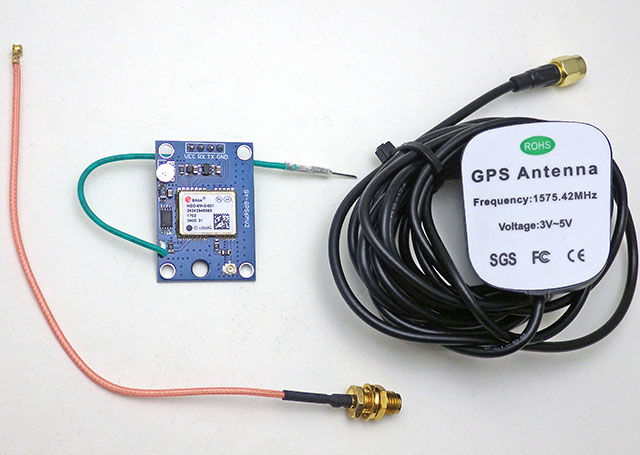
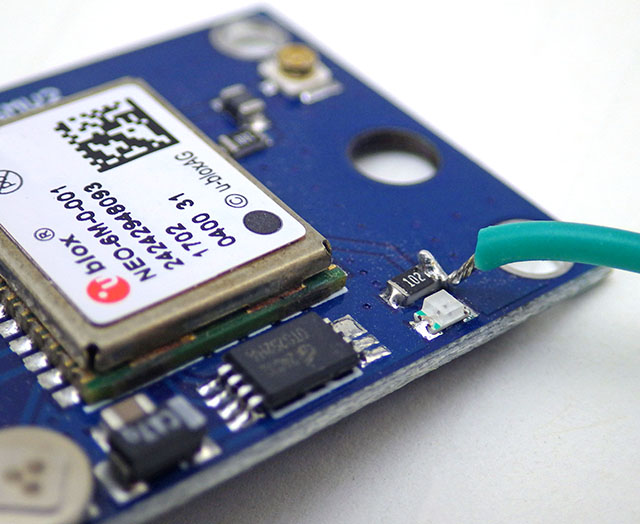
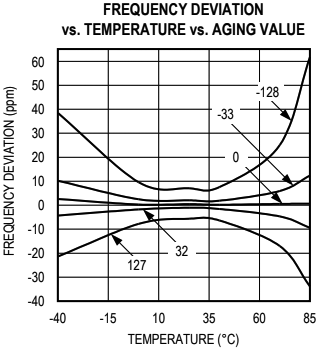
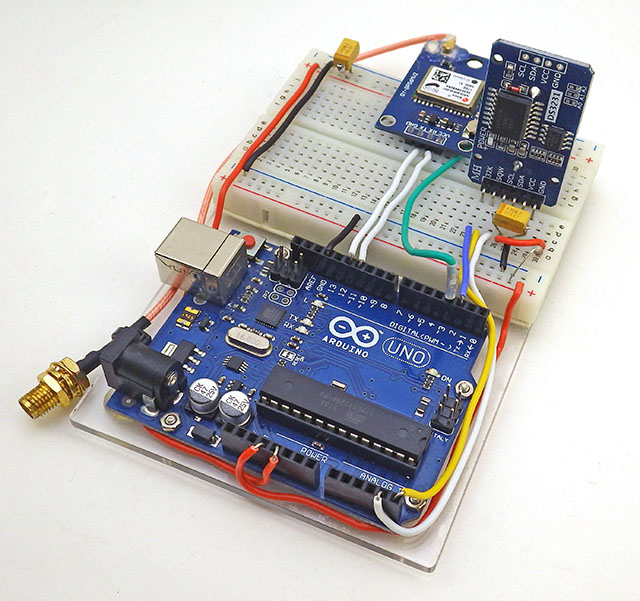
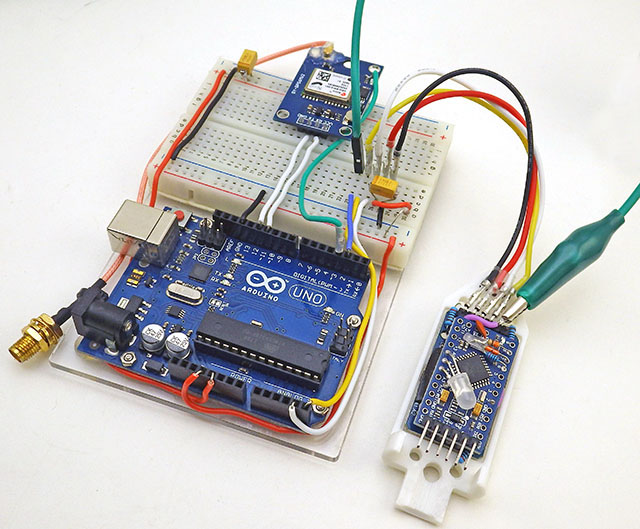
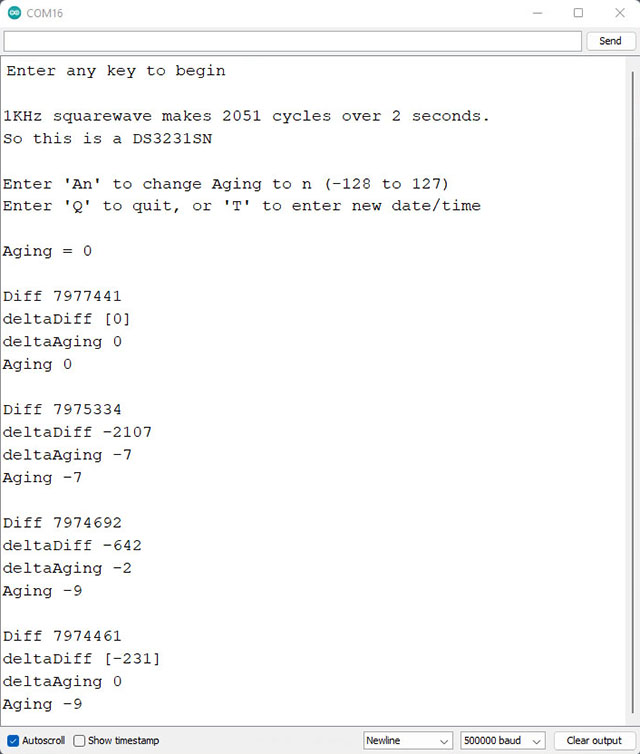
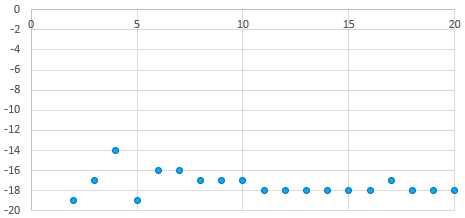
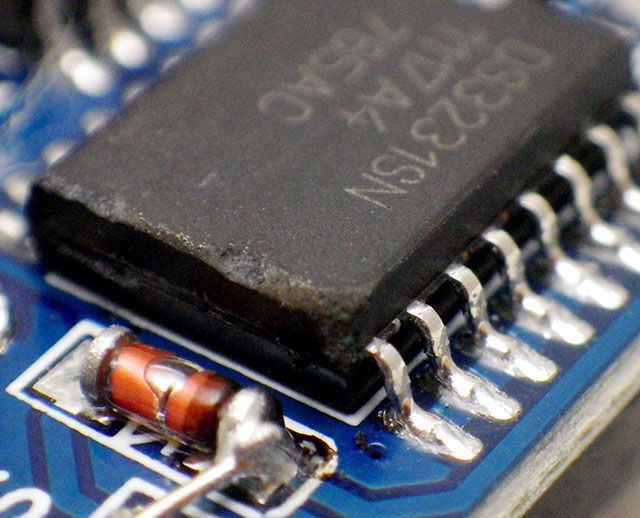
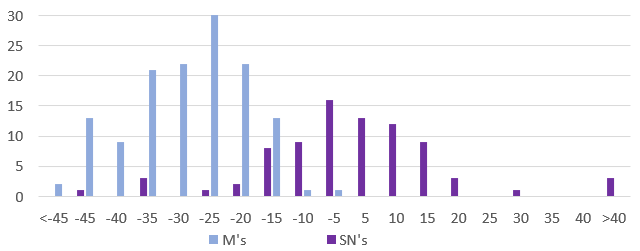
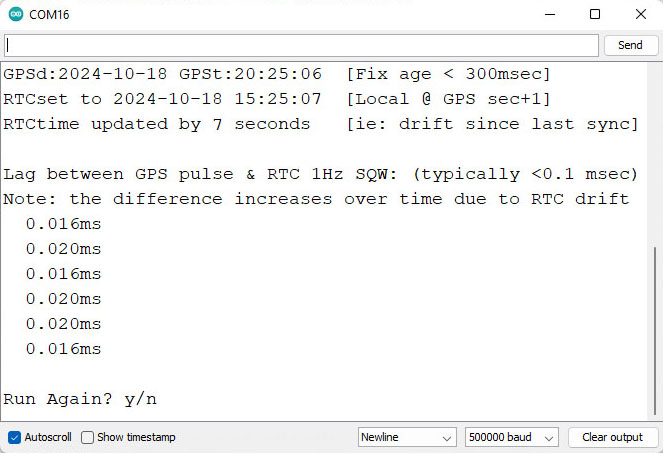
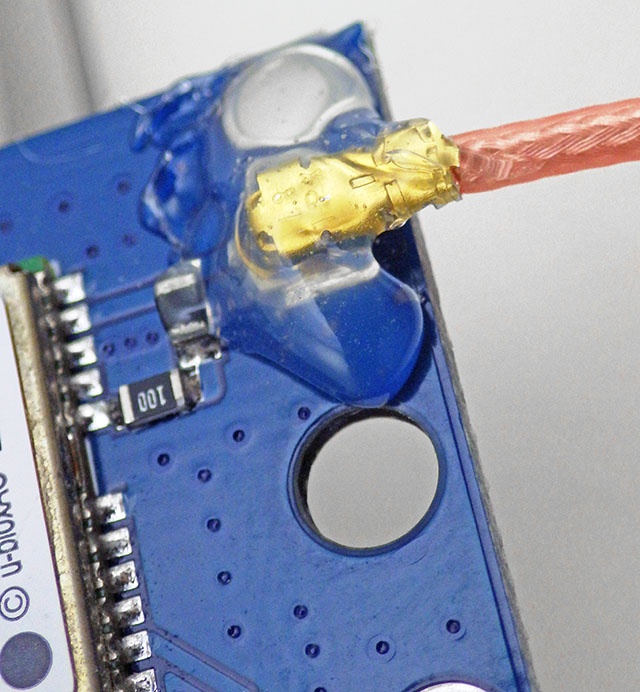
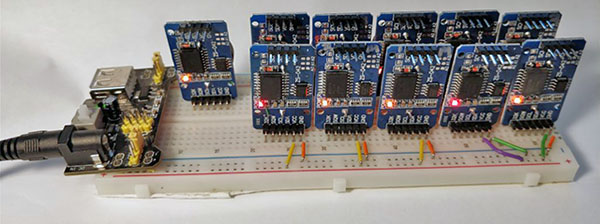
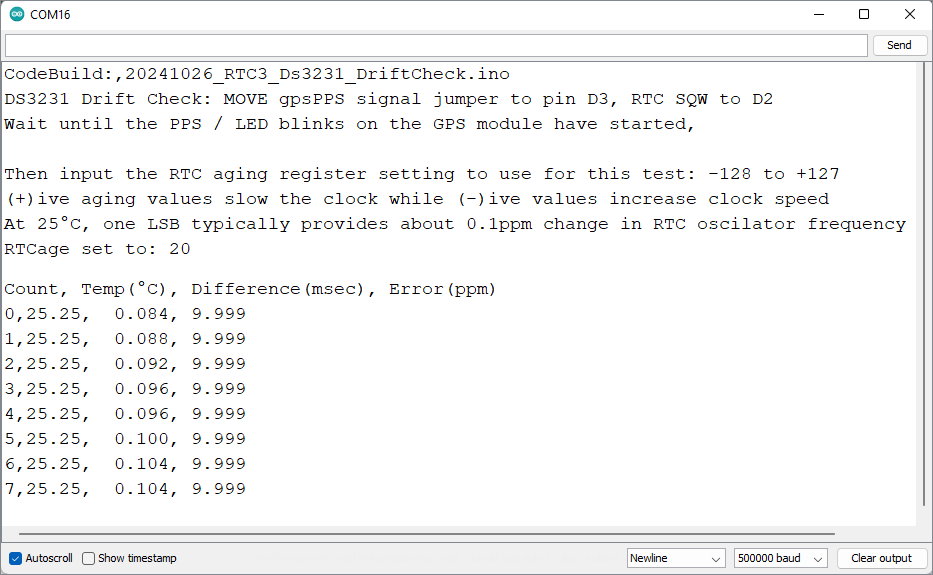
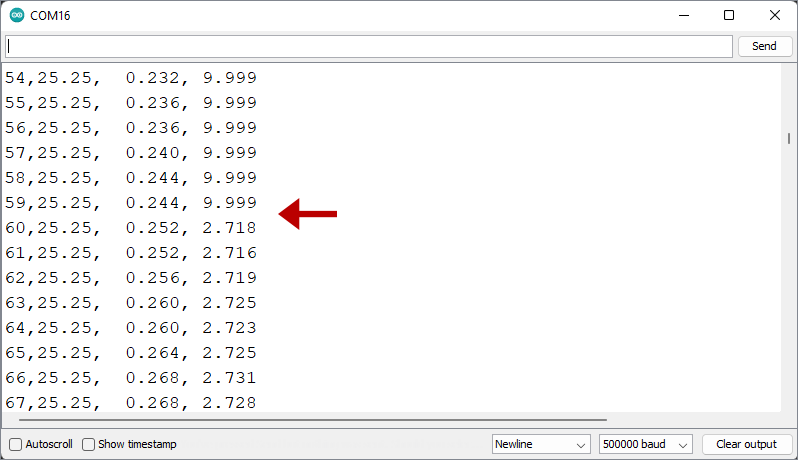
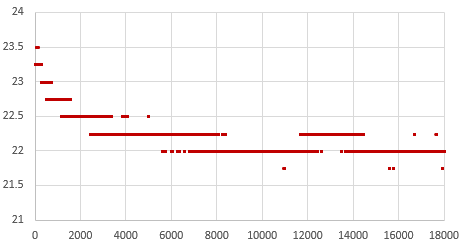
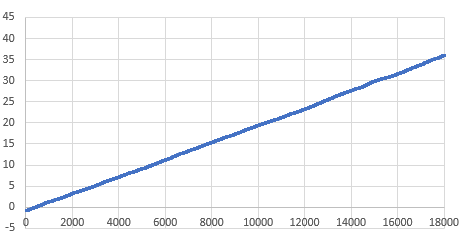
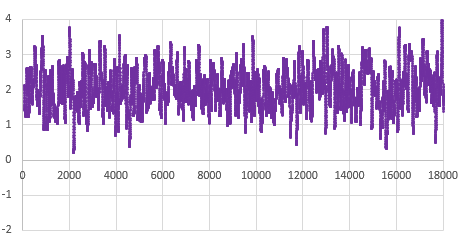
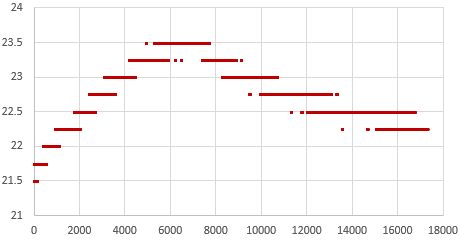
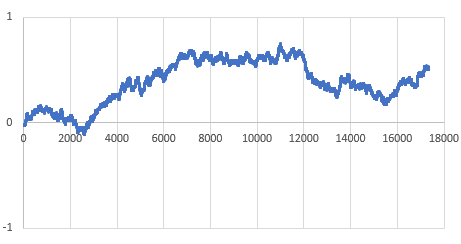
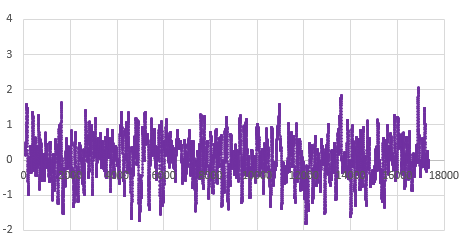
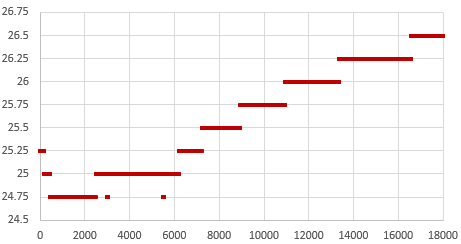
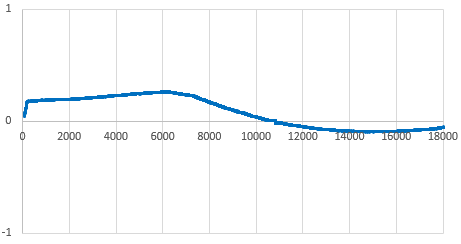
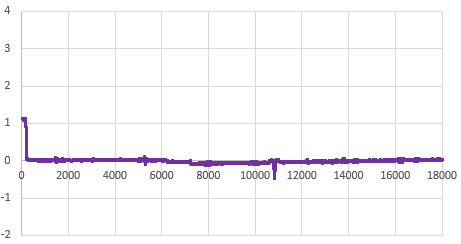
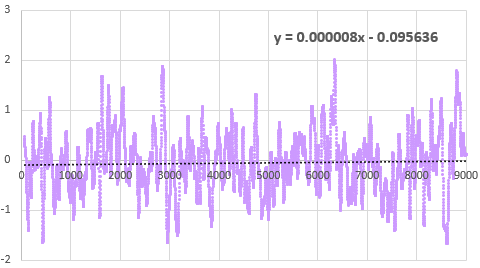
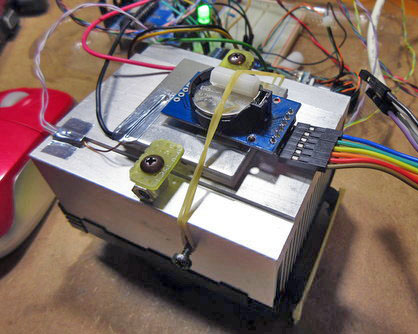
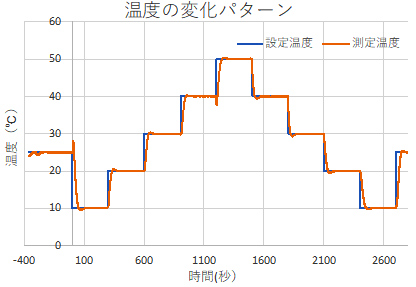
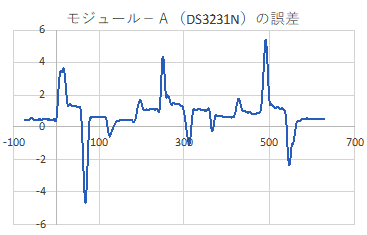
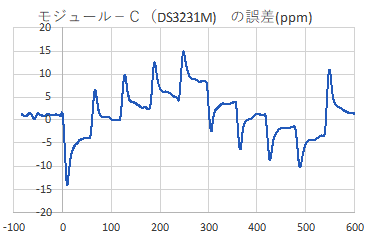


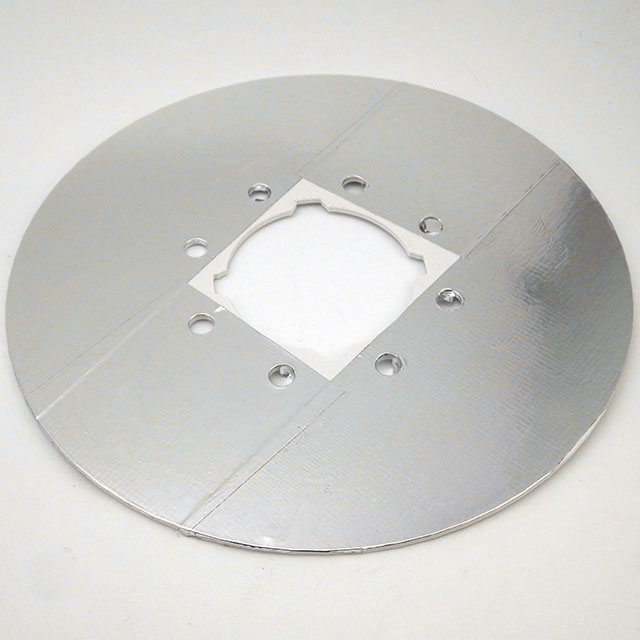
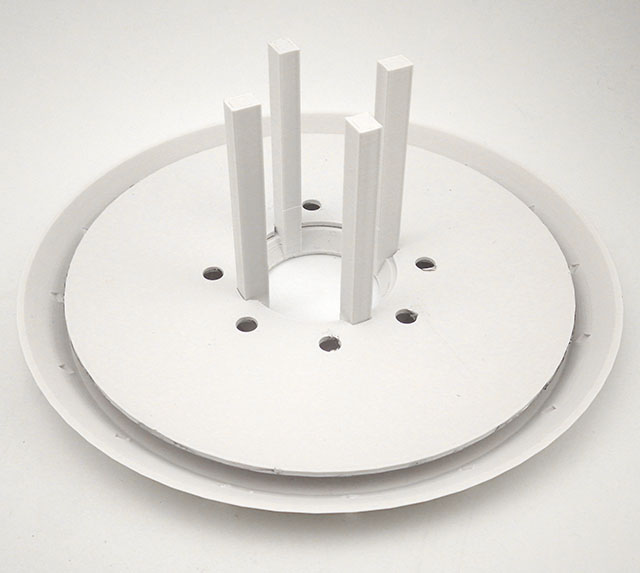
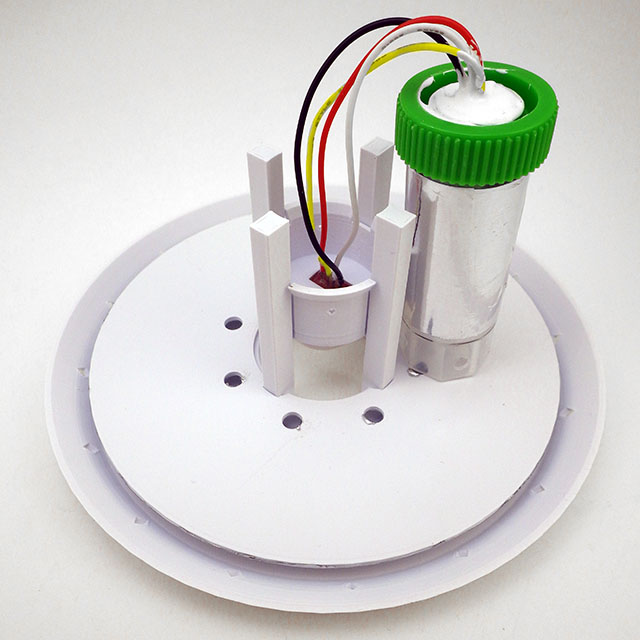
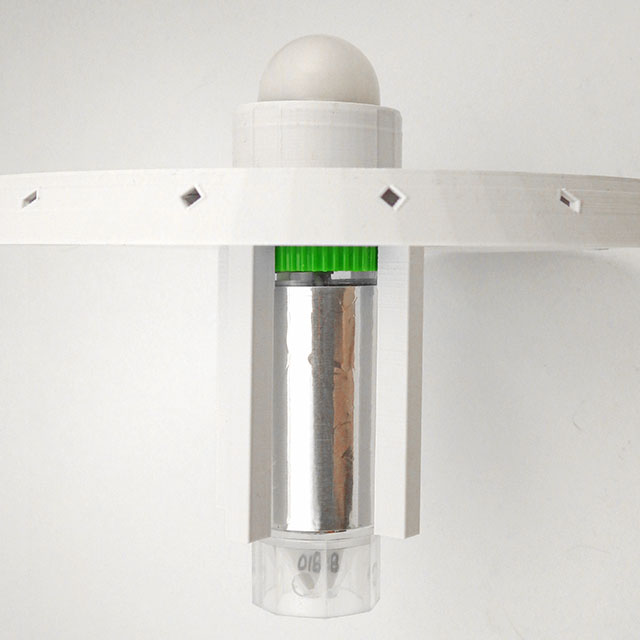
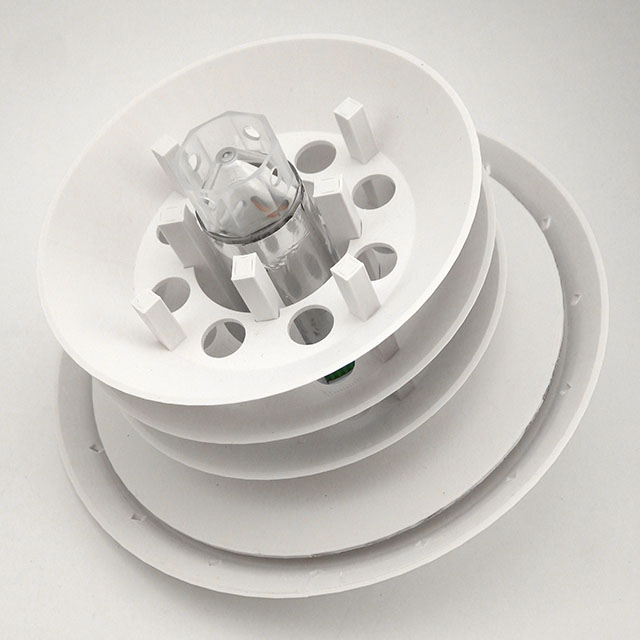
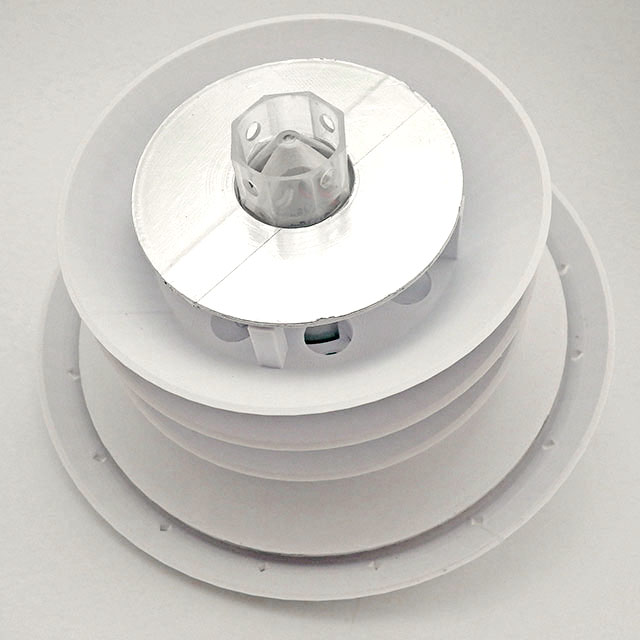

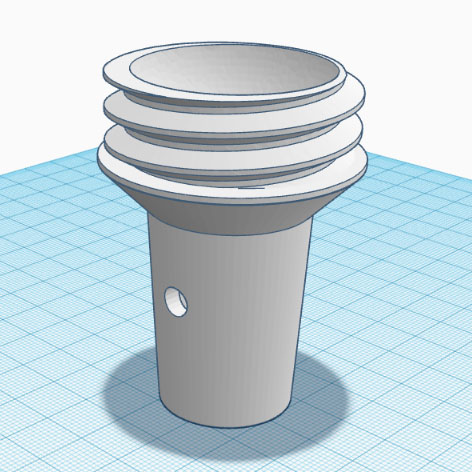
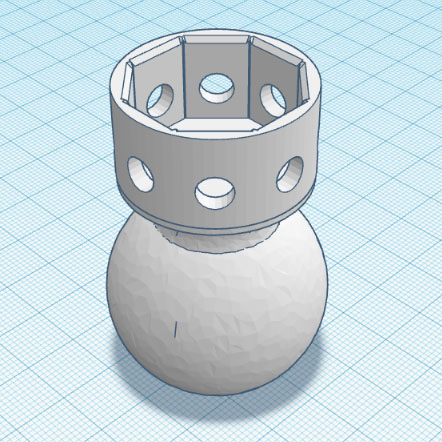
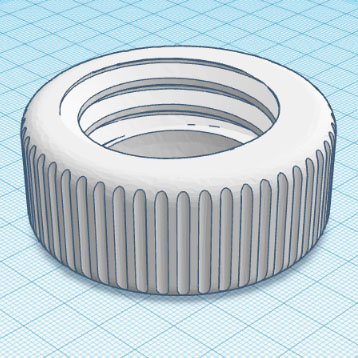
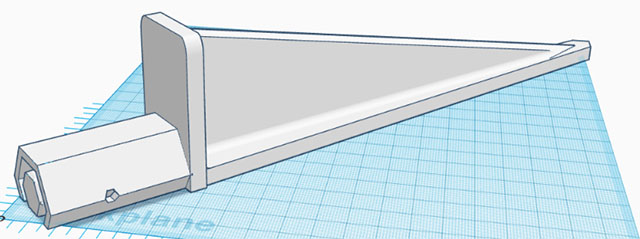
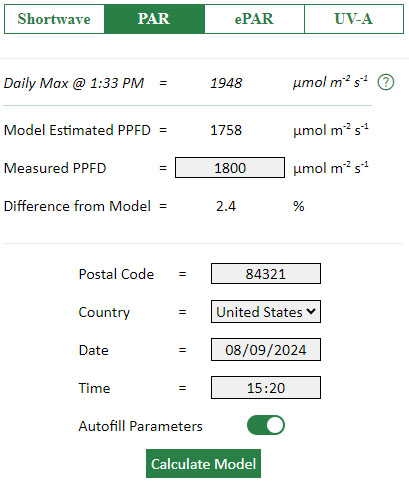
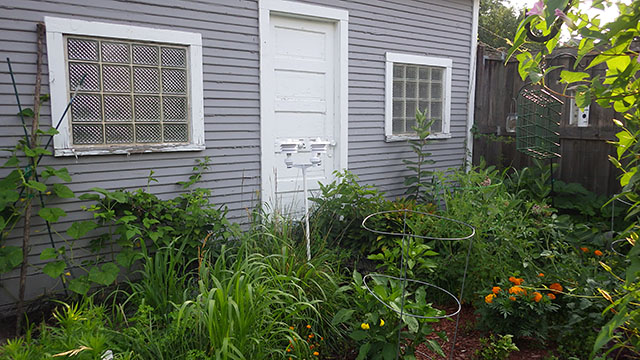
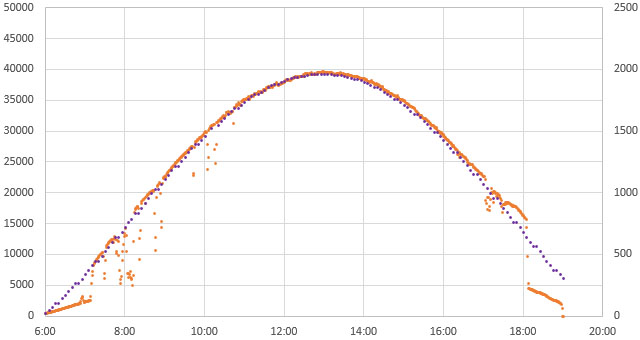
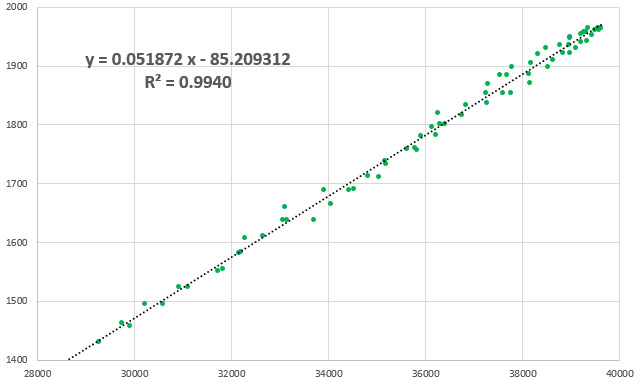
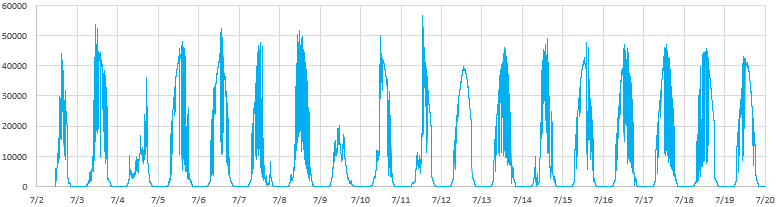
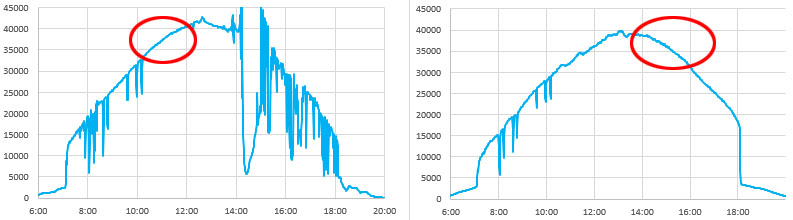


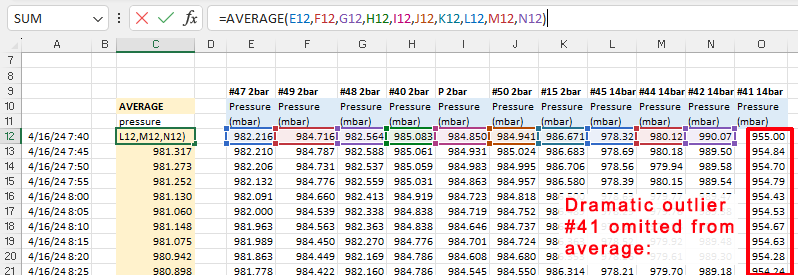
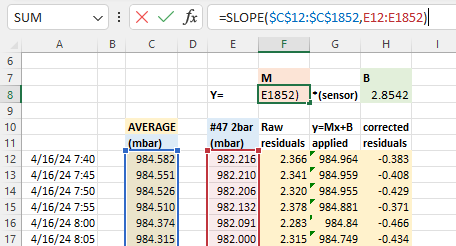
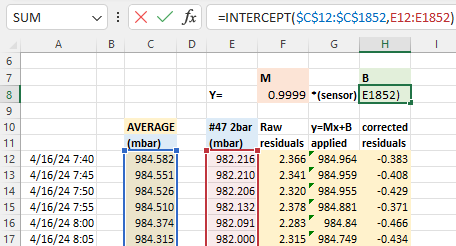
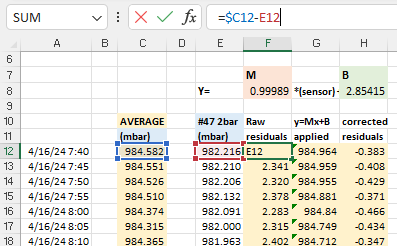
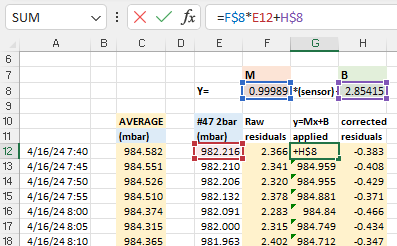
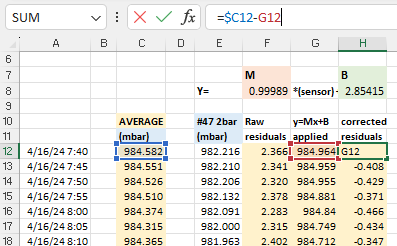


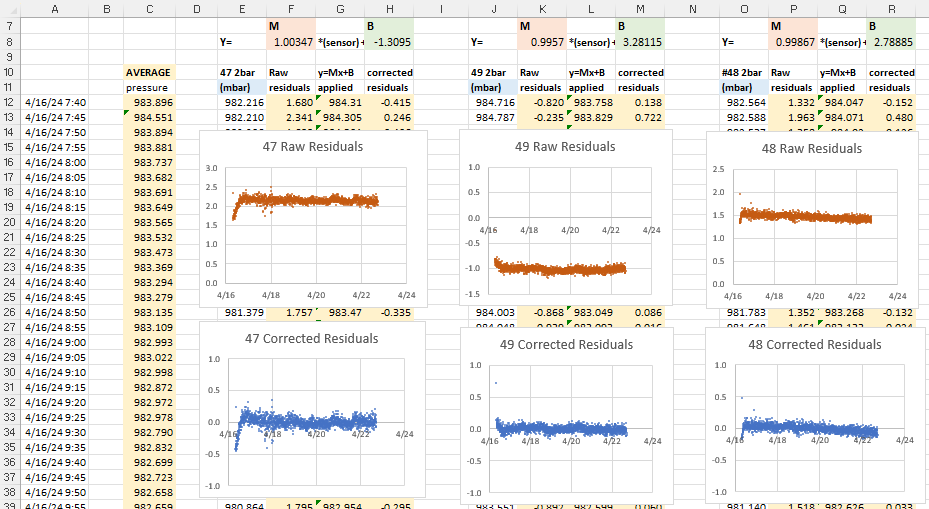
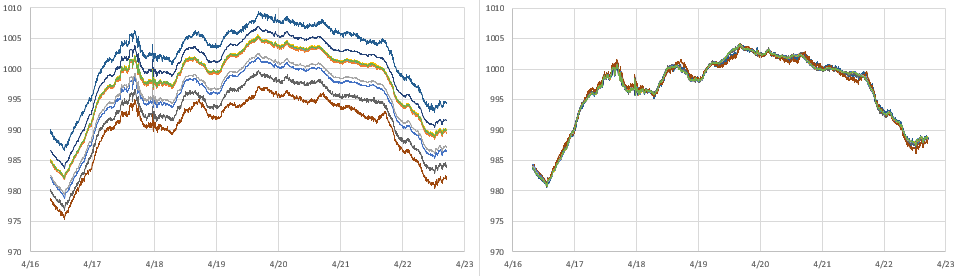
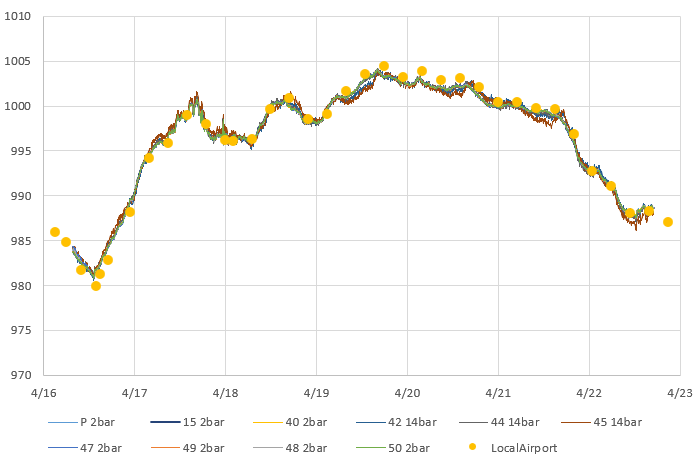
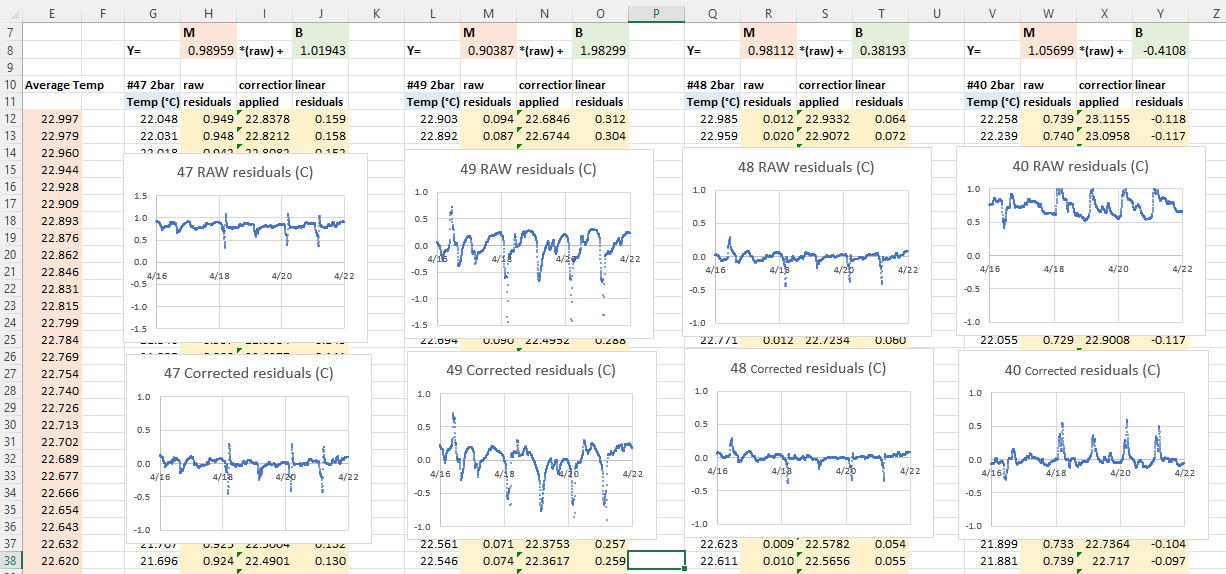


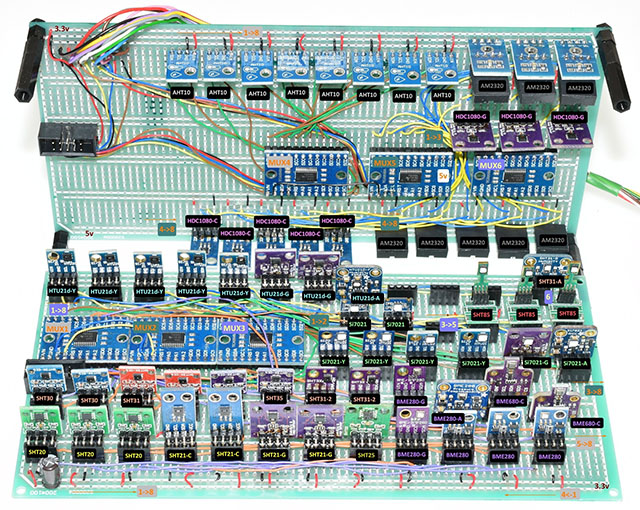


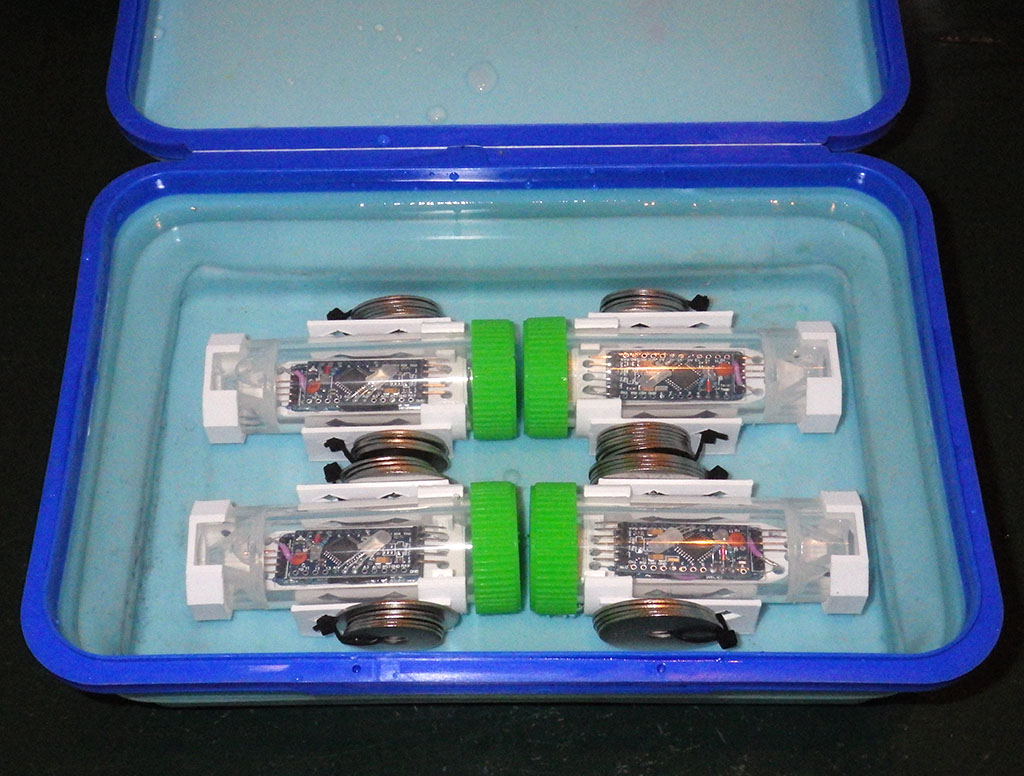
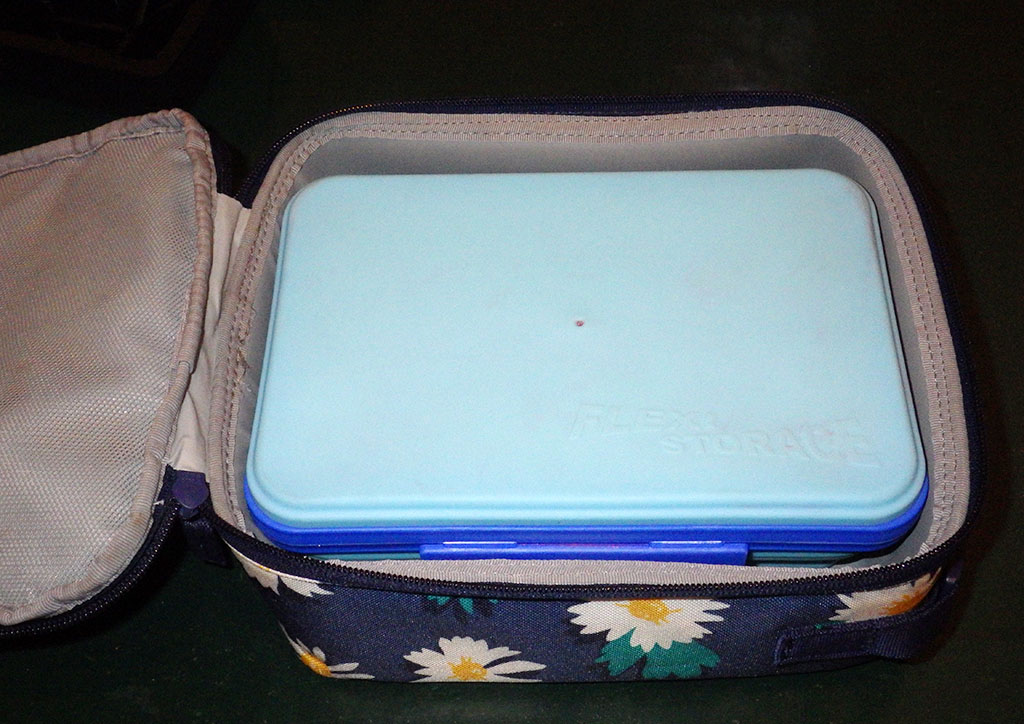
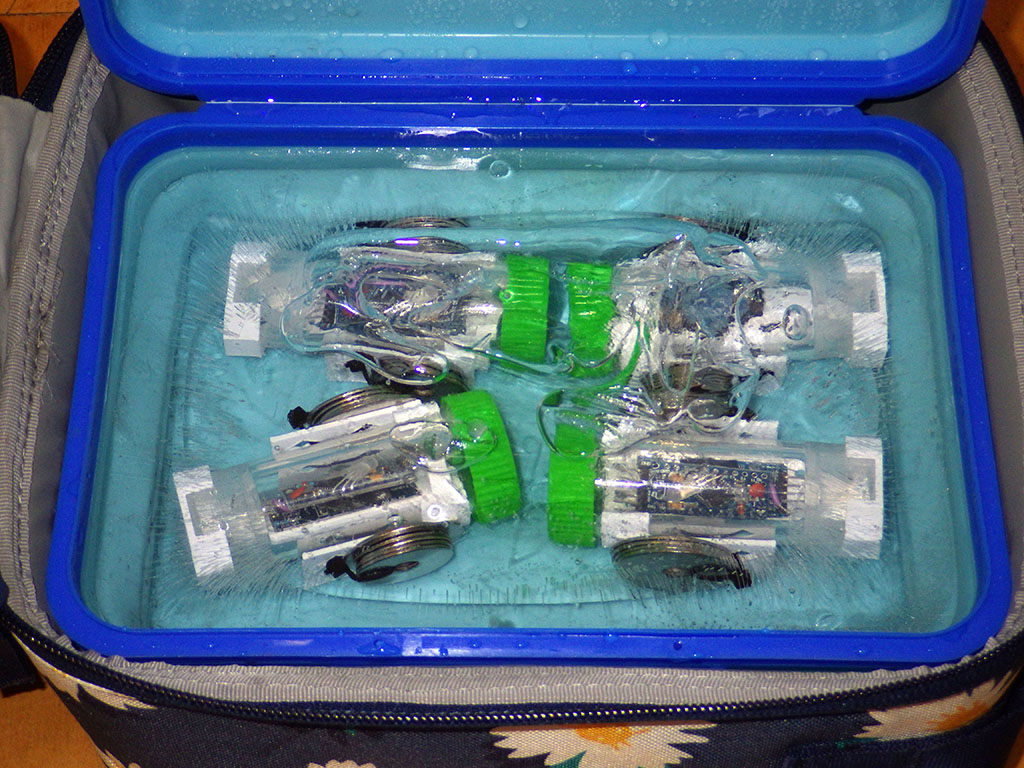
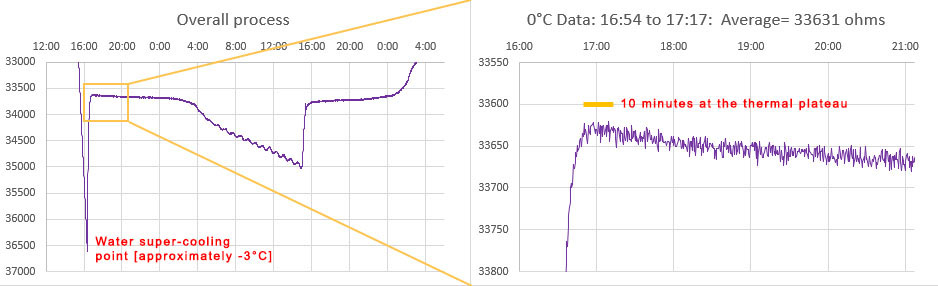
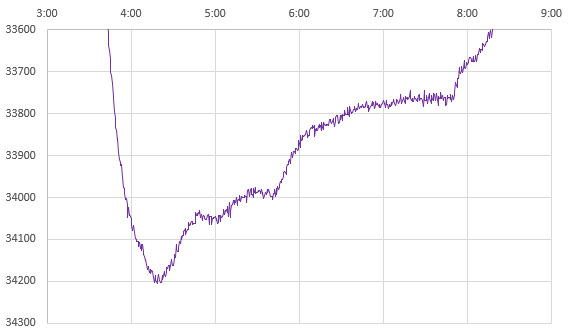

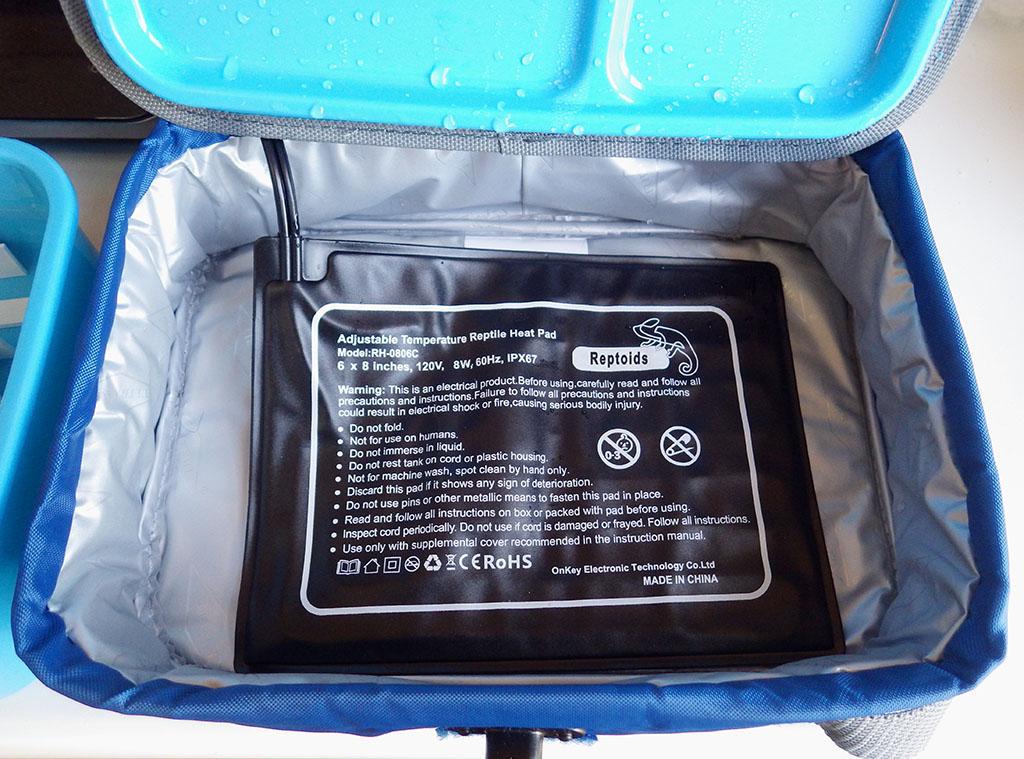
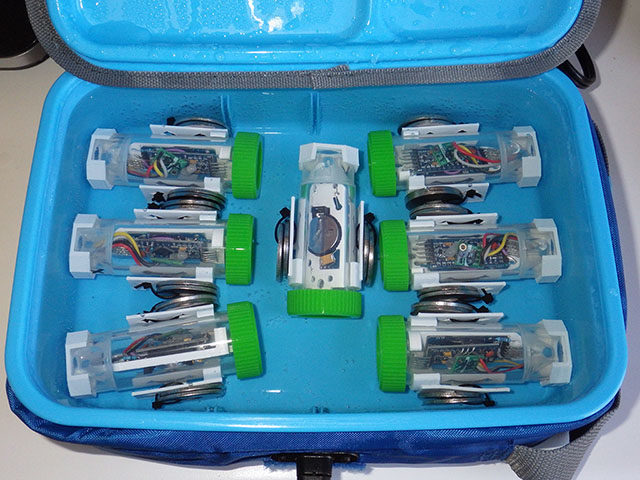

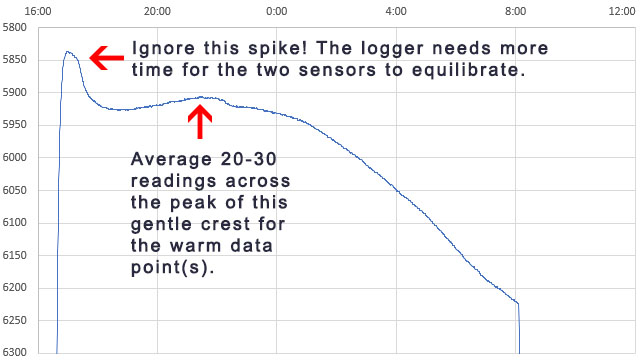


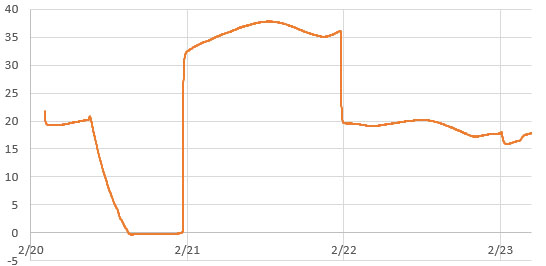


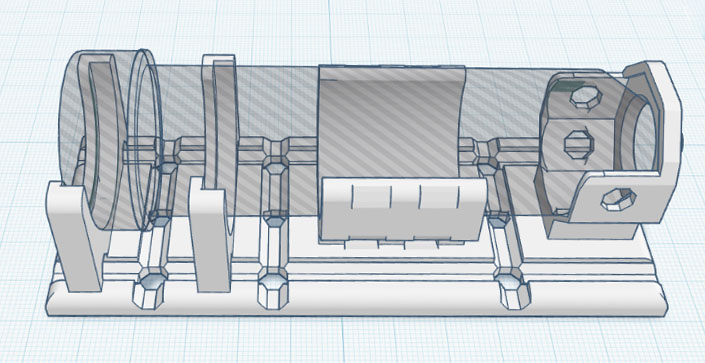
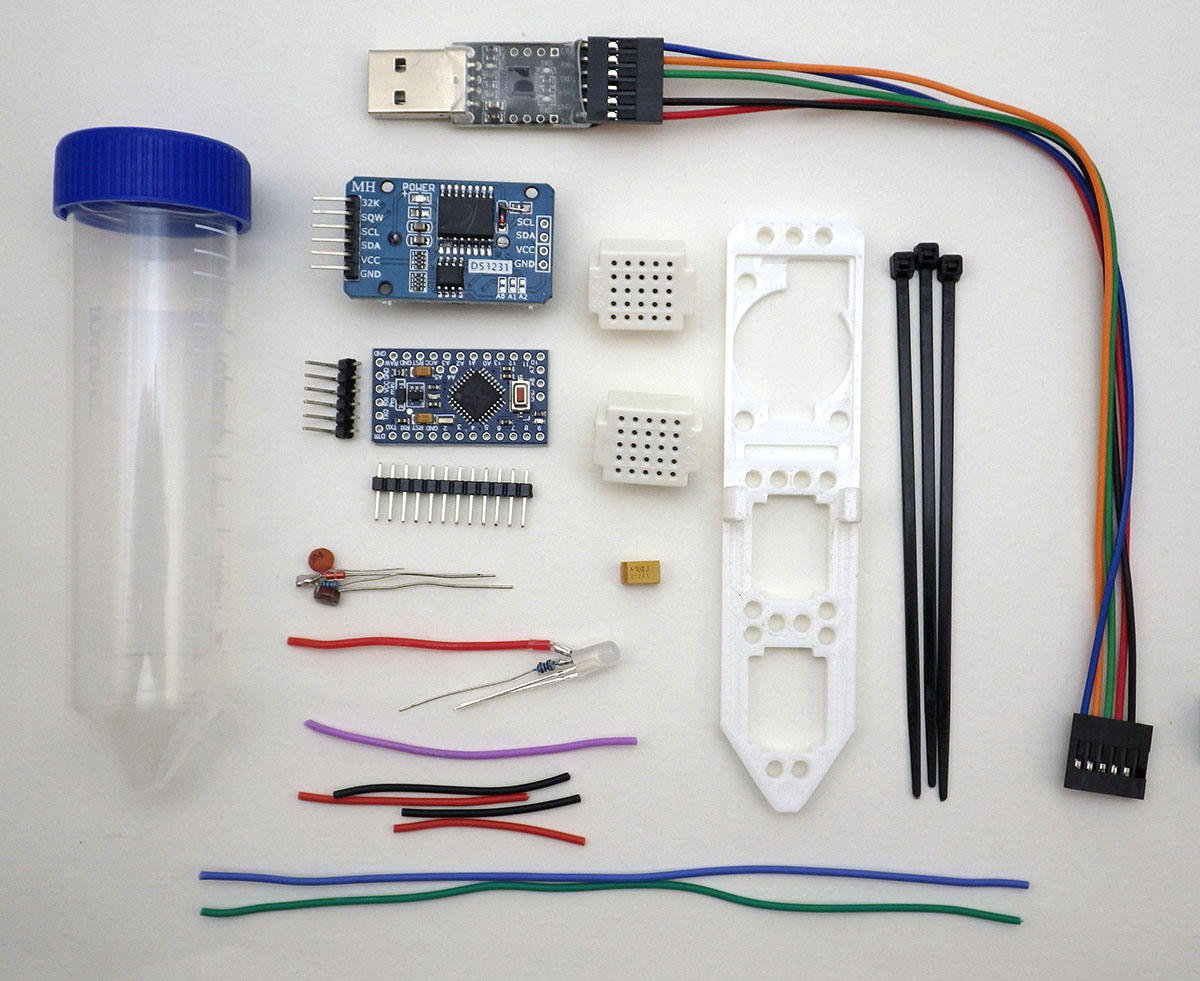
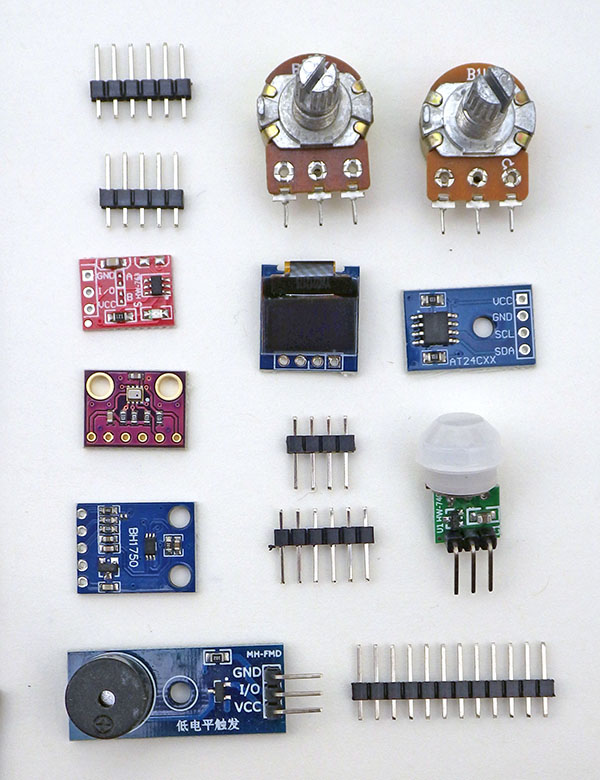

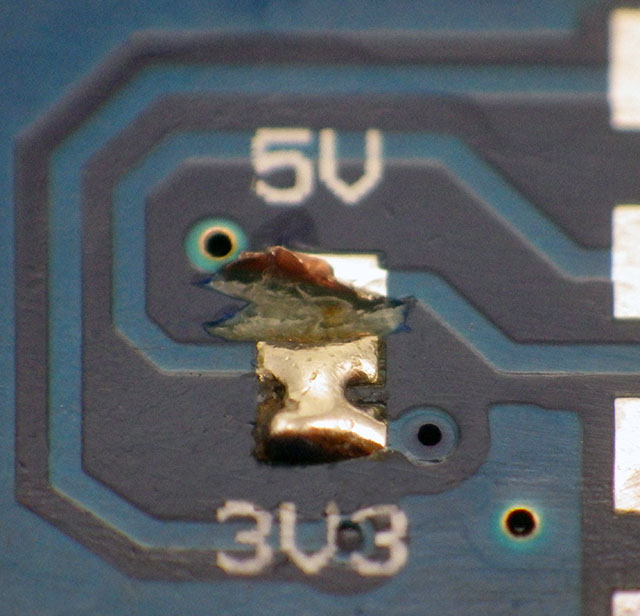


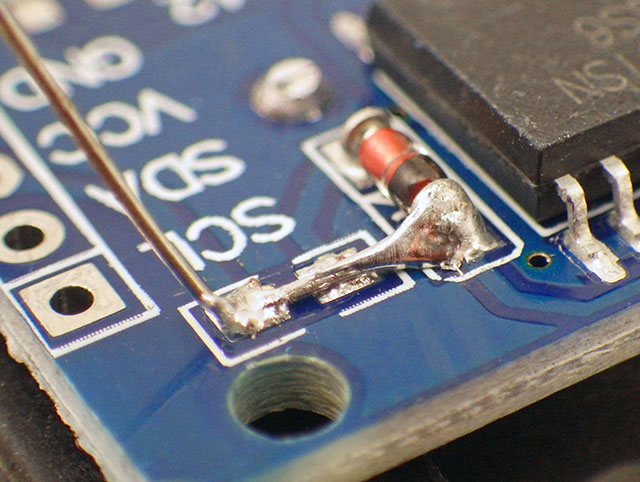

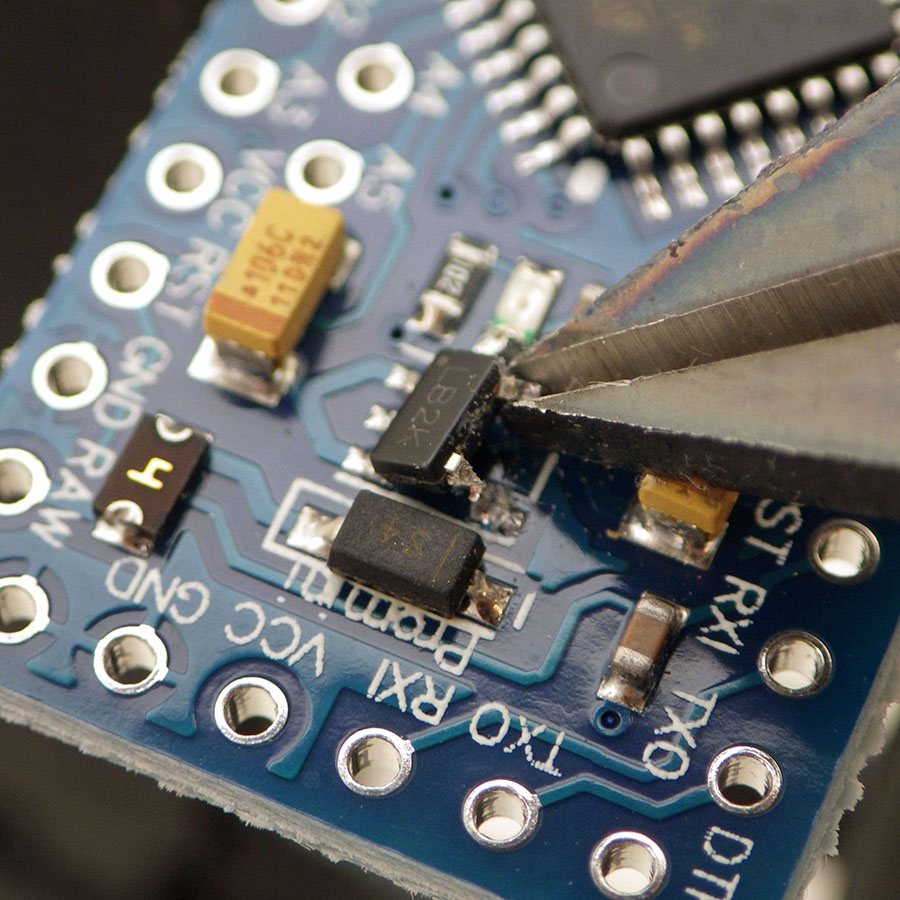

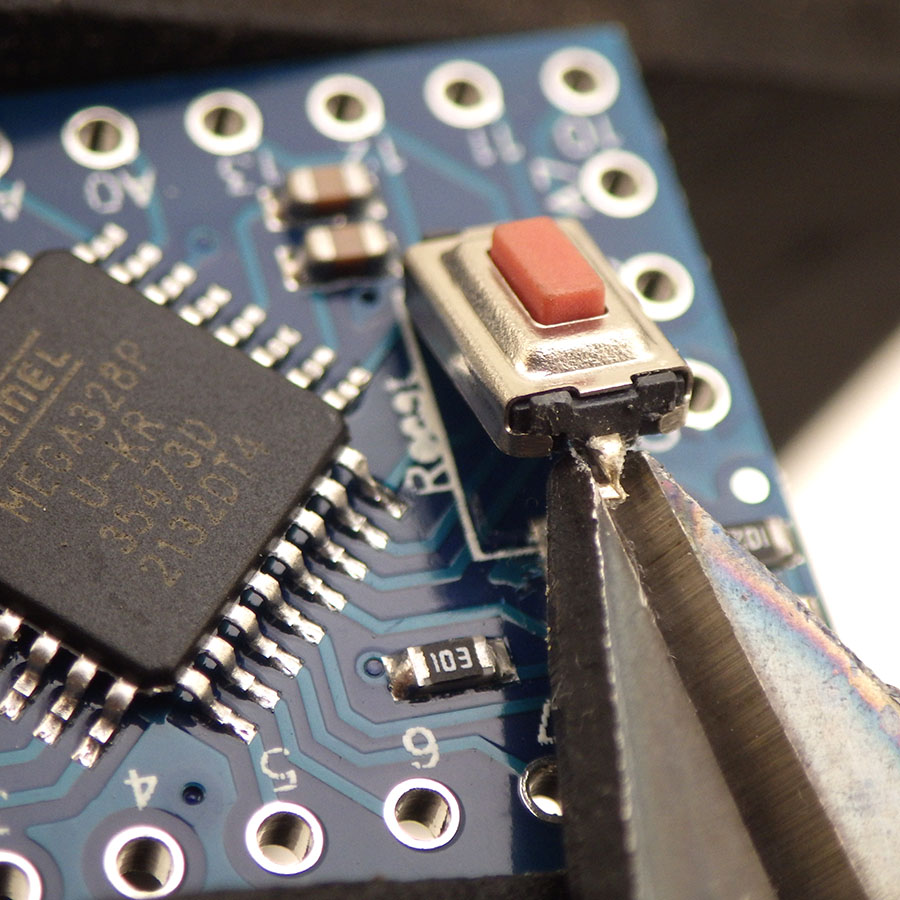

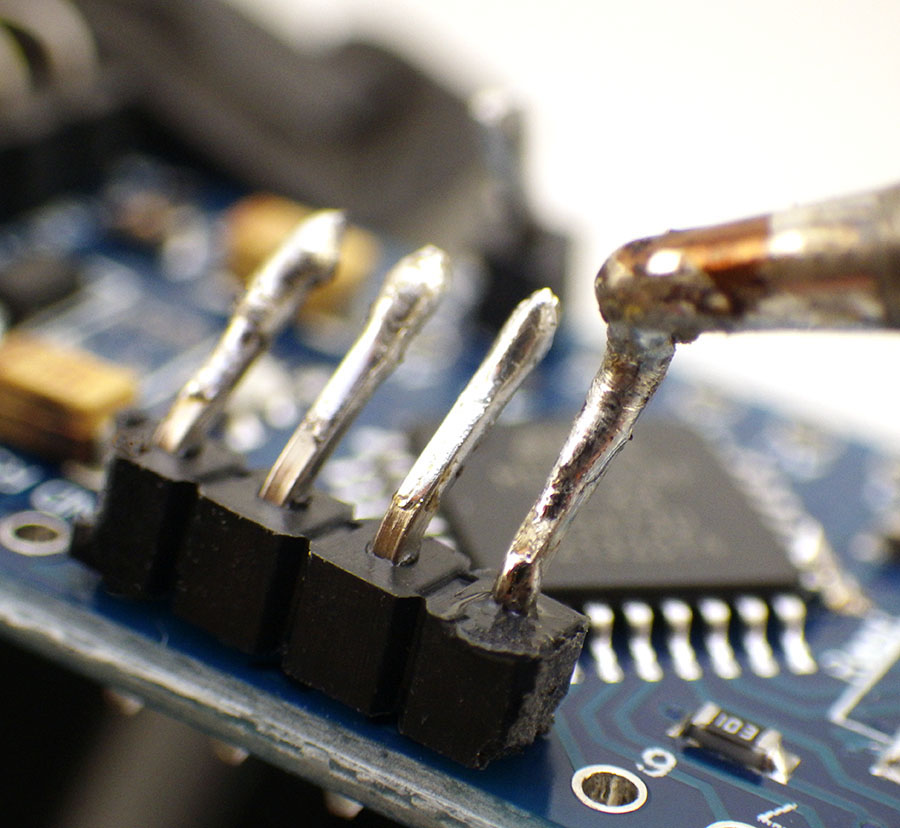

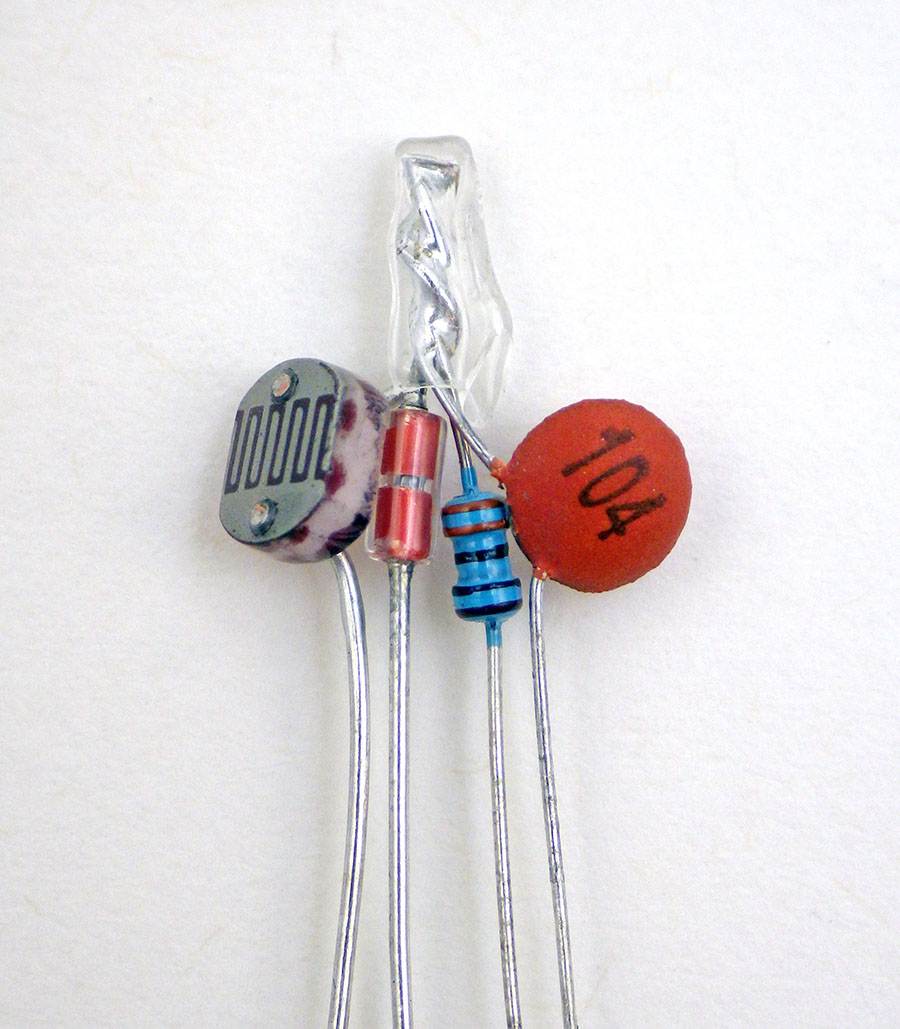
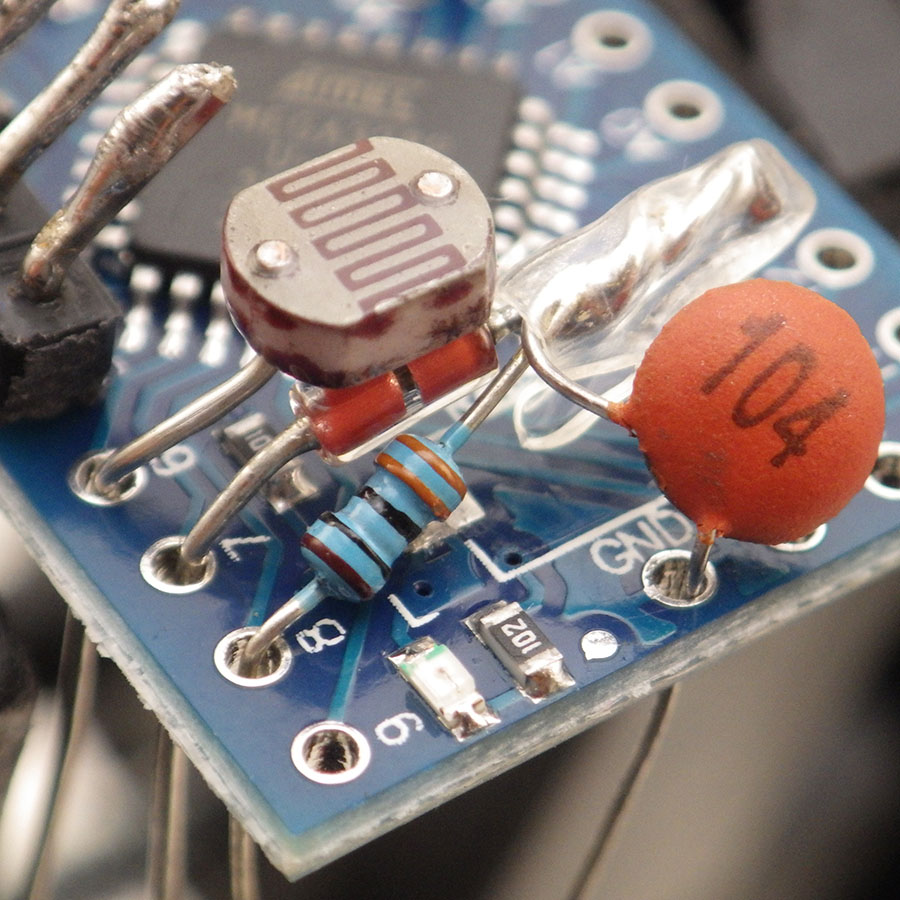

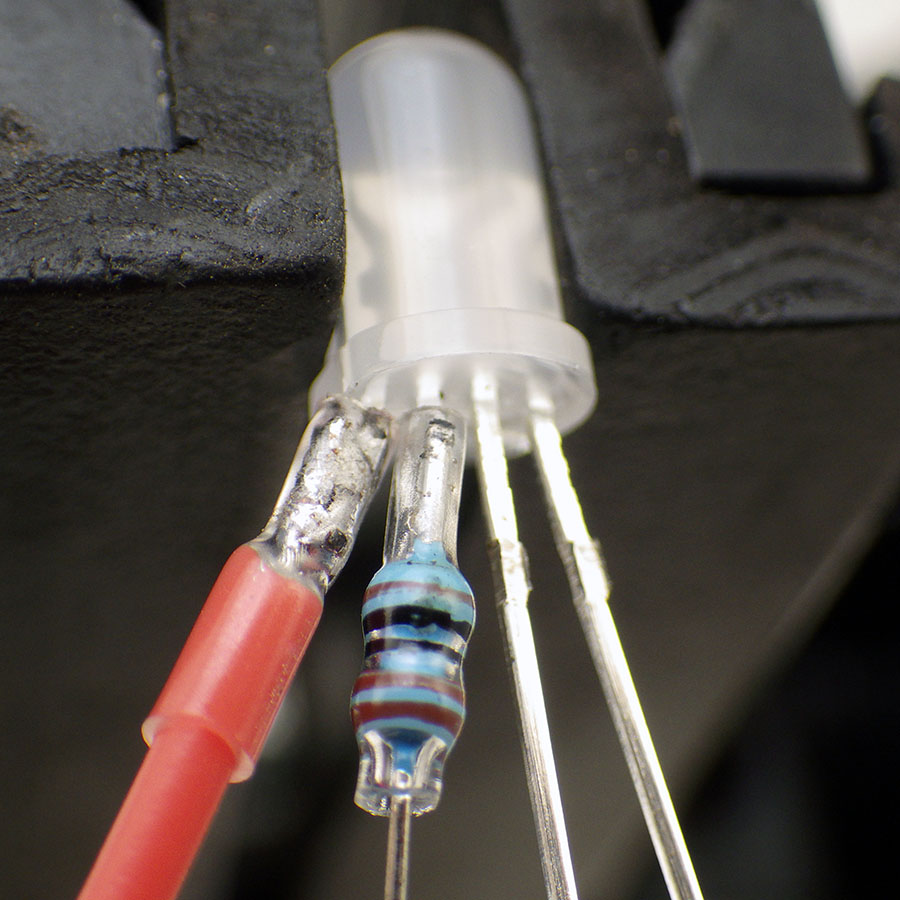
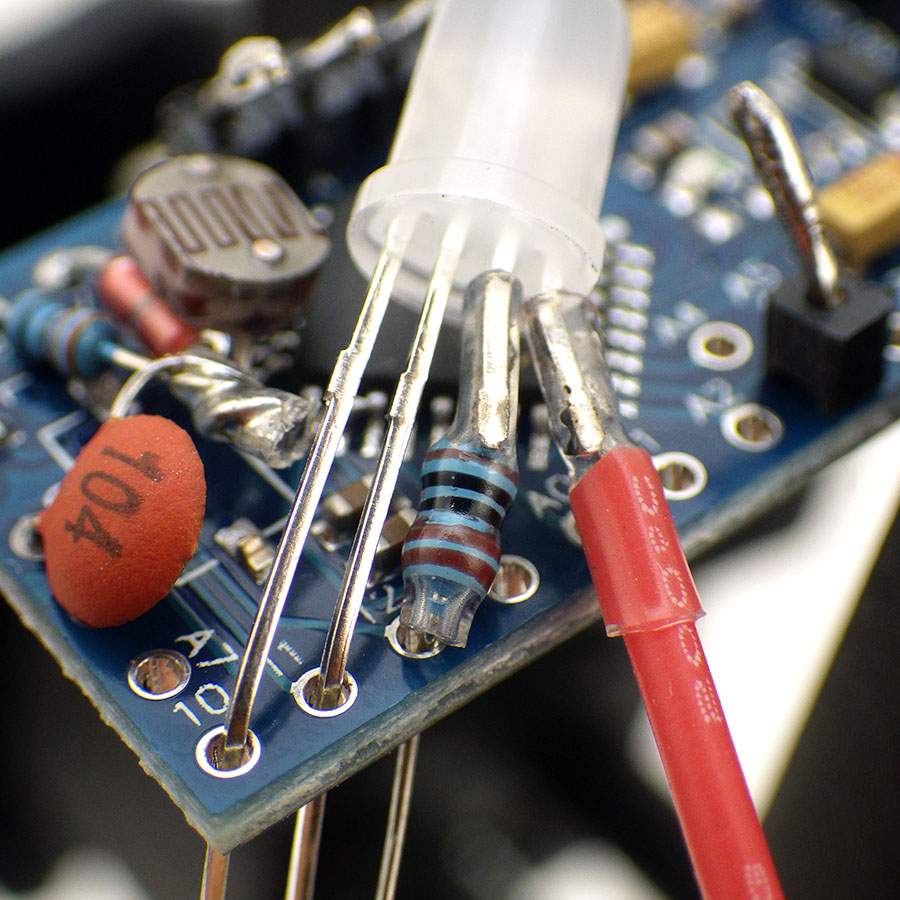
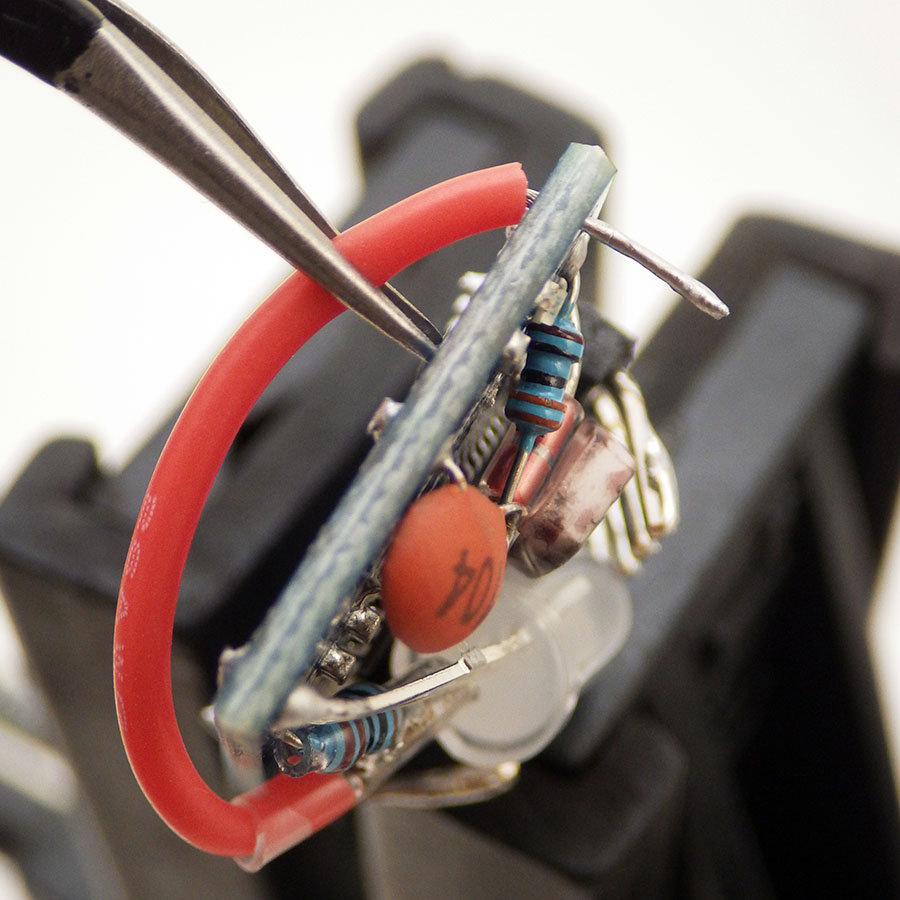

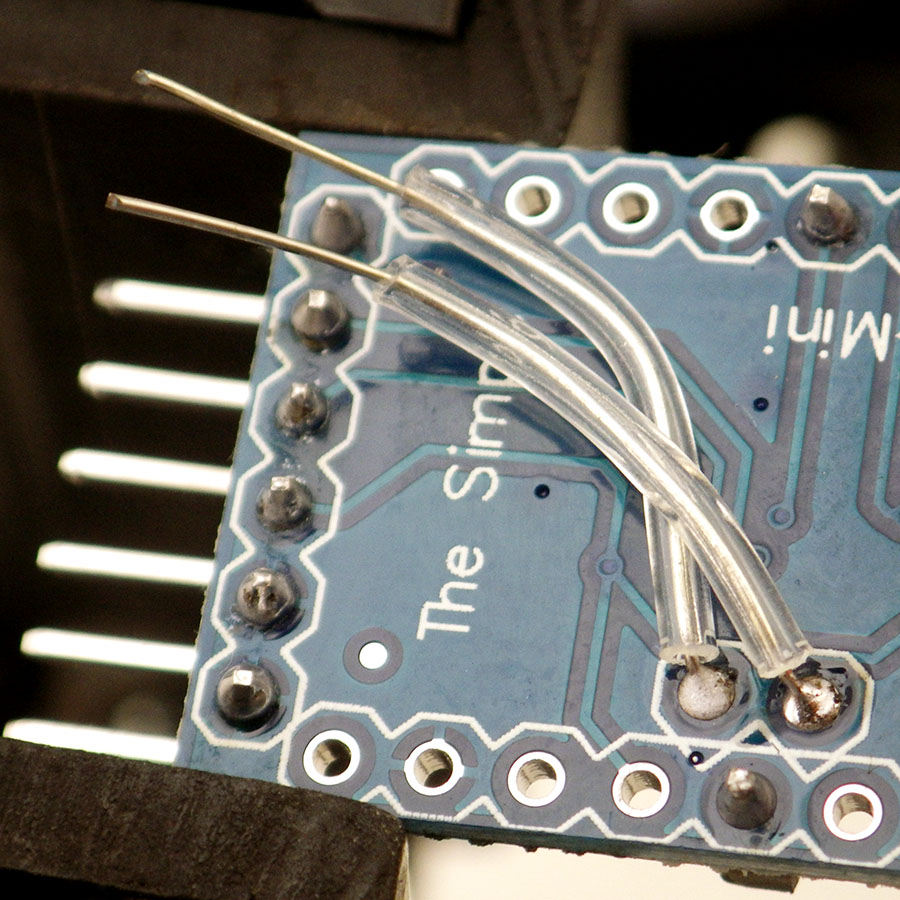


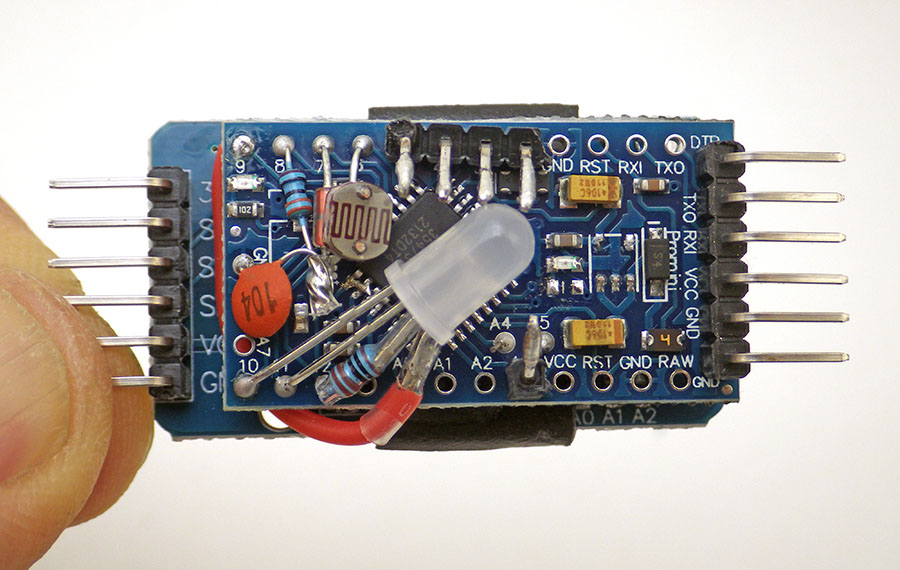

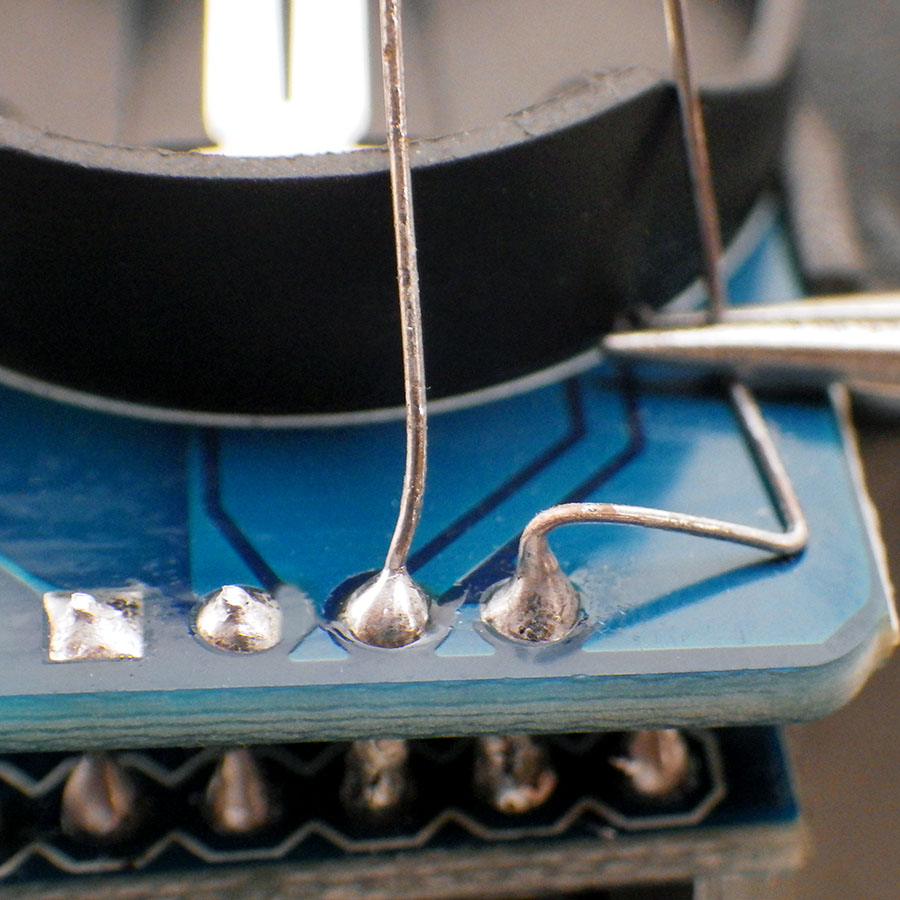
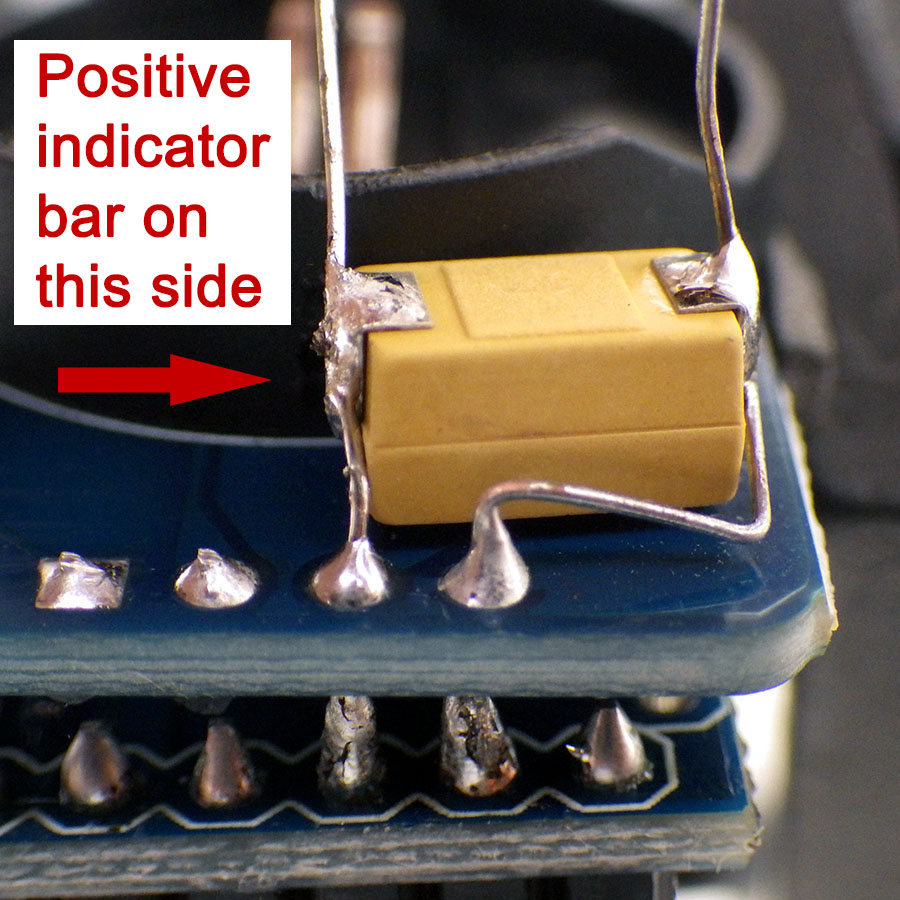
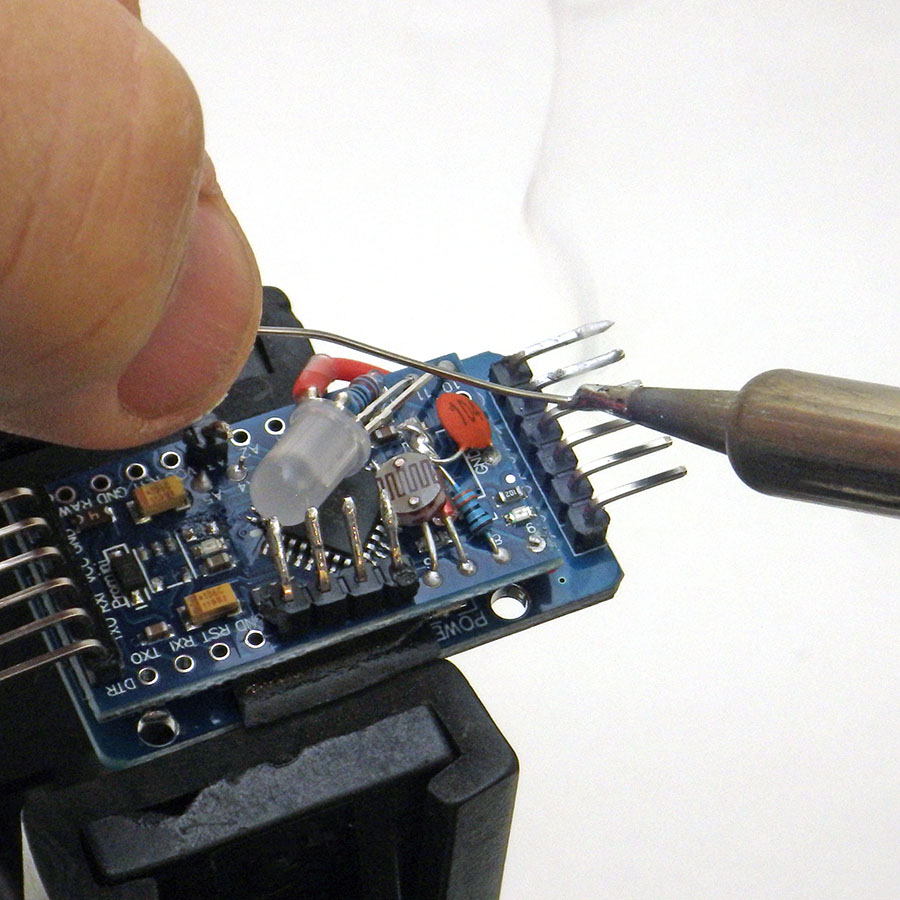

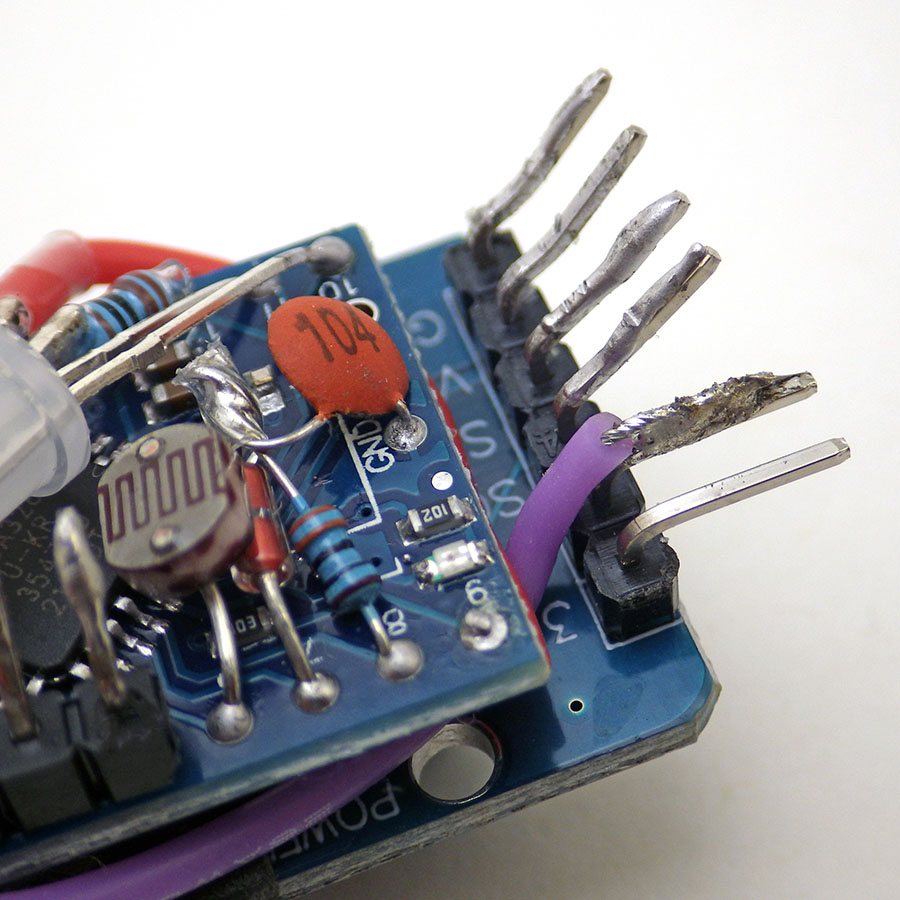


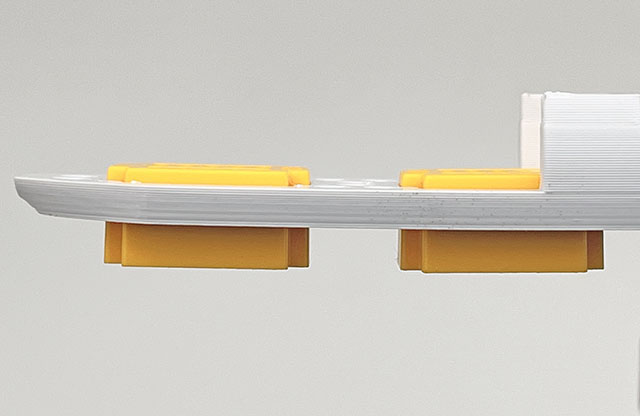
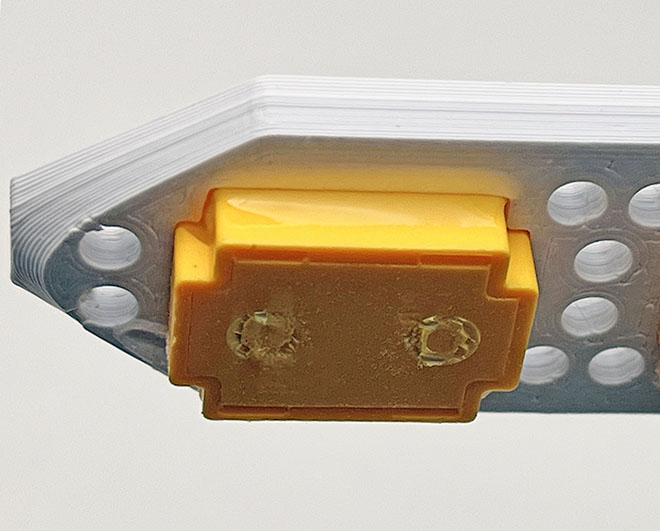
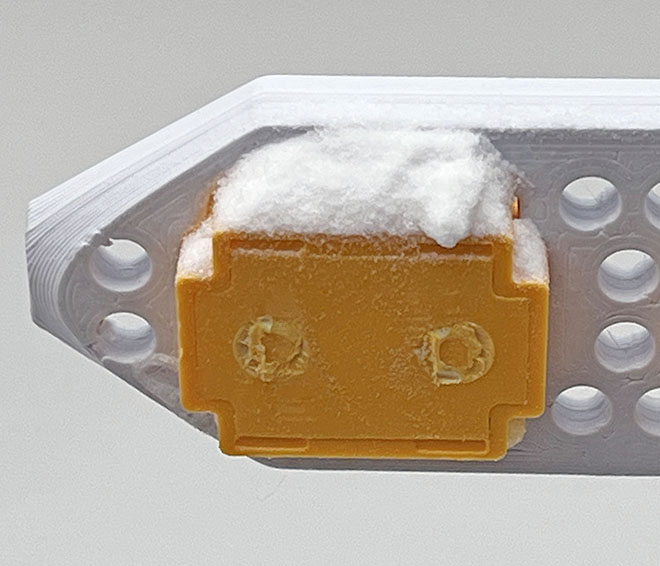
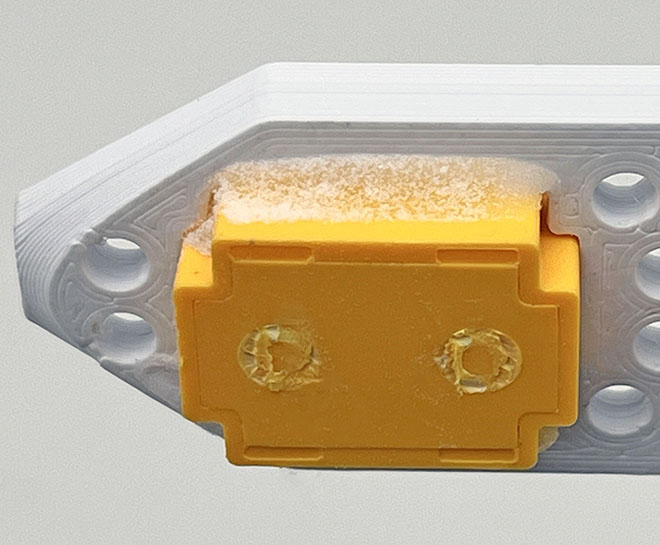
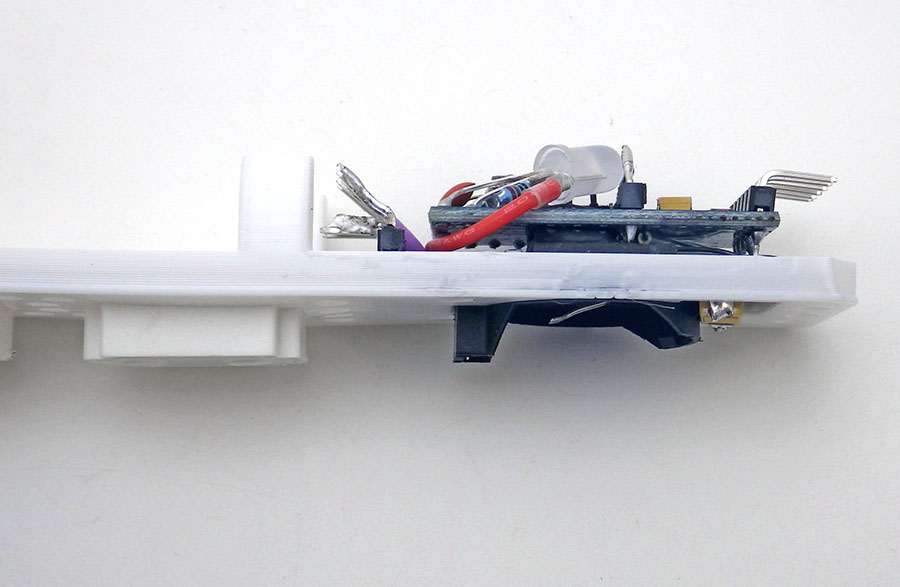
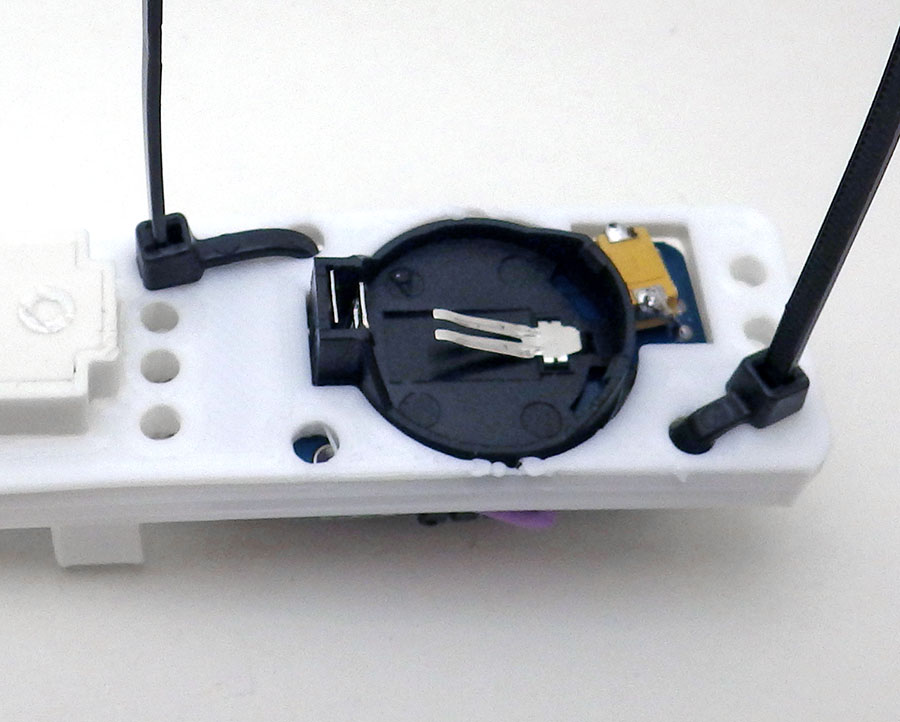
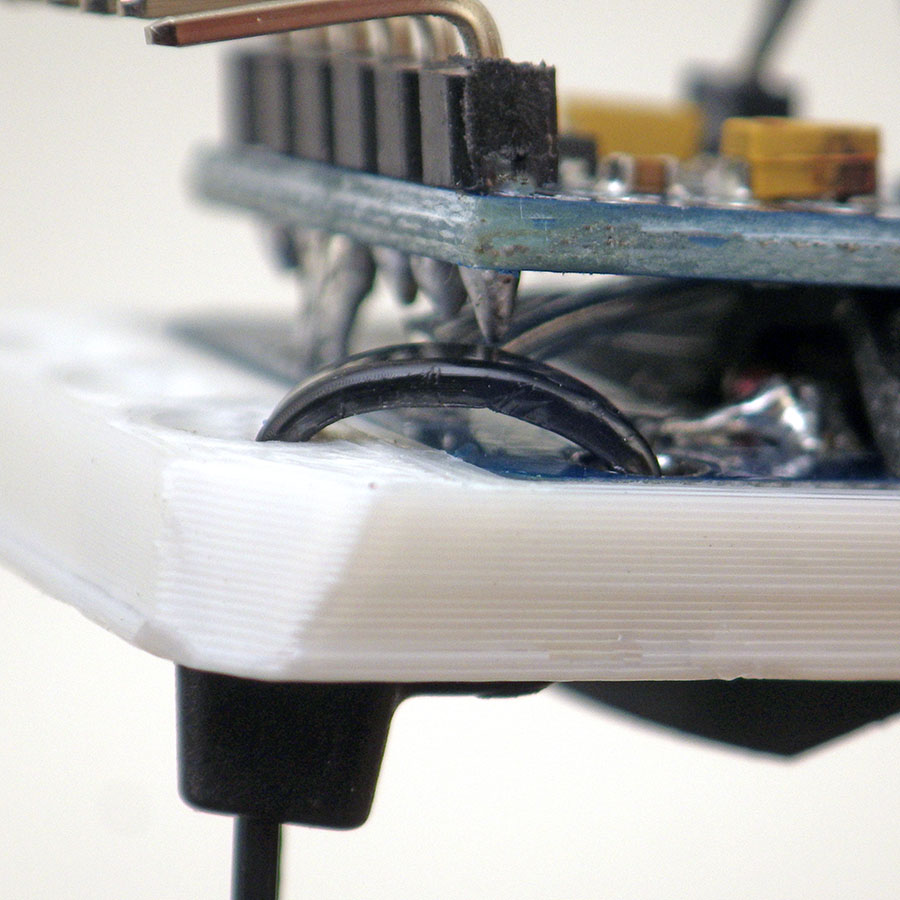
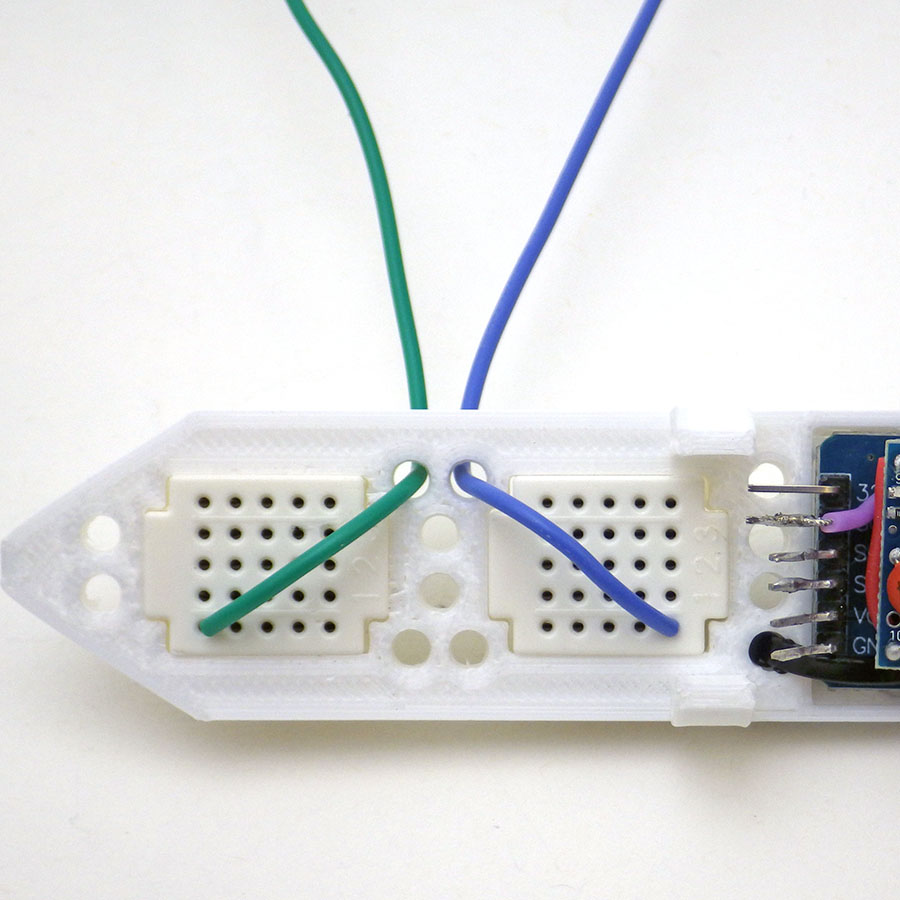

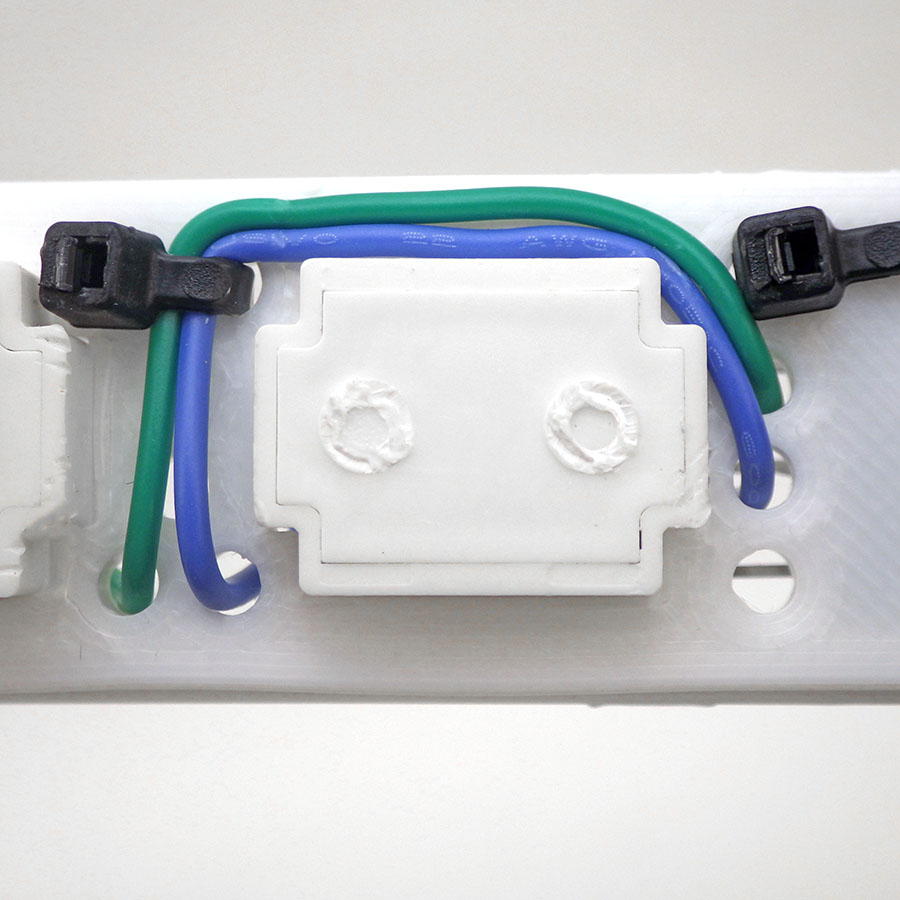

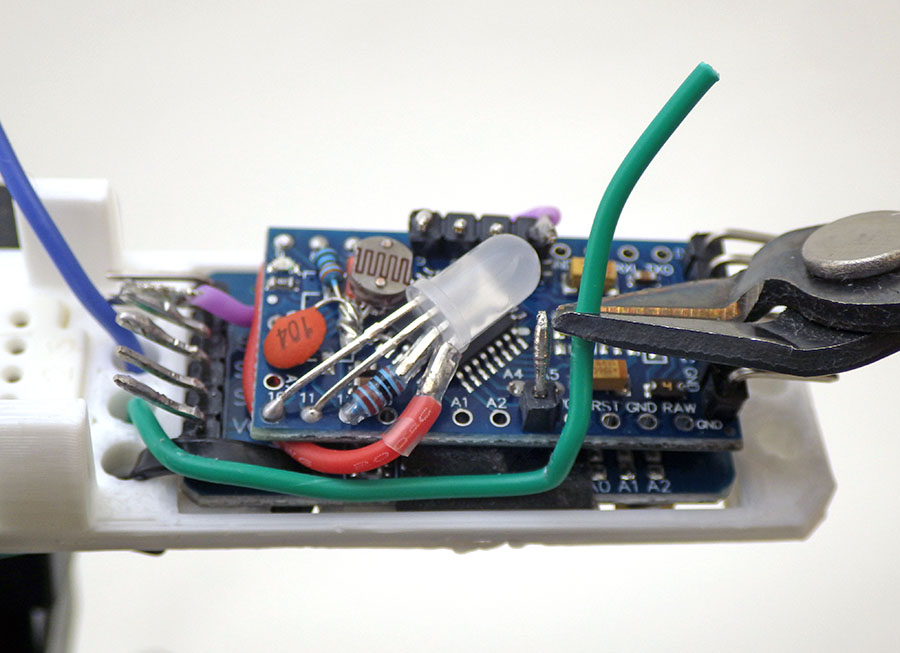

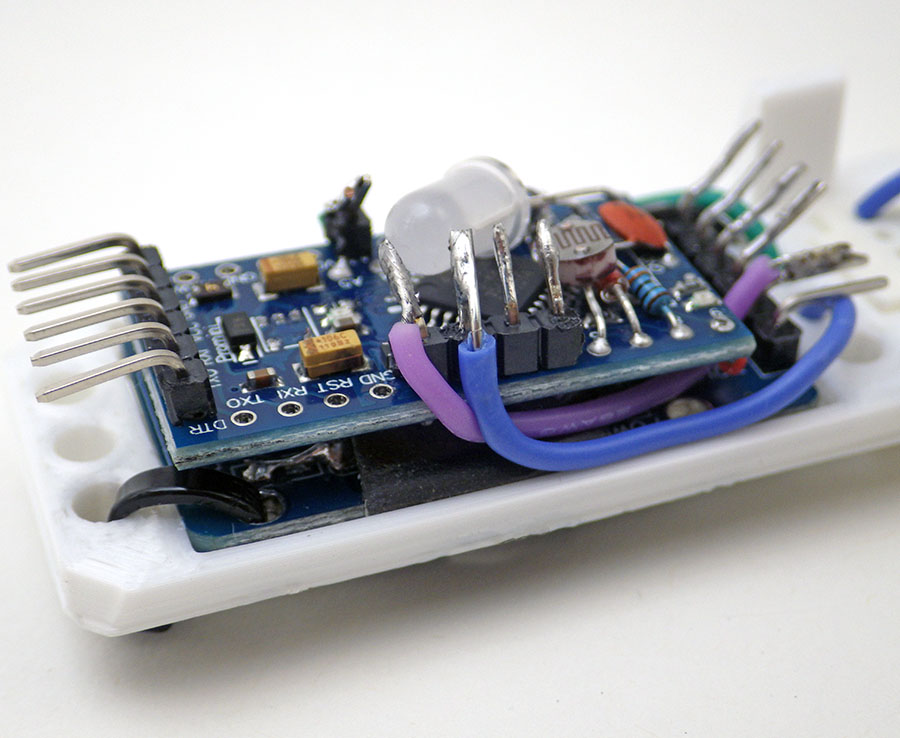
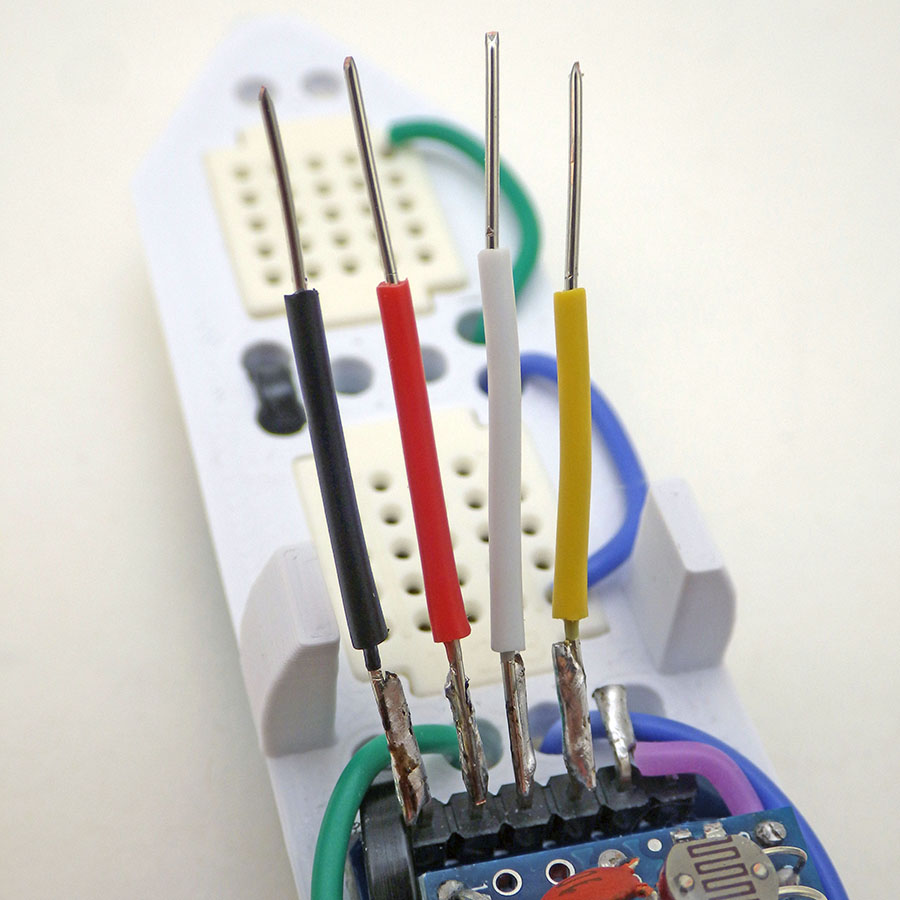

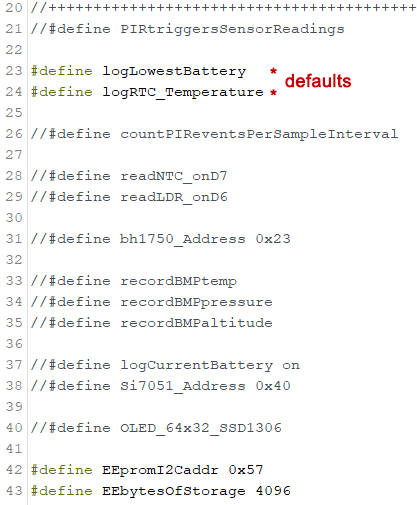
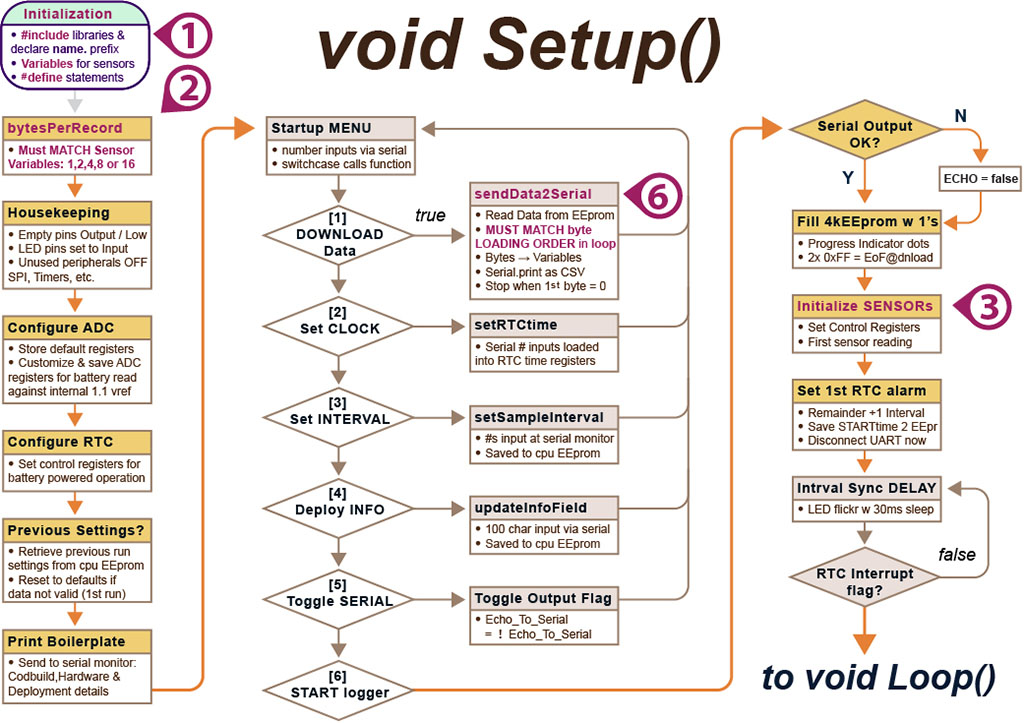
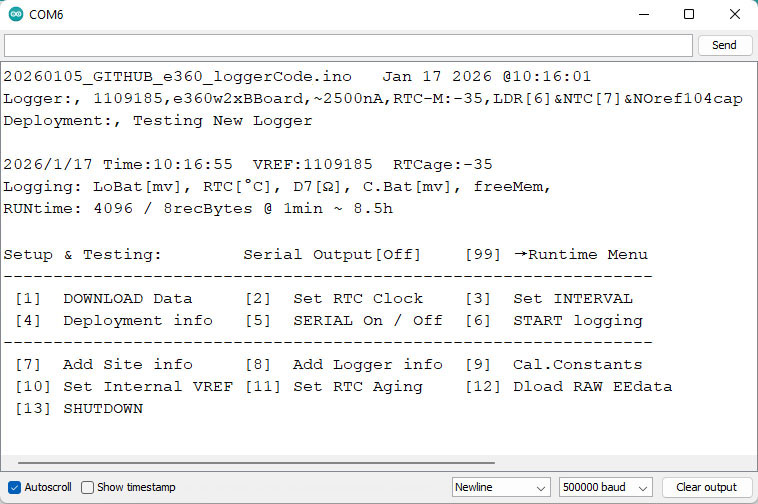
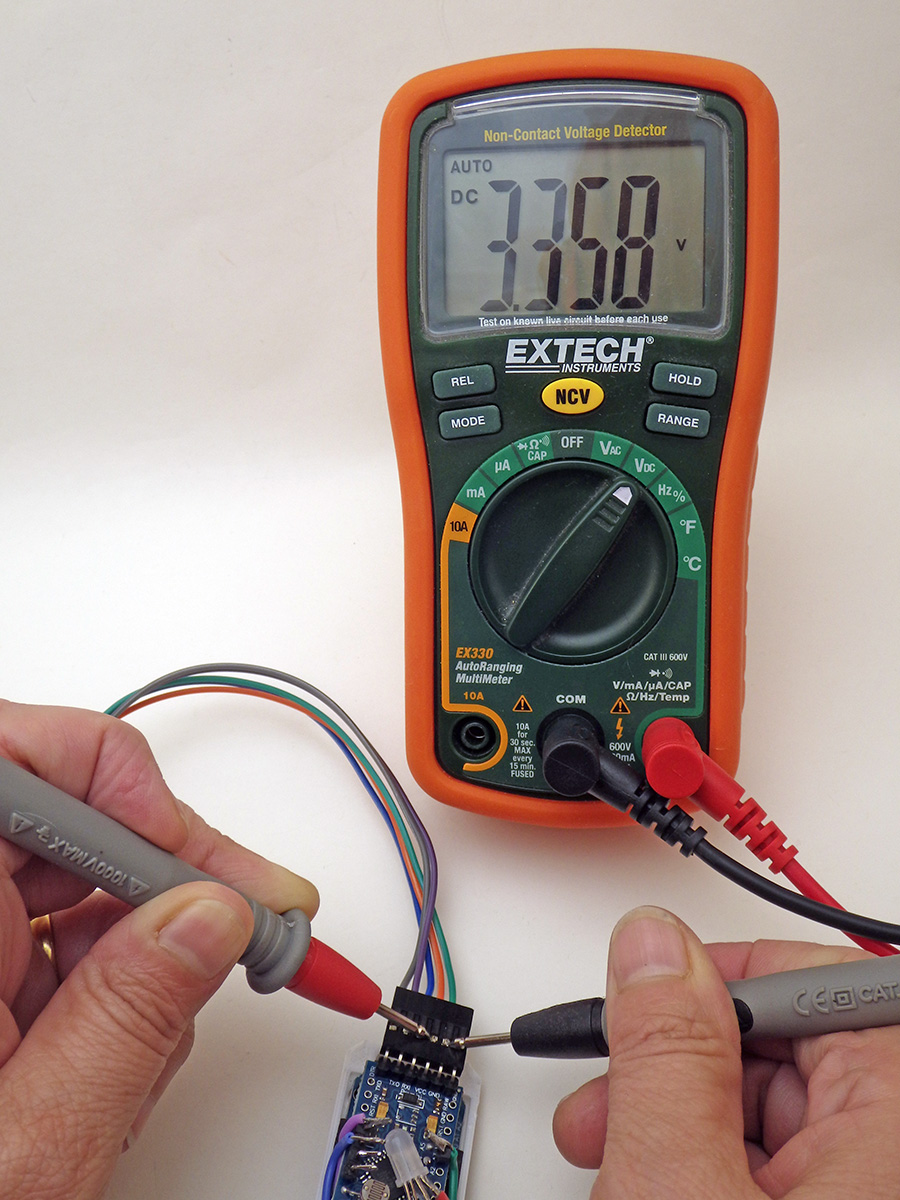
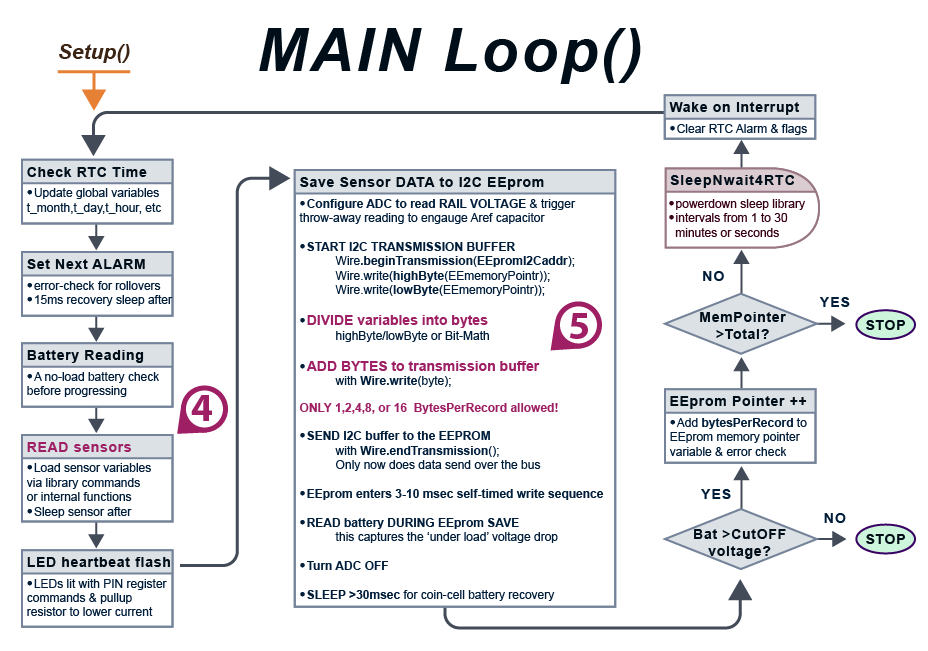

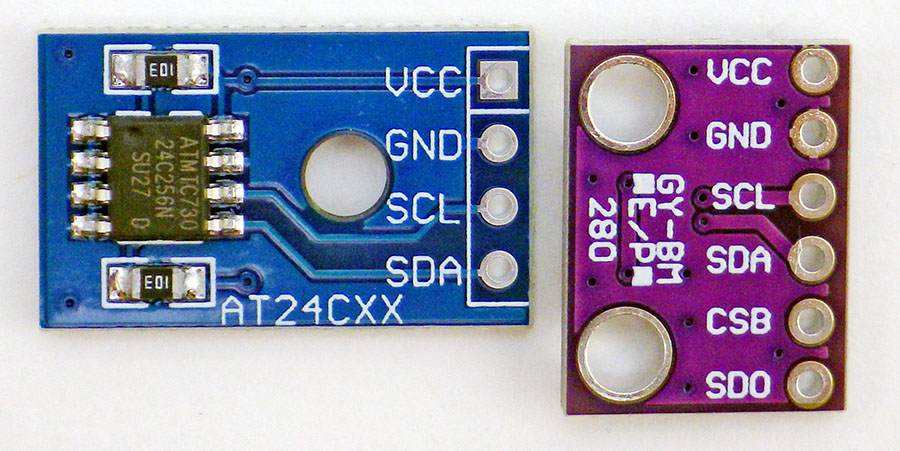

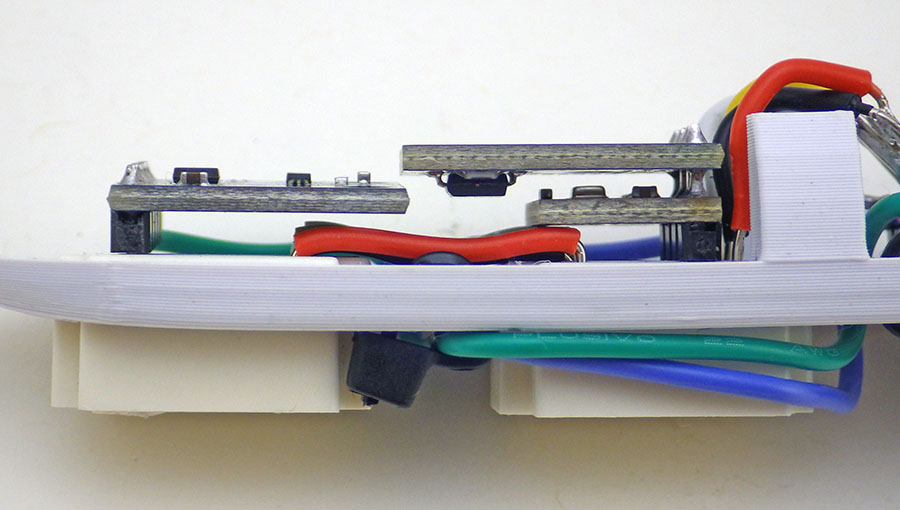

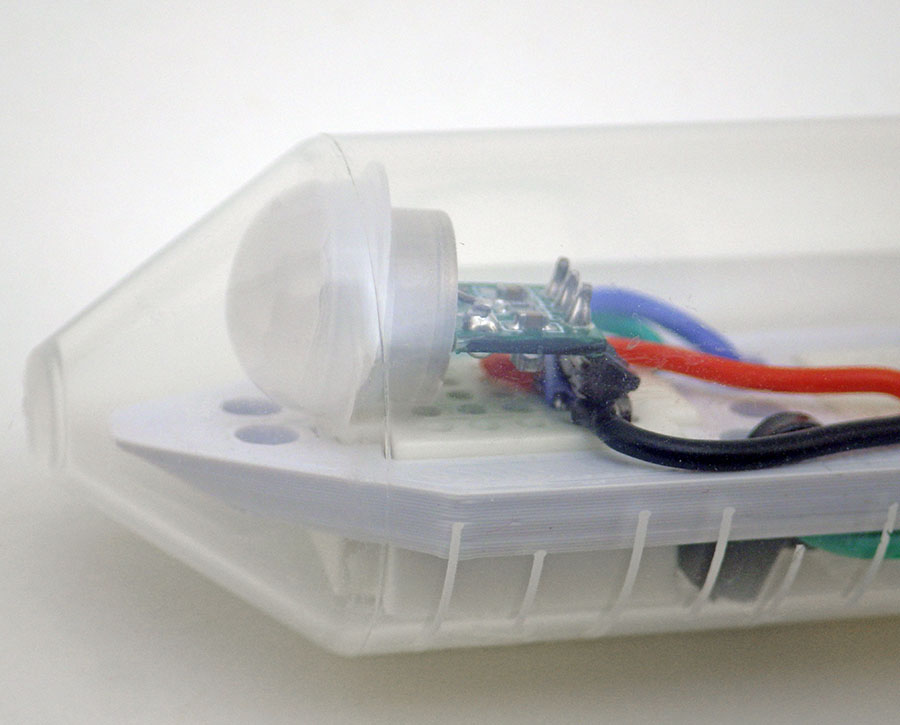


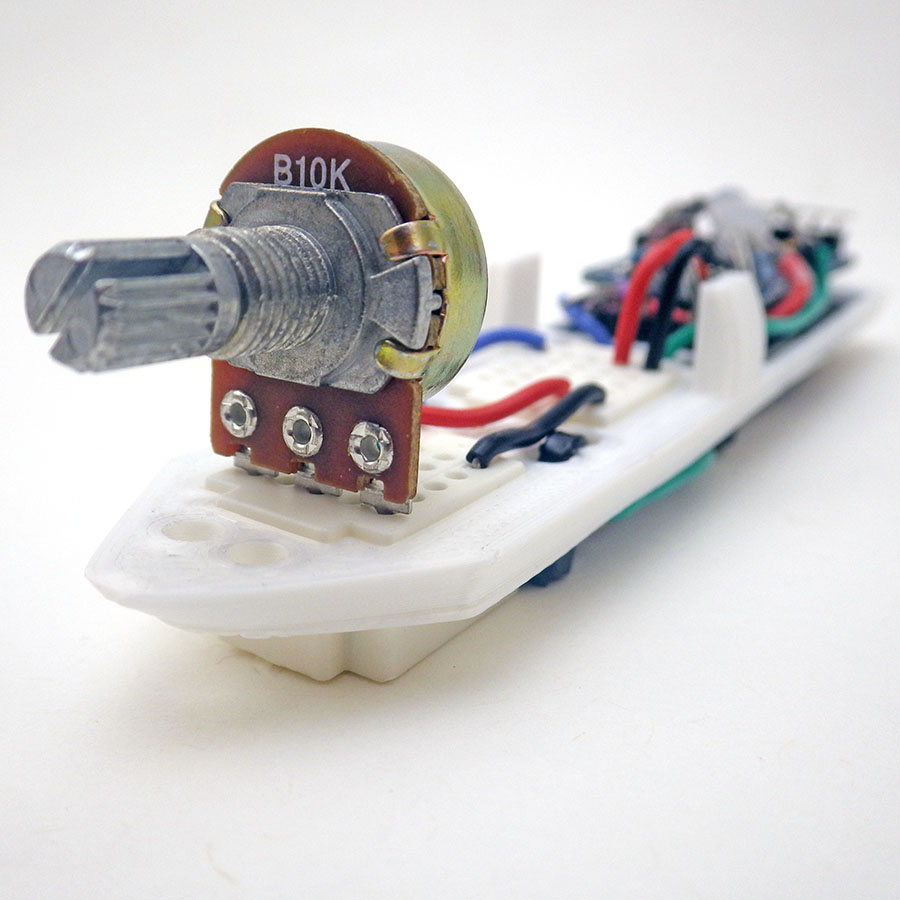

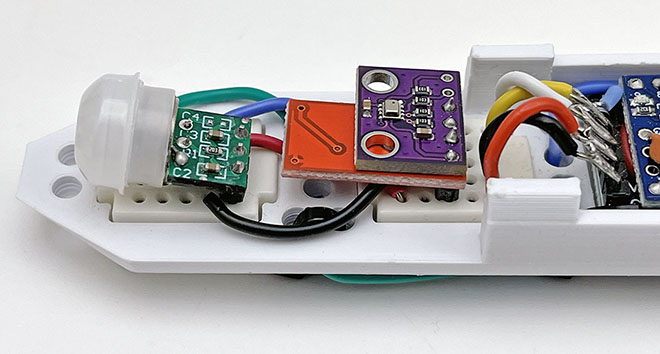
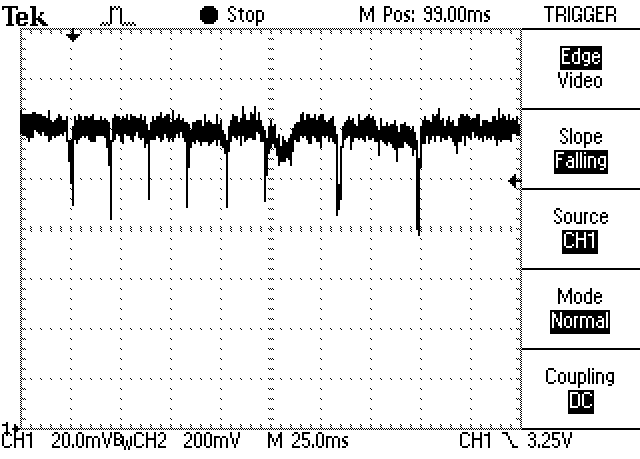
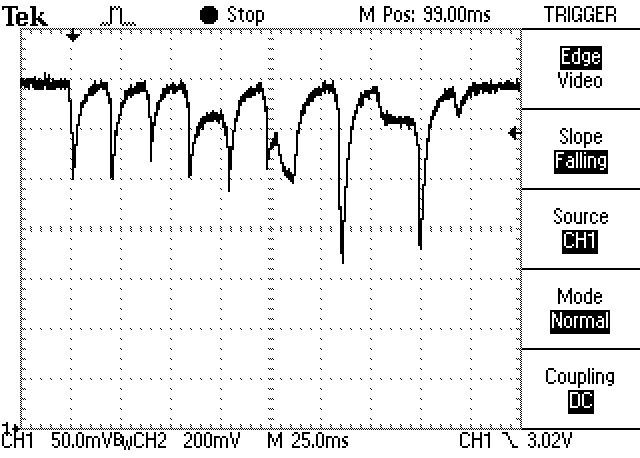

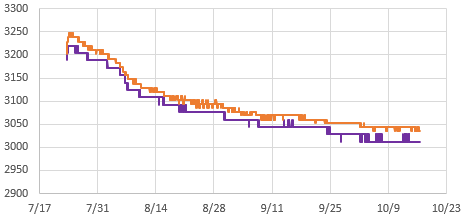
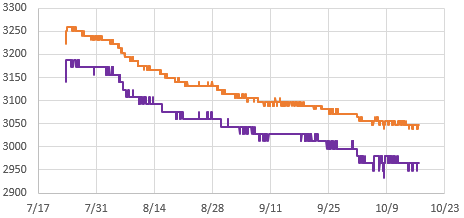
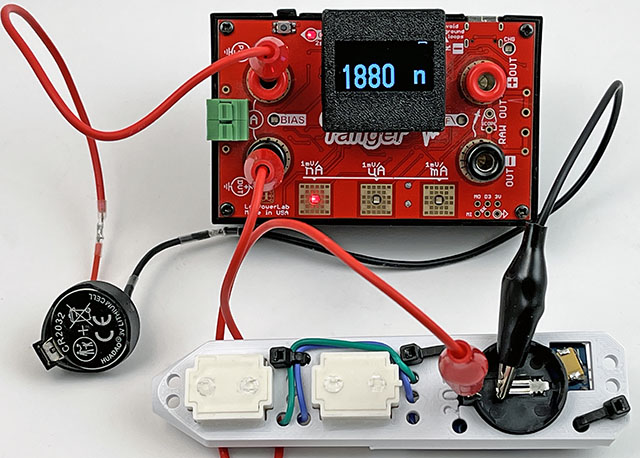
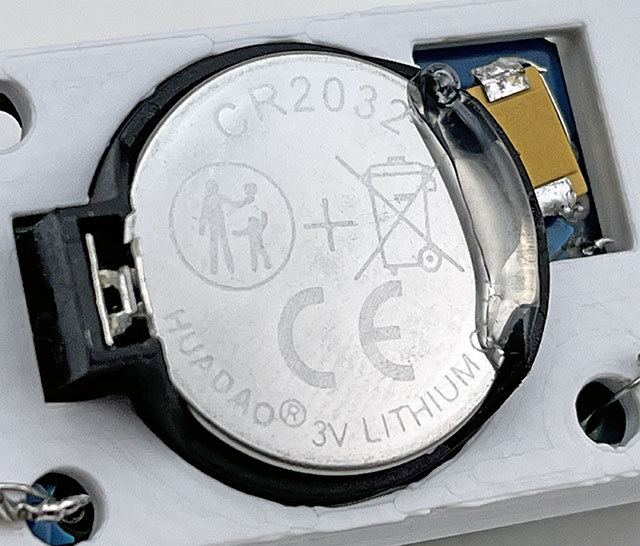
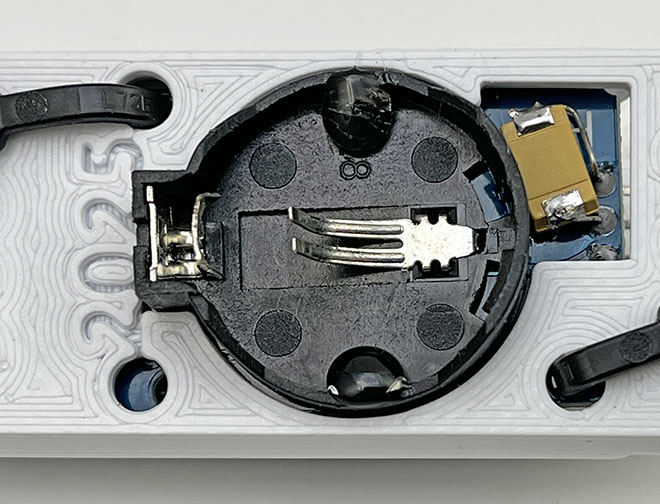
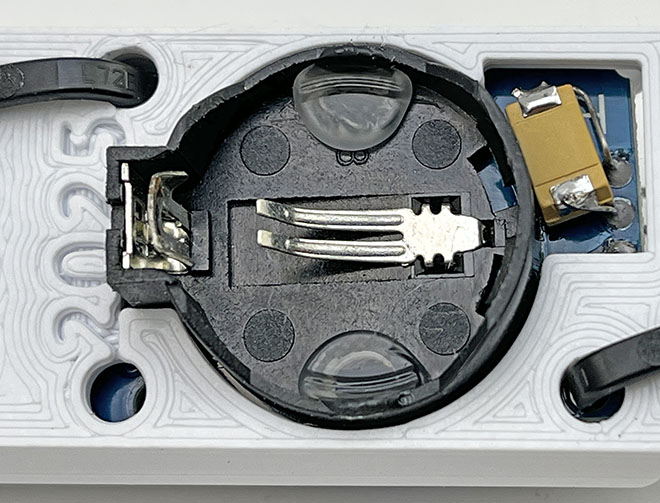
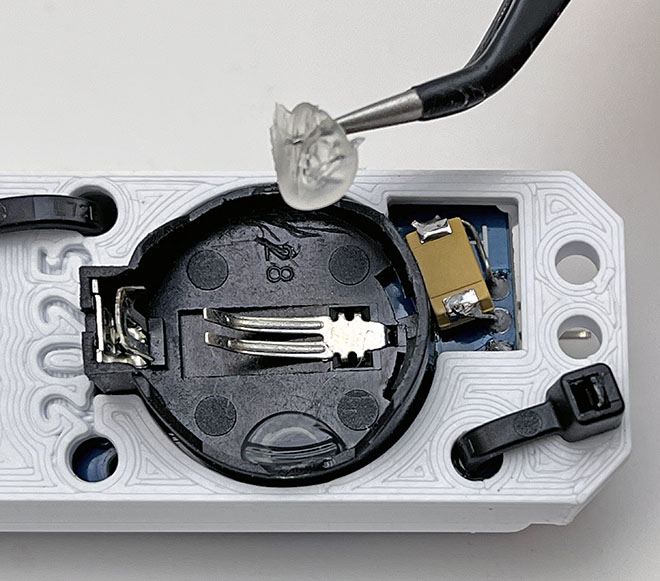

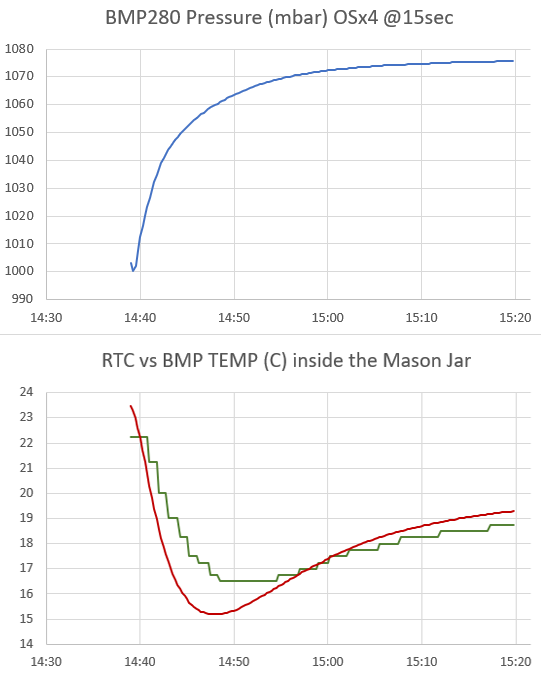

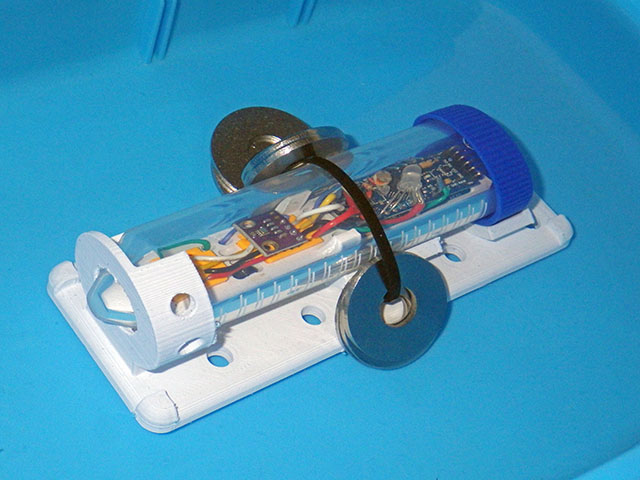
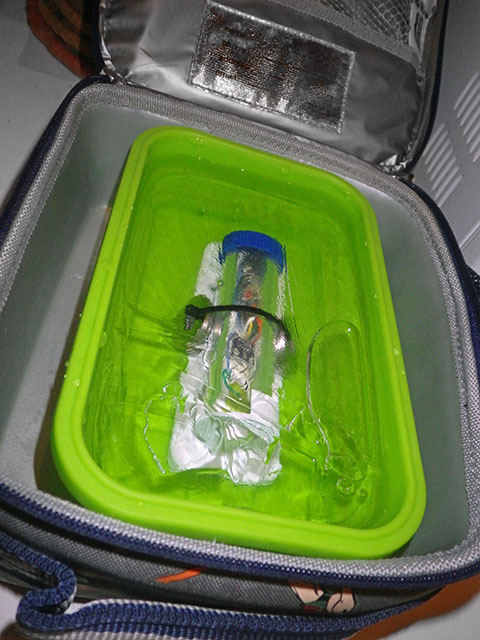
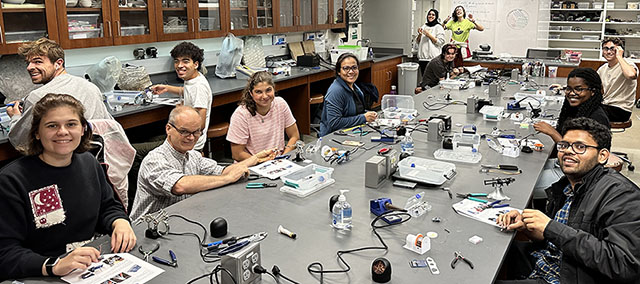
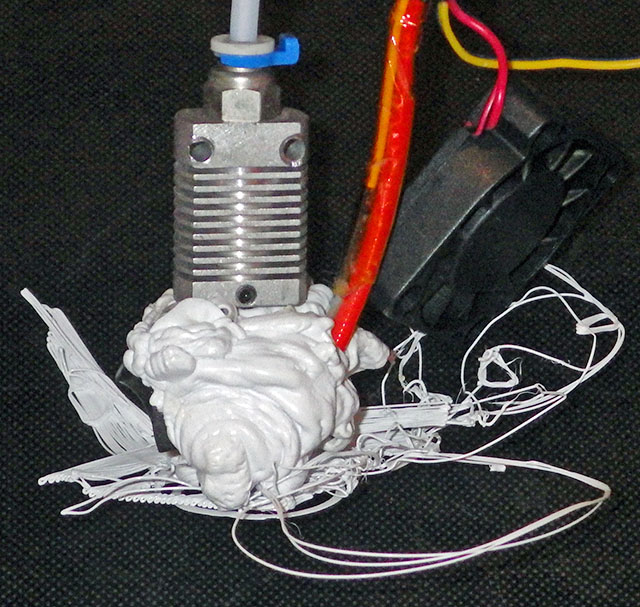

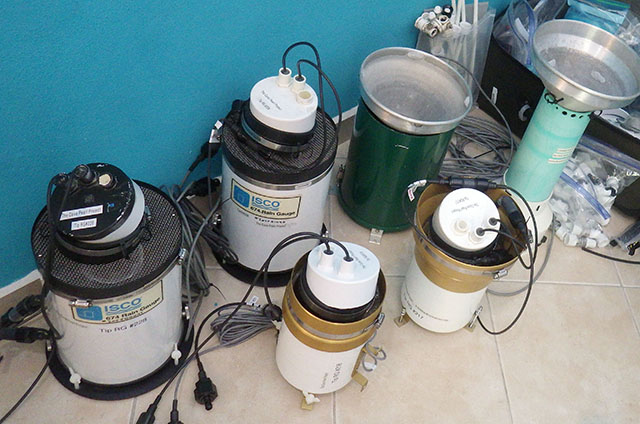
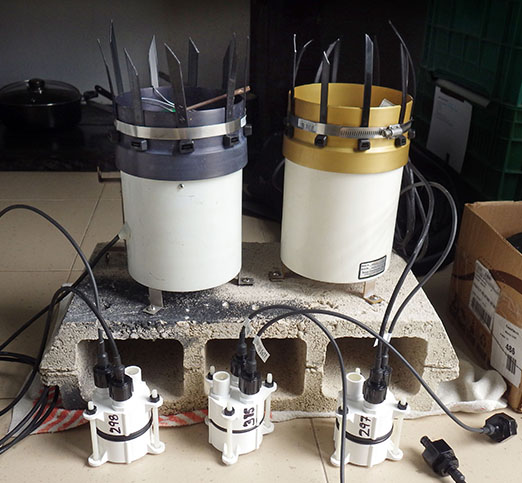

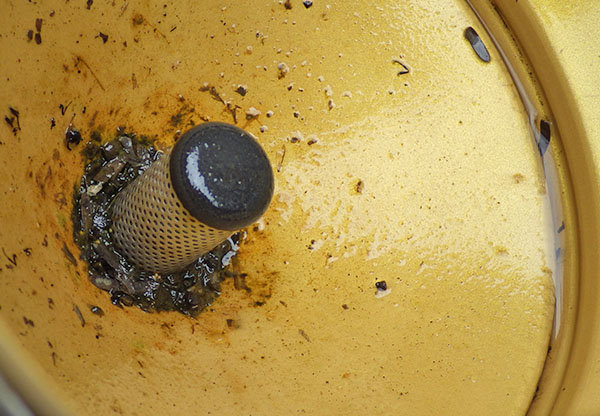
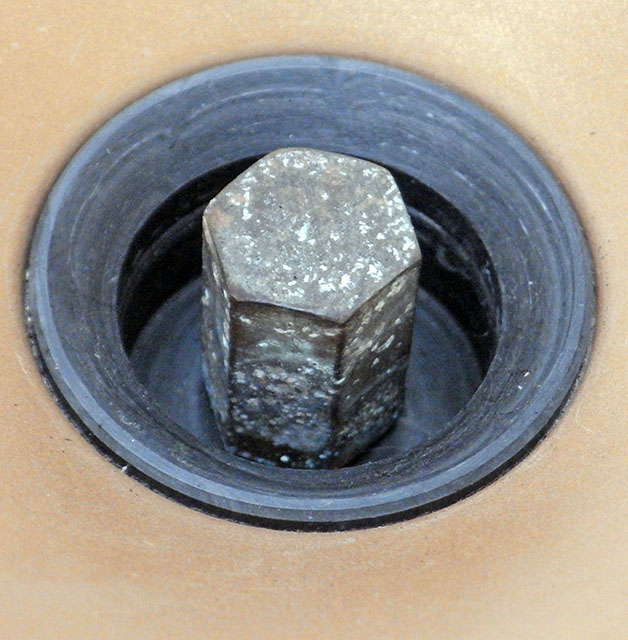

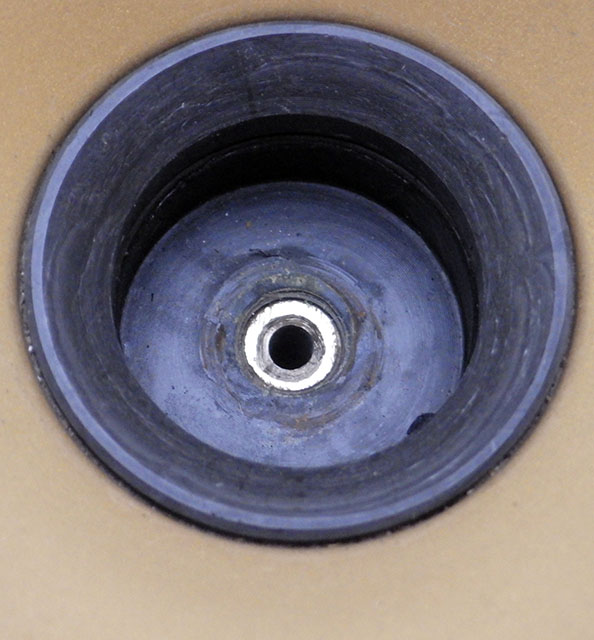
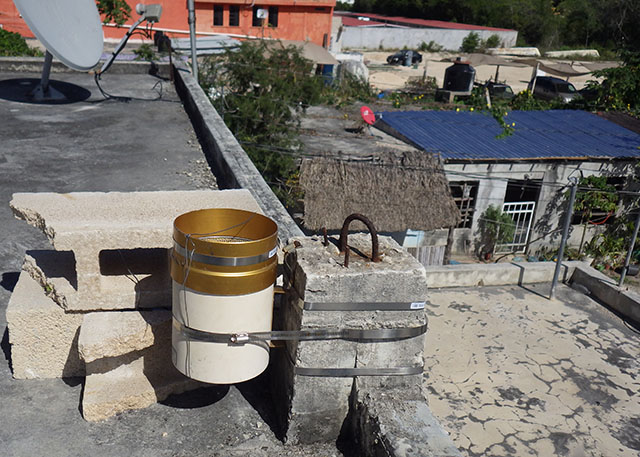



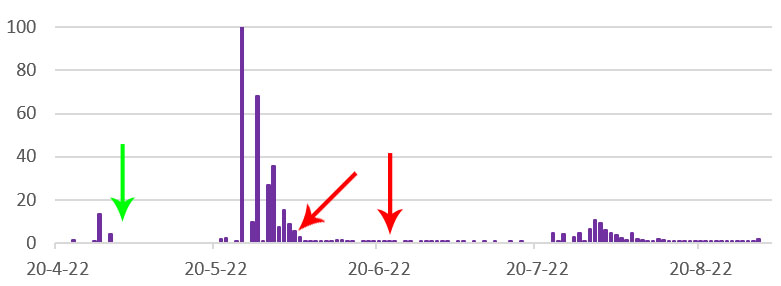

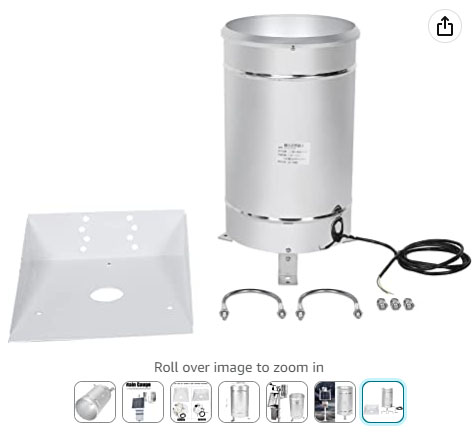

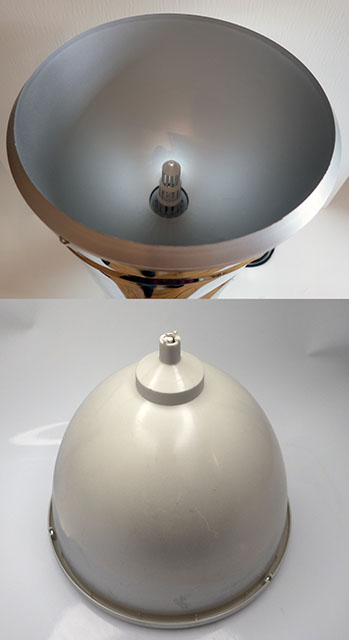
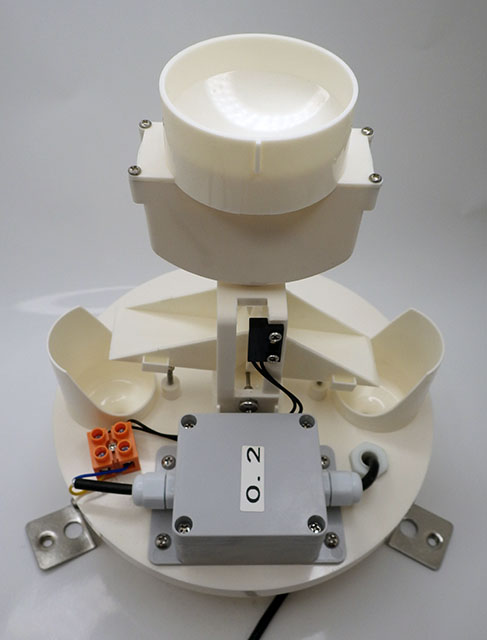
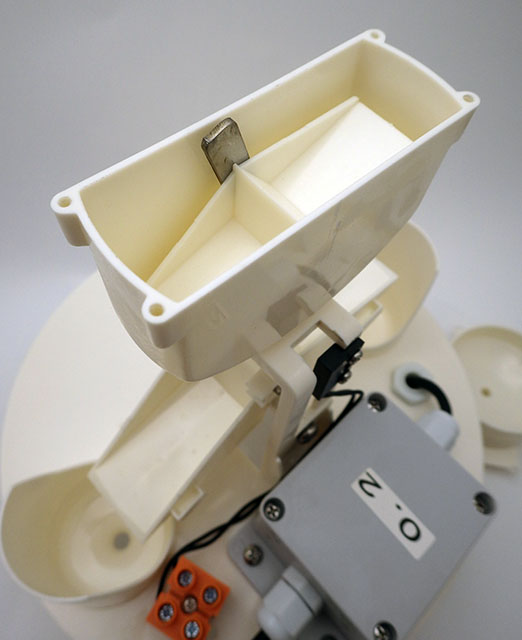
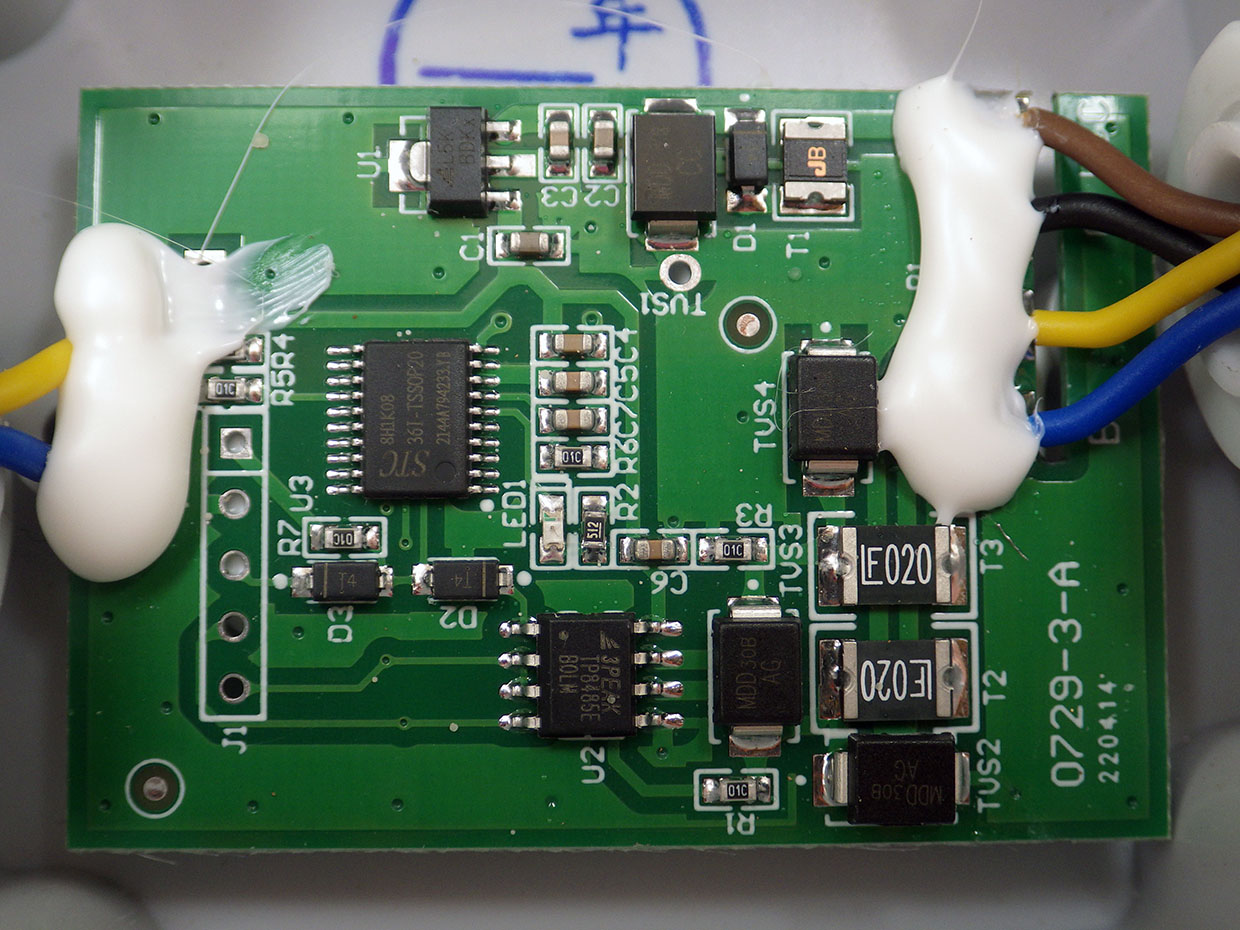
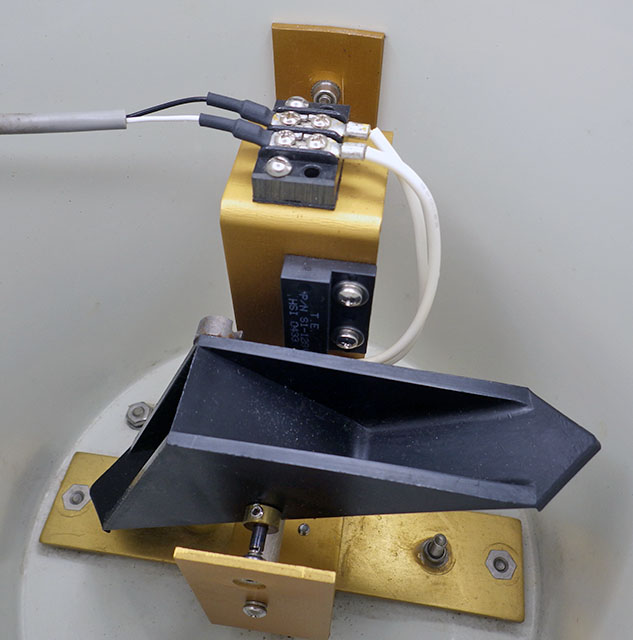

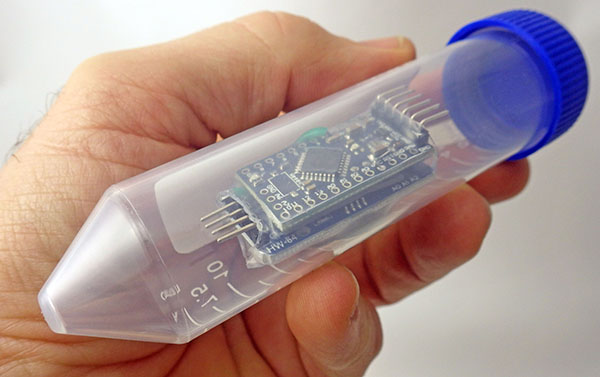
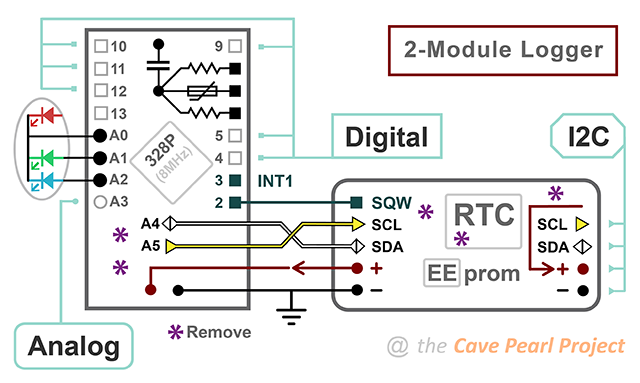
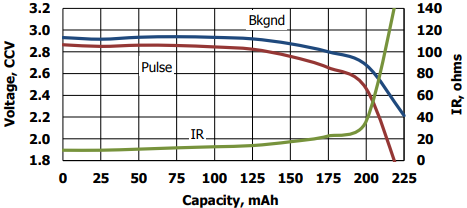
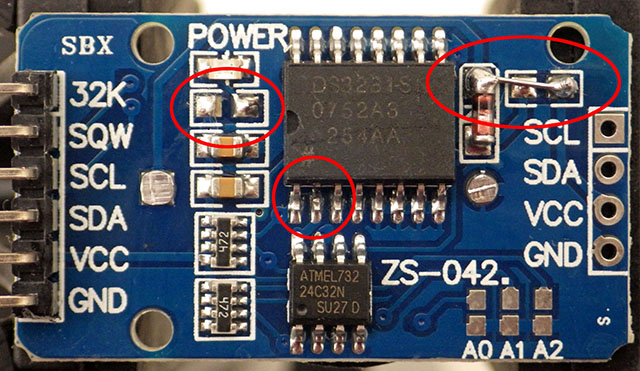
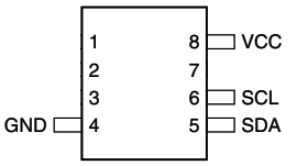

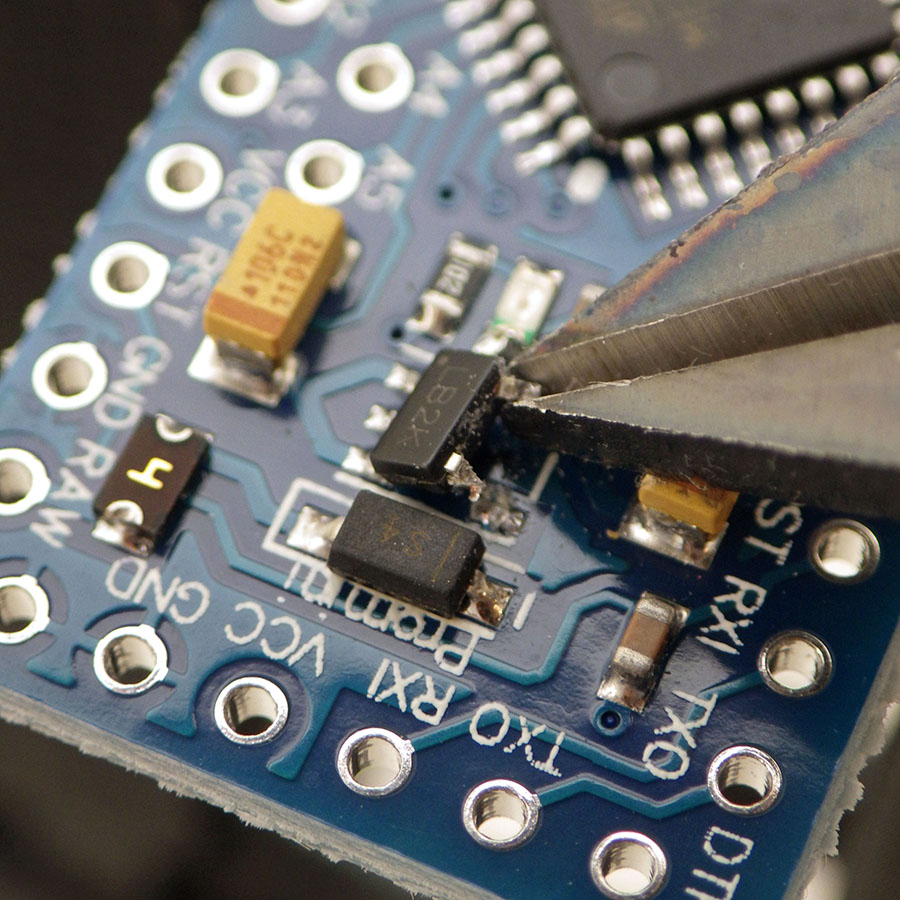
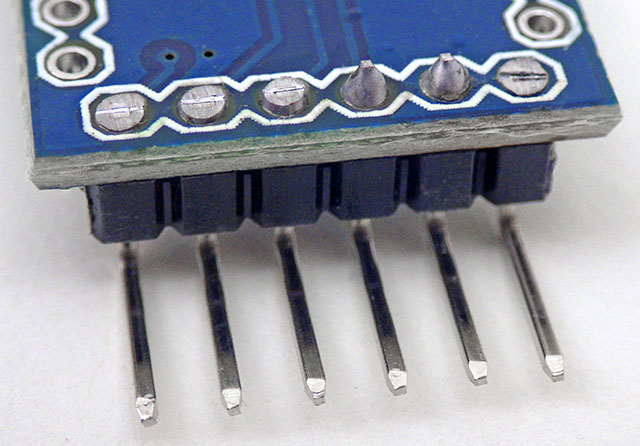


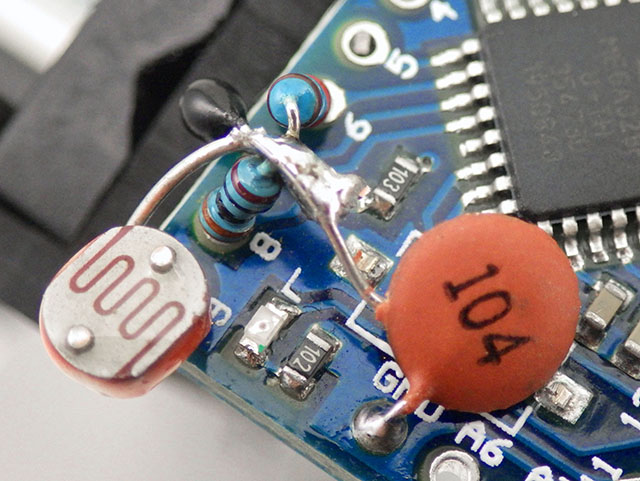

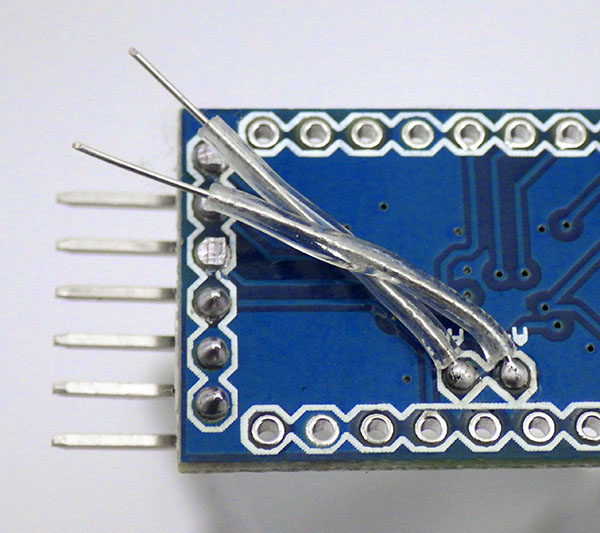
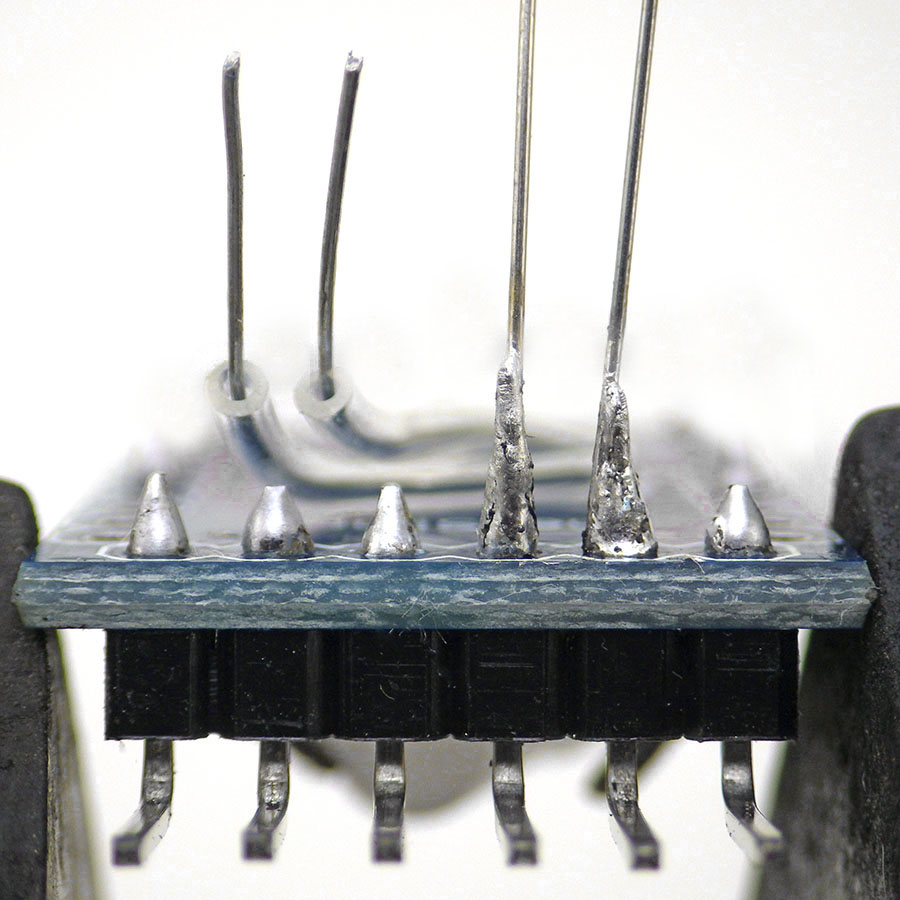
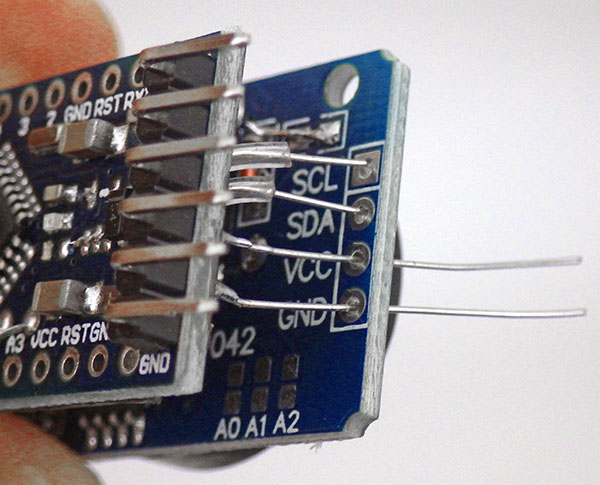


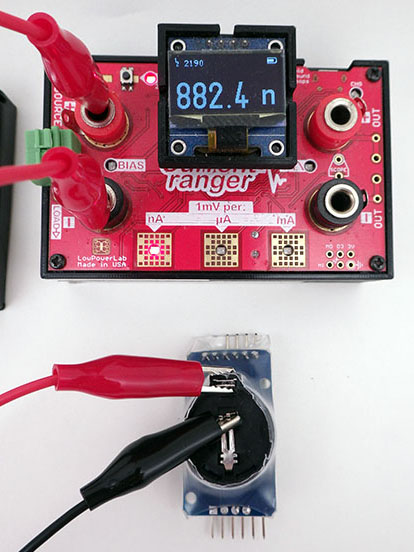
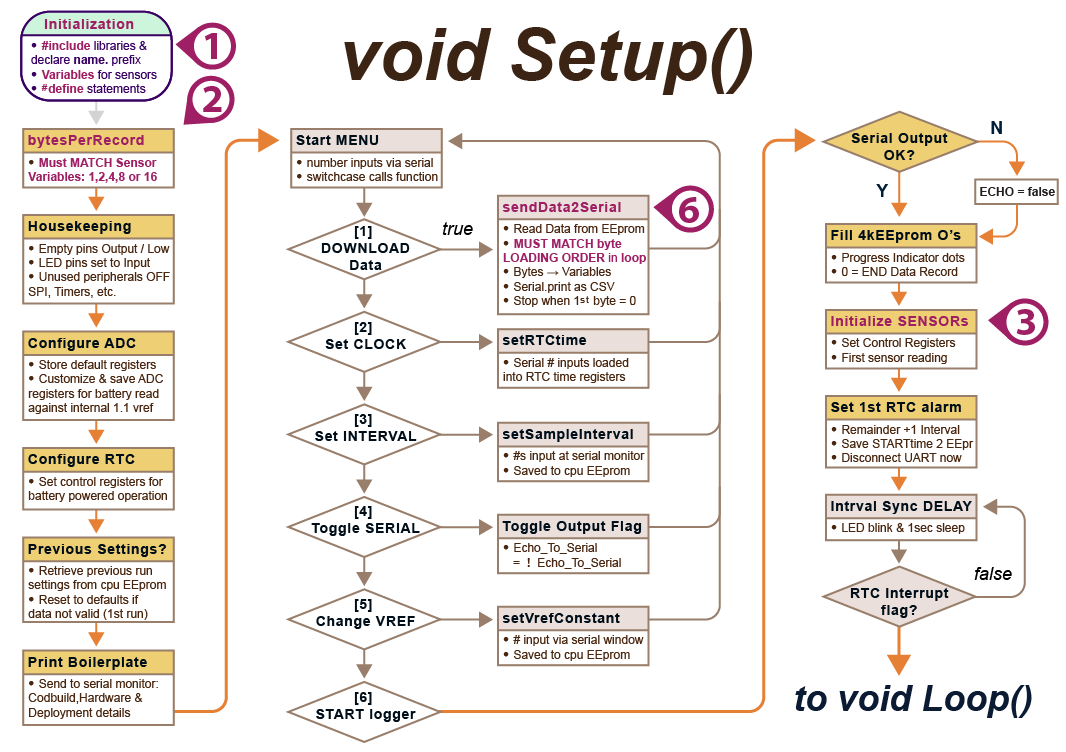
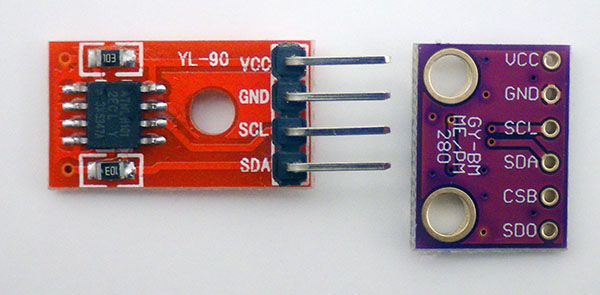

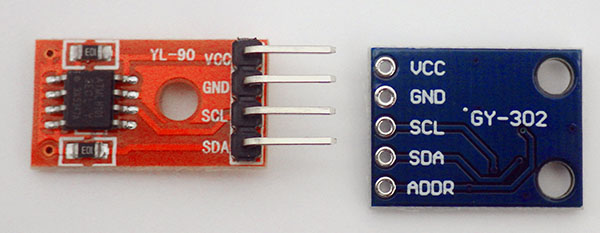
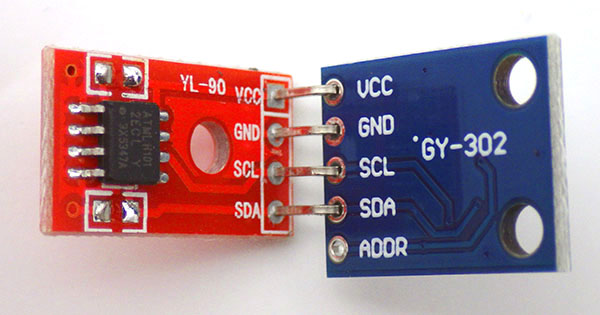

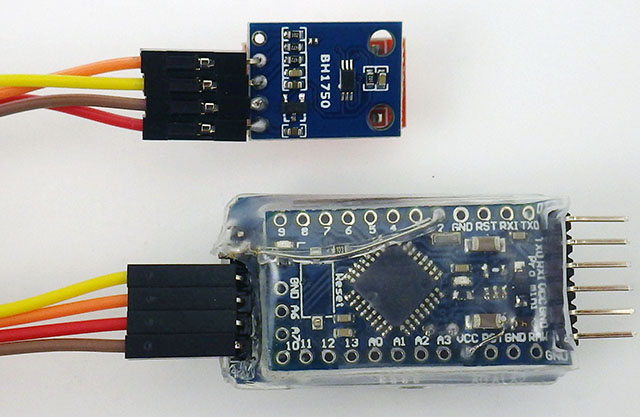
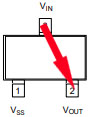
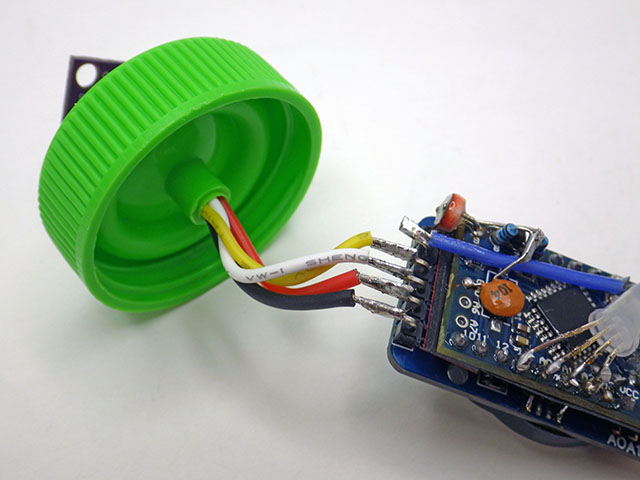


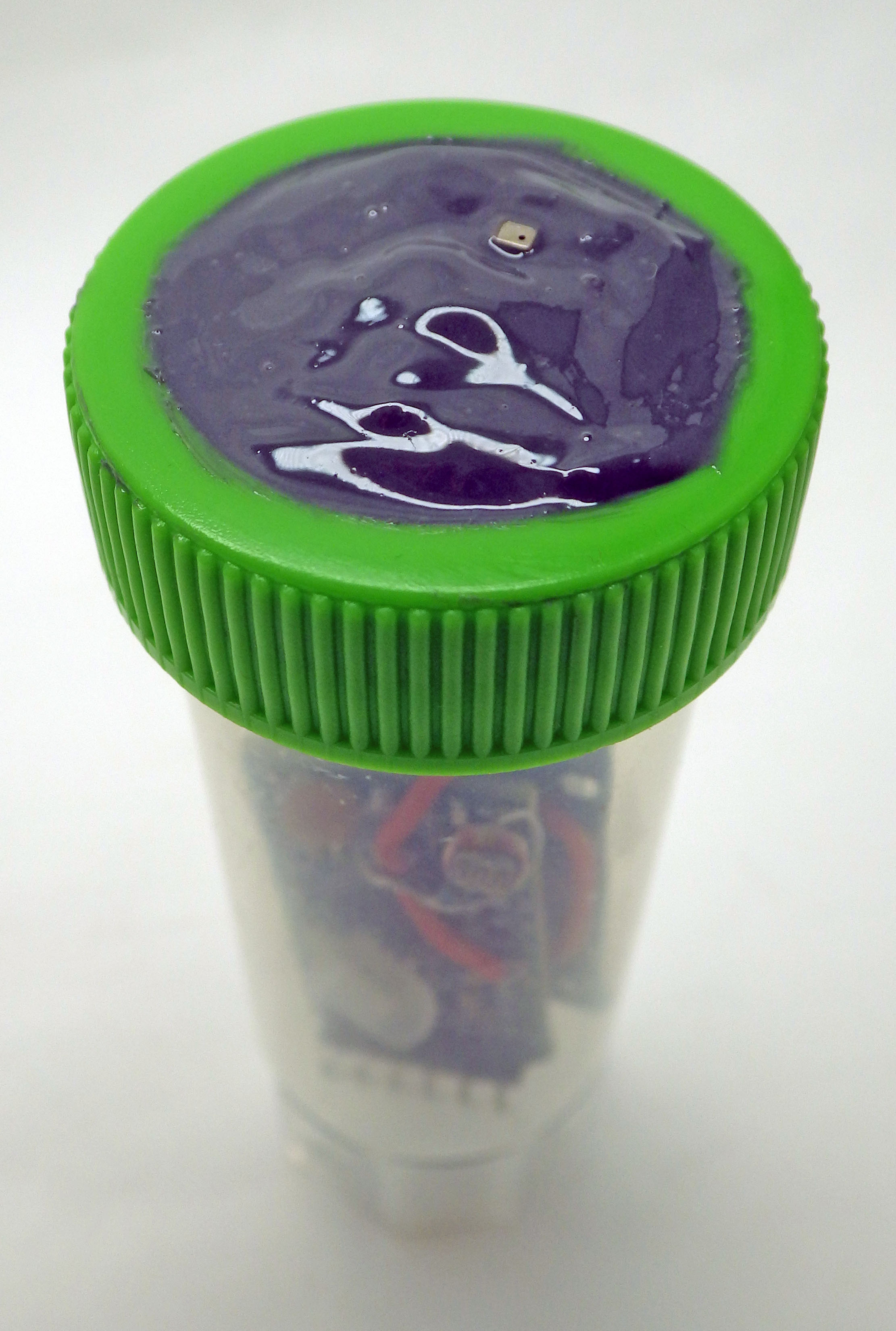
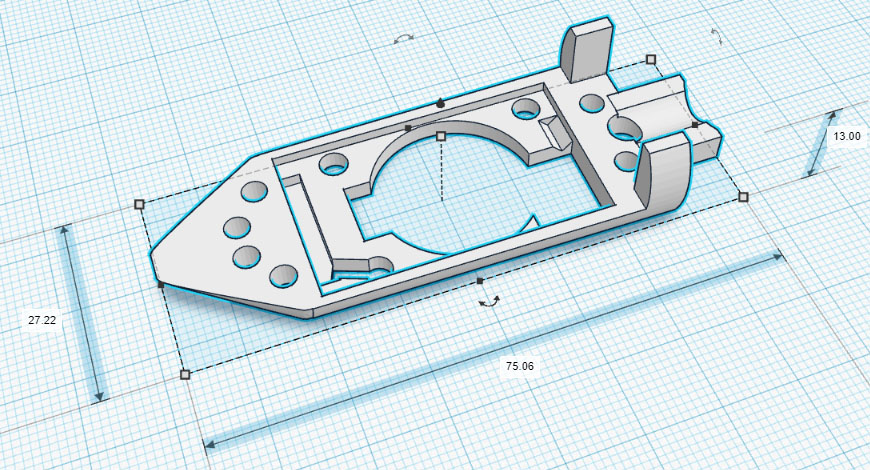
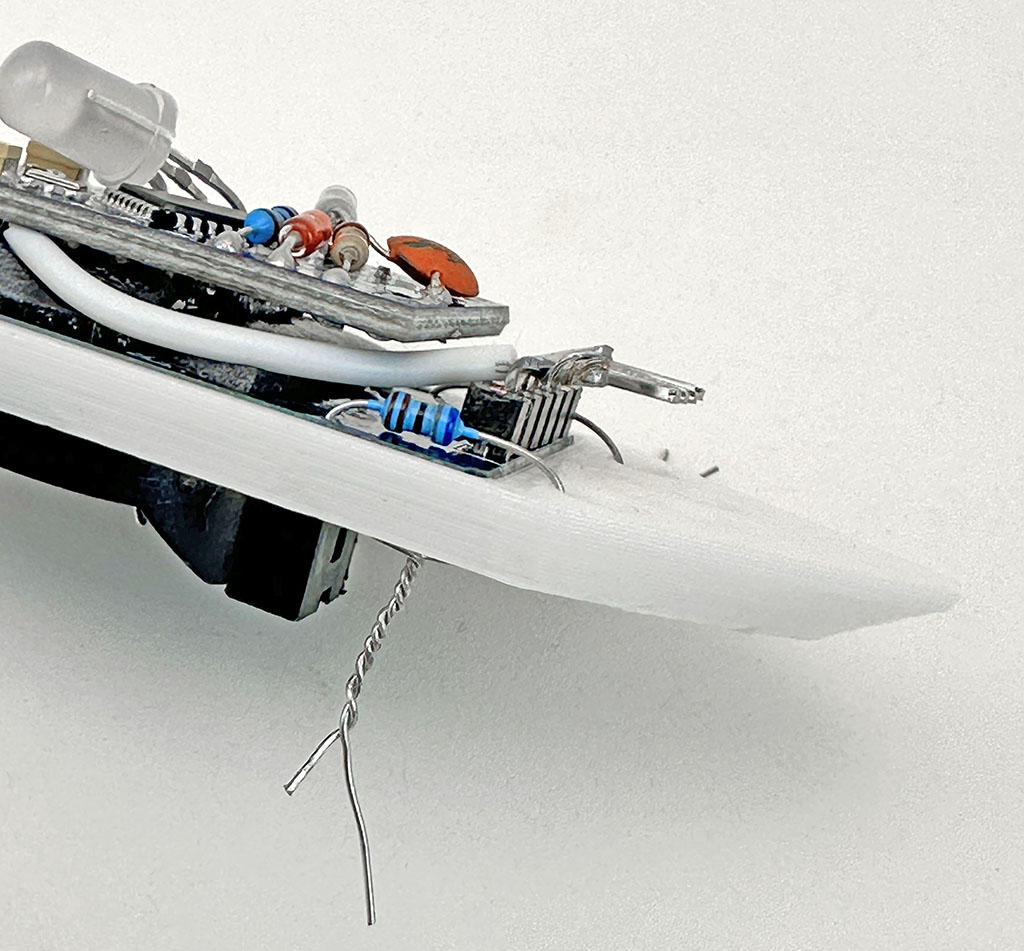
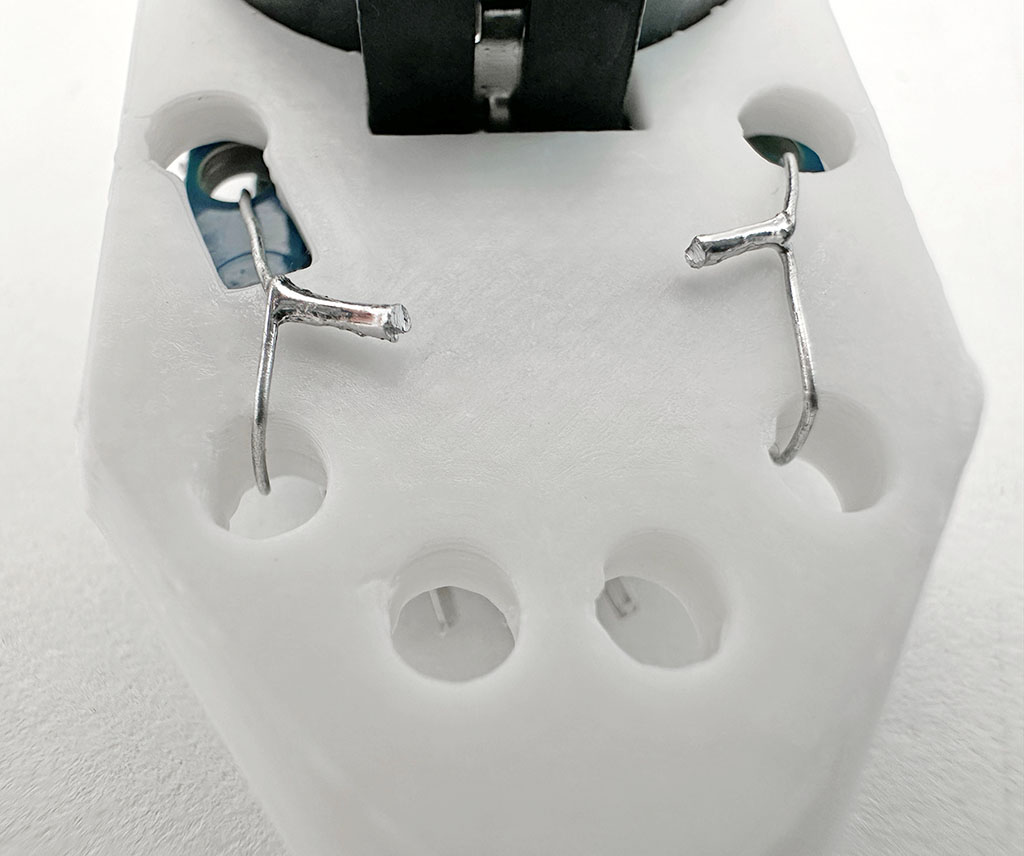
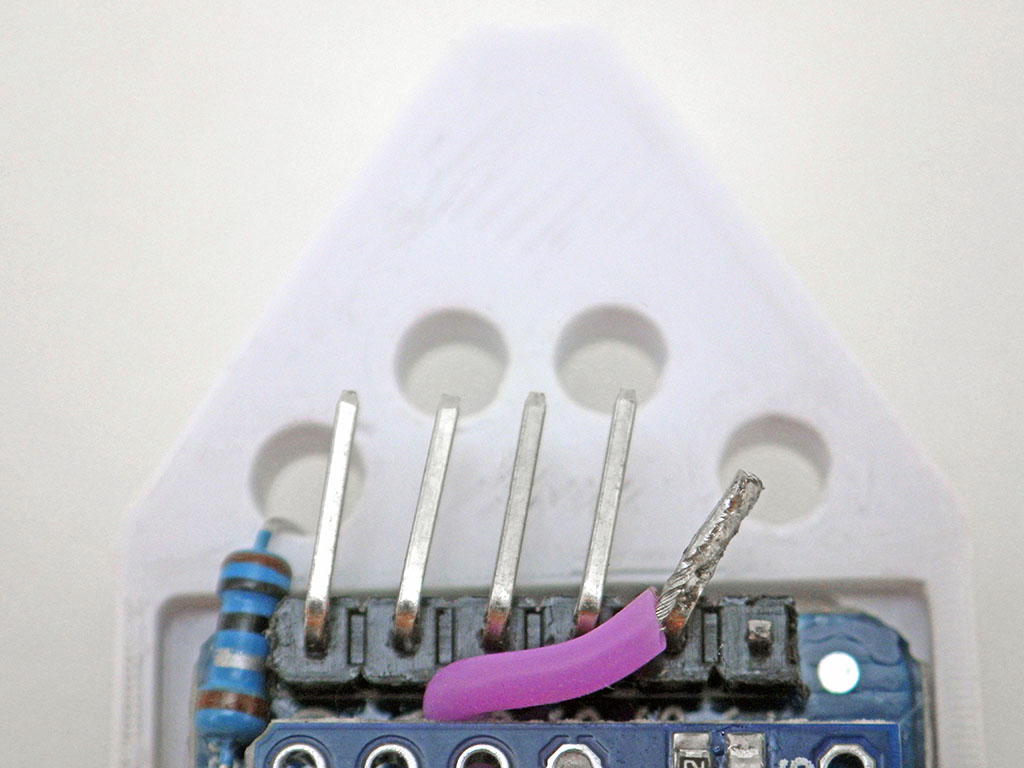
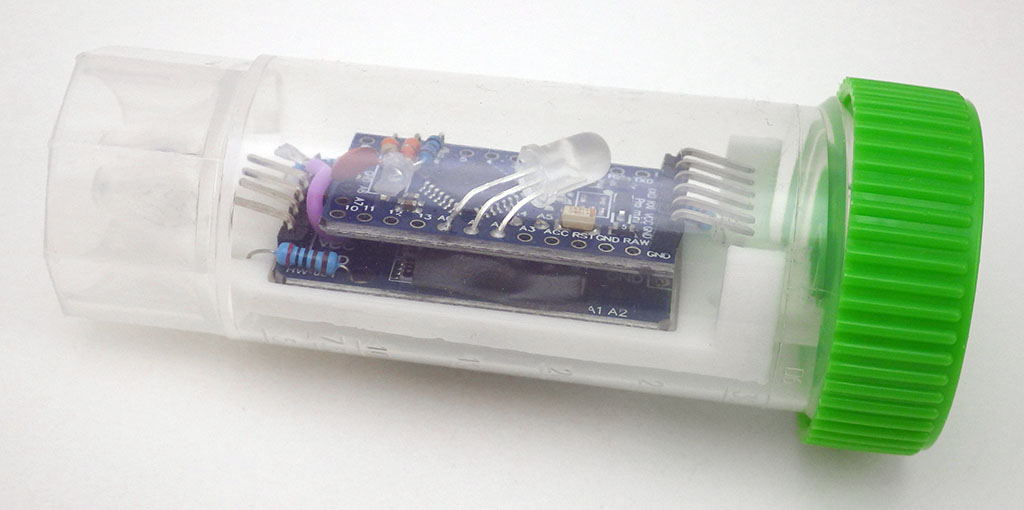
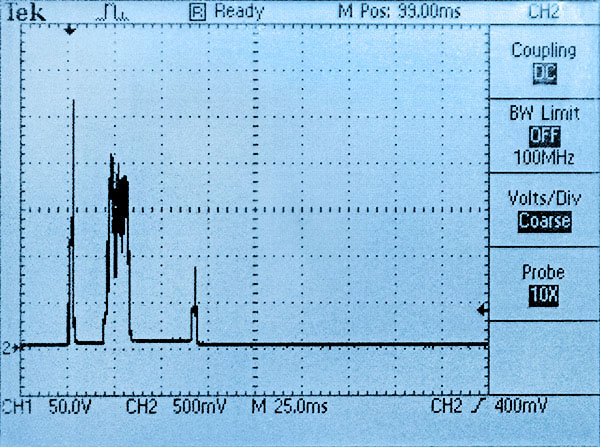


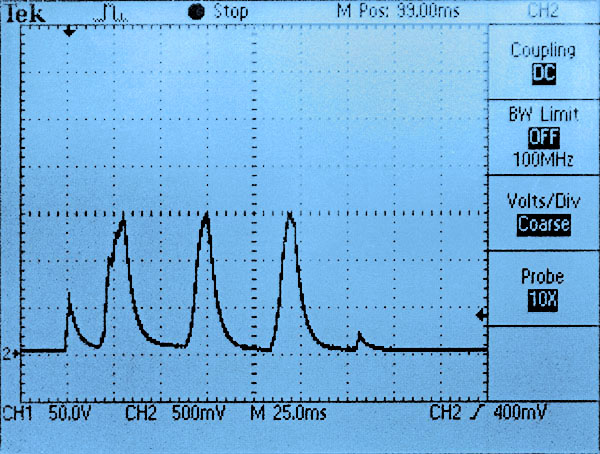
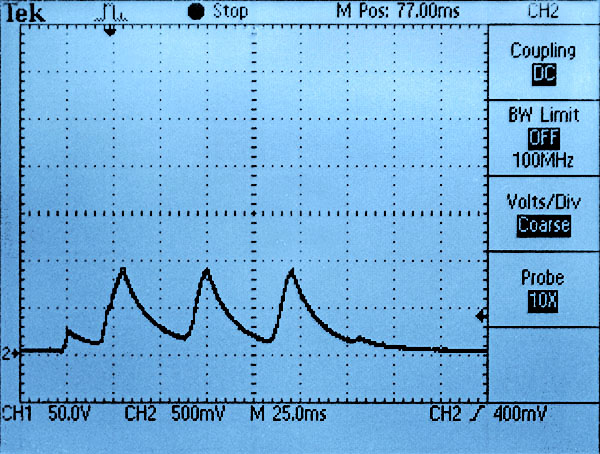
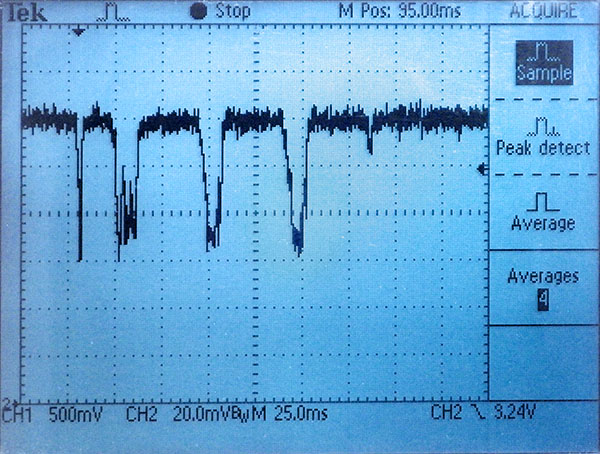
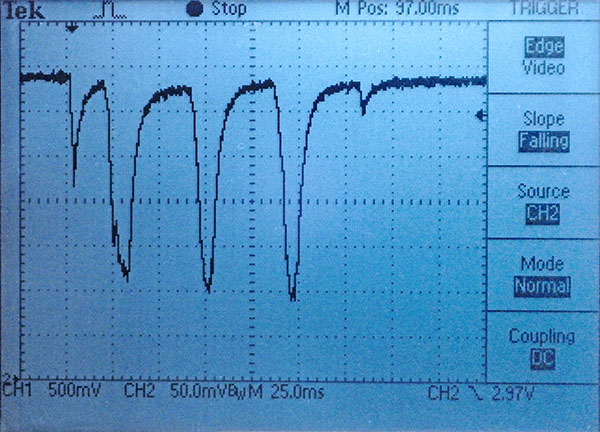
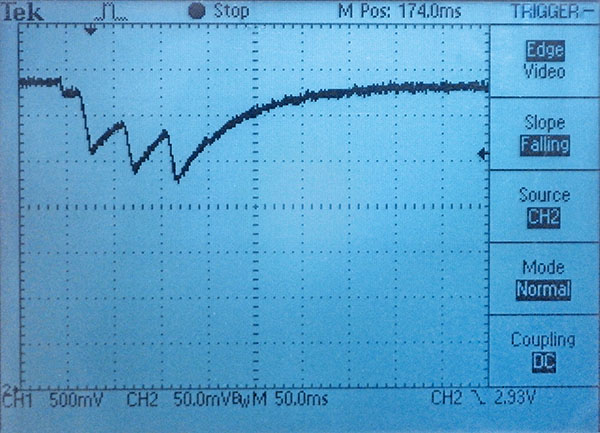
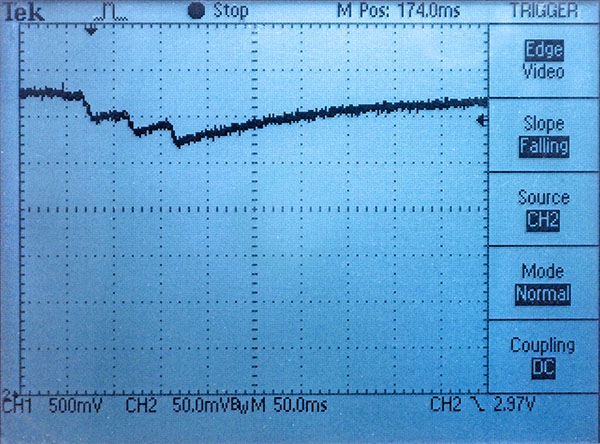
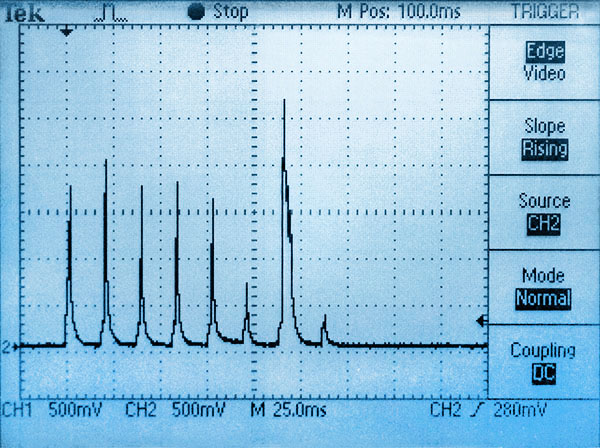

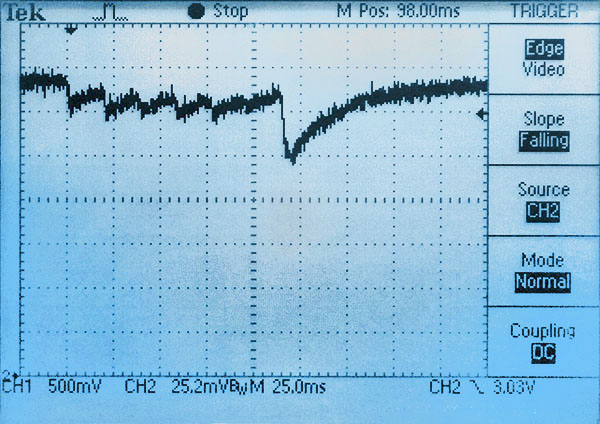
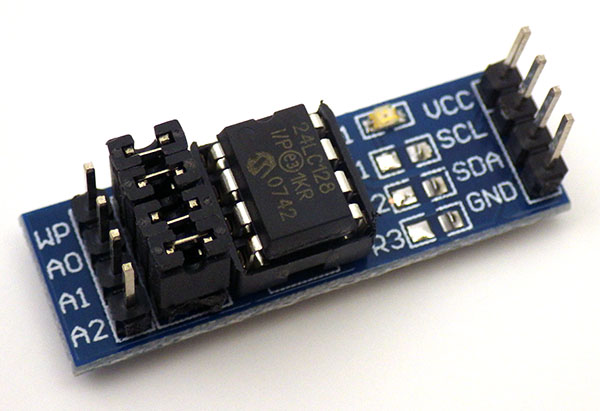
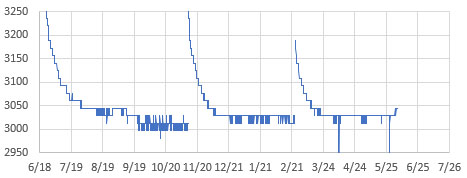


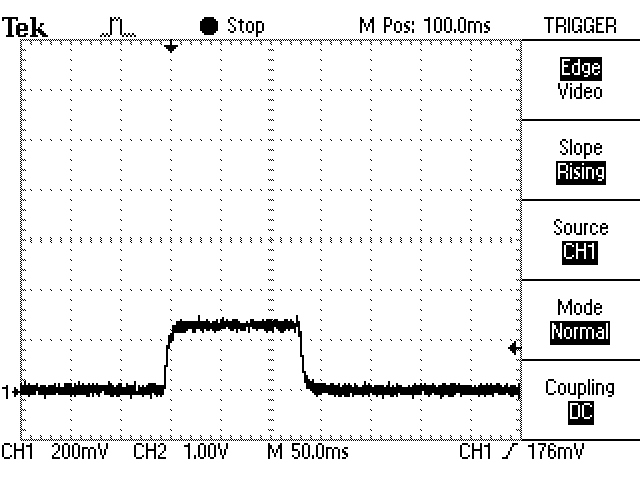
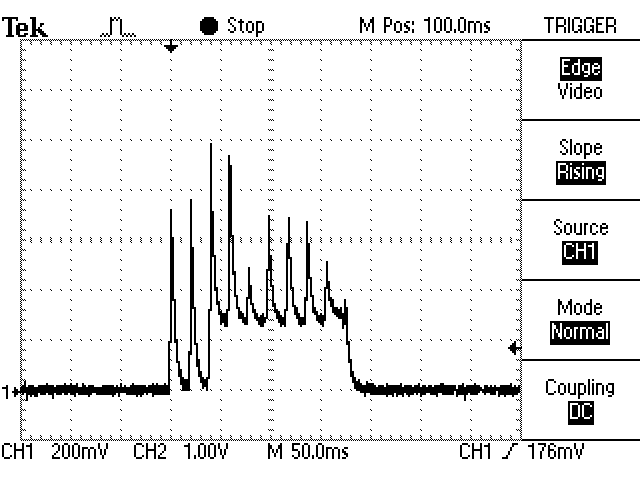
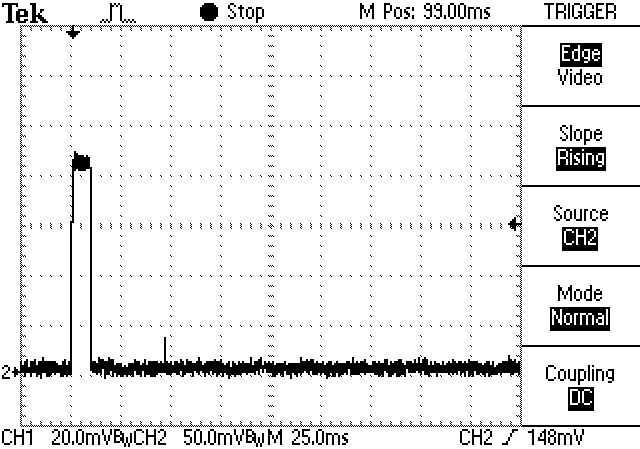
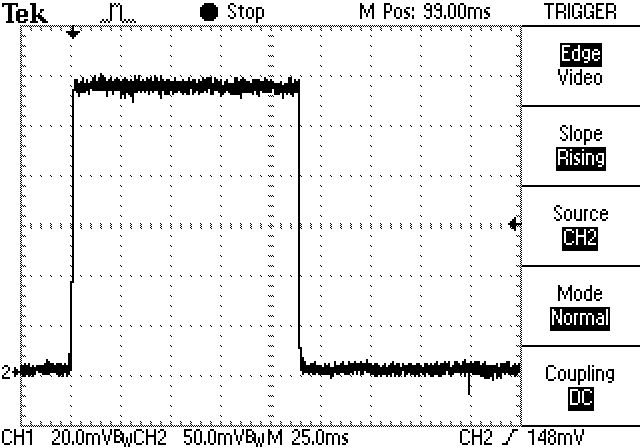

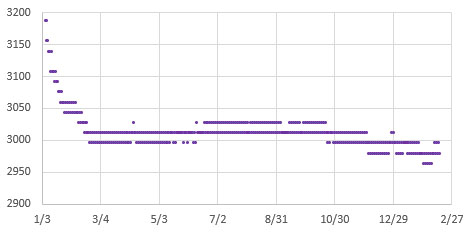
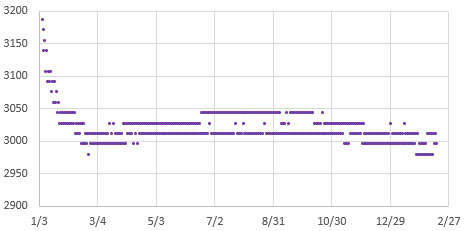
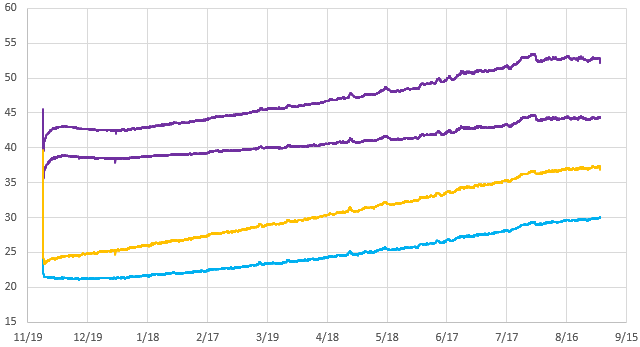
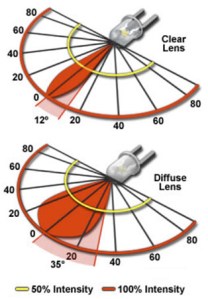
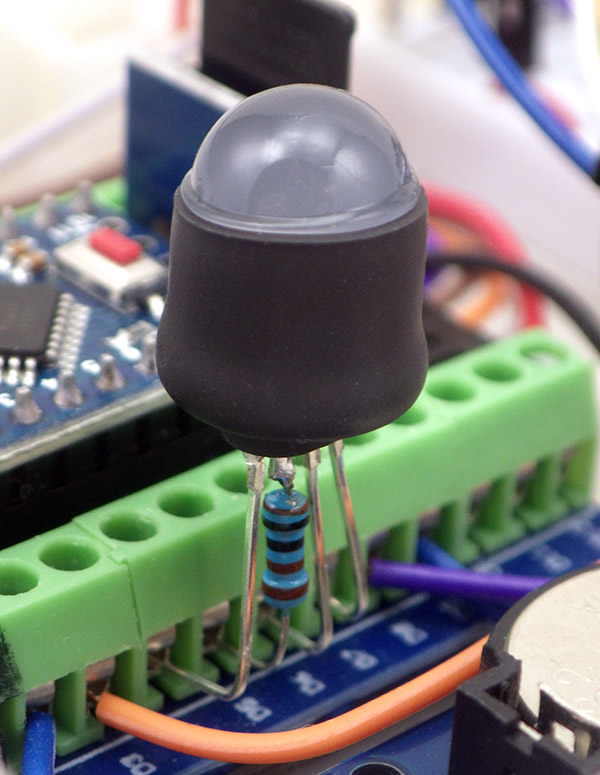


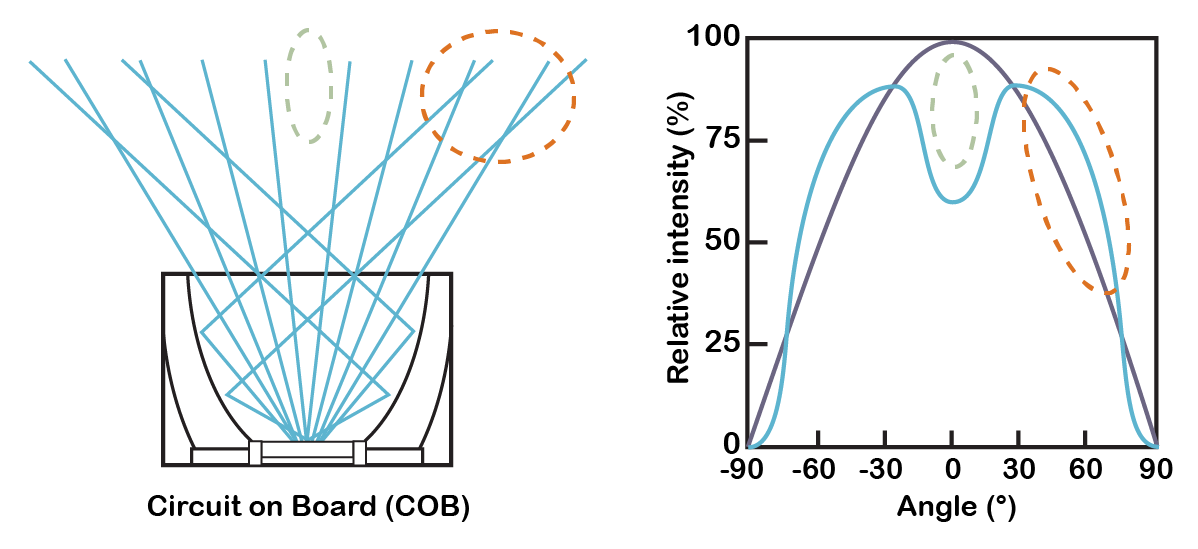
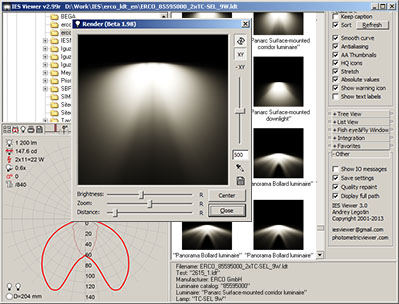



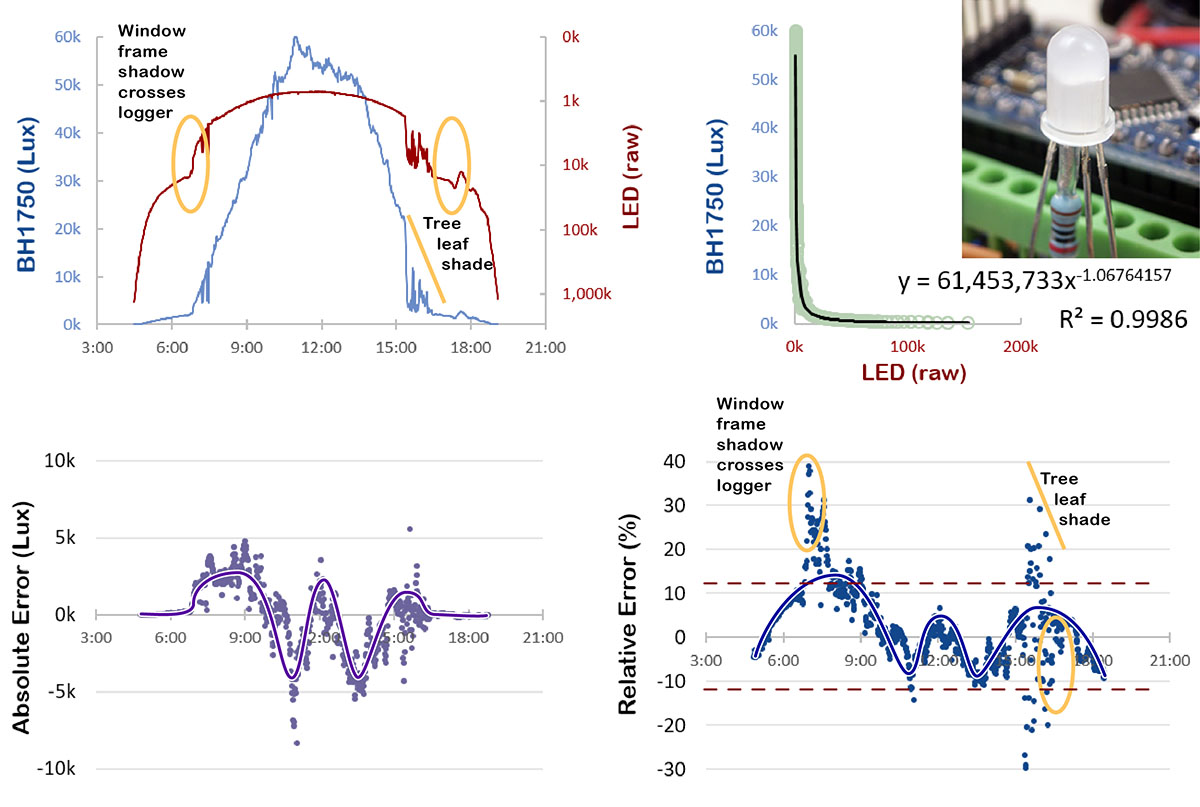
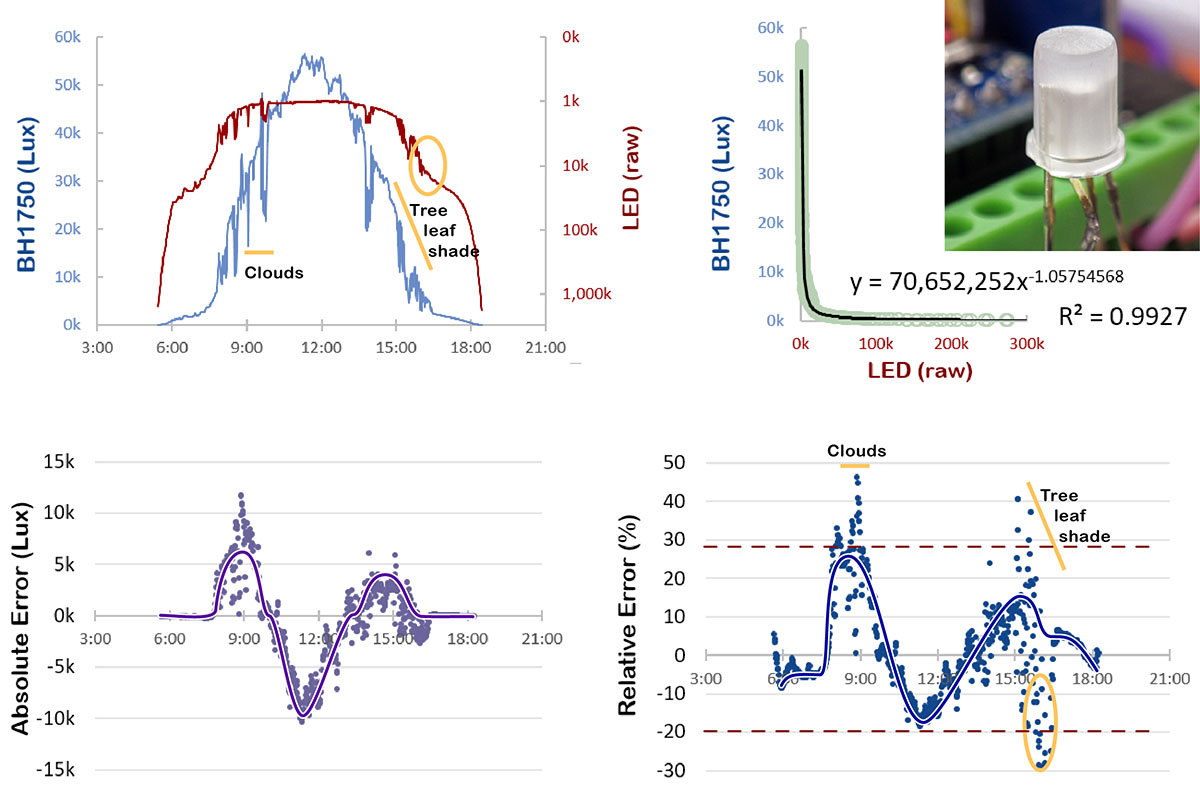
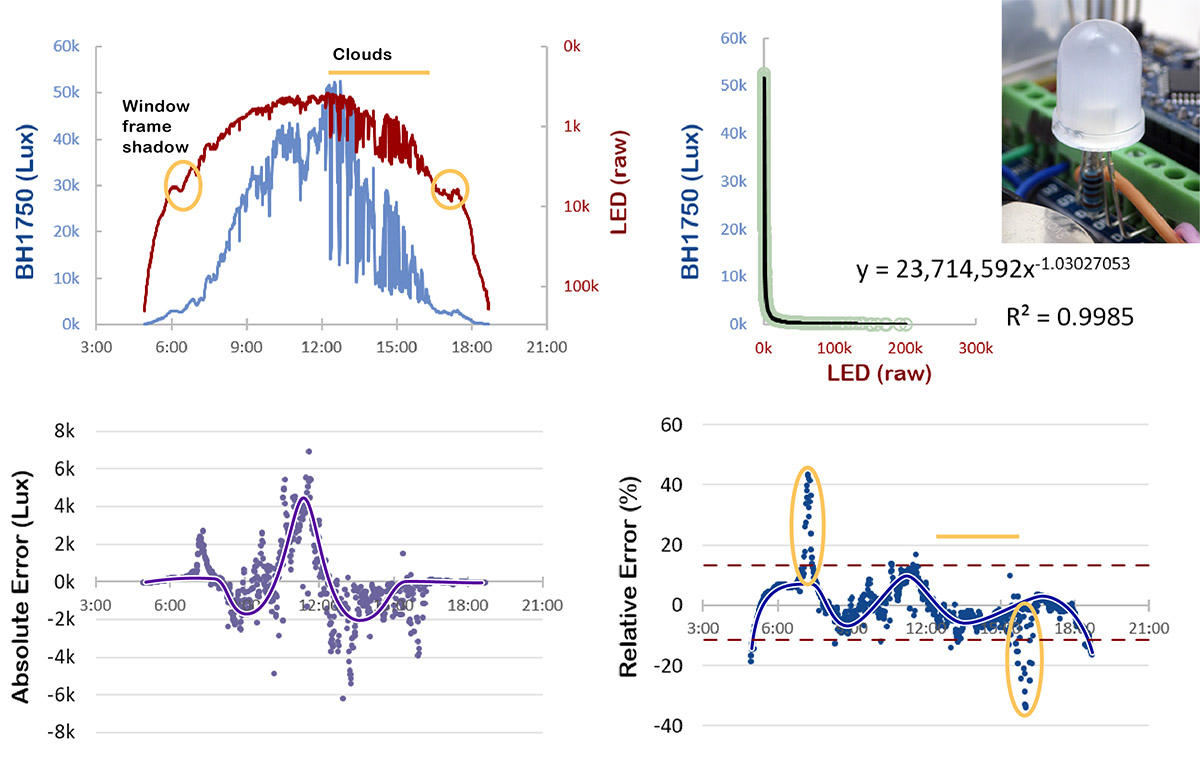

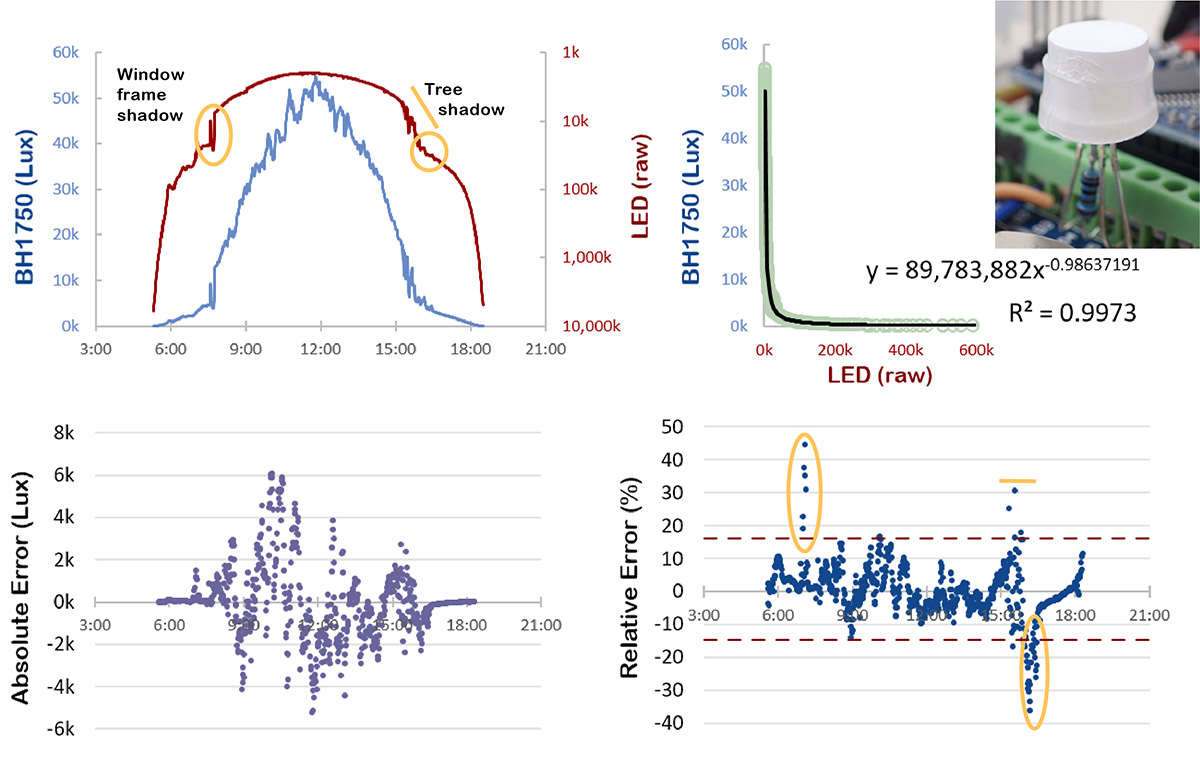

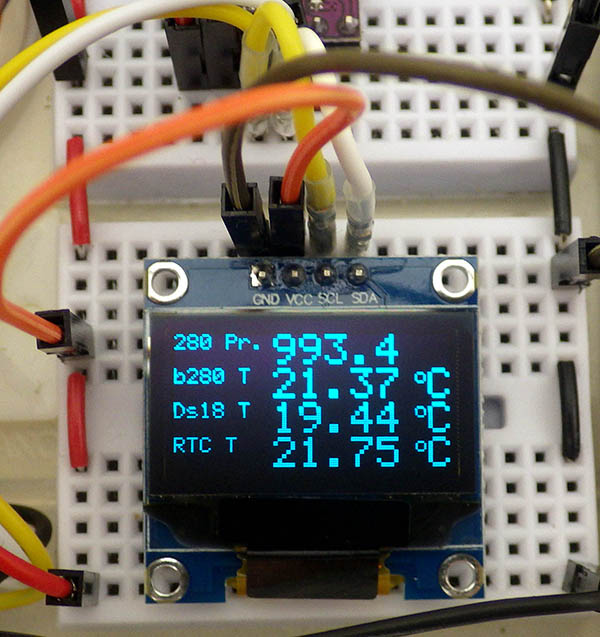

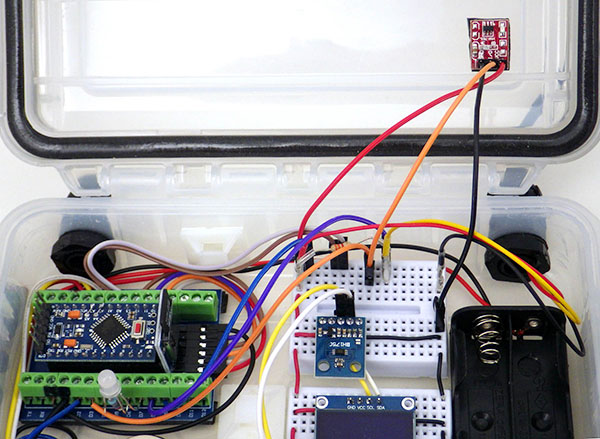


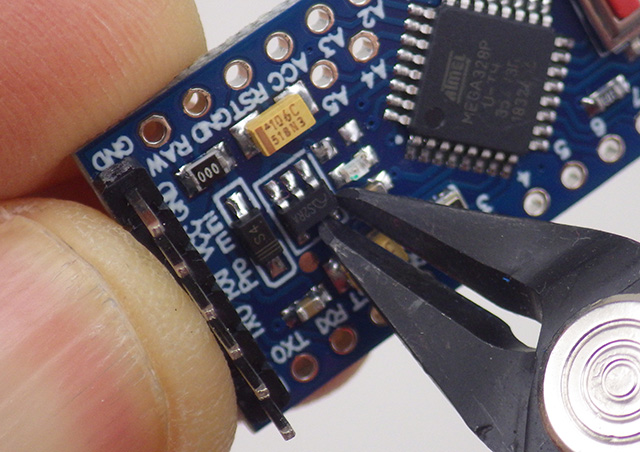

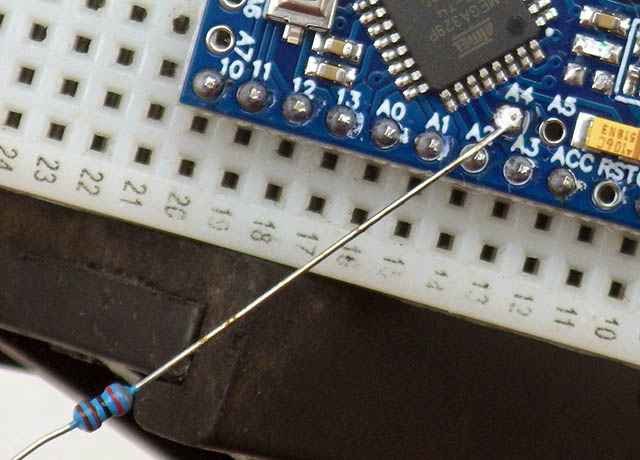
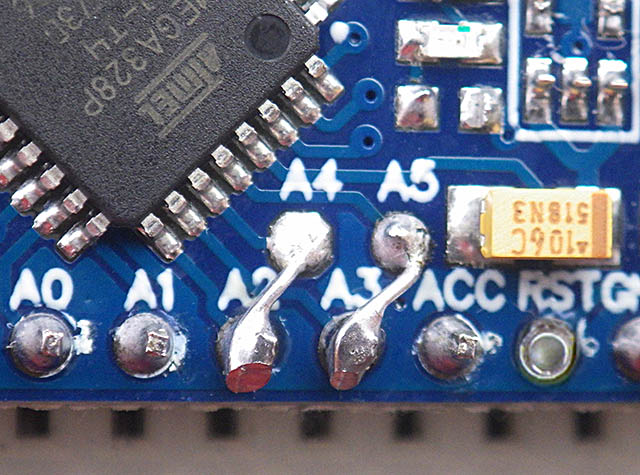
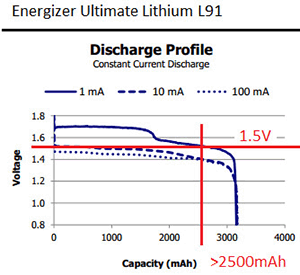

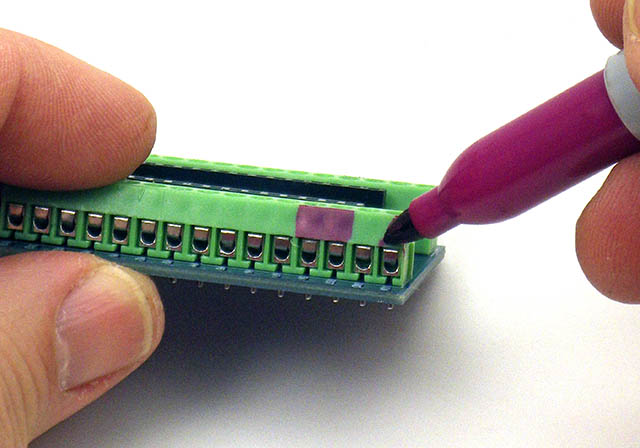

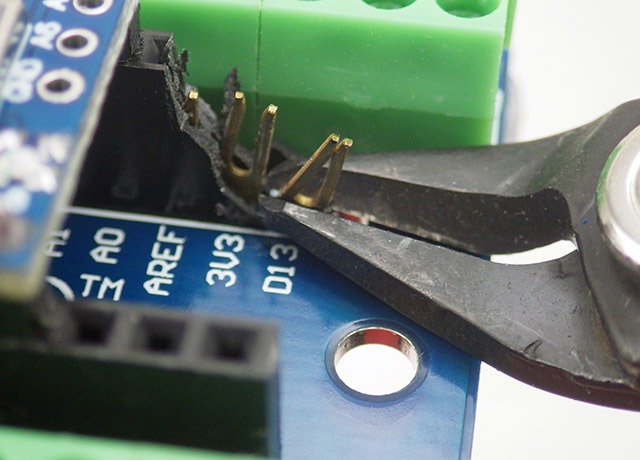
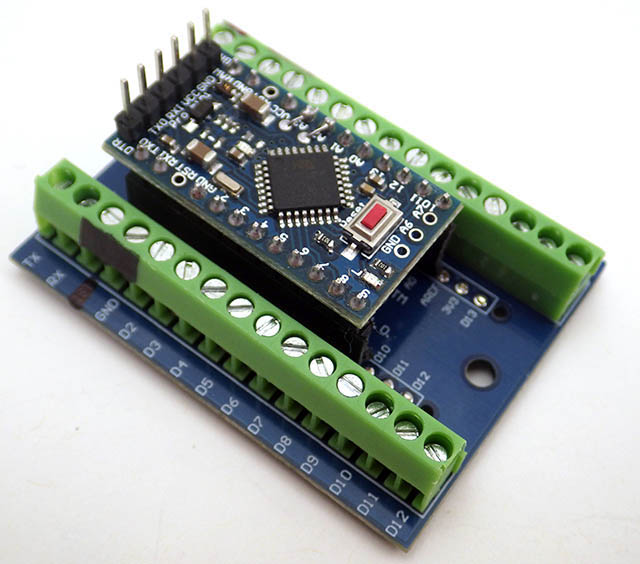
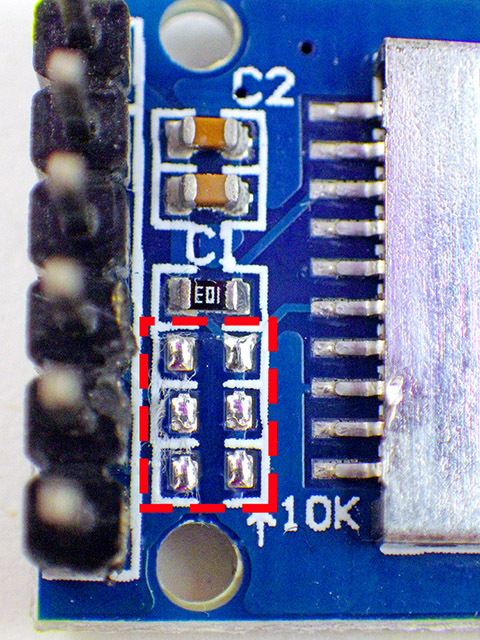

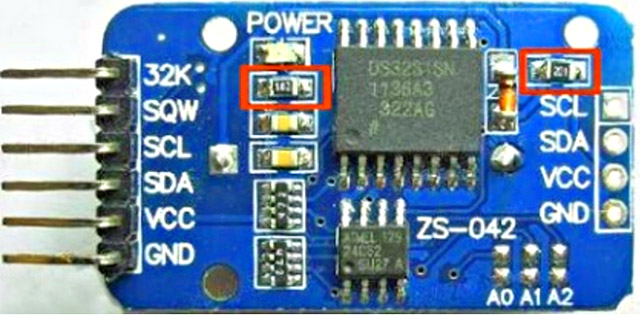
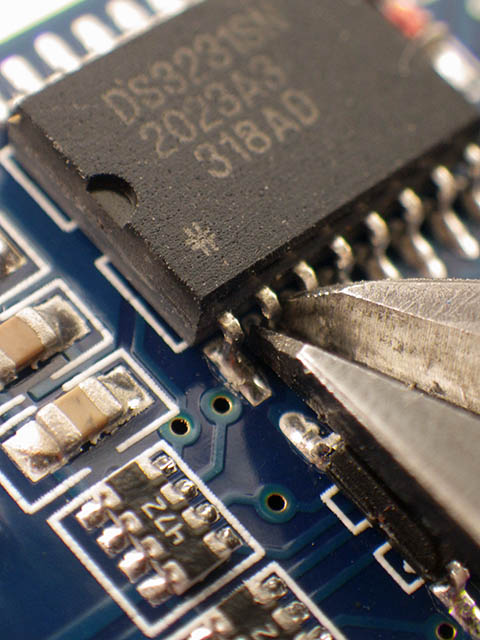
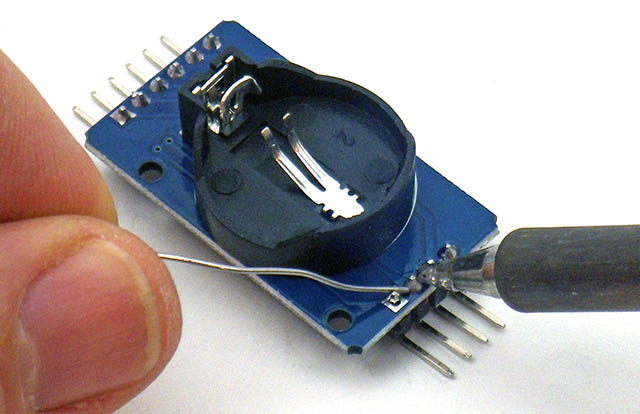
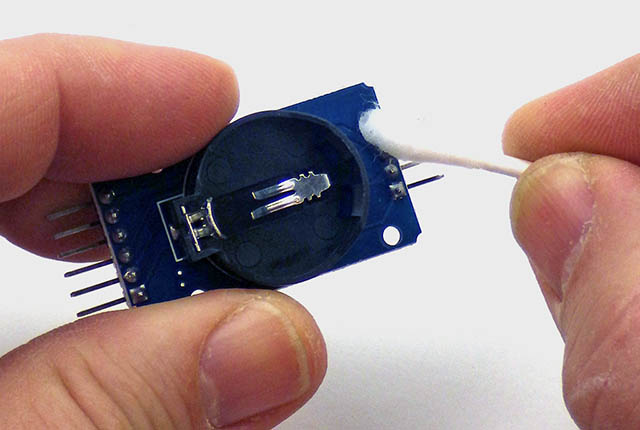
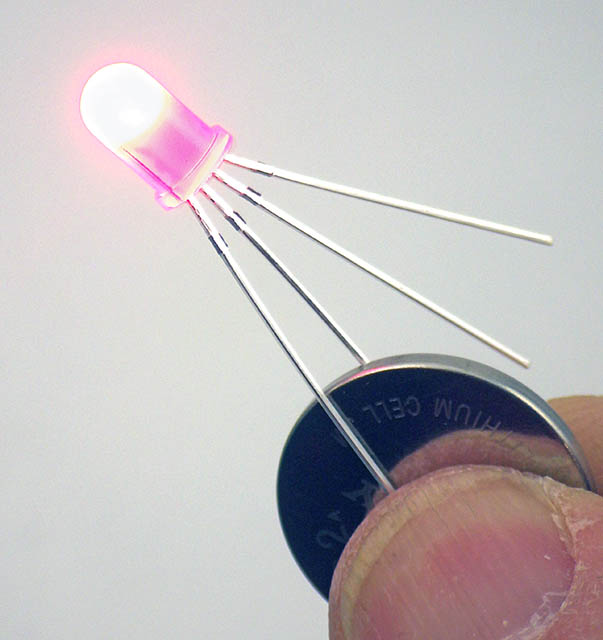
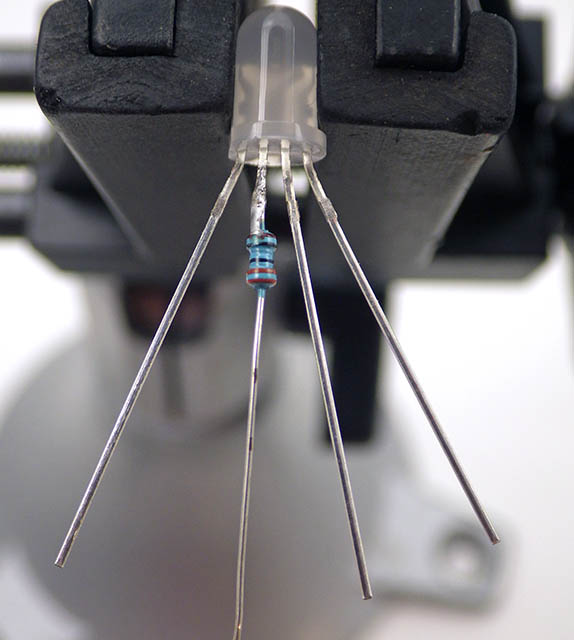
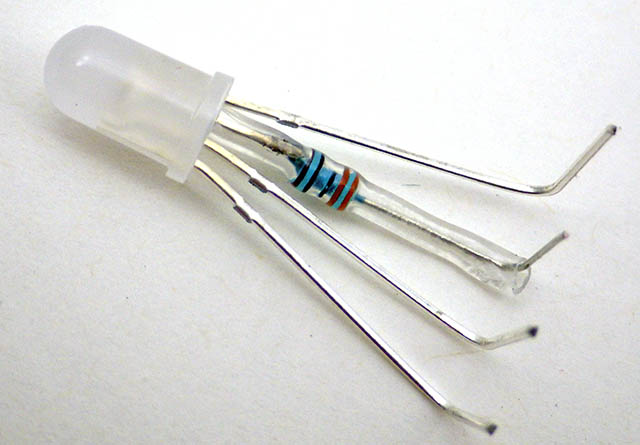
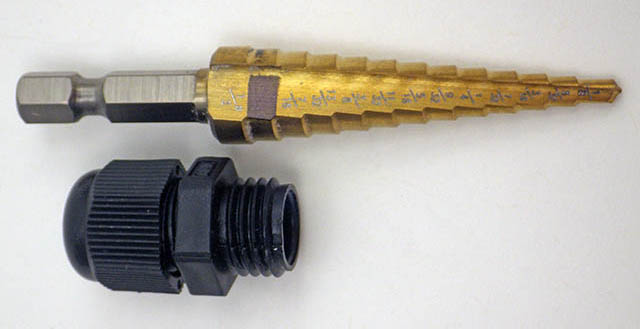
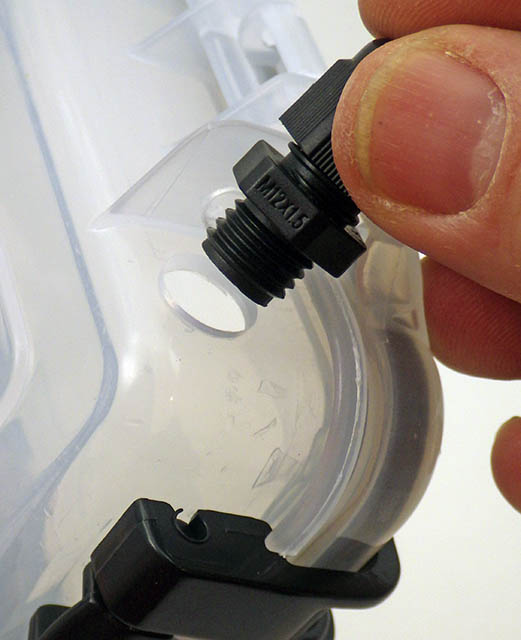
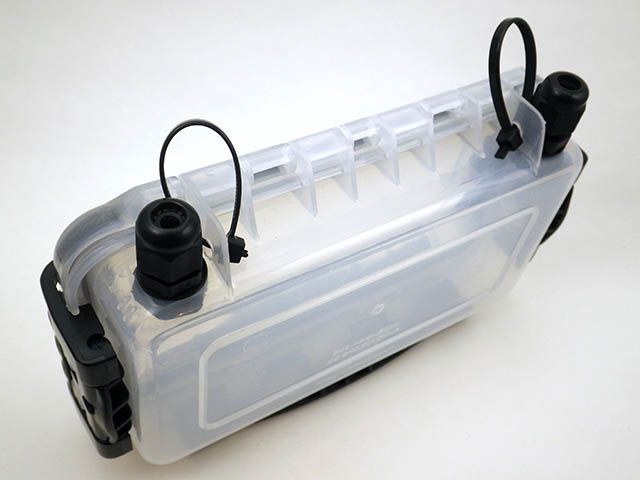
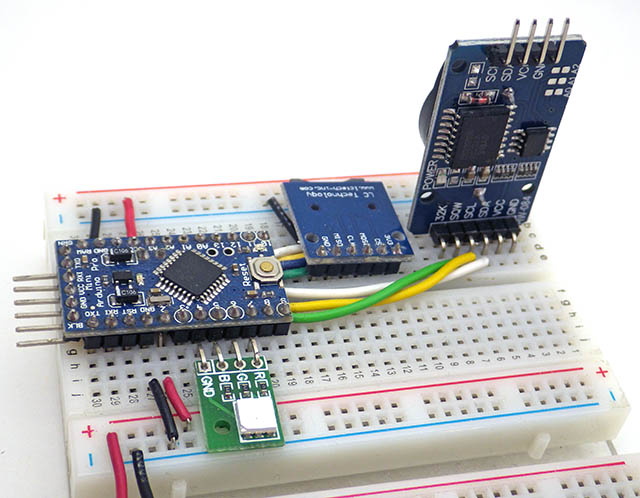

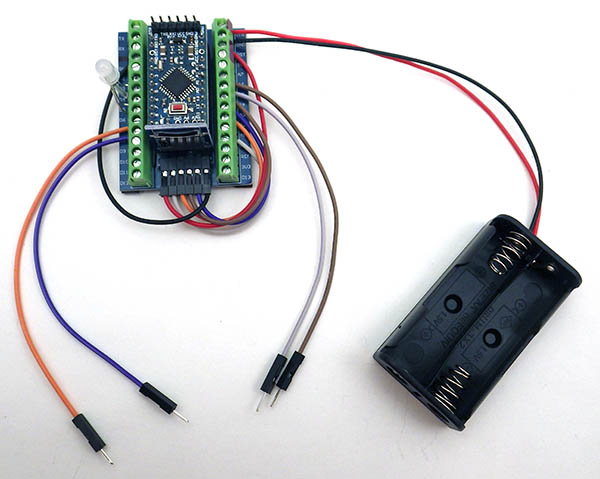


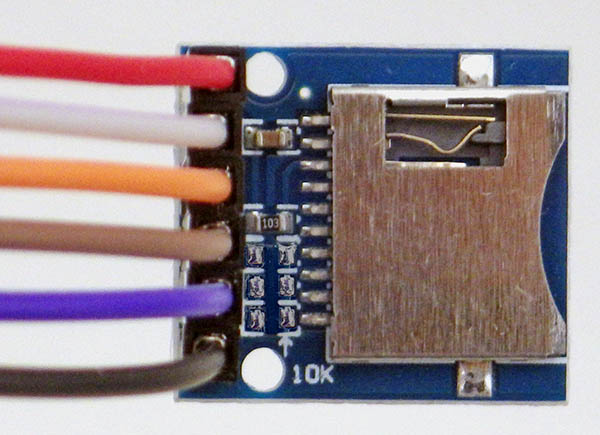
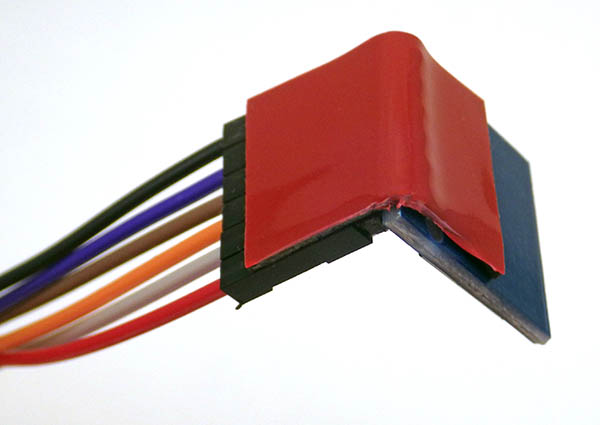
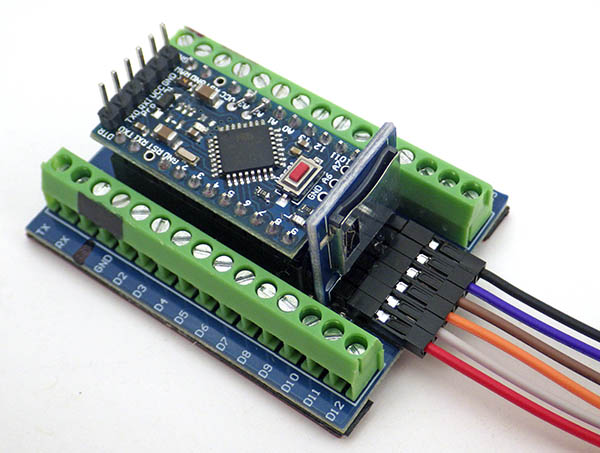
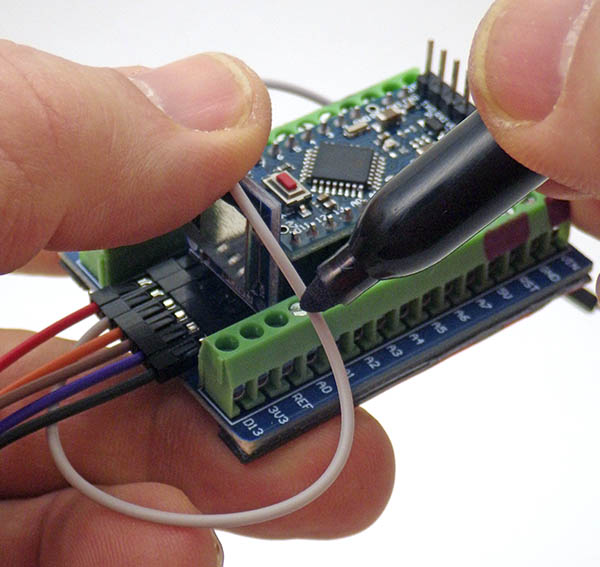
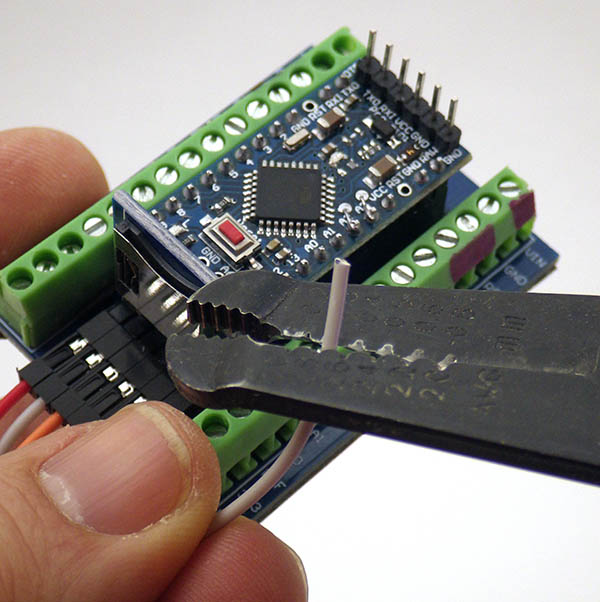

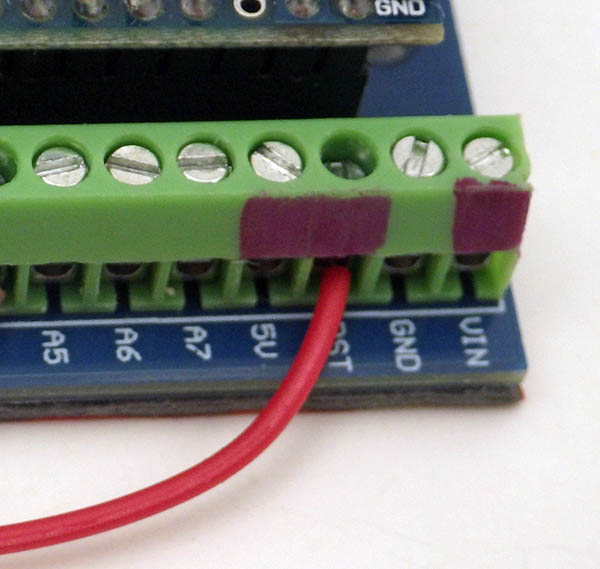
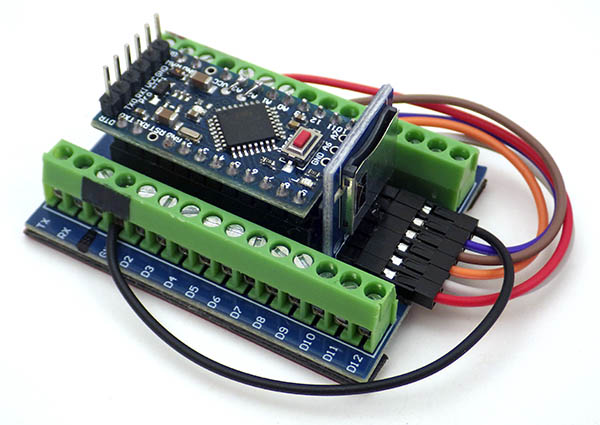
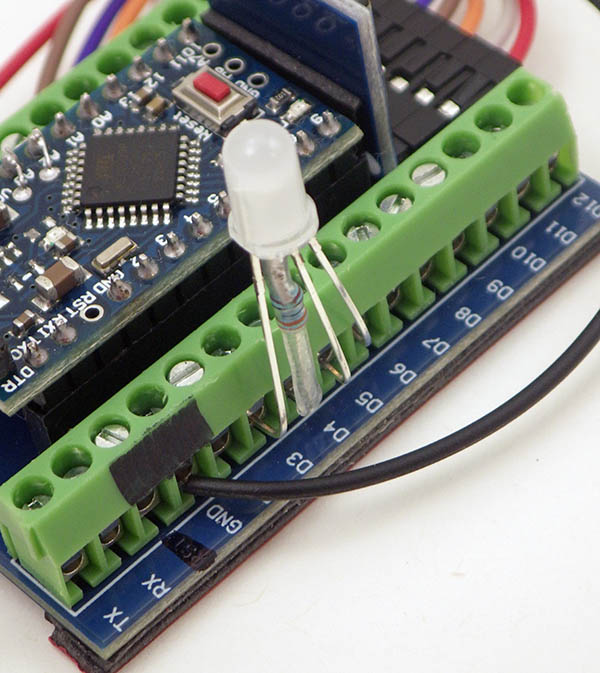
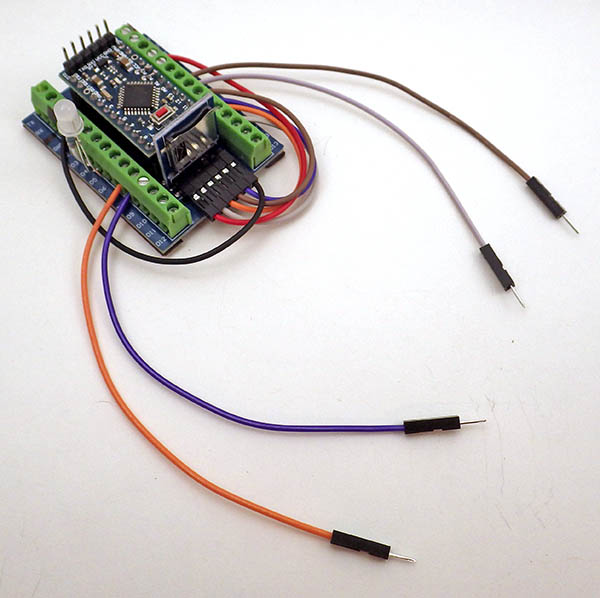

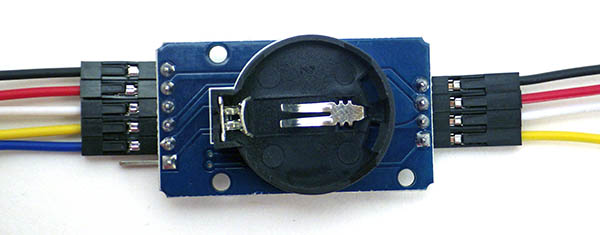
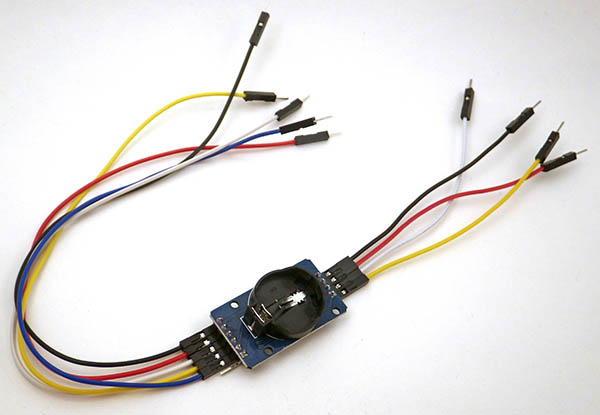
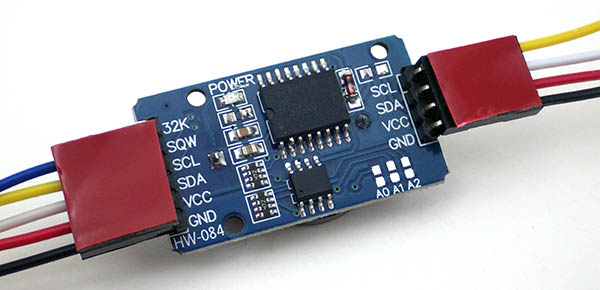
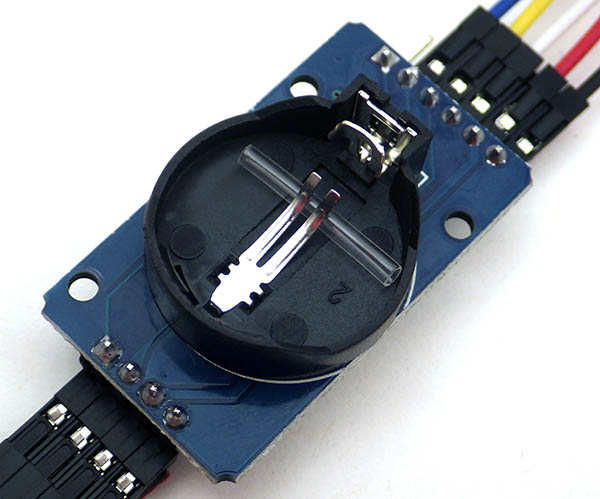
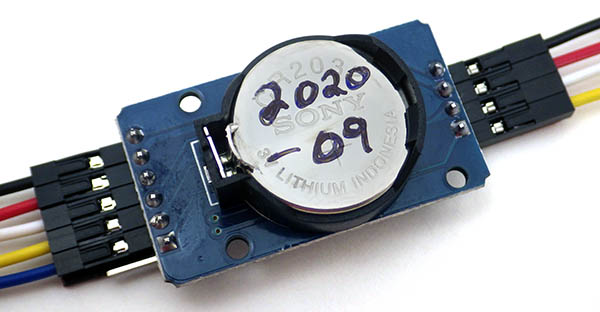
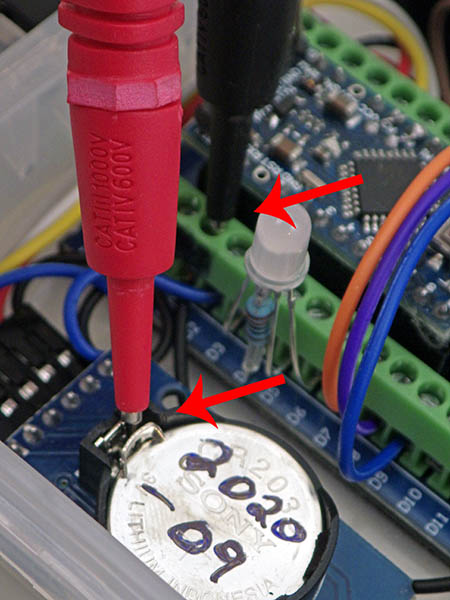

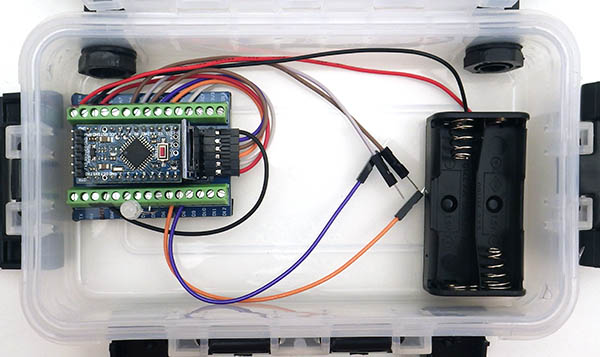
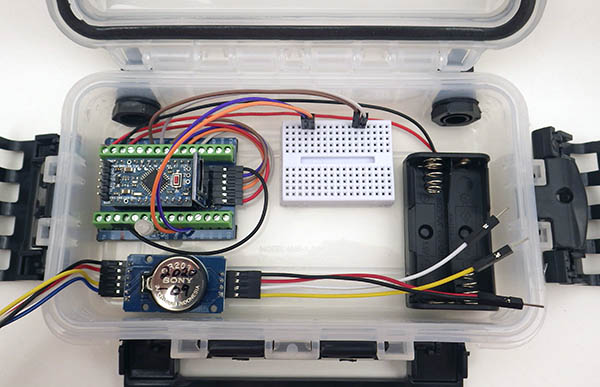
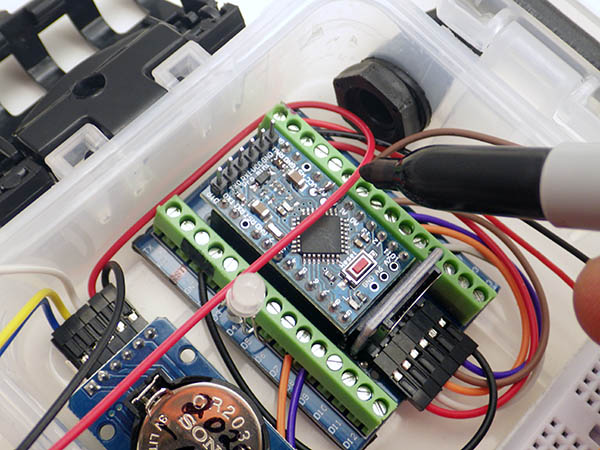
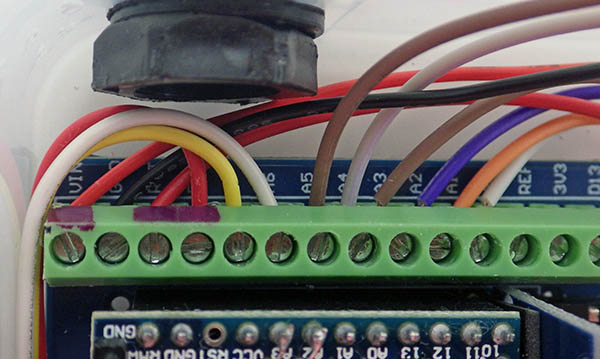
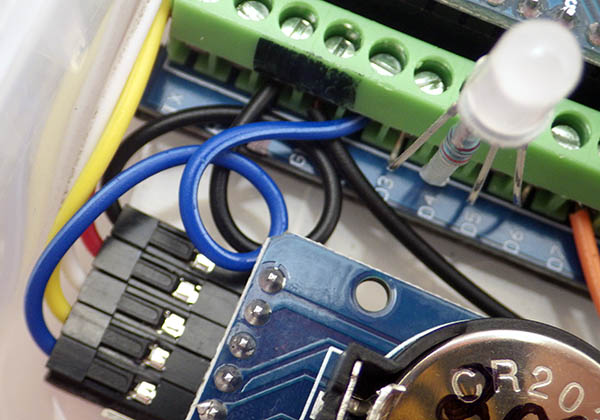
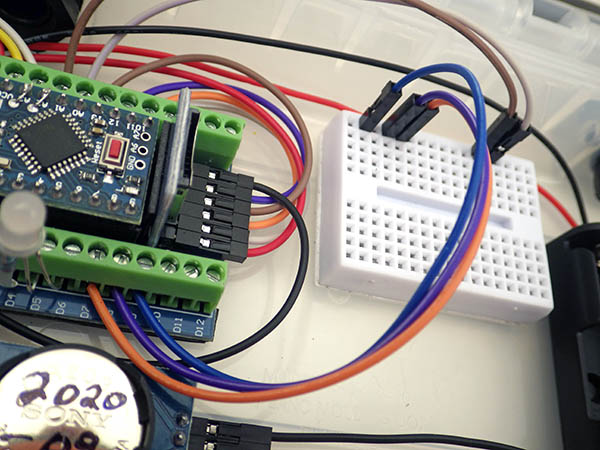

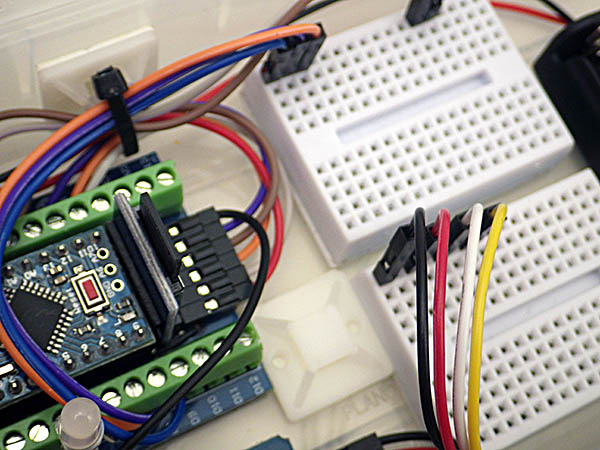


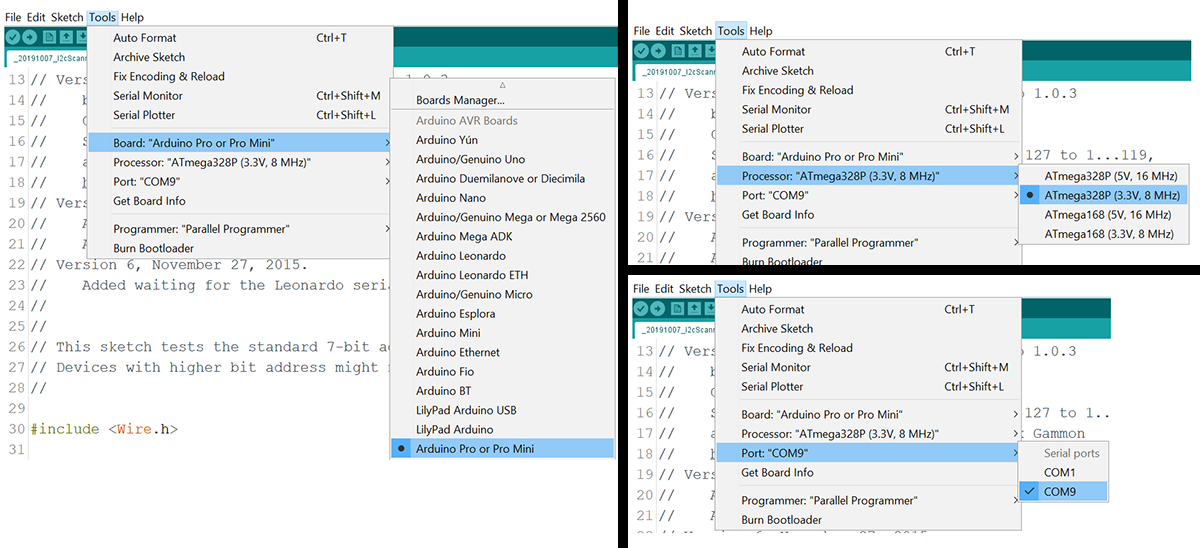


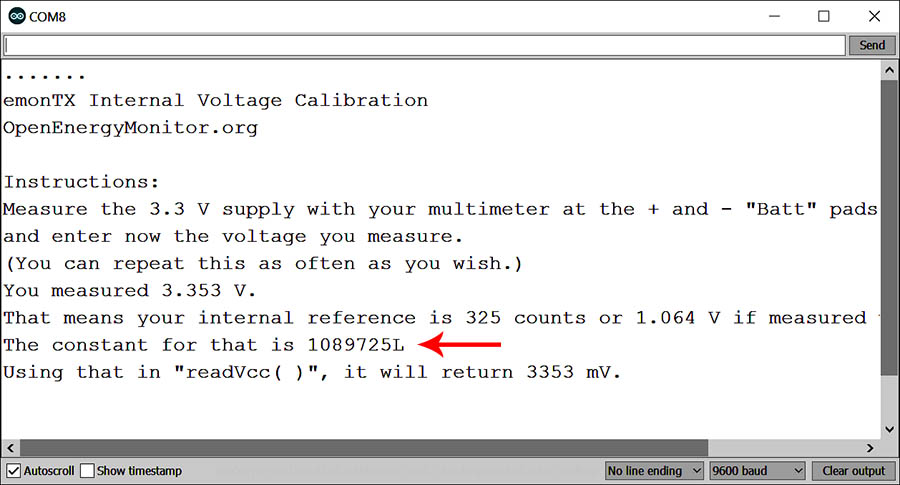

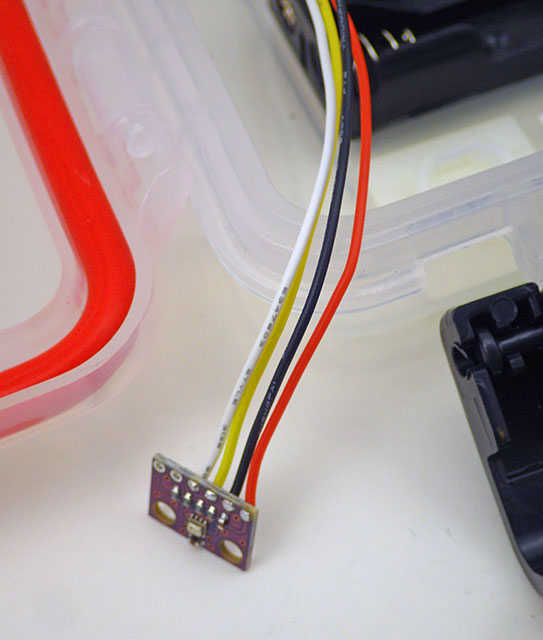
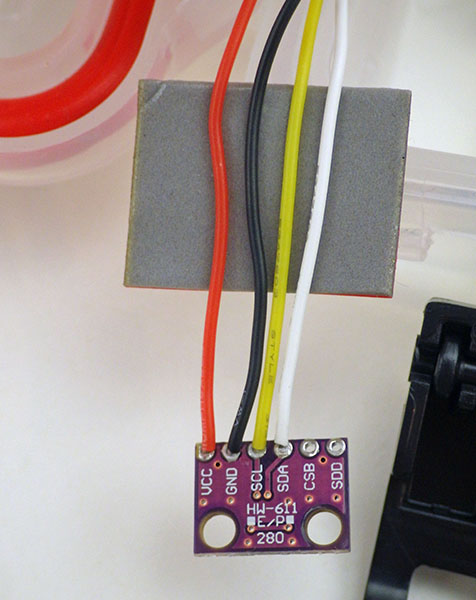
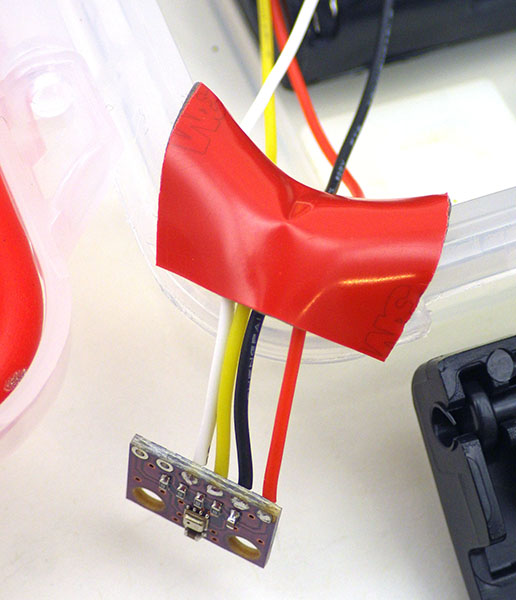
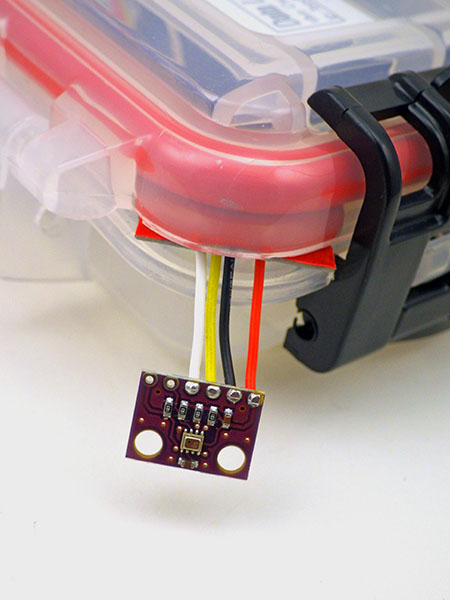
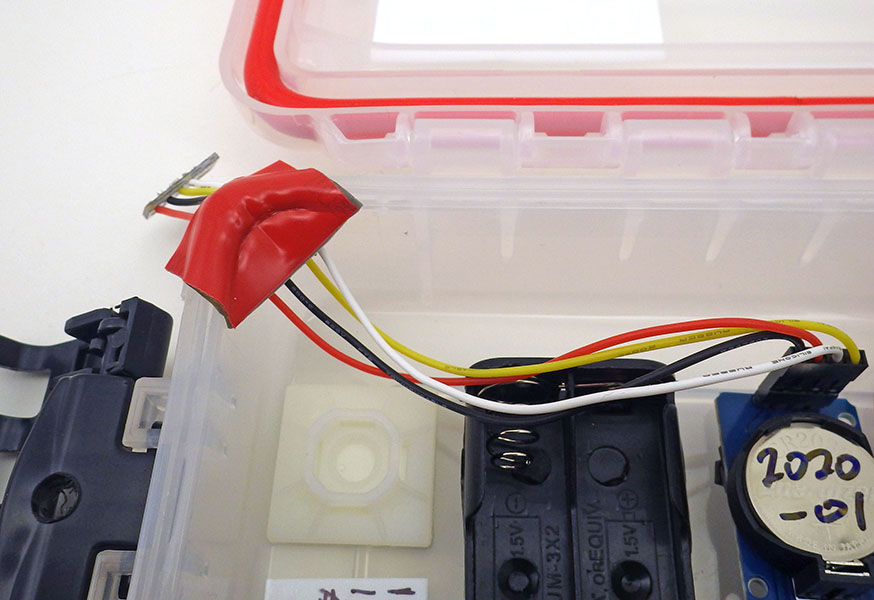
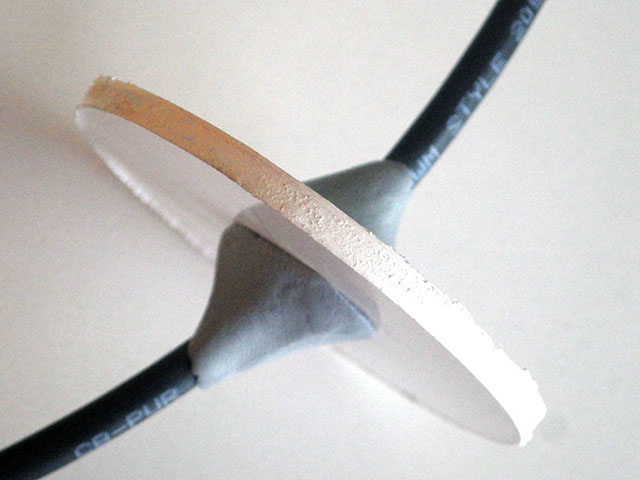
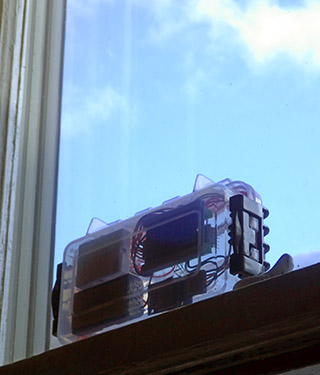

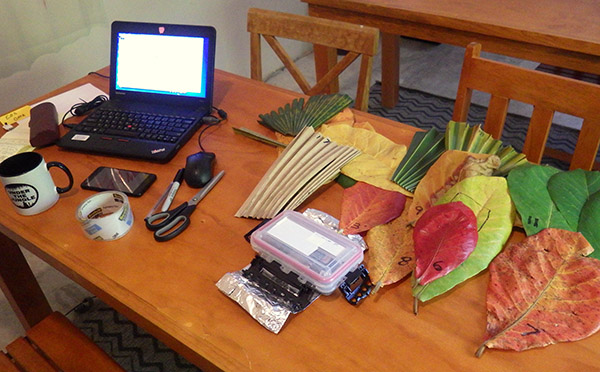
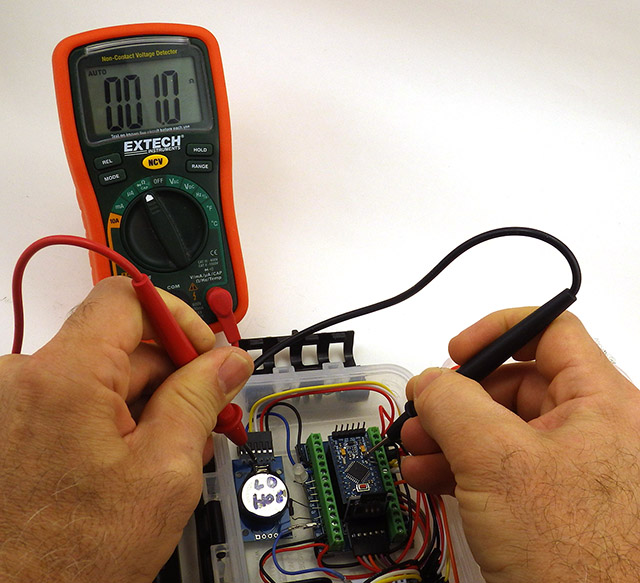

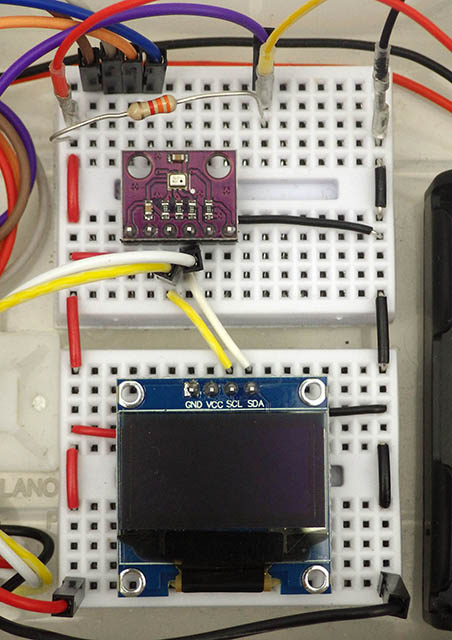


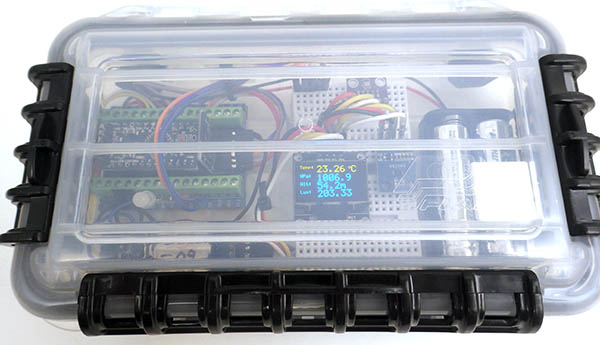
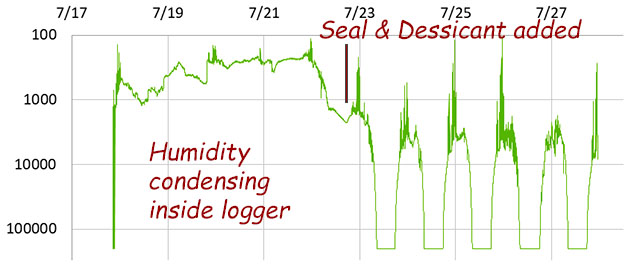

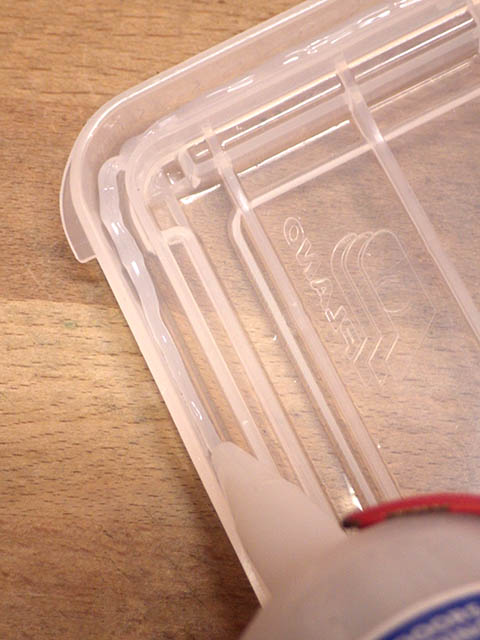
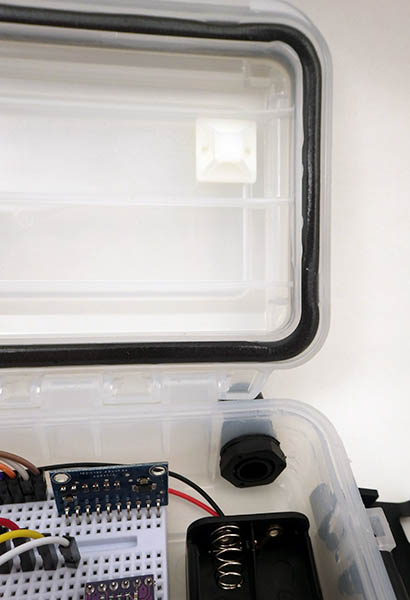
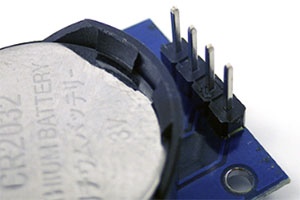
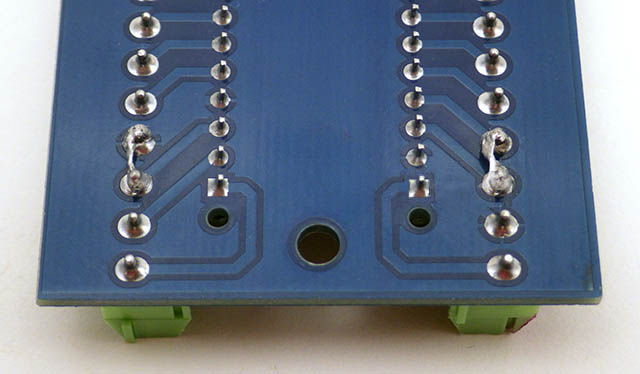
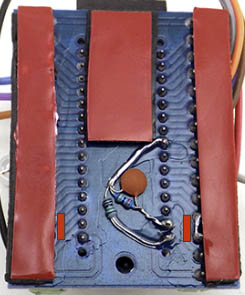
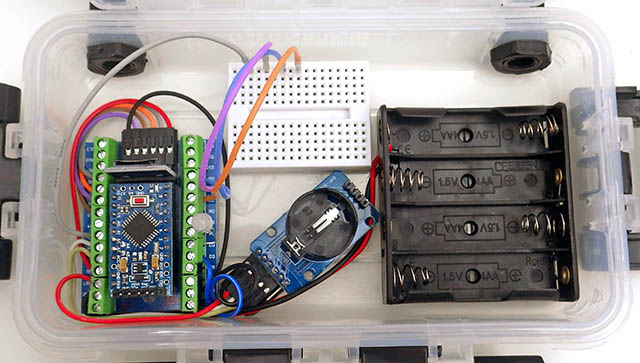

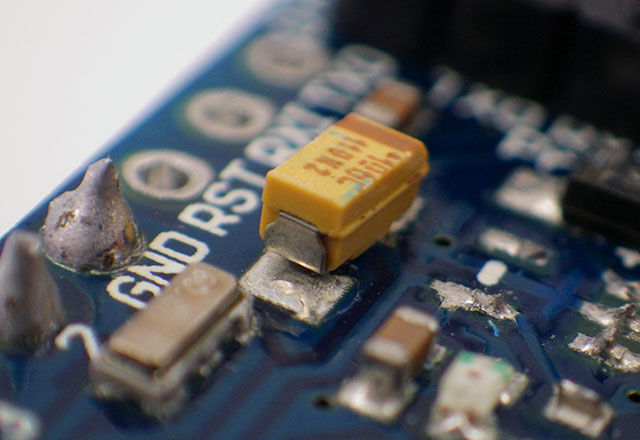


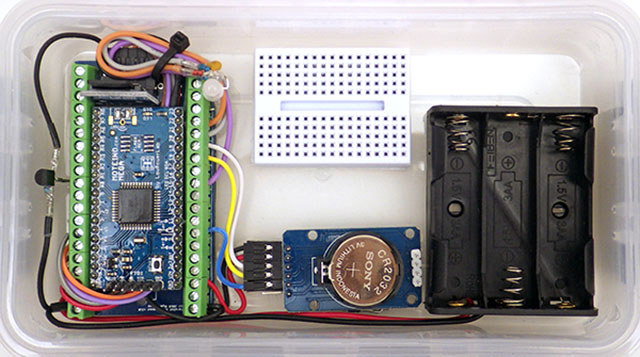
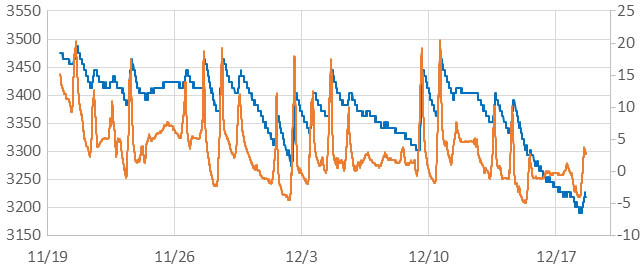


 Underwater Arduino Data Loggers