
Up to this point, the Cave Pearls have been self-contained units. But this means that the sensors must be mounted directly on the housings, and the batteries must fit inside. I already have ideas for new sensors that would require me to overcome these two limitations, so I need to address the issue of how to make electrical connections that are not merely IP68 waterproof, but rugged enough to withstand pressure at depth for a year or more.

Wet-sand the ends of that nipple (arrows) with 600 & 800 grit to remove any casting seams. Smooth all o-ring seats.
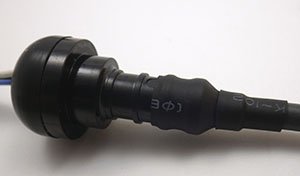
On 1/2″ barbs, use a couple of sizes of heat shrink to step down (from Ø12/6 tubing) to the diameter of the cable you are using before sealing the connection with epoxy. Adhesive lined tubing helps the seal. You can also buy 1/2 NPT x 3/8 PEX adapters for thinner cables, but for some reason they cost twice as much as the larger diameter 1/2 x 1/2″ adapters (?)
As a diver, I had already seen debates about which connectors are the best on the scuba forums, and a quick Google search quickly finds many suppliers for that market. Most of these are “wet-plugable” connectors encased in delrin/rubber, and they are workhorses in many industrial and military applications. High profile companies like Seacon making a bewildering array of solutions, but their cheapest ones come in around twenty five dollars per socket, so a complete connection will set you back at least $50.

Remove the cone washer before filling with epoxy. I score the inside of these 1/2″ barbs with an old 8×125 tap to promote epoxy bonding.
Many of these commercial connectors are rated for deep ocean deployments, able to withstand thousands of psi – far more than I will subject them to in the shallow cave systems. And they often give you a short little pig-tail under the assumption that you will be using it with a cable gland , or a bulkhead connector on a nearby housing ( or at the very least a couple of layers of marine grade adhesive lined heat shrink tubing) I needed some decent cable runs so I went looking for other applications with longer lines at shallower depths . The pool & underwater lighting folks often use Bulgin electrical connectors, and the 400 series Buckaneers (rated to 10m) occasionally come up on eBay in the $10 range, But again you need to buy two sockets (male&female), and you need to buy the pins which are sold separately. So you still end up around $25 per connection.
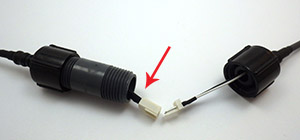
Make sure your wires extend all the way through the nipple, or you can’t make the connection! And use soft flexible silicone wires so they fold back into the connector easily.
With all that as background, I went hunting once again through the plumbing section at the local hardware store. I reasoned that anything that could hold water in, could also hold water out, right? And I think I have come up with a solution using Nibco pex swivel adapters that is pretty cheap and can be adapted to many different applications. These plumbing adapters are rated to withstand 100 psi, which is roughly equivalent to 230 feet under water. And that is pressure from the inside out, so my gut feeling is that these things will be able to withstand slightly greater pressure in the other direction, where the forces act to increase the compression of the cone washer. The thing I like about the swivel adapter mechanism is that it applies pressure to a hard plastic lip on the other side of the washer, so as you tighten the nut there is no rotational force being applied to the parts forming the water tight seal.

These adapters come in a variety of larger & smaller diameters allowing you to use different cable thicknesses, and you can change the length of the pvc riser pipe in the middle to make more space for the internal connectors. This also gives you a way to adjust the amount of air/buoyancy along the run and with a string of connectors this might be a good way to reduce strain on the cable. I suspect that the schedule 80 tubes in the middle are the weakest point in the system, but filling the internal space with mineral oil would get these connectors to significant depth, as would a filling of paraffin wax, though that would have to be heated again to undo the joint.
Addendum

Don’t forget to smooth the seat on that male hose barb side if it has bad casting seams. You want that connection to be as clean as possible. You need to use small connectors for this M-F design.
After building a few of these, I realized that it was possible to make them even simpler if the electrical connectors were small enough. In the picture here, one side has a Nibco PEX swivel adapter, while the other has a male thread NPT to PEX adapter. These are both polymer, though it is hard to find an epoxy that will bond to it with an applicator fine enough to put the adhesive into the barb cavity. These fittings are also available in brass for the same price, and the o-ring seats are much cleaner on those than the polymer adapters because there are casting seams on the plastic parts. But I don’t know how well the brass will fare in marine environments. Some of my sensors have stainless shells, so I worry about galvanic effects in salt water?
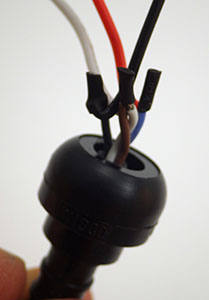
Pull these joins into the connector so they are embedded in the epoxy.
In the photo above I’ve used a three wire PC fan connector, and it “just barely” fits inside the cavity of that m/m hose barb. I will use smaller JST connectors in future, or perhaps Dean’s Micro 3pin or 4pin for something more robust. The internal diameter of the 1/2 pipe is a little over 12mm, so if you need to squeeze more connections in there you could try a couple of “mini micro” JST’s, but I find that soldering all those wires so close together is a bit irritating because it’s easy to accidentally melt the plastic, loosening the tiny pins.
I also found that the wire inside my cables were too stiff to fold neatly into this much smaller space, so I had to add some flexible 26 AWG silicone wires to the ends. After the jumpers are attached, pull the cable through so that the solder joins get embedded in the epoxy. This has the added benefit of providing a break in the insulation around the wires, so that if you do get a cut in the cable, water can’t work it’s way through the connector by wicking along the copper strands. I am still hunting for a good supplier of multi-conductor 22-24 awg cable that has a good “handling weight” for underwater applications. It’s hard to shop for something on the internet when what you are really after is something that “feels right” when you hold it in your hands.

A dual connection cap for one of our 2″ underwater housings. We now use harder PUR sheath cables because softer silicone jackets were too easily damaged during deployment dives. For a less expensive option, Luke Miller has had success using USB cables with his underwater sensors. A 3/4″ adapter from the pex connector system gives you a way to mount pressure sensors under oil.
I should add the usual provisos here about this being another of my completely experimental ideas so use this at your own risk. Pex tubing is generally rated to ~100psi (at temperatures below 74°F) and if the o-rings can withstand that then they should “theoretically” be good to about 60m depth. Translating that into the real world, I expect these connectors to be trustworthy to about 40m, which covers most of our cave deployments.
Addendum 2015-01-30
I just stumbled across a different solution to the expensive underwater connector problem. His method for waterproofing connectors using 3D printed silicone molds is beyond my current capabilities, but its nice to see it explained with such clear documentation.
Addendum 2015-02-01
If those pex adapters don’t have enough room for your cables, I found another great underwater connector project which might do the job for ya 😉
Addendum 2017-01-23
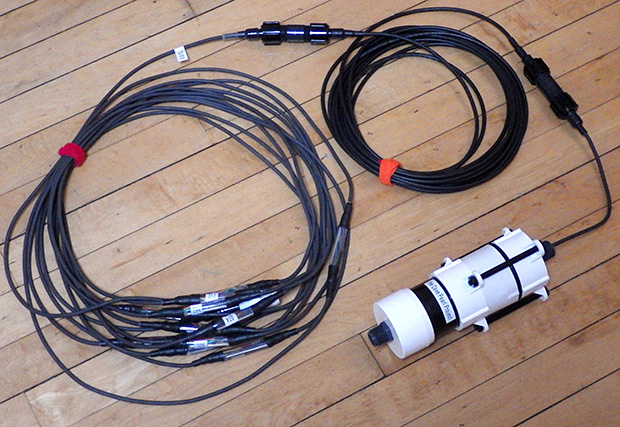
As time goes on I am reducing the number of interconnects, but even with longer chain segments I will probably stick with only 24 sensors per logger.
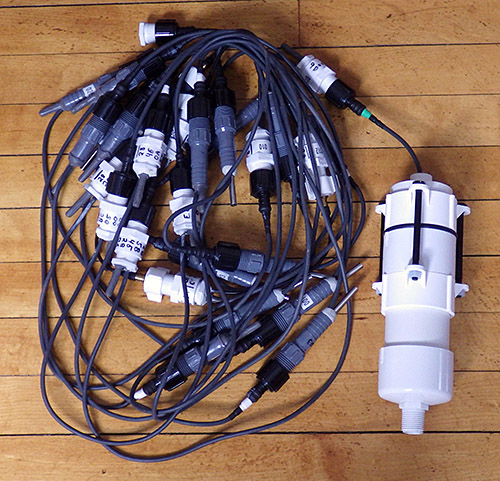
Just though I should add an update to mention that quite a few of these connectors have been in service for more than a year on temperature chain deployments. None of them have failed on relatively shallow deployments from 5-15m depth. The only problem I’ve had is the length of the connector itself can be challenging when you are trying to pack one of those long strings into the mesh bag for an underwater deployment.
Addendum 2018-12-05
I’ve posted a video showing how I build those underwater connectors and use them with epoxy potted sensors: ( part of our 2017 screw terminal logger series)
It’s also worth mentioning that you can improve the fit of various parts by taking advantage of the fact that they are thermoplastics:
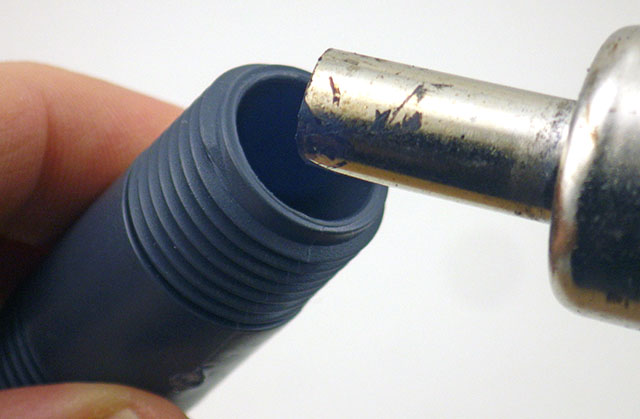 Rotate & heat the inside corner edge of the tube until ~ 0.5mm of the material ‘softens back’. Don’t over-do it! you don’t want to alter the tube diameter or hurt the threads. |
 Quickly press the mating o-ring onto the seat while the PVC is still soft enough to conform to the shape.
|
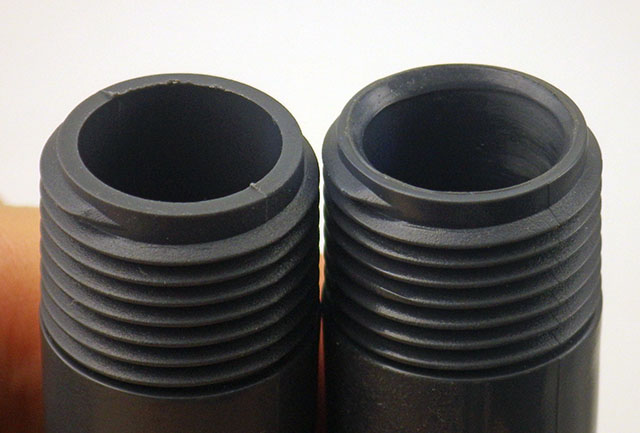 Before & After heat treatment: the o-rings now form a better seal. This is faster than sanding away any rough casting seams on the parts |
Addendum 2020-04-06
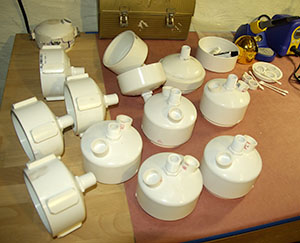
These connectors & sensor mounts are part of the housing system we’ve been developing since 2015. You can see the latest underwater housing build @ DIY data-logger Housing from PVC parts


 Underwater Arduino Data Loggers